
API Publishing Workflow vs Copy Paste for Blog Posts
It's 2 AM, you've pasted a 1,800-word draft into WordPress, and the headings have collapsed into bold paragraphs while every image sits left-aligned against a wall of unstyled text. If that scene feels familiar, the API publishing workflow vs copy paste for blog posts debate isn't theoretical for you, it's a recurring production tax.
You're right to be frustrated. Manual publishing looks simple on the surface but quietly eats hours through formatting drift, broken embeds, and metadata that never survives the clipboard. The NoCodeHack YouTube tutorial on automating WordPress publishing with n8n and ChatGPT has racked up 24,990 views, which tells you exactly how many non-developers are hunting for a better way.
This article will show you what actually breaks during copy-paste publishing, how API workflows eliminate those failures, and when a hybrid approach makes sense. You'll also get the Copy-Paste Failure Taxonomy, a four-category framework no competitor has published, plus a plain-English walkthrough of the WordPress REST API that requires zero coding background.
One finding may surprise you: the biggest time sink isn't the paste itself, but the silent metadata loss you never notice until a post underperforms in search. An autopilot SEO content engine can remove that entire class of failure by shipping structured, rank-ready posts directly to your CMS, no clipboard involved.
What Actually Breaks When You Copy Paste a Blog Post
Copy-paste publishing is the manual transfer of formatted content from a writing tool into a CMS editor, where hidden style rules and block structures frequently corrupt the original layout. The failures fall into four predictable categories, a framework worth calling the Copy-Paste Failure Taxonomy.
1. Formatting Drift
Think of formatting drift like photocopying a photocopy: each transfer degrades the original. Google Docs injects inline span styles that clash with your theme's CSS, so pasted text inherits the wrong font, line height, or color. Heading levels silently flatten, an H3 becomes bold body text, and numbered lists restart at 1 mid-sequence. You fix one paragraph, scroll down, and find three more broken.
2. Structural Corruption
In block-based editors like Gutenberg, pasted HTML often misaligns block boundaries. A paragraph and its following image merge into one malformed block, or the image src attribute gets rewritten to a temporary blob URL that breaks after the editing session. Embedded tweets, YouTube videos, and tables are the most fragile: they frequently paste as raw URLs or collapse into empty containers that render as blank space on the live page.
3. Metadata Loss
Categories, tags, featured images, SEO titles, and meta descriptions do not travel through the clipboard. A post pasted without its category lands in "Uncategorized," missing internal linking opportunities and topic-cluster signals. The featured image must be re-uploaded manually, and any SEO fields configured in your writing tool vanish, meaning the published page ships without the metadata that search engines and AI answer engines rely on for citation.
4. Workflow Friction
Multi-tab switching between your draft, the CMS, an image compressor, and an SEO checker creates version confusion. You edit the wrong draft, publish an outdated headline, or re-upload the same image three times because you lost track of which tab held the final version. Each context switch costs roughly 23 minutes of refocusing time, according to productivity research on task interruption, a cost that compounds across every post in your calendar.
The common thread across all four categories: the clipboard was never designed to carry structured web content. It carries text and basic formatting, not the semantic relationships that make a blog post rank.
How API Publishing Works Without the Jargon
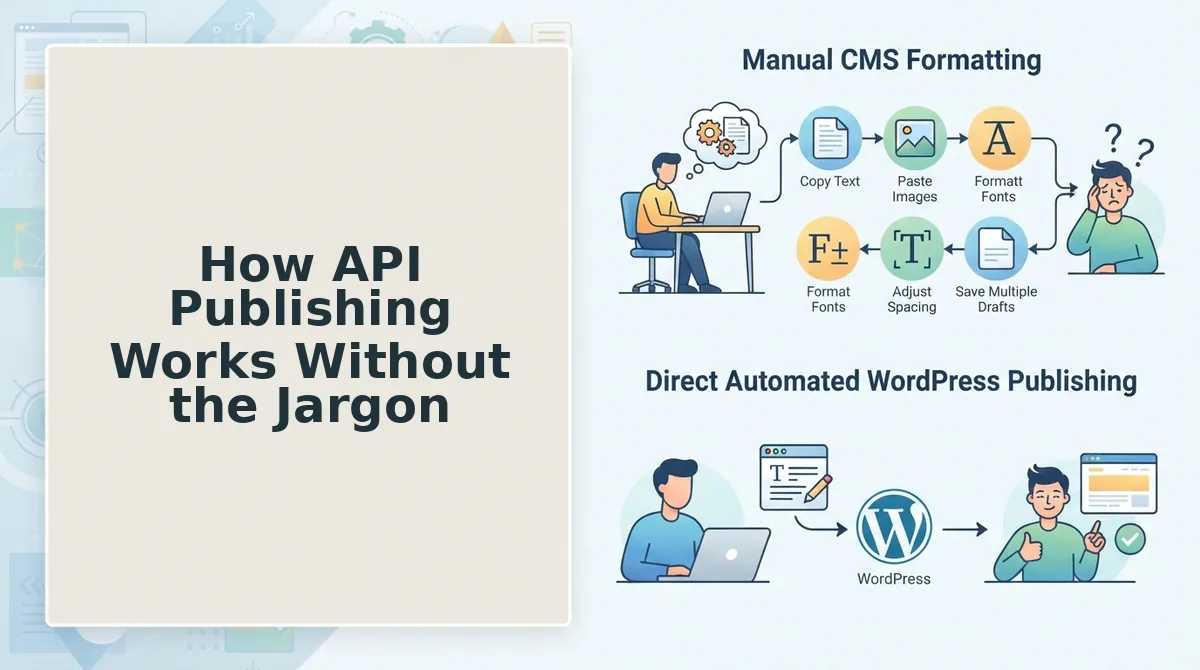
API publishing sends your article directly from a writing tool to your CMS as structured data, bypassing the clipboard entirely. The WordPress REST API follows a three-step flow, authenticate, format the payload, POST, that any tool can automate, including no-code platforms like n8n and Zapier.
Prerequisites: a WordPress site with the REST API enabled (it is by default), an application password or API key, and either a no-code automation tool or a publishing platform that handles the API calls for you.
- Create an application password. In WordPress, open Users to Profile, scroll to Application Passwords, and click Add New Application Password. Name it after your publishing tool. WordPress generates a 24-character password, copy it once, because it won't be shown again. You should see the new password listed under your profile.
- Format the article as a JSON payload. A payload is simply a structured text file containing your post's title, content, categories, tags, featured image ID, and SEO fields. In n8n or Zapier, you map fields from your source (a Google Sheet, RSS feed, or AI output) into the WordPress node. Each field must match WordPress's expected format, for example, categories are numeric IDs, not names. You should see a preview of the mapped data before sending.
- Send the POST request. The POST request is the instruction that tells WordPress to create a new post. In n8n, click Execute Workflow; in Zapier, click Test Step. WordPress returns a 201 Created status code with the new post's ID and URL. You should see a green success indicator and a clickable link to the live draft.
The NoCodeHack YouTube tutorial, viewed 24,990 times, demonstrates this exact flow using n8n, ChatGPT, and trending news to automatically create and publish blog posts without writing a single line of code. The workflow fetches a news item, generates an article with ChatGPT, formats the payload, and POSTs it to WordPress on a schedule.
If building n8n workflows feels like a detour from writing, an autopilot SEO content engine handles authentication, payload formatting, and publishing behind the scenes, you approve the content, and it ships to WordPress or your custom API with brand voice and SEO fields intact. Next, let's put a number on what each publishing method actually costs you.
API vs Copy Paste: The Time-Cost Breakdown
API publishing wins on speed and repeatability for any site publishing more than six posts per month, while copy paste remains viable for low-volume, highly custom work. The real cost difference shows up in step count and minutes per post, not in tooling fees.
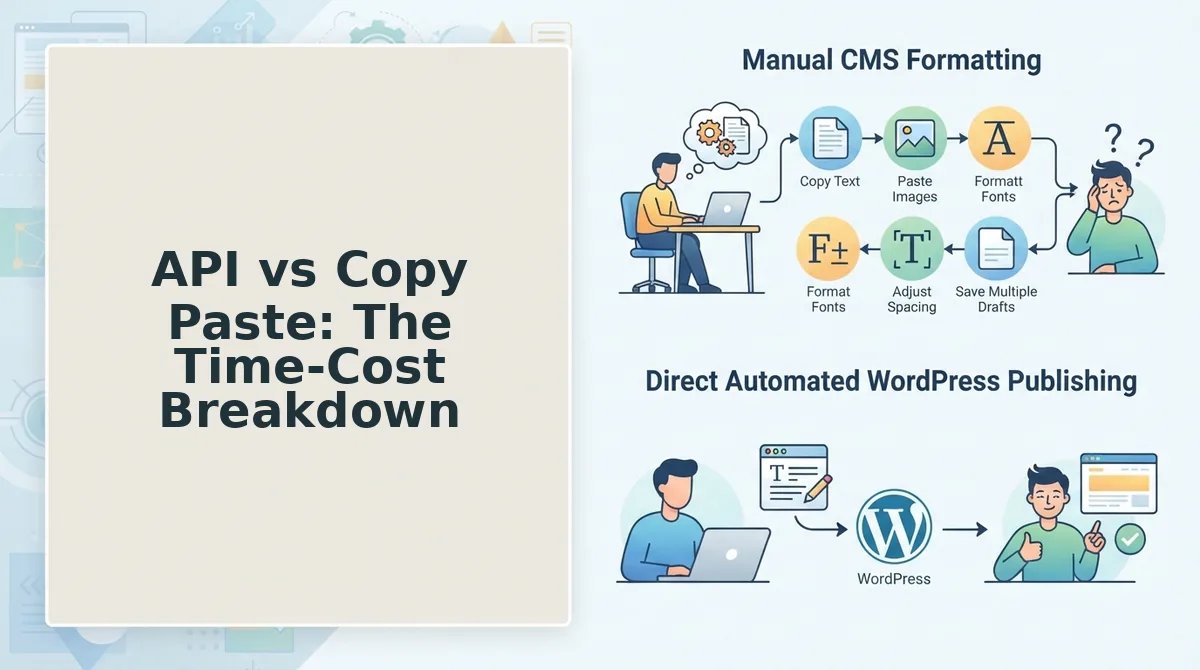
Manual publishing requires 10-14 steps per post: open the CMS, create a new post, paste the title, paste the body, clean up formatting artifacts, set the slug, assign categories, add tags, upload and place images, configure the featured image, set the excerpt, preview, fix layout breaks, and finally hit publish. That workflow takes an estimated 15-30 minutes per post when done carefully.
API publishing compresses the same job into 2-4 steps: trigger the workflow, let the payload assemble, review the draft, and approve publication. Estimated time: 1-5 minutes per post. The difference compounds fast, at 8 posts per month, manual publishing costs roughly 2-4 hours versus 8-40 minutes via API.
Jono Catliff's n8n blog system video (35,344 views) demonstrates what this looks like at scale: his automated publishing workflow reports 50,000 clicks per month, a volume that would be operationally painful to sustain with copy paste alone.
| Factor | Copy Paste Publishing | API Publishing |
|---|---|---|
| Steps per post | 10-14 | 2-4 |
| Time per post (estimated) | 15-30 minutes | 1-5 minutes |
| Monthly capacity (1 hour/day) | ~60-120 posts | ~360-720 posts |
| Formatting consistency | Varies by editor and paste source | Uniform, payload-defined |
| Error surface | Human formatting mistakes, broken embeds | Malformed payloads (preventable with validation) |
| Setup effort | None | One-time workflow configuration |
| Best for | Solo bloggers under 4 posts/month, one-off pages, heavily custom layouts | Content teams, agencies, and publishers over 6 posts/month |
Copy paste has one honest advantage: zero setup. If you publish a single announcement post or a page with a bespoke visual layout, opening the editor and pasting is faster than configuring any automation. The tradeoff is that every post after the first costs the same 15-30 minutes again.
The hybrid threshold is straightforward. Under 4 posts per month, manual publishing is acceptable, the setup time for API workflows exceeds the time saved. Above 6 posts per month, API publishing pays for itself within the first month. Between 4 and 6, either approach works depending on whether your posts share a consistent structure.
For teams publishing at volume, pairing an API workflow with citation-optimized publishing removes both the manual paste step and the formatting drift that hurts AI answer engine visibility.
Best for solo bloggers and one-off publishers: Copy paste. If you publish fewer than 4 posts per month or need pixel-level control over layout, the manual editor is still the right tool.
Best for content teams, agencies, and DTC brands: API publishing. At 6+ posts per month, the step reduction from 10-14 down to 2-4 per post returns hours of labor every week and keeps formatting consistent across your entire archive.
When Copy Paste Is Still the Right Call
API publishing is not universally superior. Copy paste remains the correct choice in specific, low-frequency scenarios where automation setup costs exceed the recurring time savings.
- One-off posts with no recurring publishing cadence. If you publish a single announcement, a yearly report, or a one-time landing page, configuring an API workflow for one post wastes more time than it saves. The 10-14 manual steps happen once, not monthly, so the 15-30 minute cost is irrelevant at that frequency. Use the native editor and move on.
- Heavily custom layouts that require visual block arrangement. API payloads excel at structured, predictable content, title, body, image, metadata. When a post needs hand-placed columns, overlapping sections, or a bespoke visual hierarchy, the block editor gives you direct manipulation that a JSON payload cannot easily replicate. Reserve API publishing for posts that follow a template.
- Posts requiring manual image placement or complex embeds. Inline images positioned between specific paragraphs, custom galleries, or interactive embeds often need human judgment about placement and sizing. API workflows can attach a featured image reliably, but mid-content media placement frequently requires visual review in the editor. Publish these manually or use the API for the draft and finalize media by hand.
- Testing a new content format before automating it. When you are experimenting with a new post structure, a comparison table layout, a Q&A format, or a new heading hierarchy, copy paste lets you iterate quickly without rebuilding a workflow payload each time. Automate the format only after it proves stable across three or more posts.
The rule is simple: automate what repeats, paste what does not. If a publishing task happens monthly or more often and follows a consistent structure, API publishing wins. If it happens once or demands visual judgment, the manual editor is still the right call.
FAQ
Is API publishing better than copy paste for blog posts?
Yes, for any site publishing more than 4-6 posts per month. API publishing reduces the process from 10-14 manual steps and 15-30 minutes per post down to 2-4 steps and 1-5 minutes. Below 4 posts per month, copy paste is acceptable because workflow setup time exceeds the recurring savings.
Do I need coding skills to publish via API?
No. No-code tools like n8n and Zapier handle the technical parts of API publishing, including authentication, payload construction, and error handling. You configure a visual workflow once, then trigger it with a form, spreadsheet, or scheduled automation without writing code.
What's the easiest way to automate WordPress publishing?
Use a content engine like BloGoose that ships finished articles directly to WordPress or a custom API. This removes the manual copy paste step entirely, the platform handles drafting, formatting, and publishing in one workflow. For a deeper look, see AI blog generator direct WordPress publishing.
Can API publishing break my site?
Only if you send malformed payloads. Proper authentication and validation prevent most issues, the WordPress REST API rejects invalid data rather than corrupting your site. Always test against a staging environment first, and include error handling in your workflow so failed requests retry instead of silently dropping content.
How many posts per month justify switching to API publishing?
Six posts per month is the threshold where API publishing pays for itself. Between 4 and 6 posts, either approach works depending on post consistency. Under 4 posts, manual copy paste remains the more efficient choice because one-time workflow setup costs more than the recurring time saved.
Does API publishing affect SEO or AI answer visibility?
Not directly, but indirectly yes. API publishing enforces consistent formatting, metadata, and structure across every post, which helps search engines and AI answer engines parse your content reliably. Manual copy paste introduces formatting drift, broken headings, inconsistent slugs, missing alt text, that can reduce how often your content gets cited in AI answers.
The Decision Framework Boils Down to One Number
If you publish fewer than four posts per month, copy paste works. If you publish six or more, API publishing is mandatory. Between four and six, you are burning hours on a process that will not scale.
That threshold is not arbitrary. It is where the Copy-Paste Failure Taxonomy stops being an occasional annoyance and becomes a structural tax on every post you ship. API publishing eliminates all four failure modes at once: no broken embeds, no stripped metadata, no formatting drift, no manual re-upload loops.
But the bigger insight is this: the question is not really about how content gets into your CMS. It is about whether your publishing workflow can survive your publishing ambition. Copy paste is a symptom of treating content as a series of one-off tasks. API publishing treats it as a system.
Here is the pattern interrupt: ask yourself what happens when you double your publishing cadence. If the answer is "I hire someone to copy paste faster," you have already lost.
Your next step
Run a workflow audit on your last ten posts. Count the minutes spent on manual transfer, fixing formatting, and re-uploading media. If that number exceeds one hour per post, the API threshold has already arrived for you.
Then start with an AI content engine with search indexing that ships finished, optimized articles directly to WordPress or your custom API. No copy paste step exists to fail.
Copy paste is a tax you pay for not having a pipeline. API publishing is the pipeline paying you back in hours.