How to Automate Indexing Triggers for Every New Blog Post
Publish. Open Search Console. Paste the URL. Click Request Indexing. Close the tab. Repeat tomorrow.
If that four-step relay is the last manual step in your publishing workflow, you already know it doesn't survive a busy week â and it quietly teaches you that the click is what gets a page indexed.
You can move that step into the publish event itself, so the ability to automate indexing triggers for new blog posts becomes a property of your CMS instead of a habit. Below you get the actual wiring: which channel should fire, where the hook belongs, which guardrails stop it from spamming engines, and how to verify a URL moved from submitted to indexed.
Set expectations first: an indexing trigger is a request, not a guarantee â Google still runs its own evaluation on every URL. And the button you keep clicking has a cousin that runs itself, with one catch that decides whether it applies to articles at all.
What Does an Indexing Trigger Do, and What Do You Need First?
An indexing trigger is a notification that a URL has been published or changed. Google decides when â or whether â to crawl and index it. You need Search Console ownership, API credentials, and a publicly indexable page before any of that matters.
Four terms carry the rest of this guide. A notification tells an engine a URL changed. A crawl request asks it to fetch the page, though the engine still schedules that fetch. Quota is the daily ceiling on how many notifications your project may send. The canonical is the URL you declare as the real version â the only one worth notifying about.
Think of a library hold: you can ask staff to pull the book, but you don't control when they walk to the shelf.
Google retired the sitemap ping endpoint, so the old advice to ping a sitemap URL after publishing no longer does anything. Submitting an accurate XML sitemap is discovery, not a trigger â its lastmod value is a signal, not a publish-time command. A trigger is a notification, not a command.
BloGoose fires that notification as part of publishing: it drafts and ships the post to WordPress or your API, so the crawl nudge is a side effect of the publish rather than a separate chore. Setup lives in Google Indexing API setup.
- Search Console ownership verified for the property
- A Google Cloud project with a service account and its JSON key
- That service account added as an owner in Search Console
- A site that is publicly indexable: no
noindextag,blog_publicswitched on
Indexing API vs IndexNow vs Sitemap lastmod (Which Channel Should Fire?)
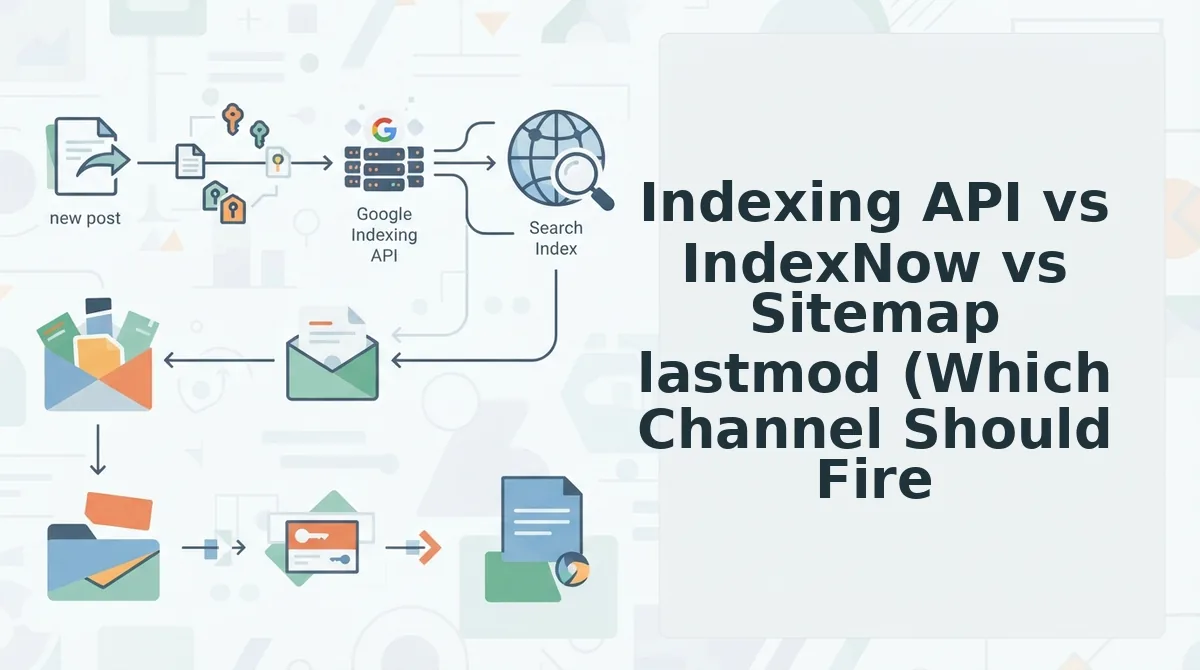
None of the three guarantees indexing, and they don't all reach Google. The honest starting point: Google documents the Indexing API for job-posting and broadcast-event pages, not general articles â a scope most guides skip.
IndexNow is genuinely useful and genuinely not consumed by Google; it reaches Bing, Yandex, Seznam, and Naver. And there is no public endpoint behind Search Console's Request Indexing button â the URL Inspection API only reports status, it cannot request a crawl.
| Channel | Who consumes it | Auth method | Budget | What success means |
|---|---|---|---|---|
| Google Indexing API | Service account JSON key, added as Search Console owner | Daily notification quota per project | Notification accepted; crawl still Google's call | |
| IndexNow | Bing, Yandex, Seznam, Naver | Hosted key file at your domain root | No per-post cost | Engines notified; each schedules its own crawl |
| Sitemap lastmod | All engines | None â public XML file | Free | Discovery only; freshness hint, no trigger |
Best for: programmatic job boards and event publishers go to the Indexing API, because that is its documented scope. Multi-engine publishers run IndexNow for the non-Google share of traffic. Everyone keeps an accurate sitemap with real lastmod values, because it is the only channel with no credentials to rotate.
Fire in this order: sitemap lastmod always, IndexNow for non-Google engines, Indexing API only with eyes open about its scope.
Here is how to wire that order to your publish event, step by step.
How to Wire the Trigger to Your Publish Event Step by Step
Hook WordPress's transition_post_status action. Push the canonical URL into an async queue, and let a worker notify the Indexing API and IndexNow so publishing never waits on Google.
Prerequisites: WordPress admin access, a Google Cloud project with the Indexing API enabled, a service account added as an Owner in Search Console, and an IndexNow key file at your site root.
- Open Google Cloud console, then IAM & Admin, then Service Accounts. Click Keys, then Add Key, and choose JSON (about 10 minutes). You should see a .json file download.
- Paste the hook below into a site-specific plugin (about 5 minutes). Publish a test post, and you should see one new row in your queue.
- Deploy a worker that sends one POST per canonical URL to urlNotifications:publish with type URL_UPDATED (about 30 minutes). A 200 response containing notifyTime means Google received the notification.
- Add an IndexNow call to the same worker so both requests run in parallel (about 5 minutes). A 200 or 202 status confirms receipt.
/* Fire only on the first move into publish, never on updates */ add_action('transition_post_status', function ($new, $old, $post) { if ($new !== 'publish' || $old === 'publish' || $post->post_type !== 'post') return;
/* blocking => false: publishing never waits on the queue */ wp_remote_post('https://YOUR-WORKER-ENDPOINT/queue', array('blocking' => false, 'body' => array('url' => wp_get_canonical_url($post), 'type' => 'URL_UPDATED'))); }, 10, 3);
Worked example: A post moves from draft to publish. The hook queues its canonical URL, the worker pulls it, and your log stores the API response with its notifyTime.
To automate indexing requests for every new blog post, hook the publish event and fire only when the old status was not publish. Gate eligibility first, so the URL must return 200, point its canonical at itself, and carry no noindex. Queue one URL_UPDATED notification per canonical URL, and let a worker send it to the Indexing API and IndexNow. Retry with backoff on a 429. Then verify the result with the URL Inspection API. Google documents the Indexing API for job posting and livestream pages, so treat every notification as a request, not a guarantee.
BloGoose runs the same loop without code. It publishes finished articles to WordPress or your custom API as part of its automated SEO content workflow.
Which Guardrails Should Run Before a Request Leaves?
Six guardrails stop wasted quota and noisy logs, and most simple plugins skip them. Run them in this order, because extra notifications add no ranking benefit.
- Run the six-point eligibility gate. Confirm the URL returns HTTP 200, has a self-referencing canonical, carries no noindex robots meta, and has blog_public switched on. It must also appear in your sitemap and have at least one internal link. Any failure blocks the request.
- Queue requests instead of firing them inline. Pro tip: write the URL to a queue on publish and let a worker send it later. A slow or failed API call then never stalls the editor.
- Dedupe on a content hash. Hash the rendered post body and skip the request when the hash matches the last one you sent. This prevents repeat notifications after trivial saves.
- Skip revisions, autosaves, and taxonomy pages. Filter out these post types and archive URLs before they reach the queue. They burn quota without adding indexable content.
- Retry with exponential backoff on 429 and 5xx responses. A 429 means your quota is used up, so wait for the next window instead of retrying right away. For 5xx errors, double the delay after each attempt.
- Log every response body. Store the status, the body, and the timestamp for each URL. Those logs are your only evidence when you debug later.
How to Check It Worked with the Four-State Ladder
Check each URL against four states in order: queued, notified, crawled, and indexed. Only the last state means the post can appear in search.
The four-state ladder is a verification model that tracks one URL from your queue into Google's index. Think of it like tracking a parcel: "label created" is not the same as "delivered."
| State | Meaning | Where to verify |
|---|---|---|
| Queued | The hook captured the URL | Queue log |
| Notified | Google received the request | notifyTime in the response and urlNotificationMetadata |
| Crawled | Googlebot fetched the page | Googlebot hits in server logs |
| Indexed | Google stored the page | coverageState from the URL Inspection API |
Does a successful Indexing API response mean your post is indexed? No. A 200 status and a notifyTime in urlNotificationMetadata only show that Google received your notification. They say nothing about whether Googlebot fetched the page or stored it. Crawling depends on your site's crawl budget, and indexing depends on quality and canonical signals. To confirm indexing, query the URL Inspection API and read coverageState, which reflects Search Console's view of the page. Mark a URL done only when that field reports it as indexed.
Worked example: On a bulk migration day, the queue hits a 429 partway through the run. Stop sending immediately. In the next quota window, drain the oldest unsubmitted URLs first, and confirm each state before marking a URL done. Check your project's actual quota in the Google Cloud console rather than assuming a default.
Indexed pages are also the starting point for getting cited in AI answers. The FAQ below answers the questions that come up most often.
Indexing Trigger FAQ
Most "not indexed yet" cases trace back to a page blocking itself or a missing internal link, not a Google penalty or a "sandbox." The four answers below cover the questions that actually decide whether your trigger lands.
Why is Google not indexing my new blog posts yet?
Usually the page is blocking itself: a noindex tag left in the template, blog_public switched off, a canonical pointing at a different URL, zero internal links pointing in, or a duplicate /amp/ or ?p= variant claiming the same content. A URL that returns thin or missing content can also read as a soft 404. Fix the cause before re-notifying.
How long does Google take to crawl a new post?
Your notification is instant; the crawl is not. Once the request leaves your queue, Google decides when to fetch the URL and when to index it, so any promise of "indexed in minutes" is guesswork. Treat the ladder as the only real answer.
Can I automate the Request Indexing button in Search Console?
No. Search Console has no public endpoint for that button, and the URL Inspection API only reports what Google already knows about a URL. Automation has to run through the Indexing API, IndexNow, or your sitemap lastmod â not the button.
Does sending more notifications help rankings?
No. A notification asks for a crawl and carries no ranking weight, and repeating it for the same unchanged URL just burns quota. Fire once per publish, then again only when the content changes materially.
Automate the Loop, Then Trust the Ladder
The hardest part of indexing automation is not the request â it is accepting the request is all you control. Google still decides what gets crawled and indexed.
Start by auditing one publish event against the eligibility gate and the four-state ladder, so you know what a healthy trigger looks like before you scale it. Then wire the queued hook so every publish fires exactly once, never twice.
When you want the trigger to run inside the pipeline instead of beside it, drop your domain into the BloGoose setup wizard and let it crawl your site, plan the calendar, draft, and publish to WordPress or a custom API. Notifications are requests; indexing is Google's call.