
Automated monthly content planning playbook for lean teams
Most popular "one-month-in-one-hour" planning templates trap lean marketing teams inside a fragile twelve-tab nightmare across Airtable, disconnected chat prompts, and manual CMS upload screens. A modern automated monthly content planning playbook replaces spreadsheet batching with an AI SEO content engine that extracts topical clusters directly from your existing site architecture.
You already know the operational drag of mapping calendar topics only to spend nights hand-formatting drafts, updating image assets, and repairing broken webhook automations. This operational guide shows you how to build a hands-off publishing pipeline that generates voice-accurate, rank-ready editorial calendars and deploys them on schedule using an autopilot content engine.
Here is the exact monthly roadmap:
- Extract brand context, writing rules, and internal link maps directly from XML sitemaps.
- Run live SERP queries to spot real-time competitive gaps instead of relying on stale keyword volume spreadsheets.
- Ship fully formatted, citation-optimized articles directly to WordPress or your custom API without manual copy-pasting.
You will also discover why traditional search volume metrics systematically blind lean teams to high-intent queries that AI search engines actually cite, a surprising discrepancy resolved later in this playbook. Keep in mind that this workflow applies specifically to agile teams with direct CMS publishing access, not enterprises restricted by multi-layered legal sign-offs.
What Is Automated Monthly Content Planning?
Automated monthly content planning is an operational system that continuously analyzes site architecture, discovers search gaps, and queues publication-ready drafts without manual editorial intervention. It replaces static editorial spreadsheets with an end-to-end pipeline that connects topic research, content drafting, and content management system distribution into a scheduled production loop.
Automated monthly content planning is an autonomous pipeline that manages organic topic discovery, drafting, and scheduling directly from a domain's technical foundation. Instead of requiring human teams to brainstorm keywords and log deadlines in spreadsheets, an automated engine crawls sitemaps, analyzes live search engine result page signals, and organizes production queues into cohesive topic clusters. The system transforms static calendar planning into an executable production cycle by drafting articles, maintaining brand context, and syncing finished assets directly to a CMS for scheduled release.
Think of a traditional editorial calendar like a physical train timetable that requires a dispatcher to pencil in track changes and cargo manifests by hand. An automated planning system operates like an automated railway grid: it reads current track capacity, loads the cargo, and schedules dispatch times based on real-time network conditions.
Understanding the operational shift requires comparing how search teams handle monthly planning across different workflow maturity levels:
- Manual spreadsheets: High operational overhead, heavy prompt maintenance, and detached from post-publish search indexing.
- Multi-app automation chains: Brittle third-party webhook connections that pass generic copy between disconnected draft editors and CMS plugins.
- Autonomous content engines: Unified workflows that crawl site architecture, generate grounded content queues, and publish fully formatted articles directly to endpoints.
When engineering this workflow for a lean team, the priority is eliminating manual coordination bottlenecks between research and publishing. To see how an automated engine streamlines this loop, review how BloGoose crawls your XML sitemap to extract brand guidelines and ship scheduled drafts directly to WordPress. Before setting up this autonomous pipeline, it helps to examine why conventional multi-tool workflows consistently break down under real-world publishing pressure.
Why the Traditional 12-Tab Planning Stack Breaks Down
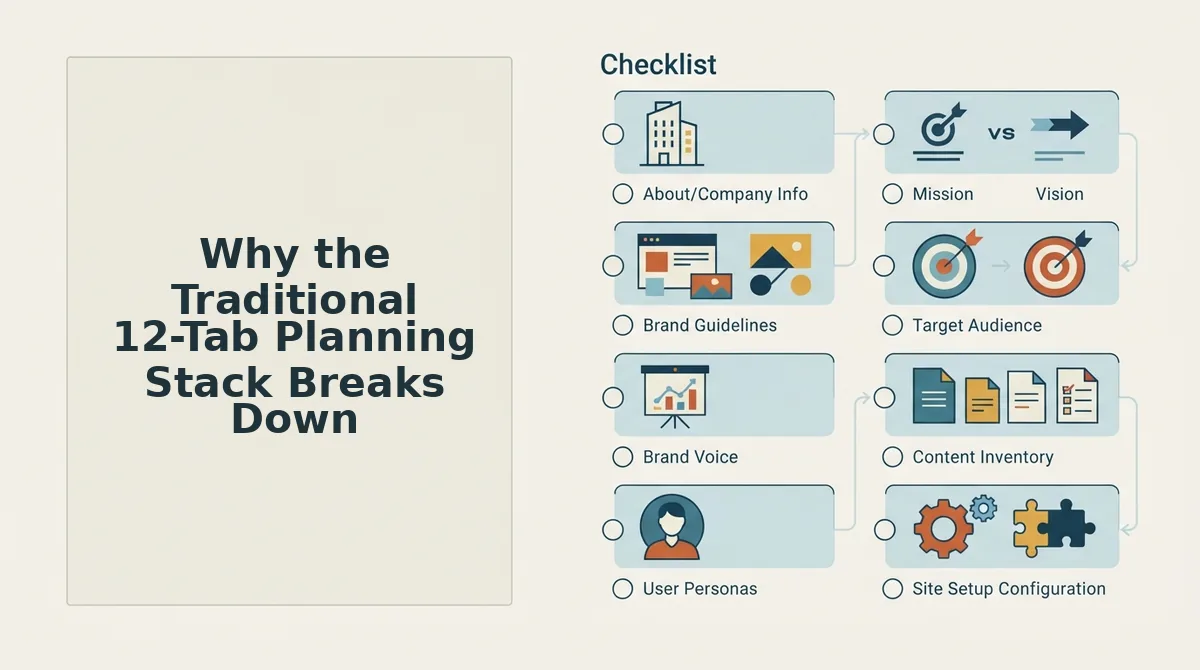
The traditional 12-tab planning stack breaks down because disconnected tools create context decay, fragile automation handoffs, and compounding formatting churn across month-long publishing schedules. When lean teams stitch together separate spreadsheets, standalone chat interfaces, and manual CMS uploaders, individual workflow failures stall production. A fragmented content stack is an operational workflow relying on disconnected applications for keyword tracking, drafting, asset formatting, and publishing. As publishing volume increases, managing prompt inputs across isolated browser tabs causes brand tone to degrade while unformatted HTML exports force operators into repetitive manual correction loops.
Consider the situation of a solo operator running a monthly batch workflow. To execute the calendar, the operator pulls search topics into a spreadsheet, triggers generative drafts through separate webhooks, and pastes raw text into WordPress. Halfway through the queue, an authentication webhook expires, corrupting the generation loop. The operator spends 15 hours reformatting CSV exports, repairing broken webhook calls, and stripping robotic phrasing from ungrounded drafts. The monthly production schedule stalls before a single rank-ready article is published.
- Style guide drift in standalone chat prompts: Single-prompt chat interfaces lose brand voice constraints over a 30-day schedule without persistent markdown context files. This creates erratic tonal shifts that force editors to rewrite draft openings manually. Ground every production run against persistent context documents to lock tone across multi-post calendars.
- Webhook failure points and API rate limits: Chained automation tools connecting spreadsheets to generic language model endpoints frequently disconnect during batch runs. A single rate-limit error aborts the execution queue and leaves half-finished entries scattered across external tabs. Route execution through integrated publishing engines instead of fragile multi-app webhook sequences.
- Manual formatting and image asset churn: Generic chat outputs produce raw markdown artifacts, unstyled headings, and empty media fields that do not render cleanly inside modern CMS layouts. Content operators waste valuable hours hand-coding HTML tables and manually sourcing inline imagery. Standardize writing systems on engines that deliver pre-formatted, CMS-ready post layouts directly to the database.
- Silent internal linking erosion: Batching independent articles across disparate tabs obscures existing site architecture and generates orphan pages lacking contextual connections. Without structured link injection, new articles fail to pass authority back to core service hubs and pillar pages. Map upcoming post outlines against a centralized XML sitemap before drafting begins.
- Context blindness to real-time SERP shifts: Static spreadsheet planning locks writers into search queries without verifying live search engine results on publication day. Outdated outlines miss newly emerged competitor entities and shifting intent patterns in ranking search results. Query active search engine result pages at the moment of drafting rather than relying on weeks-old planning spreadsheets.
Eliminating these systemic failure points requires replacing fragile browser-tab chains with a unified, end-to-end publishing pipeline. Here is how to operationalize that system in four practical steps.
How to Automate Your Monthly Content Workflow Step by Step
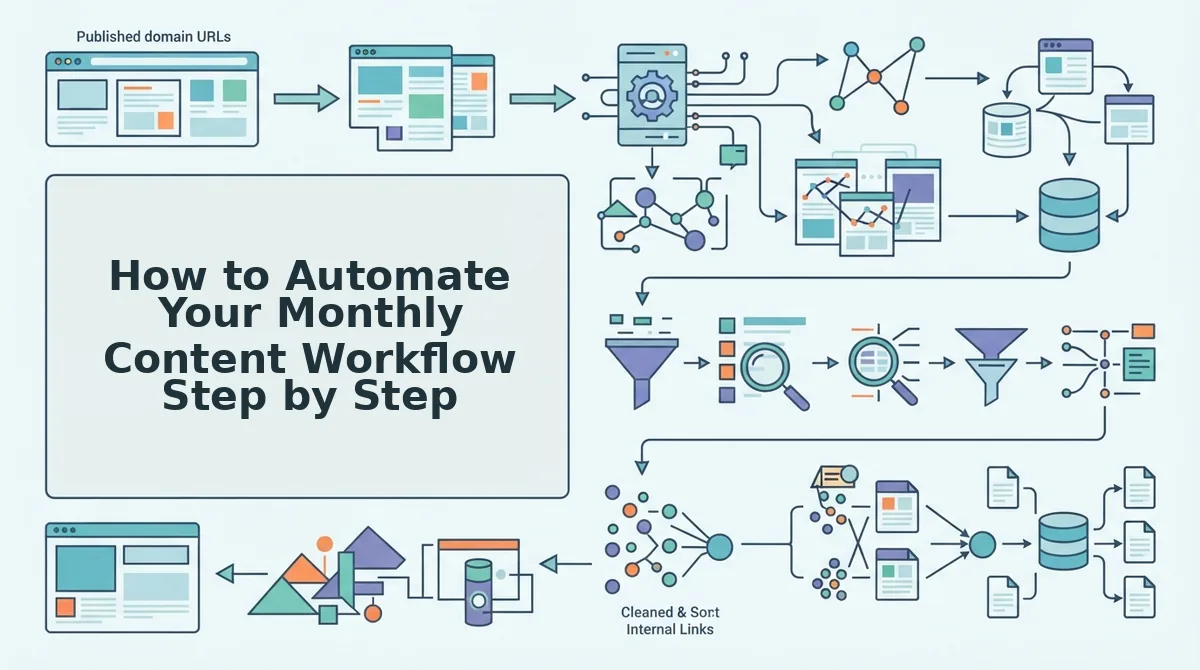
Automating your monthly content workflow requires deploying a connected engine that extracts sitemap intelligence, generates sectional drafts against persistent brand rules, and dispatches finished URLs directly to CMS endpoints with automated crawl pings. Running this continuous sequence eliminates manual spreadsheet tracking while preventing the hallucinations caused by single-prompt drafting.
Dumping a prompt into an LLM and demanding thirty full articles produces generic, unformatted mush lacking technical accuracy. Sectional drafting with live SERP grounding and structured schema validation is mandatory for ranking on Google and earning citations in AI answers.
Automated monthly content planning is the algorithmic orchestration of keyword discovery, brand-grounded drafting, multi-platform publishing, and search indexing without manual copy-pasting across disconnected browser tabs. Setting up an autonomous content pipeline requires only three prerequisites: a live website domain, an active XML sitemap, and administrator access to your WordPress instance or custom API endpoint.
-
Type your domain into the setup wizard to extract sitemap context. (Estimated time: 2 minutes)
Open the dashboard setup screen, enter your canonical website URL, and click Analyze Domain. The engine crawls your XML sitemap, inspects published URLs to detect technical CMS architecture, and identifies coverage gaps without manual keyword spreadsheets. You should see a green confirmation checkmark showing your site structure has been mapped. -
Review and save your persistent brand context files. (Estimated time: 5 minutes)
Click Brand Context to view the eight auto-generated Markdown files, includingstyle-guide.md,target-keywords.md, andinternal-links-map.md. Review the extracted tone parameters, modify custom terminology if needed, and select Save Rules. You should see all eight files marked active, guaranteeing your drafts stay anchored to your brand voice. -
Populate your monthly queue with sectional drafts. (Estimated time: 10 minutes)
Select Calendar, choose your target search clusters, and deploy the autopilot 30-day content calendar generator. The system executes live SERP queries, identifies competitive gaps, and drafts complete articles section by section with contextual headings and inline imagery. You should see thirty scheduled drafts populated across your publishing calendar. -
Configure CMS publishing and search indexing triggers. (Estimated time: 3 minutes)
Navigate to Settings, click Integrations, enter your CMS application credentials, and upload your Google Cloud service account JSON key. This integration enables the platform to push formatted articles directly to your CMS and automatically ask Google to crawl new posts immediately upon publication. You should see an active connection status for both your CMS and the indexing interface.
Consider an online publisher managing dozens of disconnected drafting tabs and manual scheduling sheets every month. By inputting their domain into an autonomous engine, the platform pulled their XML sitemap, cataloged existing internal links, and generated eight Markdown context documents reflecting their site tone. The publisher reviewed thirty sectional drafts generated from live SERP research, scheduled automated delivery straight into WordPress, and triggered instant indexing pings for every published article.
Stop wasting hours managing prompt-engineering homework and disconnected spreadsheets. Deploy BloGoose to turn your site structure into rank-ready, citation-optimized articles delivered directly to your CMS on autopilot.
Understanding how this integrated pipeline compares to legacy automation configurations highlights why consolidated engines outperform stitched-together toolkits over multi-month campaigns.
Automated Content Calendar Tools: Fragmented Stacks vs Integrated Engines
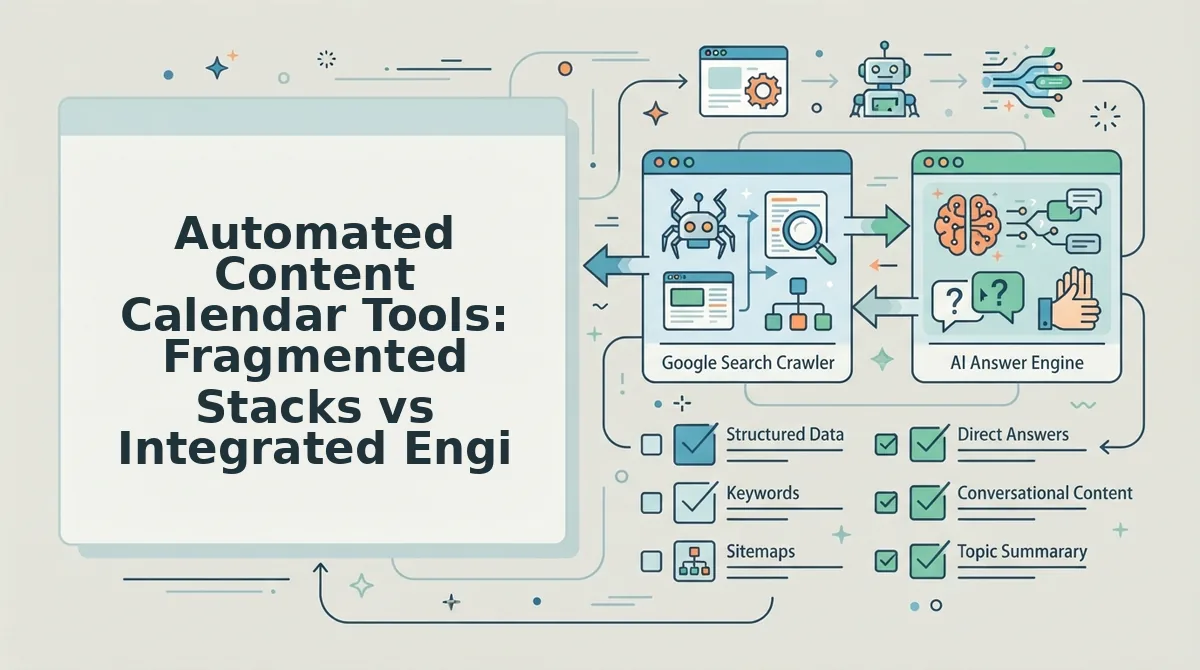
An integrated AI SEO content engine consolidates keyword discovery, draft generation, CMS synchronization, and search indexing into an automated loop, replacing the multi-subscription stack of scrapers, spreadsheets, and webhook connectors. While disconnected tools offer modular control, integrated engines eliminate tool maintenance and manual handoffs.
An AI SEO content engine is an end-to-end software platform that automates organic search research, content creation, brand voice adherence, and CMS publishing without manual prompt engineering. In contrast, conventional setups require operators to manually bridge SERP research platforms, LLM chat interfaces, and CMS formatting plugins. Stitching together standalone LLM billing, automation connectors, and SEO scrapers creates hidden operational debt, demanding hours of maintenance whenever an API schema changes or a webhook breaks.
| Workflow Architecture | Setup Time | CMS Synchronization | Search Indexing Automation | Monthly Maintenance Debt | Best For |
|---|---|---|---|---|---|
| Manual Spreadsheets | Minimal setup | Manual copy-pasting | Manual URL submission | High manual labor across every article | Solo creators testing topical viability without software overhead |
| Multi-App Zapier Stacks | Extensive workflow engineering | Semi-automated via custom webhooks | Requires custom scripts | Frequent maintenance when API connections fail | Technical operations teams requiring granular control across disparate enterprise apps |
| Integrated Autopilot Engines | Fast sitemap onboarding | Direct publishing to WordPress or custom API | Built-in indexing submission | Zero maintenance for pipeline connections | Lean growth teams, publishers, and agencies scaling voice-accurate clusters |
Choose manual spreadsheets if your team publishes fewer than two posts per month and requires zero software expenditure. Spreadsheets give writers total editorial oversight without tool onboarding friction. Choose multi-app Zapier stacks if you need custom multi-step routing across proprietary enterprise databases and have dedicated engineers to manage broken webhooks.
Our recommendation for lean growth teams is an integrated autopilot engine. Piecing together separate SERP scrapers, standalone chat prompts, and formatters costs more in engineering time and recurring seat fees than a dedicated, single-platform workflow.
Review the transparent tiers on BloGoose pricing to automate research, drafting, and direct CMS delivery without managing fragmented third-party LLM keys.
Once your software infrastructure is aligned, the next critical requirement is establishing an editorial taxonomy that captures traditional search crawlers and AI answer engines simultaneously.
How to Structure a 30-Day Dual-Discovery Editorial Calendar
A dual-discovery editorial calendar is a 30-day publishing schedule designed to capture organic search engine rankings while simultaneously earning citations in conversational AI answer engines. Structuring your monthly production around this model ensures every piece targets both traditional SERP crawlers and generative models parsing authoritative references.
A dual-discovery editorial calendar is an operational framework that balances comprehensive topic authority with machine-readable snippet answers. Think of this calendar like a municipal transit system: the heavy commuter rail moves massive volumes across primary hubs, while express shuttles quickly answer targeted, hyper-specific point-to-point requests. In practice, long-form guides secure foundational domain topicality, while concise, extractable blocks supply direct answers for Perplexity, ChatGPT, and Google AI Overviews. Lean teams deploy this balanced structure to avoid overproducing broad commentary that search bots crawl but answer engines ignore.
To execute this over a standard 30-day cycle, allocate your 30 production slots across four distinct asset types:
- 4 core pillar refreshes: Deep architectural guides updated with fresh internal link maps and current entity definitions.
- 12 cluster tutorials: Tactical step-by-step implementations that solve practical problems across your product niche.
- 8 commercial comparisons: Feature-by-feature evaluation pages matching buyers replacing legacy manual stacks.
- 6 direct-answer snippet posts: Crisp informational assets optimized around question-first H2 headers.
Why split your resources this way?
Search engines index broad topical context, but generative engines extract granular, factual sentences. Layering your draft architecture ensures you satisfy both discovery mechanisms at scale. Implementing dedicated AEO optimization techniques across every snippet post guarantees that automated answer engines find concise definitions ready for citation.
Apply this framework at the start of each monthly run when parsing your live XML sitemap. Aligning editorial cadence to strict query formats eliminates guesswork, letting lean teams publish citation-ready assets without manual spreadsheet coordination.
To help guide your operational transition, the following section clarifies common technical questions surrounding automated content engine deployment.
Frequently Asked Questions About Automated Content Planning
Automated monthly content planning replaces static editorial spreadsheets with autonomous workflows that continuously analyze search gaps and deploy rank-ready articles.
What is the difference between a content scheduler and an automated content engine?
Passive schedulers distribute pre-written copy across queues, whereas automated content engines actively research, draft, optimize, and publish full articles. Tools like Buffer or Hootsuite require completed assets upfront. In contrast, an autonomous engine crawls site structures, analyzes live SERPs, and deploys rank-ready long-form posts directly to your CMS.
Why should teams choose 30-day rolling cycles over 90-day calendars?
Rolling 30-day cluster cycles adapt to live algorithm updates and ranking shifts, while static 90-day roadmaps lock teams into outdated SERP assumptions. A monthly cadence allows lean operators to evaluate initial indexing performance, adjust internal linking maps, and capture emergent topical gaps without overhauling an entire quarter of planned production.
How does automated planning prevent generic AI content?
Automated planning prevents generic output by grounding drafting in crawl-derived brand context files rather than isolated prompts. By anchoring generation to structured assets, including target keyword lists, competitor gaps, and voice guidelines, the system enforces technical accuracy and prevents hallucination by restricting synthesis to verified search data.
How do automated publishing engines expedite Google search indexing?
Automated publishing engines expedite discovery by pinging the Google Indexing API immediately upon article publication. This protocol accelerates visibility through three targeted steps:
- Transmits instant programmatic crawl requests to Googlebot
- Removes manual URL submission loops inside Search Console
- Shortens initial page discovery from weeks to hours
Armed with these technical insights, your team can retire manual drafting spreadsheets and activate an autonomous publishing schedule that runs directly from your domain's architecture.
Build Your Autopilot Monthly Pipeline
An automated monthly content pipeline shifts lean teams from manual coordination to an autonomous publishing workflow by syncing sitemap architecture directly with editorial queues. Replacing twenty hours of monthly administrative copy-paste work across disconnected tools begins the moment your existing site structure dictates your publication schedule.
Modern organic search performance no longer rewards fragmented multi-tool stacks or manual prompt engineering. High-output growth requires structured context files that translate real-time SERP intent and AI answer-engine citation standards into fully optimized published pages.
How do you transition your workflow without halting active organic output?
- Extract technical site context: Crawl your XML sitemap to generate brand voice guidelines, entity relationships, and internal link maps without manual documentation.
- Deploy integrated execution: Connect an automated SEO content engine to turn live SERP research into complete, citation-ready drafts delivered directly to WordPress or your custom API.
Enter your website domain into the BloGoose setup wizard to extract your brand assets, uncover competitive gaps, and schedule your next thirty days of search-ready articles without spreadsheet churn.
Predictable organic visibility belongs to teams that automate operational mechanics while anchoring every post to verified domain authority.