Brand Context File Mistakes That Weaken AI Draft Accuracy
Your draft sounds like a press release again. The tone drifted, the product names are wrong, and half the internal links point to pages you retired months ago.
That robotic AI mush is frustrating, and it is rarely the model's fault. Most brand context file mistakes happen upstream, in the Markdown files the model reads before it writes a word. Collate makes the point bluntly in its video "6 Context Engineering Mistakes That Break Enterprise AI": a bigger model will not fix bad context.
This guide walks through nine fixes, from pruning your sitemap to re-syncing files after site changes. One of them is a single ordering rule that settles most conflicts between files, and you will find it in Step 2. Open your files and follow along.
The mistakes that most weaken AI draft accuracy are stale sitemap pages, rules that contradict across files, unreviewed writing examples, rotting internal link maps, and bloated files packed with rules that never change output. Each one feeds the model outdated or conflicting signals, so it blends them into generic, off-voice copy.
What Is a Brand Context File and What Do You Need Before Auditing?
A brand context file set is eight Markdown files that tell an AI writer who you are and how to write: seo-context, brand-voice, style-guide, writing-examples, seo-guidelines, target-keywords, internal-links-map, and features. Audit all eight together to get drafts that match your voice, link to live URLs, and target non-overlapping keywords.
Think of the set as a new hire's onboarding binder. If it lists a discontinued product, the new hire guesses, and so does the model. Markdown is plain text with light formatting, so any text editor opens it.
Before auditing brand context files, gather four inputs so every fix is checked against reality instead of memory. Pull your current XML sitemap, the file that tells crawlers which pages exist, plus one source of truth for pricing and feature facts, such as your live pricing page. Then export your published URL inventory and open all eight files side by side, so a style-guide rule that contradicts brand-voice, or a link pointing to a missing page, stands out immediately.
BloGoose generates this set when it crawls your site, so some competitor notes may be inferred rather than confirmed. Verify them with the Live SERP Analysis Guide, and pair this work with a broader SEO content audit of your published posts.
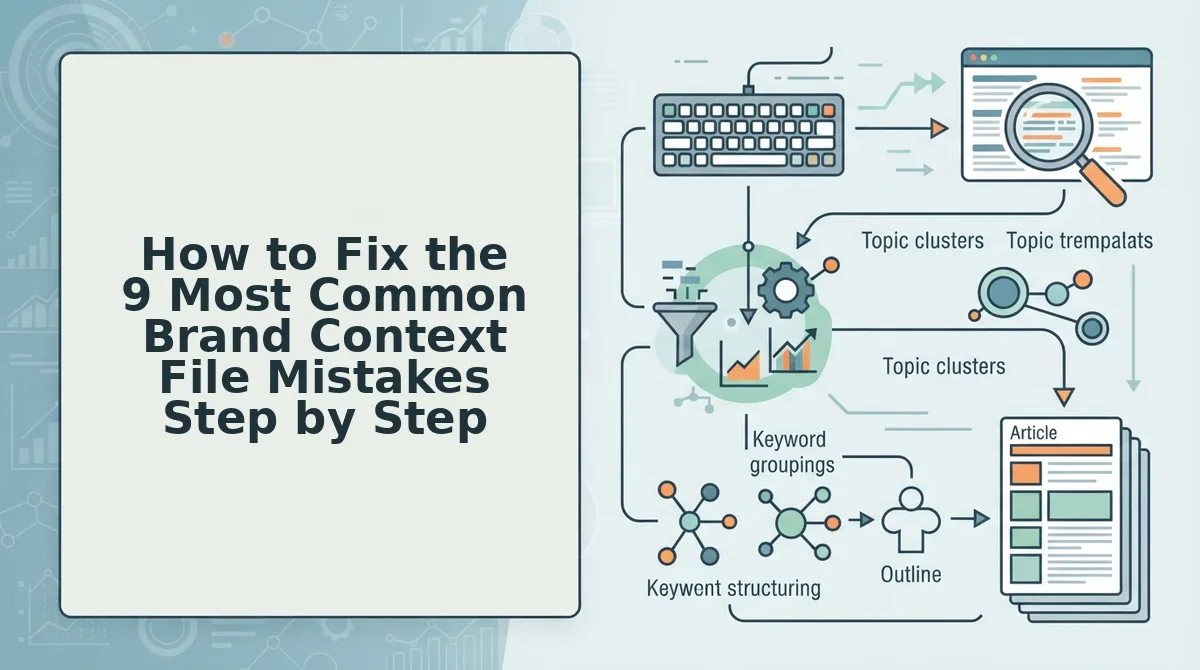
How to Fix the 9 Most Common Brand Context File Mistakes Step by Step
Fix brand context files in order: clean the inputs first, then resolve conflicts, then trim and re-sync. Keep your sitemap, pricing source, URL inventory, and all eight files open, and budget about two and a half hours.
- Prune retired pages from your sitemap (15 min). Remove or noindex retired URLs in your XML sitemap, then re-crawl. For example, a site whose retired product pages still sit in the sitemap feeds outdated copy into voice extraction and dead URLs into the links map. After the re-crawl, every extracted page should appear in your URL inventory.
- Resolve contradicting rules with a precedence ladder (20 min). This is the ordering rule that settles most conflicts: seo-guidelines > brand-voice > style-guide > writing-examples. If one file sets meta descriptions at 140â155 characters and another says 150â160, keep one range and delete the other. Each rule should now live in exactly one file.
- Review generated writing examples (20 min). Run every example through a 4-point check: voice match, banned phrases, current facts, and correct product names. Rewrite or delete any example that fails a single point. Pro tip: Review the shortest examples first, because models copy their phrasing most often.
- Replace redirected URLs and generic anchors (15 min). Swap any redirected URLs in internal-links-map for their final destination, and replace anchors like "click here" with descriptive text. A spot-check should return zero redirects.
- De-duplicate overlapping target keywords (15 min). Merge keywords that share the same search intent so two calendar posts never cannibalize each other. Map each surviving keyword to one page inside your topic clusters.
- Verify or delete inferred competitor entries (10 min). Search your files for <!-- inferred --> tags, then confirm each competitor against live results. Remove the tag once verified, or delete the entry.
- Add DO/DON'T examples to bare voice traits (20 min). A trait like "confident" means little alone. Pair it: DON'T write "We might be able to help you rank," DO write "BloGoose ships rank-ready drafts to WordPress."
How to Check the Fix Worked and Which File Is Breaking Your Draft
Quick diagnosis: regenerate one draft after each fix and compare it against the table below. Each remaining defect points to one source file. Change that file, regenerate, and repeat until the draft comes back clean without manual edits.
Symptom in the draft File to check Fix Wrong tone or press-release voice brand-voice / style-guide Add DO/DON'T pairs and remove conflicting rules Dead or redirected links internal-links-map Replace them with live URLs Off-topic angle, or two posts chasing one term target-keywords De-duplicate the keyword list Outdated prices or features features.md Update the file and regenerate Fabricated competitor claims seo-context inferred notes Verify each claim or delete it Meta length out of range seo-guidelines vs. style-guide Apply the precedence ladder General chat tools are fast and flexible for one-off drafts. The trade-off is that a single prompt gives you no file to trace a defect back to.
Where to start depends on your role:
- Founders and solo operators: Start with the brand-voice row, because tone errors appear in every post.
- Growth leads running clusters: Start with the keyword and link rows.
- Publishers updating older posts: Pair features.md checks with a content refresh.
How do you find which brand context file is causing a bad AI draft? Use a regenerate-and-compare loop. Fix one file, regenerate a single draft, and check it against a symptom list. Wrong tone traces to the brand voice or style guide. Dead links trace to the internal links map, and overlapping topics trace to target keywords. Outdated pricing traces to features.md, invented competitor claims to inferred SEO notes, and meta length errors to conflicts between the SEO guidelines and the style guide. Changing one file per cycle isolates the cause. A defect that disappears confirms the fix, and a defect that persists points to the next file.
Brand Context File FAQ
These answers cover what the audit steps leave open: file length, update timing, how to create the files, and file structure.
How long should a brand context file be?
A brand context file should be long enough to hold every rule that changes the output, and no longer. If deleting a line would not change a draft, cut it. Padding dilutes the rules that matter and makes defects harder to trace to their source.
How often should you update brand context files?
Update them when something changes, not on a fixed calendar. Refresh after site changes such as new or redirected pages, after pricing or feature changes, and when you add a new content pillar. A monthly schedule misses urgent changes and wastes time when nothing has moved.
Should I hand-write or auto-generate brand context files?
Auto-generate them, then review them. A site crawl captures pages, structure, and voice faster than writing from scratch. It can also carry over inferred claims or outdated details, so run every generated file through the 4-point check before it feeds a draft.
Can one file replace all eight brand context files?
No. Separate files keep precedence clear and fixes targeted. When voice, keywords, features, and links share one document, conflicting rules are harder to spot. A single edit can also change output in ways you did not intend.
Audit Your Context Files Before Your Next Draft
Draft accuracy is decided before generation starts. Most weak AI drafts trace back to a context file, not the model, so the biggest quality gain comes from fixing inputs in the right order rather than editing harder afterward.
Work in this sequence:
- Resolve conflicts first. Apply the precedence ladder so no two files give opposing instructions.
- Update stale inputs next. Refresh the sitemap, features.md, and the internal links map so drafts reflect your current site.
- Cut bloat last. Once the files agree and are current, remove rules that do not change output.
Your next step: crawl your site in BloGoose and audit the eight generated Markdown files against the nine steps above before your next calendar run. With clean inputs, every scheduled draft starts closer to publish-ready.