
How to Build a Topic Cluster from SERP Research
Your keyword list has 400 terms, your content calendar is full, and yet your organic traffic hasn't moved in six months. That's the exact scenario where learning to build a topic cluster from SERP research changes everything, and almost 90% of Surfer users consider topic clusters essential for their SEO strategy, according to Surfer Academy.
You're right to feel frustrated. Scattered keyword targeting wastes crawl budget and signals confusion to Google, not authority. This article gives you a repeatable, SERP-driven method to group keywords into clusters that mirror how Google already understands your topic, using only free tools, no paid SEO suites required.
Here's the roadmap: you'll learn what a topic cluster actually is, how to identify a pillar candidate using mixed-intent SERP signals, and how to extract supporting posts with a SERP overlap method. Stick around for the overlap method, it reveals a pattern in Google's results that most cluster guides completely miss.
What a Topic Cluster Actually Is (And Why SERP Data Beats Gut Feel)
A topic cluster is a content architecture where one comprehensive pillar page links to multiple supporting posts that each target a specific subtopic, and every supporting post links back to the pillar. This structure tells search engines that your pillar page is the authoritative hub for an entire subject area.
Think of a topic cluster like a university course catalog. The pillar page is the department overview, broad, foundational, and linked from every course description. Supporting posts are individual classes, each covering one narrow topic in depth while pointing back to the department that houses them.
Here's where SERP data beats gut feel: when you build clusters from search result overlap patterns, you're organizing content the way Google already does. If the same URLs rank for multiple related queries, Google considers those queries part of one topic, and your cluster should reflect that.
To decide whether a keyword deserves a pillar page or a supporting post, run this three-question test. First, does the SERP show mixed intent, broad guides and specific how-tos ranking together? Second, does one URL on your site already rank for ten or more related terms? Third, is the query a hub that naturally links outward to narrower subtopics, or a spoke that answers one specific question? Answer "yes" to at least two, and you have a pillar candidate. Answer "no" across the board, and it belongs as a supporting post.
Before you draft anything, an SEO content brief built from this cluster structure keeps every post aligned with the pillar's linking strategy and search intent.
Step 1: Find Your Pillar Candidate with SERP Intent Analysis
Your pillar candidate is the broad topic page that will link out to every supporting post in the cluster. You'll identify it by reading search results for intent signals, not by guessing which keyword sounds biggest.
Prerequisites: a keyword list of 20-50 related terms, a browser in incognito mode, and 30 minutes per candidate keyword.
- Open an incognito browser window and search your broadest keyword, for example, "email marketing" rather than "email subject line examples." Incognito strips personalization so you see the neutral SERP.
- Scan the top 10 results and classify each by intent. Label each result as informational guide, transactional page, or specific how-to. You should see a mix of result types on screen at once.
- Check for the mixed-intent signal. If the top results include both broad guides (like "Email Marketing: The Complete Guide") and specific how-tos (like "How to Write a Welcome Email"), the keyword is a pillar candidate. Google is telling you this query is a hub.
- Verify with a related-terms check. Search two or three narrower keywords from your list and note whether the same pillar-style URLs appear. Recurring URLs across queries confirm the hub relationship.
Here's where most people get it wrong: they pick the keyword with the highest search volume and force it into a pillar role, even when the SERP shows purely transactional intent. A high-volume keyword with no mixed-intent signal will never support a cluster.
Once you've confirmed your pillar candidate, you're ready to extract the supporting posts using the SERP overlap method.
Step 2: Extract the Cluster with the SERP Overlap Method
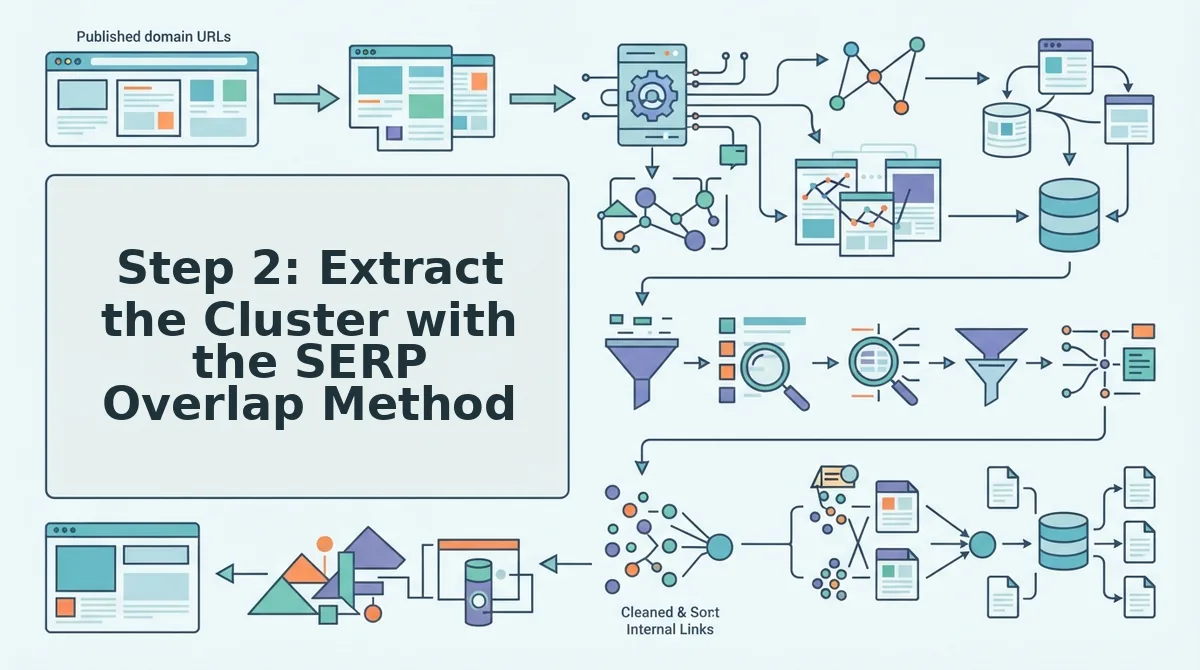
The SERP Overlap Method turns one pillar keyword into a full supporting-post list by measuring how many top-ranking URLs share the same ranking keywords. You need a keyword research tool that exports ranking URLs and their keywords. Ahrefs, Semrush, or BloGoose's built-in live SERP analysis all work.
- Pull the top 10 URLs for your pillar keyword. Type your candidate pillar keyword into your keyword tool's SERP overview, then export the top 10 organic URLs. You should see a table with one row per URL and its current ranking position.
- Extract every keyword each URL ranks for. Open each URL's ranking keywords report and export the full list. Expect 50-500 keywords per URL depending on domain authority. You should now have 10 separate keyword lists.
- Group keywords by shared URL overlap. Paste all 10 keyword lists into a single spreadsheet, then count how many of the 10 URLs rank for each keyword. Keywords appearing on 3 or more URLs (≥30% overlap) form one topical group. You should see distinct clusters emerge, each cluster represents one supporting post.
- Name each cluster and assign it a working title. Label each group by its dominant search intent, then write a draft H1 for the supporting post. You should end with 5-12 clearly separated supporting post candidates.
Here's a worked example using BloGoose's own primary keyword. Pulling the top 10 URLs for "AI SEO content engine" reveals overlapping keywords like "AI blog writer for WordPress" (7 of 10 URLs rank for it), "automated blog publishing engine" (5 of 10), and "AEO content optimization tool" (4 of 10). Those three groups become supporting posts under the pillar, while keywords appearing on only 1-2 URLs get discarded as noise or saved for later expansion.
Step 3: Mine People Also Ask for Supporting Post Topics
People Also Ask (PAA) boxes expose the exact questions searchers ask after viewing your pillar topic, making them a direct feed of supporting post angles. You need a SERP tool that exports PAA questions, or you can manually expand the boxes in Google.
- Search your pillar keyword in Google and expand every PAA question. Click each question to reveal its answer, which triggers Google to load 3-4 additional questions. You should collect 15-30 unique questions in about 10 minutes.
- Group questions by shared parent topic. Sort the questions into 3-6 thematic buckets based on the underlying problem each one addresses. You should see natural groupings around pricing, setup, comparisons, and use cases.
- Map each group to one supporting post. Assign every bucket a working title that answers its core question. You should produce one supporting post outline per group.
- Use unanswered PAA questions as H2s. For each supporting post, take the 3-5 questions in its bucket that competitors answer poorly and make them your H2 headings. You should have a full content skeleton without guessing what to write.
McKinnon Group's video on PAA clustering promises a method but never delivers one. The pipeline above is the missing method: export, group, map, and convert questions directly into H2s so every supporting post targets a verified search query.
Step 4: Validate Your Cluster with Content Gap Analysis
Content gap analysis confirms your cluster covers every subtopic competitors rank for that you don't. You need access to a gap tool or a manual comparison of your keyword list against the top 3 competitors for your pillar term.
- Run a gap report between your cluster keywords and competitor rankings. Input your pillar keyword into your tool's content gap feature, add the top 3 competing domains, and export the missing keywords. You should see a list of subtopics competitors rank for that your cluster doesn't yet cover.
- Filter for cluster-relevant gaps only. Remove keywords unrelated to your pillar's core intent. You should be left with 5-15 genuinely missing subtopics.
- Apply the Minimum Viable Cluster (MVC) framework. Start with a pillar plus 3 supporting posts that each target a gap keyword with ≥30% SERP overlap from Step 2. You should have a launch-ready cluster in under a week instead of a 20-post backlog.
You don't need 20 posts to start ranking. The MVC framework, pillar plus 3 SERP-validated supporting posts, gets you live and accruing topical authority while competitors are still outlining. Run an SEO content audit quarterly to decide when to expand, and let BloGoose's automated publishing engine ship each new supporting post without manual uploads. Once your MVC is live, the next step is linking it together and tracking topical authority growth.
Step 5: Link the Cluster and Track Topical Authority Growth
Internal linking turns a set of related posts into a machine-readable topic cluster, and tracking rankings over time proves whether the structure is working. You need your pillar page, all supporting posts published, and access to Google Search Console or a rank tracker before starting.
- Open your pillar page and add a contextual link to every supporting post. Place each link inside a relevant sentence in the body, not in a sidebar or footer. You should see the pillar page now functions as a hub with 5-15 outgoing links to cluster posts.
- Open each supporting post and add a link back to the pillar page. Use descriptive anchor text that includes the pillar keyword or a close variant. You should see every supporting post now points upward to the pillar, creating a two-way relationship.
- Select 2-3 other supporting posts and add contextual links between them. Choose posts that share overlapping subtopics from your SERP overlap analysis. You should see a web-like structure where no supporting post is an orphan.
- Open your internal link map and verify no cluster post is isolated. Crawl the sitemap and confirm every supporting post has at least 3 inbound internal links. You should see a green checkmark next to each cluster URL.
- Open Google Search Console and record the current position for your pillar keyword and all cluster keywords. Export the data to a spreadsheet. You should see a baseline ranking for each keyword, even if some are below position 50.
- Recheck rankings every 30 days for 3 months. Compare pillar keyword movement and cluster keyword movement side by side. You should see cluster keywords rise first, followed by the pillar keyword as topical authority compounds.
BloGoose automates this entire loop: it crawls your site, builds the internal link map, and tracks pillar and cluster keyword rankings in one dashboard instead of three separate tools.
FAQ: Topic Cluster Building from SERP Research
A topic cluster is a pillar page linked to supporting posts that cover related subtopics, built from SERP data showing which queries Google treats as one topic. Here are the questions readers ask most when building clusters from search results.
How do I group keywords into clusters without a paid tool?
Use the SERP Overlap Method: search each keyword in Google, record the top 10 URLs in a spreadsheet, and group keywords that share 3 or more of the same ranking URLs. Free tools like Google Search and Google Sheets are all you need.
How many supporting posts should one pillar have?
A rule of thumb is 5-15 supporting posts per pillar, tied to SERP competition depth. If the pillar keyword's SERP shows 10 distinct subtopics ranking, build 10 supporting posts; if it shows only 5, build 5.
What if my niche is too small for a full cluster?
Use the Minimum Viable Cluster framework: one pillar page plus 3 supporting posts. This is enough to signal topical structure to Google and can expand later as you find more SERP gaps.
Why does my pillar page rank below my supporting posts?
Supporting posts often rank first because they target lower-competition long-tail queries. The pillar gains authority as internal links accumulate and supporting posts earn backlinks, which typically takes 3-6 months.
How long does it take for a topic cluster to rank?
Cluster keywords can rank within 4-8 weeks, while pillar keywords typically take 3-6 months. The timeline depends on domain authority, competition, and how consistently you publish supporting content.
Can I build a topic cluster from People Also Ask questions alone?
Yes, PAA questions work as supporting post topics when they share SERP overlap with your pillar keyword. Filter PAA questions to those where your pillar page or competitors' pillar pages already appear in results.
Build Your First SERP-Driven Topic Cluster Today
Topic clusters built from SERP overlap data rank faster than manually grouped keywords because they mirror how Google already organizes the topic. The SERP is a map of what Google considers related, and every step in this guide reads that map instead of guessing.
Start with the Minimum Viable Cluster: one pillar page plus 3 supporting posts drawn from your SERP overlap analysis. Publish them, link them, and track rankings for 30 days. What the SERP shows is missing becomes your next batch of posts.
If you want to skip the spreadsheet work, BloGoose AI crawls your site, extracts SERP overlap data, builds the cluster calendar, and publishes linked posts to WordPress automatically. Your first cluster is one domain drop away.