
How to Set Up a Continuous Delivery Queue for Blog Posts
Your team published 11 posts last quarter, but 7 of them sat finished in a Google Doc for three weeks before anyone hit "publish." Manual scheduling eats hours, content piles up unpublished, and every missed slot compounds into a traffic plateau you can't explain. If that sounds familiar, you're not disorganized; you're missing a continuous delivery queue for blog posts.
Most teams treat scheduling as the final step, a calendar invite after the work is done. A queue flips that: review becomes a gate before scheduling, and every post moves through defined states automatically. By the end of this guide, you'll know how to build that pipeline, define exit criteria for each stage, and measure queue health with three metrics most content teams never track.
Here's the roadmap: first, we'll define what a continuous delivery queue actually is and how it differs from a content calendar. Then we'll break down why manual scheduling collapses at scale. Finally, we'll walk through the review-gate pattern step by step. Stick around for the third section, there's a counterintuitive reason your bottleneck is almost certainly not your writers, and it changes how you should configure the whole system. Tools like BloGoose bake this queue logic directly into their publishing workflow, so you don't have to bolt it onto a spreadsheet.
What a Continuous Delivery Queue Actually Is (And How It Differs From a Content Calendar)
A continuous delivery queue for blog posts is a pipeline where every article moves through defined states, drafted, reviewed, approved, scheduled, published, with automation handling transitions and clear exit criteria gating each stage. A content calendar is a plan; a queue is a pipeline with states and automation.
Think of a content calendar like a restaurant reservation book: it tells you when a table is booked, but not whether the kitchen has prepped the ingredients. A continuous delivery queue is the kitchen's ticket rail: every dish has a state (ordered, cooking, plated, served), and nothing moves to the next station until it meets a standard. IBM Technology defines continuous delivery as a practice where code is always in a releasable state, apply that to blog posts being always ready to publish.
At the simple level, a queue is just a Kanban board with columns for each state. At the intermediate level, you add exit criteria: a post can't move from "drafted" to "in review" until it has a meta description, internal links, and a featured image. At the advanced level, automation enforces those gates, a CMS workflow or a tool like BloGoose that routes posts through review and publishes on approval without manual handoffs.
The key difference from a calendar is pull, not push. A calendar pushes deadlines onto people. A queue pulls work forward only when the previous stage is complete. That distinction is why queues scale and calendars stall: a queue surfaces blockage instantly, while a calendar hides it behind rescheduled due dates.
Why Manual Scheduling Breaks at Scale
Manual scheduling fails predictably once volume passes roughly four posts per month, and the failure shows up in three measurable ways. Here are the queue health metrics that expose the breakage, ordered by how urgently you should track them.
- Queue depth: the number of posts waiting in any state. When queue depth grows past your monthly output, you're drafting faster than you can publish. That's not a productivity win, it's inventory rotting in a doc. Track queue depth weekly; if it exceeds 1.5x your monthly publish target, stop drafting and fix downstream stages first.
- Cycle time: days from draft to publish. Every day a finished post sits unpublished is a day it earns zero impressions and zero backlinks. Healthy cycle time for a 1,500-word post is 5-10 days. If yours averages 20+, the bottleneck is almost never writing speed, it's review latency.
- Bottleneck rate: the percentage of posts stuck in review. Calculate it by dividing posts sitting in "review" longer than 48 hours by total posts in the queue. A bottleneck rate above 30% means your reviewer is the constraint, not your writers. The fix is a review-gate pattern with explicit exit criteria, which is exactly what we'll configure next.
Now that you can measure the breakage, let's build the fix.
How to Configure Your Queue: The Review-Gate Pattern
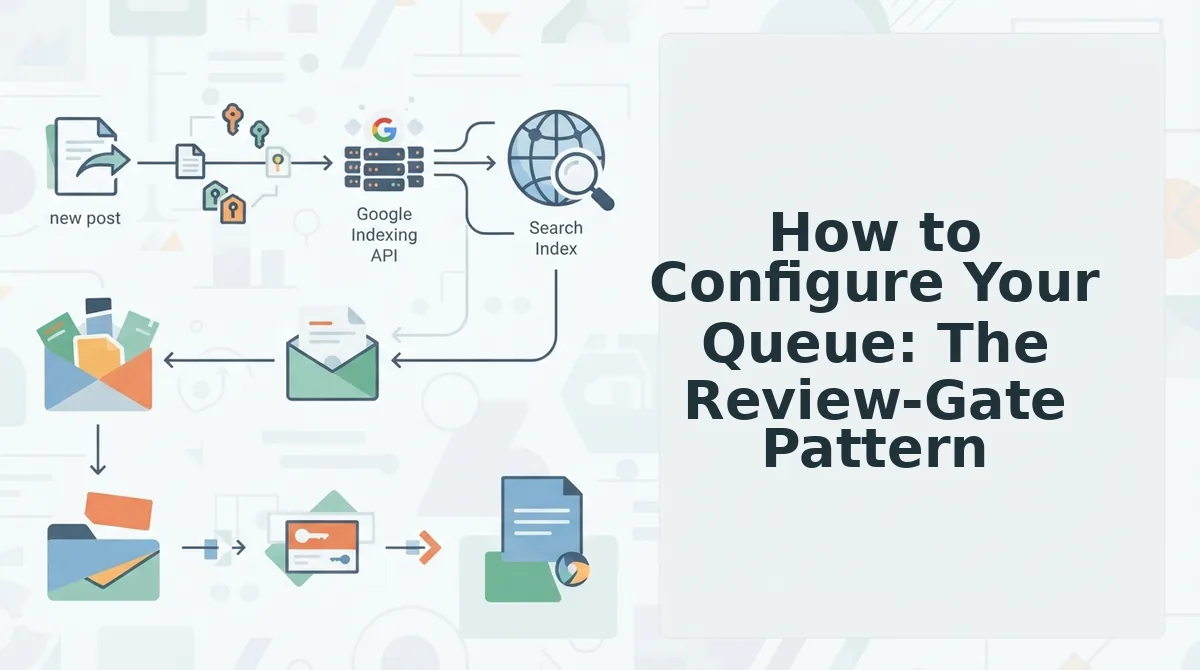
A review-gate queue holds every drafted post in a Review state until an editor explicitly approves it, only then does automation assign the next open publishing slot. This pattern prevents unedited drafts from ever reaching your live site.
Prerequisites: a connected CMS (WordPress or custom API), a defined backlog source, and at least one editor with approval permissions. Total setup time: roughly 30-45 minutes.
- Define your backlog source. Open your content engine's Sources panel and select Live SERP Research as the input. Connect it to your target keyword clusters so new drafts enter the queue automatically from live SERP research rather than manual uploads. You should see a list of generated topic candidates populate within minutes.
- Insert the review gate before scheduling. Navigate to Workflow, then Queue States, and enable Require Approval Before Scheduling. This forces every draft into a Review holding state. Assign your editor's email or user role under Approvers. You should see a confirmation banner: "Review gate active, no post will schedule without approval."
- Automate the scheduled state. Click Automation, then Publishing Rules, and set the trigger to On Approval. Choose your posting frequency (e.g., 3 posts per week) and timezone. The automated publishing engine will now assign the next open slot the moment an editor clicks Approve. You should see each approved post move to Scheduled with a timestamp within seconds.
- Monitor queue health with three metrics. Open the Queue Dashboard and pin these numbers: backlog depth (drafts awaiting review), approval latency (hours from draft to approval), and slot utilization (scheduled slots filled vs. available). A healthy queue keeps backlog depth between 5-15 posts and approval latency under 48 hours. You should see all three metrics update in real time as posts move through the gate.
Most teams configure scheduling first and bolt on review afterward, which is why unedited drafts leak onto live sites. The review-gate pattern inverts that order: nothing enters the scheduling pipeline until a human signs off, and automation handles everything after the approval click. This single change eliminates the most common publishing failure mode while keeping your queue continuously fed.
Tools That Support a Continuous Delivery Queue
A continuous delivery queue requires two capabilities most blogging tools treat as afterthoughts: a review gate that blocks scheduling until approval, and automated publishing states that move approved posts to the next open slot without manual intervention. The tools below implement this pattern with different trade-offs.
| Tool | Review Gate | Automated Scheduling | Direct WordPress Publishing | Best For |
|---|---|---|---|---|
| BloGoose | Built-in approval state | Yes, auto-assigns next open slot on approval | Yes, native integration | Teams that want the full queue pattern without stitching tools together |
| WordPress + Editorial Calendar plugins | Via user roles (Contributor vs. Editor) | Limited, manual slot assignment | Native | Solo bloggers already inside WordPress who don't need queue automation |
| Generic AI writers + manual CMS workflow | None built-in, requires external checklist | None, fully manual | Copy-paste only | Low-volume publishers testing AI content before committing to a pipeline |
BloGoose's automated publishing engine is the only option in this comparison that ships directly to WordPress with queue automation and a native review gate, no plugin stack or manual slot assignment required. If you're already managing a multi-author blog and feel the scheduling bottleneck, that's the workflow gap this pattern closes.
FAQ
How do I set up a continuous delivery queue for blog posts?
Connect a backlog source (like live SERP research), enable a review gate so drafts require editor approval, then configure automation to assign the next open publishing slot on approval. Monitor backlog depth, approval latency, and slot utilization to keep the queue healthy.
What's the difference between a content queue and a content calendar?
A content calendar is a fixed schedule of dates and topics. A content queue is a state machine, posts move through Draft, Review, Scheduled, and Published states automatically. Queues adapt to real-world delays; calendars break when one post slips.
Can I automate WordPress publishing without breaking editorial review?
Yes, if you insert the review gate before the scheduling trigger. Drafts stay in a Review state until an editor approves them; only then does automation assign a publishing slot. This keeps human oversight intact while removing manual scheduling work.
How many posts should be in my queue at any time?
Keep 5-15 posts in the backlog at all times. Fewer than five means one slow review cycle stalls your publishing cadence. More than fifteen creates approval bottlenecks and stale drafts that need re-research before they can ship.
The Four-Stage Pipeline Is a System, Not a Schedule
A continuous delivery queue works because each stage has a single job: idea to draft to review to publish. The review-gate pattern is what prevents the queue from becoming a firehose of unedited content. When you pair that structure with queue health metrics, draft age, bottleneck stage, rejection rate, you stop guessing where content stalls and start adjusting capacity at the exact stage that needs it.
Start with a 4-stage queue template. That's the entire setup: four columns, one gate, clear ownership per stage. The open loop from the start, whether a queue can actually replace your editorial calendar, resolves here: yes, when the gate is enforced. A queue without a mandatory review step is just a backlog with extra steps.
Your next action is to configure that first queue in BloGoose, which crawls your site, extracts brand voice rules, and routes drafts through the review gate before anything reaches WordPress or your API. Expect your first bottleneck to surface within two weeks, that's the metric telling you where to add capacity.
A publishing queue doesn't create more time; it reveals exactly where your time is leaking, one stage at a time.