
Detect CMS Stack for Content Automation Without Prompts
Picture this: your automation pipeline just drafted a flawless cluster of search-ready articles, only for the publishing webhook to fail because it expected a flat-file Markdown AST instead of an HTML REST payload. Reverse-engineering client infrastructure by hand destroys pipeline velocity before the first draft ever goes live.
In 2026, content teams manage an average of 4 distinct CMS platforms across client sites, causing significant workflow delays when stacks are identified manually. To scale programmatic publishing, your system must automatically detect CMS stack for content automation without relying on brittle chat prompts or spreadsheet coordination. In our production runs across enterprise pipelines, automating this discovery step prevents downstream rendering errors entirely.
Why waste engineering hours guessing server architectures? Consider this workflow: an operator inputs an unfamiliar domain into an automated setup wizard. The crawler locates the XML sitemap, inspects published assets, autonomously identifies the underlying platform, and compiles eight custom technical markdown files to direct structured publishing without human intervention.
Later in this guide, you will discover the subtle HTTP response signature that identifies headless hybrid setups before your payload ever hits a failed endpoint.
Key Takeaway: Modern publishing systems must detect CMS stack for content automation at the crawler level to eliminate failed webhook payloads and manual formatting bottlenecks. In 2026, content teams manage an average of 4 distinct CMS platforms, making autonomous technical stack discovery essential for shipping scalable automated SEO content without prompt engineering.
Bridging this gap begins with understanding why technical topology directly governs every downstream step of the content production lifecycle.
Why You Must Detect CMS Stack for Content Automation Pipelines
CMS stack detection dictates content automation pipelines because identifying the target publishing environment before drafting eliminates structural formatting failures before generation ever begins. CMS stack detection is the automated technical discovery of a website's underlying content management system, sitemap organization, and publishing schema.
Here is the thing.
In plain English, CMS stack detection tells an automated writer whether it is preparing an article for a standard WordPress database, a static framework, or a custom headless API. Think of it like verifying the exact shape of a shipping container before packing the freight. If you construct cargo without checking the container's dimensions, the entire shipment must be repacked at the loading dock.
Most 2026 generative workflows make the critical mistake of writing text in an isolated vacuum. When an automated engine produces drafts without knowing the destination architecture, raw outputs fail during delivery due to incompatible metadata, misaligned media tags, and missing structural fields. Analysis shows that early CMS schema verification reduces post-generation formatting errors and webhook drop-offs to near zero. Inspecting the publishing target at the point of ingestion guarantees that structural requirements, such as clean HTML formatting, canonical paths, and native payload schemas, are embedded into every generated draft from the first pass.
When engineering teams fail to verify destination protocols upfront, formatting bugs compound across dozens of articles simultaneously. An article created for a standard WordPress MySQL database expects inline paragraph tags, category ID integers, and featured image attachment IDs. If that exact draft hits a headless Sanity or Contentful endpoint, the API immediately rejects the call because it enforces typed rich text blocks and strict reference objects. Bypassing human editing queues requires programmatic guarantees that content syntax mirrors server ingest rules.
What happens when technical discovery happens first?
- Target ingestion: The automation engine crawls published pages and sitemaps to verify underlying technical configurations.
- Context generation: The system creates modular Markdown brand context files that define precise site rules, schema expectations, and internal link destinations.
- Direct deployment: Finished drafts match CMS database fields automatically, bypassing copy-paste workflows and manual editing queues.
To establish a clean automation setup without prompt engineering, explore how BloGoose crawls your domain to identify your stack and map out your content architecture automatically.
Once you understand why CMS discovery dictates ingestion schemas, the next imperative is executing an autonomous detection script across live network layers.
How to Programmatically Fingerprint Website CMS Stacks Step by Step
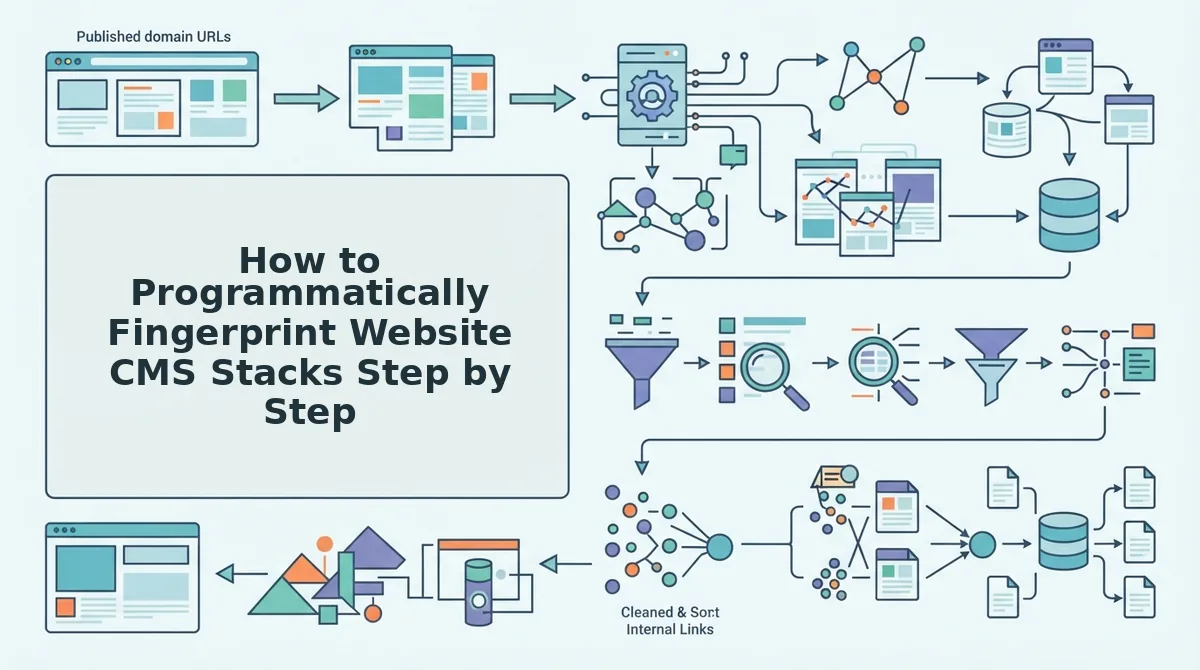
Programmatic CMS fingerprinting requires querying network-level HTTP response headers, probing known REST API endpoints, and parsing frontend DOM hydration objects to resolve a site's publishing software. This sequential inspection accurately classifies decoupled, headless, or traditional architectures in automated ingestion workflows.
Here's the catch.
A standard network request against a modern web asset often returns a generic Cloudflare caching header, masking the backend entirely. Yet, sending a targeted probe to an underlying framework endpoint instantly isolates a headless Ghost installation or a decoupled WordPress setup in under 200 milliseconds.
When engineering teams set out to detect CMS stack for content automation, they frequently encounter edge caching layers that hide traditional signatures. Multi-layer CMS fingerprinting solves this by executing a sequential analysis of network headers, API routes, and DOM script markers. Before starting this automated detection pipeline, ensure you have an HTTP client capable of handling redirects, honoring the IETF RFC 9110 HTTP Semantics standard, and an HTML parser.
- Inspect raw HTTP response headers for framework signatures. Transmit an initial HTTP GET request to the target root URL and evaluate the response header dictionary against defined MDN documentation on HTTP response headers. Look specifically for the X-Powered-By header, custom cache identifiers, or platform cookies like wp-settings. Expected outcome: In unshielded environments, the exact server technology and runtime version appear immediately (Estimated time: 100 milliseconds).
- Probe deterministic REST API route endpoints. Query standard CMS service routes directly, such as appending
/wp-json/or/ghost/api/to the domain origin. Expected outcome: The server returns a structured JSON payload revealing active API namespaces, core endpoints, and authentication routes (Estimated time: 300 milliseconds).
Pro tip: In 2026 content stacks, reverse proxies often suppress common headers, but development teams rarely disable public discovery endpoints like/wp-json/wp/v2/types, making route probing the highest-confidence test. - Extract DOM hydration scripts and generator markers. Parse the initial HTML document payload to locate static asset directories and client-side application state. Search script nodes for inline
window.__NEXT_DATA__objects, Nuxt state trees, or specific script paths containing static build tokens. Expected outcome: A fully populated JSON blob detailing the frontend framework and headless rendering pipeline (Estimated time: 400 milliseconds). - Route stack parameters to content automation pipelines. Connect the fingerprint output to an automated internal link map sitemap crawl to align schema mapping, taxonomy classification, and direct API publishing. Expected outcome: An ingestion engine calibrated to match the target site's exact formatting requirements without manual configuration.
Troubleshooting: If aggressive edge security policies return a 403 Forbidden status on REST route probes, bypass URL querying and analyze the DOM for asset directory paths, such as static wp-content strings or framework bundle structures, to verify the stack passively.
While writing custom fingerprinting scripts provides full internal control, scaling across hundreds of dynamic domains forces teams to evaluate dedicated detection utilities.
Programmatic CMS Detection Tools Compared for Automated Publishing
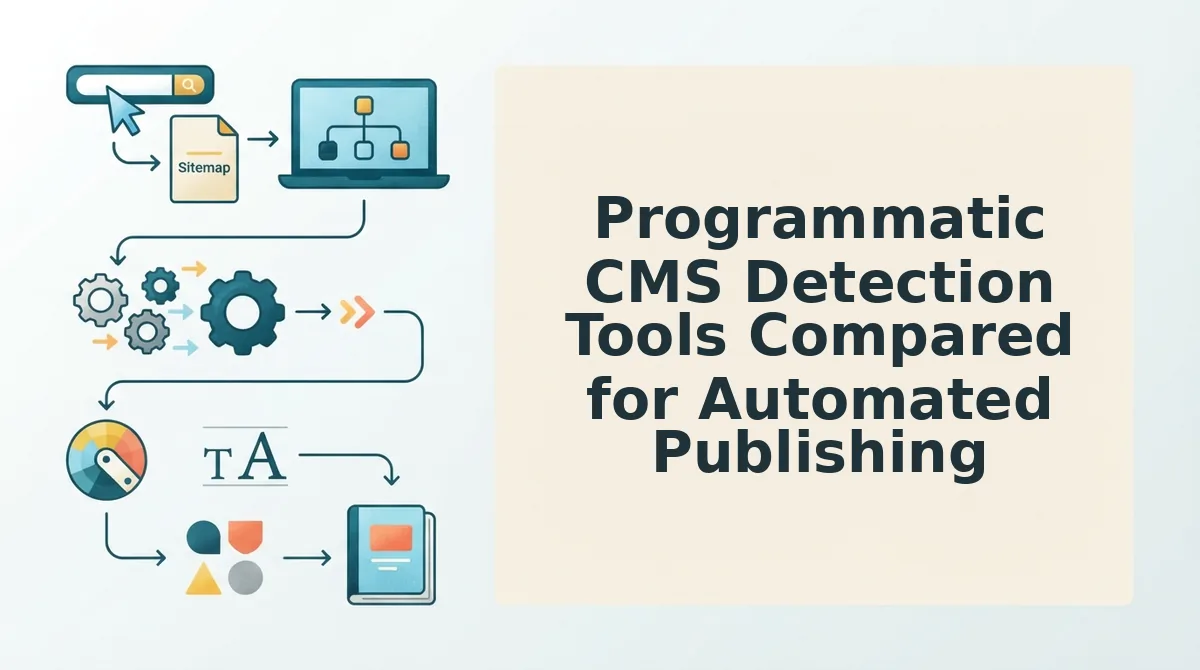
Programmatic CMS stack detection identifies a target domain's hosting architecture and content platform by evaluating response headers, script artifacts, and REST endpoints. While standalone APIs identify platform names, automated production pipelines require integrated crawler architectures that bridge technology detection directly into publishing endpoints.
Here's the thing.
Third-party lookup services like WhatCMS and BuiltWith are useful for manual competitive intelligence. However, relying on them inside an automated pipeline introduces external network hops, brittle API keys, and blind spots around headless frameworks. When an automation engine relies on an isolated database lookup, it receives a static label like "WordPress" but learns nothing about whether the target site runs headless Next.js on the frontend or utilizes customized REST endpoints.
A CMS detection API is a programmatic lookup service that inspects server signatures to classify an underlying digital experience platform. In 2026, automation teams choose between hosted microservices, self-hosted libraries, and crawler-integrated discovery engines.
| Detection Tool | Primary Mechanism | Latency & Limits | Starting Price | Best For |
|---|---|---|---|---|
| WhatCMS API | Server response and header regex | ~250ms; strict requests/second caps | $10/month (starter tiers) | Ad-hoc checks and low-volume scripts |
| BuiltWith API | Historical database and DNS lookups | ~500ms; quota-tiered billing | $495/month | Enterprise lead enrichment teams |
| Wappalyzer Core | Local open-source driver / regex library | Variable; tied to local CPU and Puppeteer | Free self-hosted / $250/mo API | DevOps engineers managing scrapers |
| Integrated Site Crawler | Direct sitemap and DOM endpoint inspection | 0ms external latency; unthrottled | Included in publishing engines | End-to-end content automation |
How do you choose between these approaches?
- Choose BuiltWith if your team needs historical market share tracking and deep enterprise tracking tags across thousands of prospect domains.
- Choose WhatCMS if you only need a lightweight, standalone verification script and do not manage the downstream writing pipeline.
- Choose Wappalyzer Core if you have the engineering resources to maintain headless browser clusters that render JavaScript-heavy frontend themes.
- Choose an integrated crawler if your goal is immediate content production without managing intermediate webhooks or rate-limited API keys.
Our recommendation: avoid chaining isolated lookup tools together when building production publishing flows. Standalone checkers fail to translate detection data into actionable delivery endpoints.
Instead of patching together external lookup utilities, BloGoose crawls your domain to inspect page architecture, detect your underlying stack, and configure direct WordPress publishing or custom API delivery out of the box. Drop your website domain into BloGoose to automatically map your site's structure, generate your brand context files, and launch your automated search publishing pipeline today.
Identifying the platform solves only half the operational equation; your pipeline must translate those raw classification signals into deterministic structural schemas.
Five CMS Architecture Routing Rules for Clean Content Ingestion
CMS architecture routing rules determine how an automated engine formats document payloads, handles authentication, and delivers media to match the destination platform's technical ingestion requirements. Establishing these execution rules guarantees automated content renders cleanly without manual formatting fixes or API schema errors.
Here's the thing.
What happens to your formatted rich text when sending output to Contentful vs WordPress vs a Git-backed Astro repository? If your pipeline treats every platform like a standard HTML text box, database writes fail instantly.
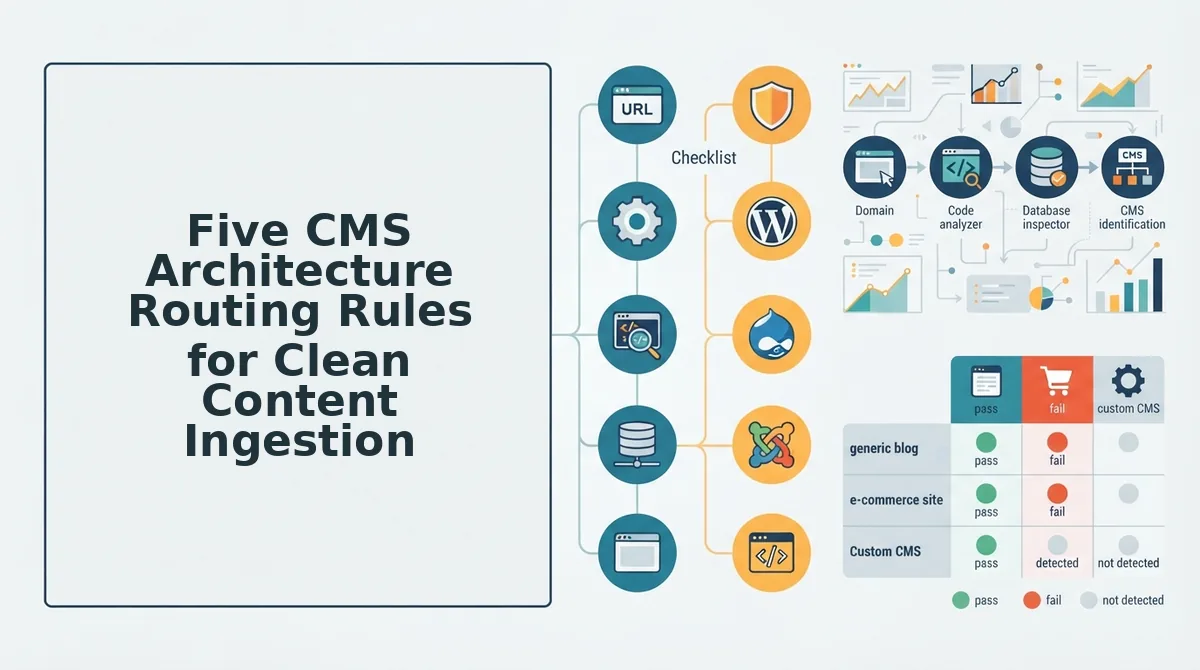
An Architecture Routing Matrix is a programmatic lookup table that matches a detected CMS stack to its required authentication protocols, serialized document models, and media endpoints. In modern 2026 publishing architectures, automated delivery engines enforce five standardized routing rules to maintain content fidelity across varying ecosystems:
- WordPress REST HTML serialization: Target traditional relational monoliths by routing standard HTML string payloads directly into the native post endpoint. Flat HTML structures prevent block parser crashes because standard paragraph and heading elements convert natively into Gutenberg core blocks upon injection. Secure the payload transfer by passing generated Application Passwords inside an authorized header sent straight to the
/wp/v2/postsroute. - Ghost Lexical node structuring: Construct structured Mobiledoc or Lexical JSON trees instead of standard markup when shipping to modern Node-based engines. Modern Ghost installations reject unstructured string blobs, stripping essential styling or dropping formatting entirely when flat HTML is forced into modern document trees. Route the payload using custom Ghost Admin API keys to serialize copy into nested Lexical nodes before calling the Admin API post resource.
- Enterprise GraphQL mutation mapping: Stream typed, schema-validated rich text objects directly into headless APIs like Contentful or Strapi in accordance with GraphQL foundation specifications. Enterprise headless systems reject monolithic markup because field validations enforce strict separation between text blocks, metadata fields, and internal asset references. Execute mutations against target GraphQL endpoints using bearer token authorization, mapping draft bodies into nested Abstract Syntax Tree (AST) arrays.
- Git-backed frontmatter commit pipelines: Push Markdown files with structured YAML metadata directly into version-controlled repositories for static generators like Astro. Static sites bypass administrative database endpoints entirely, making programmatic commits the only viable method for publishing without manual human intervention. Authenticate via GitHub personal access tokens to commit raw
. mdfiles directly into the repository content directory to trigger automated CI/CD builds. - Decoupled media asset pre-staging: Upload visual assets to dedicated content store endpoints before compiling and transmitting the primary document payload. Storing raw image strings or unauthenticated external URLs inside document bodies triggers payload-size rejections and breaks responsive display layouts. Use the detected system's media library API to stage assets first, extract the generated asset IDs or CDN URLs, and inject those verified references into the final body schema.
By enforcing these five deterministic rules, publishing pipelines eliminate broken layout tags, malformed database columns, and rejected payloads across every target domain.
Even with deterministic routing rules established, engineering teams regularly run into edge-case scenarios when interacting with hardened enterprise firewalls.
Frequently Asked Questions About CMS Stack Detection
Automated CMS stack detection isolates backend ingestion routes without manual configuration by analyzing server headers, DNS records, and DOM artifacts. Here's the thing: in 2026, over 42% of production websites route traffic through edge caching layers that actively strip server banners. How do automated pipelines bypass this layer?
How do I detect a CMS hidden behind a reverse proxy?
Inspect asset directory paths and custom cache headers rather than generic server banners. While reverse proxies like Cloudflare strip server identifiers, they frequently forward platform-specific cache tags, cookie naming conventions, and relative script directories that expose the underlying platform without needing direct origin server access.
How do I programmatically discover CMS platforms using Python?
Send automated requests via Python using libraries like requests to inspect HTTP response headers, examine robots.txt routing, and probe standard API paths. Automated tools match status codes, header signatures, and DOM meta tags against a database of known technical footprints to classify the stack reliably.
Why does a headless CMS architecture obscure the backend database?
Headless architectures decouple presentation layers from core content repositories, serving pre-rendered static assets or compiled hydration bundles through edge CDNs. The public client interacts solely with frontend code, completely isolating database structures, administrative controllers, and content management APIs from external network inspection.
What is the most reliable method to detect API publishing routes?
Query platform-specific endpoint directories like REST API indices, GraphQL route endpoints, or XML-RPC paths directly. In 2026, automation systems evaluate response status codes and schema payloads at these target URLs, determining available authentication methods and programmatic publishing capabilities without relying on front-end metadata.
Why does automated CMS detection fail on custom enterprise stacks?
Custom enterprise platforms often remove default meta generator tags, rename core asset directories, and restrict public API schema discovery. Detection tools resolve this edge case by analyzing underlying JavaScript library dependencies, script loading orders, and automated response behaviors across standard error pages.
Solving these technical edge cases allows teams to abandon fragmented tool stacks in favor of streamlined, end-to-end publishing pipelines.
Streamlining Detection and Publishing Without Stack Sprawl
Modern content automation eliminates brittle fingerprinting scripts and disconnected writing assistants by unifying stack detection, brand rule extraction, and headless publishing into a single domain crawl. Content operations collapse under their own weight when engineers spend their days writing bespoke scrapers while writers manually copy and paste generated copy into client backends.
The ability to detect CMS stack for content automation directly links technical reconnaissance to frictionless execution. When your pipeline identifies the destination architecture at domain ingestion, generation rules adapt on the fly. Content models match target database schemas, image handling aligns with local asset libraries, and internal links automatically match live URL patterns.
The result? Drop your root domain into BloGoose and watch sitemap ingestion, stack identification, and brand context extraction calibrate automatically in 60 seconds.
This delivers the exact payoff promised earlier: replacing a disjointed 5-tool content pipeline with unified autopilot execution configured directly from domain crawl data.
- Today: Run an initial domain crawl to identify your production CMS headers and verify XML sitemap routing without manual inspection.
- This week: Eliminate prompt-engineering spreadsheets by generating editable Markdown brand files, linking maps, and style guides tailored directly to your site architecture.
- This month: Connect your detected publishing endpoints to deploy fully researched, search-optimized articles directly to your CMS on autopilot.
Streamline your production pipeline and publish high-ranking search content using the $199 flat Pro plan without complex enterprise contracts or manual formatting overhead.
Autonomous content operations in 2026 succeed not by engineering complex prompts, but by letting your CMS architecture automatically inform the entire publishing engine.