How does an engine detect your CMS stack from a domain
You installed a detector extension, it said WordPress, and you still had no idea whether you could publish to the site. Most tutorials stop at that verdict, but it is where the real work begins.
Anyone trying to detect CMS stack from a domain hits the same wall. A detector verdict is a probability, not a fact, and the read that names a stack also decides whether a site can publish automatically.
That makes the quality of the read matter. Response headers are the signal people check first, and they mislead most often once a proxy sits in front of the origin server.
This guide gives you plain definitions, a table that ranks each signal by how far to trust it, a 60-second manual check, and the automated path an engine follows from domain to publishing route. Along the way, you will see why a confident tool can label a headless build WordPress even when WordPress never rendered the page you are looking at.
What does detecting a CMS stack actually mean
Detecting a CMS stack means reading public clues from a domain to estimate which system stores the content and which technology serves the pages. The honest output is a ranked likelihood of possible systems, not one certain answer.
Four terms carry the rest of this guide:
- A content management system (CMS) is the software where content is written, stored, and organized.
- A tech stack is the full set of tools that delivers a site, including the CMS, hosting, proxy, and framework.
- A headless CMS is a CMS that sends content to a separate front end through an API instead of building pages itself.
- A rendering layer is the code that turns content into the HTML a browser receives.
Think of a restaurant. The CMS is the kitchen, the rendering layer is the server carrying your plate, and from your table you only see the server.
A CMS stack is the combination of software that stores a website's content and the technology that delivers it to visitors. On a traditional WordPress site, one system does both jobs. In a headless setup the two halves split, so detection has to infer each one from page source, URL paths, and server responses, and because a proxy can remove, copy, or rewrite any of those clues, the result is always a ranked probability.
That split is also why JavaScript rendering complicates detection. BloGoose's setup wizard starts from the same place: it locates your XML sitemap and inspects published pages before it plans any content.
Which signals actually identify a CMS and how far to trust each
No single signal reliably identifies a CMS. Confidence comes from several independent signals agreeing, and response headers rank last because proxies strip or rewrite them.
| Signal | What it reveals | Reliability | Best for |
|---|---|---|---|
| REST and GraphQL probes (/wp-json/wp/v2/, /graphql) | Whether a CMS API answers | High when it responds, though the API can be disabled or moved | Growth leads confirming a publishing route |
| HTML fingerprints (wp-content, _next/, cdn.shopify.com) | The system that produced the markup | Medium-high, but it identifies the rendering layer, not always the CMS | Founders who need a quick first read |
| robots.txt and sitemap shape (/sitemap.xml) | URL patterns and generator traces | Medium, because plugins and custom generators vary | SEO leads mapping content |
| Asset and cookie names | Platform-specific files and sessions | Medium, because names can be copied or renamed | Breaking a tie between two candidates |
| Response headers | Hosting, proxy, and caching | Low, because proxies strip or rewrite them | Checking the CDN layer |
Can you identify a CMS from HTTP headers alone? Rarely with confidence, because headers such as Server or X-Powered-By describe whatever answered the request, and behind a proxy like Cloudflare that is often the proxy rather than the CMS. Hosts also strip headers for security, so a missing header proves nothing and a present one can point to the wrong layer. Headers are still fast and useful for spotting hosting and caching, but confirm the CMS with an API probe or an HTML fingerprint.
Run this 60-second manual check:
- View the page source and search for wp-content, _next/, or cdn.shopify.com.
- Open /wp-json/wp/v2/ on the domain. A JSON response is a strong WordPress signal.
- Open /sitemap.xml and note its structure. Our XML sitemap guide explains what to look for.
- Read the response headers in your browser's Network panel last, as context rather than as proof.
BloGoose runs a version of this read automatically when you enter your domain during setup. The next section covers how an engine turns these clues into a decision.
How does an engine detect your CMS from your domain
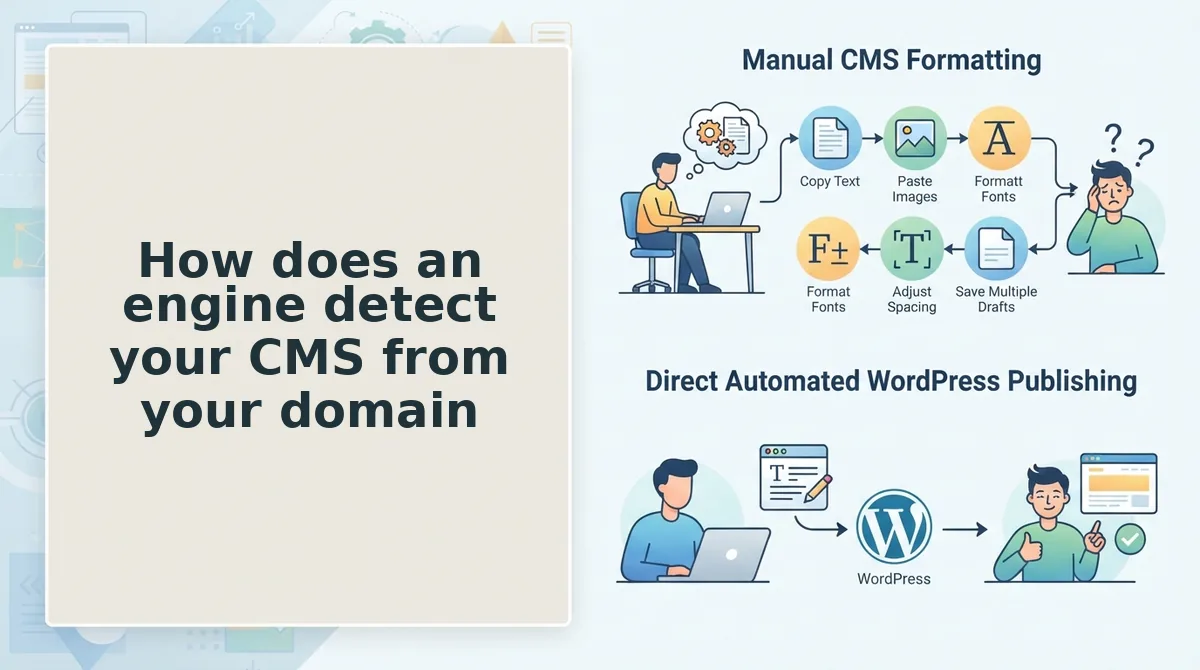
An engine detects your CMS by resolving your sitemap, crawling the published pages it finds, reading the headers and markup on each one, scoring those signals against each other, and only then committing to a publishing route. It never decides on a single fingerprint.
Prerequisites: a domain with a reachable XML sitemap and a few hundred crawlable pages. No admin login, no plugin, no server access. The whole read finishes in about five minutes.
- Enter the domain and let the engine resolve the sitemap. Type the root domain into the setup field and submit. The engine requests the sitemap, follows any index files it finds, and returns a URL count. You should see a list of live pages, not a 404 and not an empty file.
- Crawl the published pages. The engine fetches a sample of those URLs and stores the raw HTML, response headers, and asset paths for each. Expect roughly two minutes on a mid-sized site.
- Read the headers and markup. On every crawled page the engine logs an X-Powered-By header, a generator meta tag, asset directories such as /wp-content/ or /_next/, and a live REST root like /wp-json/, each tagged with the URL that produced it. You should see a signal list, not a verdict.
- Score the signals against each other. One matching signal is a guess. Three corroborating signals justify a route, and signals that disagree drop the engine to a custom endpoint rather than forcing WordPress. You should see a confidence state per signal group.
- Choose the publishing route. Corroborated WordPress signals unlock WordPress REST publishing; anything else routes to a custom endpoint you configure once. You should see the selected route named on the setup summary.
Pro tip: re-run the sitemap read after a stack migration. A stale sitemap keeps the old route alive, so the engine keeps publishing to a platform you have already left.
If you would rather not read a single header yourself, sitemap context extraction shows how far the crawl alone gets you, and the same read feeds live SERP analysis before the first draft exists.
Where does CMS detection quietly break
CMS detection is the act of inferring a publishing platform from a domain's public signals alone, which means it inherits every layer those signals travel through.
Think of a barcode sticker on a book jacket. If the distributor relabels the cover, the sticker identifies the distributor, not the printer.
The simple failure comes first: Cloudflare and similar proxies often strip X-Powered-By and rewrite server banners, so an absent header proves nothing in either direction. A missing signal is not a negative signal, and treating it as one is the most common mistake in the category.
Intermediate is the headless front end. A Next.js or Nuxt build serves its own /_next/ asset paths and generator tag while the real CMS sits behind a separate origin. Every fingerprint is genuine and all of them point at the wrong system.
Advanced cases break the confidence rule itself. Custom admin paths and a disabled REST root return 404 on a site that is running WordPress, because the engine can only probe what is publicly reachable. And on multisite, one domain can map to several stacks, so a single route cannot cover every page.
What to do once you know the stack
Detection earns its five minutes because it settles how content ships. Route it: WordPress REST when the WordPress signals corroborate, a custom endpoint when they do not. That is the payoff the intro teased â the same read that names your platform answers whether the site can publish automatically, and on the custom-endpoint path the answer is yes with one extra configuration step.
Then keep the score honest. Re-run it after any migration, so a stack change surfaces as a declining confidence state instead of a silent publishing failure. A stale route is the quietest way to break a working content pipeline.
Connect the route once at pricing and publishing stops being a manual loop. BloGoose is the AI SEO content engine that reads your stack, plans the calendar, and ships to either destination â start with the domain read and let the signals decide.