
How editorial image generation for blogs improves reader dwell time
Generic stock photography actively drives visitors away by signaling low-effort production before a single sentence is read. You already know the frustration of watching organic search visitors bounce from thoroughly researched guides within seconds. Readers scan in F-patterns and abandon text blocks exceeding 400 continuous words without conceptual anchoring to guide their eyes.
Adopting purposeful editorial image generation for blogs resolves this drop-off by turning monolithic copy into structured reading experiences that command sustained attention. In this guide, you will discover how bespoke graphics reinforce technical arguments, elevate active dwell time, and integrate directly into your CMS workflow via automated blog image generation.
Effective technical publishing treats inline visuals as deliberate cognitive checkpoints rather than aesthetic filler:
- Conceptual diagrams clarify multi-step processes so readers immediately grasp complex mechanical arguments.
- Topic-specific figures disrupt dense informational sections to reset visual fatigue and maintain scrolling momentum.
Keep in mind that visual assets cannot compensate for thin research or inaccurate premises; this operational framework strictly optimizes substantive, high-intent material. Later in this guide, we address a counterintuitive layout mistake that silently accelerates page exits even when every graphic on the page is completely original.
Examining reader perception clarifies how visual milestones directly govern session duration.
What Editorial Image Generation Means for Publishing Dwell Time
Editorial image generation directly increases publishing dwell time by translating abstract textual arguments into context-specific visual anchors that reduce cognitive load and keep readers scrolling. Replacing generic decorative filler with narrative visuals preserves user momentum across long-form analysis.
Editorial image generation is the automated synthesis of custom, contextually matched visual assets directly aligned with an article's specific argumentative subpoints. Think of editorial imagery like highway mile markers on an unfamiliar road; they confirm immediate orientation, break up monotonous terrain, and reassure the traveler that progress is happening.
Consider the difference in reader retention between two presentations of complex material:
- A fintech article on decentralized liquidity pools displaying a stock photo of a pink ceramic piggy bank. The reader registers decorative noise, feels patronized, and bounces.
- The same fintech post presenting a bespoke line diagram detailing the automated market maker mechanics discussed in that exact subhead. The reader pauses to decode the visual, anchors the concept, and continues reading down the page.
Automated inline images break visual fatigue and reset reading attention across long articles. When an audience encounters dense technical prose, continuous blocks of uninterrupted text trigger cognitive strain that leads to rapid tab abandonment. Automated inline image generation strategically inserts context-aware visual rest stops directly between complex sections. This interruption interrupts scanning behavior, allows working memory to reset, and visually re-engages the visitor's focus on the surrounding text. By rhythmically breaking monotony without diluting informational value, these contextual graphics keep readers engaged deeper into the document, reliably increasing on-page dwell time.
In practice, integrating inline visuals transforms passive scanning into sustained reading. A publishing engine inspects the core topic of an individual section, formats a purpose-built technical illustration, and deploys the graphic directly beside the related explanation. Applying structured image SEO guidelines ensures the resulting asset is rendered cleanly alongside the copy, locking the reader's attention into the flow of the document.
Structuring these visual assets reliably across an entire publication requires a clear operational system.
Step 1: Build a 3-Point Visual Anchor Framework for Brand Consistency
A 3-point visual anchor framework standardizes blog imagery by locking the rendering medium, restricting the hex color palette, and applying negative prompt guardrails across every generation run. This eliminates style drift between posts and signals editorial credibility to search visitors immediately.
Why do standard AI prompts produce mismatched graphics across the same topic cluster? When engines operate without deterministic styling bounds, latent randomness yields photorealism in one section and cartoonish vector art in the next, shattering visual continuity.
A visual anchor framework is a deterministic set of generative graphic constraints applied across an entire publication to enforce visual uniformity across every post asset.
To maintain visual brand consistency with AI blog graphics, configure a three-part anchor framework before rendering article assets. First, mandate a single fixed rendering medium, such as flat editorial vector or technical line work, so generative outputs share identical textures. Second, constrain generation prompts to strict hex color values pulled from your brand identity, preventing conflicting palettes across related articles. Third, apply persistent negative prompt guardrails to filter out photorealism, glossy 3D finishes, and busy background noise. Locking these three parameters produces uniform, publication-ready imagery that reinforces topical authority.
Prerequisites: Gather your primary brand hex codes and open your image prompt configuration editor. Setup takes roughly 10 minutes.
- Select your fixed rendering medium (3 minutes): Choose one artistic style, such as flat 2D editorial illustration or minimal line schematic, and lock it into your base system prompt. You should see identical surface textures across test renders rather than unpredictable photographic elements.
- Enter a rigid hex-restricted color palette (4 minutes): Type your core brand color hex codes directly into the primary style field, restricting accent fills to two complementary tones. You should see image subjects and backgrounds render exclusively in your declared palette without rogue saturation spikes.
- Input negative prompt guardrails (3 minutes): Add strict negative tokens that forbid gradients, hyper-detailed backgrounds, glossy 3D skins, and photorealism. You should see clean, repeatable asset previews that support the same standardized standards you use to automate brand voice throughout your text.
BloGoose handles this balance automatically by inspecting your site structure, creating brand context rules, and generating inline images that publish straight to WordPress alongside your cluster articles.
Once your graphic styles remain stable across every prompt, you must organize where those visuals appear relative to your text.
Step 2: Apply the Cognitive Cadence Matrix to Inline Image Placement
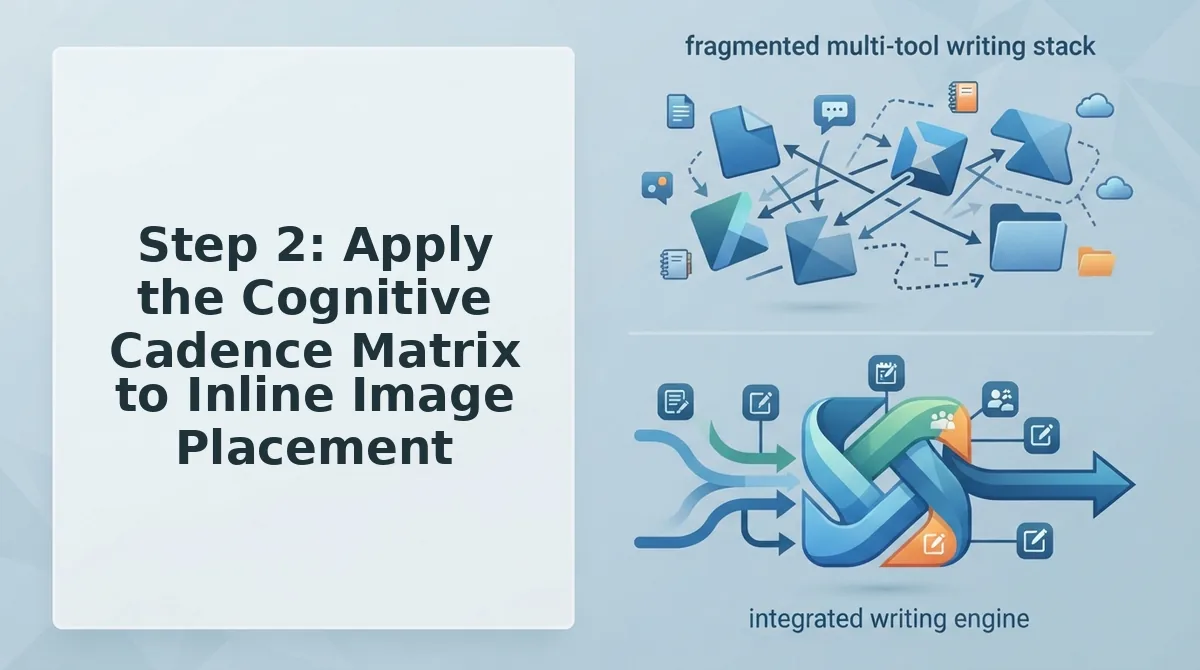
The Cognitive Cadence Matrix is a structural layout framework that positions inline visuals at fixed 350-to-450-word intervals aligned with conceptual subtopic transitions. Front-loading a single hero graphic and abandoning the remaining article to unbroken text accelerates reader drop-off. Applying a systematic visual cadence resets cognitive load, anchors scrolling momentum, and directly extends session dwell time across complex explanations.
Why do readers abandon long-form guides midway through? Dense prose exhausts working memory without predictable structural pauses.
- Anchor every 350-to-450-word conceptual transition. This spacing marks the exact threshold where passive reading fatigue sets in. It maintains scrolling momentum by providing an analytical resting point right before new subtopics unfold. Track word counts between headings in your editor and slot an editorial visual whenever a text block crosses 400 words.
- Replace abstract decorative fillers with instructional diagrams. Decorative stock graphics trigger instant banner blindness and train readers to skim past page elements without pausing. Functional visual anchors communicate process flow, forcing the eye to stop and interpret content. Review your draft assets and swap generic lifestyle graphics for schema-driven workflow charts before publishing.
- Position visual anchors immediately ahead of complex procedures. Multi-step instructions create cognitive bottlenecks where scan readers frequently drop off. Placing an image right before a technical sequence primes working memory for the dense details that follow. Format your process outlines in Markdown and place an inline generation prompt directly above your technical walkthrough.
- Place comparative visual summaries after dense analysis blocks. Unbroken comparative prose forces readers to track multiple trade-offs simultaneously, increasing mental friction. A visual summary synthesizes conflicting variables into an intuitive layout that encourages deliberate reading. Convert tabular data points into an inline graphic prompt directly following any multi-variable narrative evaluation.
- Deploy a milestone roadmap graphic near the post conclusion. Readers regularly abandon long-form posts around the 80 percent scroll depth mark right before core takeaways. Re-engaging visitors near the finish line stabilizes deep dwell metrics and preserves attention through final recommendations. Check page-scroll analytics to locate bottom-funnel exit zones and embed a comprehensive milestone graphic directly above the concluding takeaways.
Precise placement rules require reliable production tools to generate contextual visual assets at scale.
Step 3: Choose the Right Image Engines for Automated Editorial Workflows
Selecting the right editorial image engine requires matching programmatic API availability against prompt adherence and typography fidelity. For automated content publishing, the optimal generator must interpret structured style parameters reliably without requiring manual reprompting.
An image generation engine is an artificial intelligence model that translates structured text prompts into contextual visual media via programmatic endpoints. In an automated publishing workflow, prompt adherence dictates whether an asset reinforces article context or distracts the reader.
Consider a bulk production run across twenty articles per day. A team evaluating Stability AI diffusion pipelines versus DALL-E 3 API prompt interpretation faces distinct trade-offs between granular parameter control and literal prompt comprehension. DALL-E 3 excels at prompt fidelity and legible in-image text, making it dependable for complex scenes where conceptual accuracy matters. Stability AI provides granular pipeline control, allowing teams to lock visual styles and manage scaling costs across high-volume editorial schedules. Meanwhile, self-hosted open-weights models offer absolute governance without external API usage limits, but they require dedicated GPU infrastructure to maintain consistent rendering standards across publishing runs.
| Engine | Programmatic Integration | Typography Handling | Cost Scalability | Best For |
|---|---|---|---|---|
| OpenAI (DALL-E 3) | Managed REST API with internal prompt rewriting | Strong native text rendering within compositions | Fixed per-image API pricing | Best for publishers needing complex conceptual illustrations |
| Stability AI | REST API with seed controls and custom diffusion steps | Moderate text rendering requiring precise prompting | Predictable credit-based API scaling | Best for growth teams requiring strict visual repeatability |
| Open-Weights Models | Direct pipeline execution and custom weights | Variable text generation requiring specialized adapters | Server-bound operational compute cost | Best for technical teams wanting zero platform lock-in |
Which operational trade-off matches your technical resources?
- Choose DALL-E 3 if your editorial assets require intricate prompt interpretation and legible textual signs inside the illustration.
- Choose Stability AI if you require parameter-level governance over visual seeds to maintain a cohesive site-wide aesthetic.
- Choose open-weights models if your publication maintains self-hosted infrastructure and prioritizes complete data privacy.
Our recommendation is Stability AI for programmatic editorial consistency at scale, supplemented by DALL-E 3 whenever an article requires intricate typographic labels. Editorial visual engines perform best when prompts reflect domain-specific style rules rather than generic creative descriptions.
Once your rendering engine is configured, the generated assets must move directly into your publishing environment.
Step 4: Build a Zero-Touch CMS Pipeline from Prompt to WebP
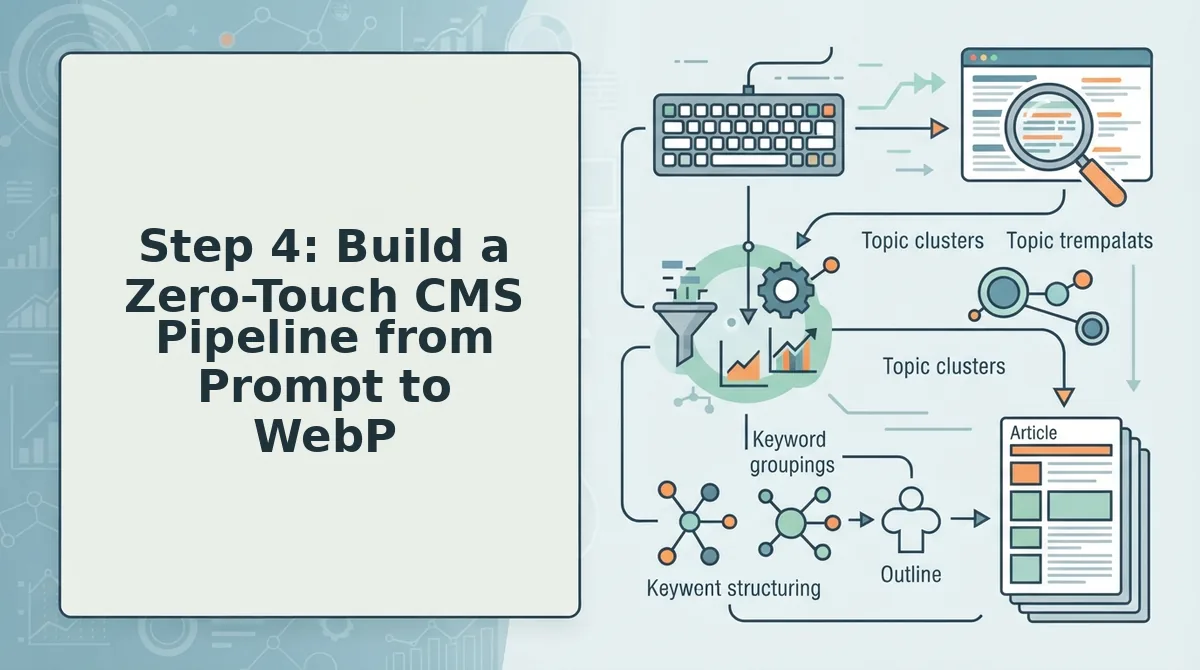
A zero-touch visual pipeline automatically parses your Markdown draft, generates context-aware illustrations, converts them into compressed WebP files, and pushes the final media payload directly into your CMS media library. Setting up an integrated flow eliminates manual asset exports while maintaining structural accessibility across every post.
A zero-touch CMS pipeline is an automated publishing architecture that ingests raw copy, executes programmatic image rendering, and syncs production-ready media assets without human intervention. Automated alt-text generation workflow based on surrounding heading context secures AEO citations by giving AI answer engines immediate entity relationships for every visual element.
Before beginning, ensure you have active API access to your target CMS (such as WordPress or a headless webhook endpoint) and an operational autopilot SEO content platform configured to write drafts.
- Open your engine dashboard and select Settings, then click API Keys to verify your CMS connection status. (Estimated time: 1 minute) You should see an active green checkmark next to your publishing endpoint.
- Configure the image extraction trigger by navigating to Publishing Rules and checking the box labeled Automatic Inline Visuals. (Estimated time: 2 minutes) The workflow interface will display confirmed insertion markers alongside your parsed H2 and H3 subheadings.
- Map the automated alt-text generation workflow by toggling on Contextual Alt Extraction under the media settings panel. (Estimated time: 2 minutes) The engine now dynamically generates descriptive image alt attributes directly derived from surrounding heading context to maximize visibility in AI answer citations.
- Select WebP under the Default Compression Format dropdown and click Save Pipeline. (Estimated time: 1 minute) The engine confirms the format rule with a saved status notice.
Consider an editorial team routing long-form post drafts through automated webhooks into their publishing stack. The pipeline ingests the raw Markdown, reads the technical headings, crafts prompt concepts, generates visual assets, encodes them to WebP, and deploys the finished post through a direct WordPress publishing engine without an editor uploading a single file.
Tracking the exact impact of these automated visual anchors requires observing changes across key engagement indicators.
How to Measure Reader Dwell Time and Confirm Engagement Gains
Reader dwell time is the duration a visitor actively consumes content on a webpage before navigating away. Measuring dwell time requires tracking whether inline images stop fast skimming and hold user attention across critical reading coordinates.
Dwell time verification works by pairing the GA4 user_engagement metric with structured scroll depth event thresholds across the page. When an editorial image halts fast scrolling, Google Analytics registers active foreground interaction rather than an idle background tab. Monitoring scroll-depth triggers at designated intervals confirms whether visitors abandon text early or linger beside visual assets. Aligning viewport visibility with these thresholds proves that inline graphics sustain reading velocity through complex passages, reinforcing organic authority and supporting your broader AEO content optimization framework.
Think of scroll tracking like trail markers along a hiking path. Without markers, you know when someone enters and leaves the woods, but you cannot tell where they paused to examine the terrain.
Confirm that generated visuals actively retain readers by auditing three analytical checkpoints:
- Scroll depth triggers: GA4 logs scroll events when visitors reach 90% page depth, isolating complete reads from bounces.
- User engagement time: The user_engagement parameter records active foreground focus, separating genuine reading from idle background tabs.
- Viewport visibility: Element timers record when an illustration rests inside the visible screen, verifying that readers stopped to inspect it.
Correlating image viewport visibility directly with engagement timers demonstrates that custom visual assets create sustained reading momentum across the post.
Common questions often arise when configuring these analytics across continuous automated publication schedules.
Frequently Asked Questions About Editorial Blog Images
Editorial blog images increase dwell time by clarifying concepts immediately while adhering to search crawler provenance standards.
Does Google penalize blog posts with AI-generated images?
Google does not penalize AI-generated images if they satisfy search intent and support the text. In accordance with Google helpful content guidelines, pages must deliver genuine value, which search engines assess alongside IPTC digital provenance tags that identify synthetic media creation.
Who owns the commercial rights to generated blog graphics?
Raw AI-generated imagery cannot be copyrighted under current United States law because legal protection requires human authorship. However, commercial platform licenses grant complete publishing and monetization rights, allowing businesses to use custom generated editorial graphics across public blogs without legal infringement.
How do search crawlers evaluate and index synthetic images?
Search bots evaluate synthetic images by parsing surrounding editorial copy, alt attributes, and technical file tags. Crawlers index these assets efficiently when publishers deploy lightweight WebP formats, declare explicit HTML height and width attributes, and write descriptive alt text reflecting core entities.
What metadata tags do AI editorial images require?
Search systems rely on specific metadata attributes to process generated graphics correctly:
- IPTC DigitalSourceType: Declares synthetic media provenance for crawler transparency.
- Descriptive alt text: Contextualizes core entities for multimodal search indexing.
- Explicit image dimensions: Prevents layout shifts during page rendering.
Applying these technical visual standards consistently across high-volume calendars requires shifting from manual generation to automated production workflows.
Transform Your Content Strategy with Programmatic Visuals
Programmatic editorial visuals directly increase reader dwell time by replacing generic stock placeholders with contextual graphic anchors that hold audience attention.
Publishers who still manually hunt for stock photos lose competitive ground to automated content pipelines. That early paradox, why high-image posts frequently suffer high bounce rates, comes down to cognitive relevance: decorative fluff invites skimming, while tailored editorial graphics stop the scroll.
Use this four-point checklist to replace stock clutter with high-retention assets:
- Audit existing articles to eliminate decorative stock photos that fail to illustrate specific concepts.
- Establish automated prompt rules aligned with your brand guidelines and visual palette.
- Map image insertion to cognitive break points every 300 to 400 words.
- Connect automated generation directly to your CMS to publish optimized WebP files without manual formatting.
To eliminate manual design friction entirely, enter your domain into the AI SEO content engine from BloGoose to build brand-accurate content workflows directly integrated with your WordPress site.
Editorial imagery is never decorative padding; it is a structural engagement engine that transforms passive page scanners into deeply invested readers.