
How to Extract Target Keywords from Your Own Site
Most site owners are already ranking for dozens of keywords they never intentionally targeted, and that hidden data is a faster keyword source than any competitor research tool. If you've ever opened Google Search Console and felt overwhelmed by the CSV dump, you're not alone. The good news: you can extract target keywords from your own site in under an hour using data you already own.
This guide walks you through three practical methods, starting with Search Console, moving to sitemap crawling, and finishing with automated extraction that produces an editable target-keywords.md file you can hand to any writer or AI content engine. Along the way, you'll discover why manual competitor research is slower than mining your own ranking data, and one surprising finding about sitemap terms that most guides skip entirely.
Why Extract Keywords from Your Own Site?
Your own site is the most underrated keyword research source you have, it contains real ranking data, on-page terms you already own, and search intent signals competitors can only guess at.
Keyword extraction is the process of pulling search queries and on-page terms from your existing site data, Search Console, sitemaps, and published content, to identify phrases you already rank for or should target. Target keywords are the specific search terms you deliberately optimize pages to rank for.
Think of it like auditing your own pantry before writing a grocery list. Competitor research is like peeking into a neighbor's kitchen, useful, but you don't know which ingredients they actually cook with. Your own site shows you exactly which terms Google already associates with your pages.
Here's the contrarian part: most SEO guides push competitor tools first. Those accidental wins are low-hanging fruit, pages already ranking on page two or three that just need a title tweak or content refresh to climb.
The workflow scales in three tiers: start with Search Console for proven queries, crawl your sitemap for on-page terms you already use, then automate the extraction into a strategy file your content pipeline can consume.
Method 1: Pull Keywords from Google Search Console
Google Search Console is the fastest free source of real ranking data, it shows every query your site appeared for in the last 16 months, including impressions, clicks, and average position.
Prerequisites: A verified Google Search Console property and at least 30 days of accumulated data. You'll need export access, which comes with any verified owner or full user role.
- Open the Performance report. In Google Search Console, click Performance in the left sidebar. You should see a chart of clicks and impressions with a data table below it.
- Set the date range to 6-12 months. Click the date filter above the chart and select a longer window, six months minimum, twelve if your site has seasonal traffic. Longer ranges surface queries that only appear during specific periods.
- Filter by impressions and position. Click New above the table, then Query. Set Impressions to greater than 50 and Position to less than 20. This isolates queries where you already have visibility but may not rank on page one yet, the highest-opportunity keywords.
- Export the data. Click the Export button in the top-right corner and choose CSV. The file downloads immediately with columns for query, clicks, impressions, CTR, and position.
- Clean the CSV. Open the file in a spreadsheet tool. Delete branded queries (your company name), near-duplicate phrases, and any query with fewer than 3 clicks unless it has unusually high impressions. Sort by impressions descending to prioritize.
- Tag each keyword by intent. Add a column labeled Intent and mark each row as informational, commercial, or transactional based on the query wording. This step takes 10-15 minutes and makes the list usable for content planning.
According to Google Search Console Help, the Performance report lets you filter by query, page, country, device, and search appearance, and the export function preserves all applied filters, so your CSV contains only the filtered rows you defined.
To export keywords from Google Search Console, open the Performance report, set a date range of at least six months, apply filters for impressions greater than 50 and position lower than 20 to isolate high-opportunity queries, then click the Export button and choose CSV format. The downloaded file includes query, clicks, impressions, CTR, and average position for every filtered row. Open the CSV in a spreadsheet, remove branded and near-duplicate queries, and sort by impressions to prioritize terms you already have visibility for but haven't deliberately targeted.
Once your CSV is clean, you're ready to cross-reference it with the actual words on your pages, which is exactly what sitemap crawling reveals next.
Method 2: Crawl Your Sitemap for On-Page Keywords
Crawling your own XML sitemap surfaces the keywords already embedded in your titles, H1s, and meta descriptions, including pages Google hasn't indexed yet. But GSC only shows keywords you already rank for. Here's how to find the ones hiding in your content.
Prerequisites: A browser (Chrome or Firefox), the free XML sitemap URL for your site, and a spreadsheet app. Total time: 15-20 minutes for a site under 200 URLs.
- Open your sitemap URL in a browser tab, typically
yoursite.com/sitemap.xml. You should see a structured list of<url>entries, each containing a<loc>tag with a page URL. The XML Sitemaps protocol defines this structure, so any compliant sitemap will render predictably. - Copy all URLs by selecting the page text and pasting it into a spreadsheet column. Strip the XML tags using Find & Replace, search for
<loc>and replace with nothing, then repeat for</loc>. You should see a clean list of absolute URLs. - Install a free SEO browser extension such as Detailed SEO Extension or SEO Minion. Open the extension settings and confirm it's active for all tabs.
- Open the first 10 URLs in separate tabs, then click the extension icon on each. You should see the page title, H1, and meta description populated in a side panel. Copy those three fields into your spreadsheet next to each URL.
- Scan each title and H1 for repeated phrases, nouns, modifiers, and intent words that appear across multiple pages. These are your on-page keyword signals. Repeat for the remaining URLs in batches of 10 until the sheet is complete.
This method captures keyword phrases embedded in your existing content that GSC never reports because those pages earn zero impressions. It also flags orphan pages. URLs in your sitemap that no internal link points to, which you can fix later with an internal linking strategy.
Passage answer: To extract keywords from an XML sitemap, open the sitemap file in a browser, copy every URL from the <loc> tags into a spreadsheet, then use a free SEO browser extension to pull the title tag, H1 heading, and meta description from each page. Repeated words and phrases across those three fields reveal the keyword themes your site already targets, including pages with no search impressions that Google Search Console cannot surface.
Method 3: Automate the Extraction with a Site Crawl
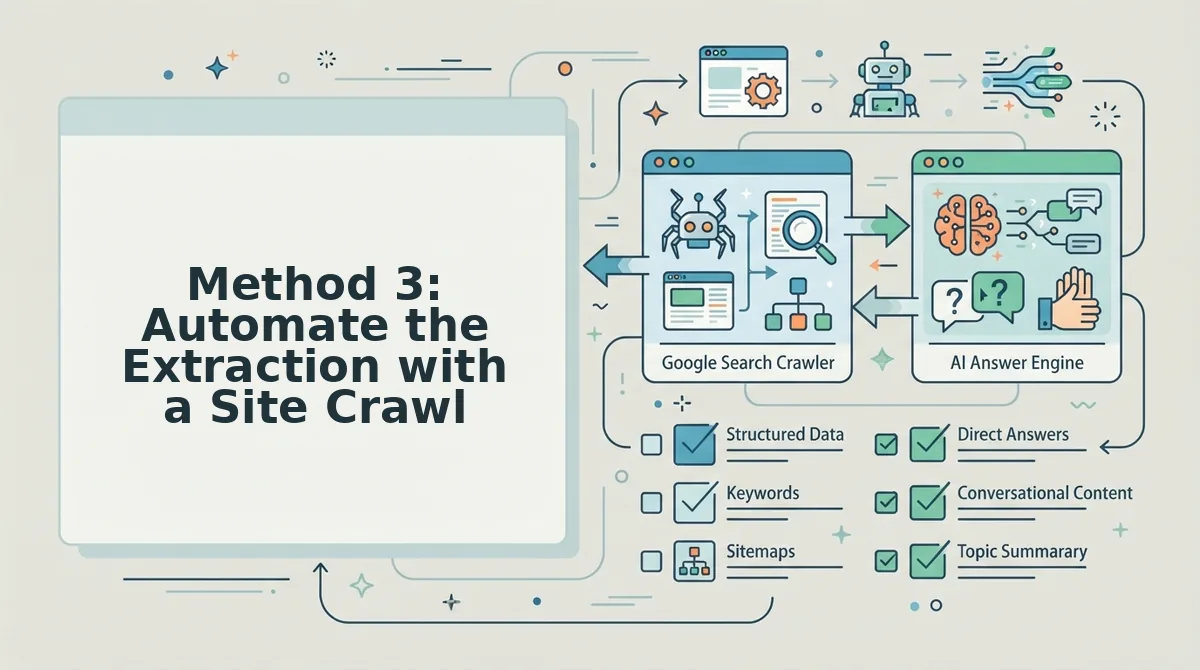
Automated site crawls replace the manual copy-paste loop with a single pass that detects your CMS, reads every published page, and generates a structured keyword file you can edit immediately. Manual extraction works, but it doesn't scale past a few hundred URLs.
| Method | Time for 200 URLs | Detects CMS stack | Output format | Best for |
|---|---|---|---|---|
| Manual sitemap crawl | 15-20 minutes | No | Spreadsheet you build | Solo operators auditing a small site once |
| GSC keyword export | 5 minutes | No | CSV of ranked queries | Teams optimizing pages that already get impressions |
| Automated site crawl (BloGoose) | Under 2 minutes | Yes | Editable target-keywords.md file | Publishers and agencies running recurring content calendars |
GSC exports are fast and free, but they only reflect queries Google has already associated with your pages, a rearview mirror. Manual crawling is thorough but tedious and error-prone at scale. Automated crawls close both gaps: BloGoose crawls your sitemap, inspects published pages, and generates a target-keywords.md file automatically, so you skip the spreadsheet assembly entirely.
For teams that also want to see what competitors rank for before committing to a keyword set, pair the crawl with automated keyword extraction from live SERP research. The crawl tells you what your site already says; the SERP data tells you what it should say next.
Turn Extracted Keywords into an Editable Strategy File
Raw keyword lists are useless without structure. Converting your extracted keywords into an editable target-keywords.md file turns a data dump into a ranking plan your whole team can act on.
Prerequisites: Your extracted keyword list from Method 1, 2, or 3, plus a plain-text editor. Total time: 10 minutes.
- Create a new file named
target-keywords.mdin your content repository. You should see a blank Markdown document ready for structure. - Type the primary keyword on line one under a
# Primary Keywordheading. Choose the single phrase your homepage or pillar page must own, for example,AI SEO content engine. - Add a secondary keywords section with 3-5 supporting phrases that reinforce the primary term. You should see a short bulleted list that maps to your top service or category pages.
- Classify every remaining keyword by intent using this matrix: informational (how to, what is, e.g., "how to extract keywords from sitemap"), commercial (best, vs, review, e.g., "best AI blog writer for WordPress"), transactional (buy, pricing, demo, e.g., "automated blog publishing engine pricing"), and navigational (branded terms, e.g., "BloGoose login"). You should see four labeled groups in your file.
- Save the file and link it from your content calendar so every new brief references the same keyword source. You should see writers pulling from one canonical list instead of improvising.
This file also feeds your internal linking strategy, each keyword group maps to a cluster of pages that should interlink. Next, the most common questions about extracting target keywords from your own site.
FAQ: Extracting Target Keywords from Your Own Site
Extracting target keywords from your own site means pulling the search queries and on-page phrases your domain already ranks for or targets, then organizing them into a reusable strategy file. The fastest free methods are Google Search Console exports and sitemap crawls.
How do I extract target keywords from my own website?
Export the Queries report from Google Search Console to get every search term your site already ranks for, then filter by impressions and position. For on-page targeting, crawl your XML sitemap and pull title tags, H1s, and meta descriptions into a spreadsheet.
Can I extract keywords without paying for a tool?
Yes. Google Search Console is free and shows real queries driving impressions to your pages. A free sitemap crawler like Screaming Frog's free tier or a simple Python script with BeautifulSoup can extract on-page keywords from up to 500 URLs at no cost.
How often should I re-extract keywords from my site?
Re-extract every 30 to 90 days, or after any major content push or site restructure. Search behavior shifts seasonally and Google updates re-rank pages, so quarterly extraction keeps your keyword strategy file aligned with what actually drives traffic.
What do I do with extracted keywords once I have them?
Group them by search intent and map each cluster to a pillar page or content brief. Delete keywords with impressions but no clicks, and prioritize terms where you rank on page two, those need the least effort to move up.
Why does my site rank for keywords I never targeted?
Google matches pages to queries based on semantic relevance, not just exact-match keywords. Your content likely covers adjacent topics or long-tail variations that Google considers relevant, which reveals untapped keyword opportunities you can optimize for deliberately.
From Extraction to Autopilot: Make Your Site's Keywords Work for You
Extracting keywords from your own site closes the gap between what you think you rank for and what Google actually rewards. The data you pull from Search Console and your sitemap is not just a list, it is the raw material for a content engine that compounds.
Run your first extraction today using a GSC export or a sitemap crawl, then sort the results into intent clusters. Once you see the pattern, automate it: BloGoose crawls your site, extracts brand voice and keyword signals, and turns them into rank-ready articles without manual spreadsheet coordination.
The sites that win are not the ones with the most keywords, they are the ones that turn extraction into a repeatable system.