
Featured Image Generation for SEO Articles vs Jasper
You just spent 45 minutes generating a featured image in one AI tool, downloading it, renaming it, and manually uploading it to WordPress, only to realize the thumbnail crops awkwardly on archive pages. Most featured image generation for SEO articles vs Jasper comparisons obsess over text quality and completely miss the part that actually eats your afternoon: getting the image from the AI into your CMS.
You're right to be frustrated. The writing is only half the battle, and the image pipeline is where fragmented tool stacks quietly drain hours every week.
This article will walk you through exactly how featured image generation works for SEO articles, how BloGoose automates the entire pipeline from sitemap crawl to direct WordPress publish, and where Jasper leaves the manual work on your plate. By the end, you'll know precisely which steps you can eliminate today.
One surprising finding: BloGoose requires 0 manual steps after initial setup, while Jasper's featured image workflow still leaves export, download, and CMS upload as manual tasks. The full breakdown is below, and the gap is wider than most publishers expect.
What Featured Image Generation Actually Means for SEO Articles
Featured image generation for SEO articles is the automated creation of a designated visual asset, typically the social share card and archive thumbnail, that represents an article across search results, social platforms, and your site's category pages. It is distinct from inline image generation, which produces visuals embedded within the article body to break up text and support key points.
Think of a featured image like a book cover: it's the single visual that tells readers and search crawlers what the article is about before anyone opens a single page. Inline images, by contrast, are like illustrations inside the book, helpful for comprehension, but not what appears on the shelf.
SEO articles need both types, and each tool handles them differently. A featured image must be sized correctly for Open Graph and Twitter Card specifications, typically 1200×630 pixels, so it doesn't crop awkwardly when shared. Inline images can be any aspect ratio that fits your content layout.
For answer engine optimization, the distinction matters because search engines and AI crawlers parse featured images as entity signals, a visual confirmation of the article's topic. When you generate a featured image that matches the article's primary keyword and title, you reinforce topical relevance. For a deeper breakdown of how images affect rankings, see image SEO best practices.
Here's the passage-indexing answer in one self-contained block: Featured image generation for SEO articles is the process of using AI to automatically create the primary visual asset, the social share card and archive thumbnail, that represents an article across search results, social platforms, and category pages. Unlike inline images, which appear inside the article body to illustrate specific points, the featured image serves as the article's visual identity. Effective featured image generation requires correct dimensions for Open Graph and Twitter Card specifications, typically 1200×630 pixels, and topical alignment with the article's title and primary keyword. Automated tools that generate and publish featured images directly to a CMS eliminate the manual export, download, and upload steps that fragment most publishing workflows.
How BloGoose Handles Featured Images Without Manual Uploads
BloGoose generates editorial featured images and inline visuals during article production and ships them to WordPress automatically, no export, download, or manual upload required. The entire sequence runs as one continuous action after initial setup.
Prerequisites: A live website domain and WordPress admin credentials (or a connected custom API endpoint).
- Enter your domain in the setup wizard. BloGoose automatically locates your XML sitemap, inspects published pages, and extracts brand voice rules. You should see a confirmation that your site structure has been mapped.
- Connect WordPress. Navigate to Settings, then CMS Connections, and enter your WordPress URL and application password. A green checkmark confirms the connection is active.
- Select or confirm your content calendar. BloGoose builds a pillar-focused calendar from your sitemap data. Choose the articles you want generated, each one queues featured image creation automatically.
- Review generated articles and images. Before publishing, open any draft to inspect the AI-generated featured image and inline visuals. You can edit or replace any image using the built-in editor, matching the standard expectation shown in SERPUPDATE's tutorial.
- Approve publishing. Click Publish. BloGoose sends the article, featured image, and inline images directly to WordPress as a complete post, no manual file transfers. Total hands-on time after setup: under 5 minutes per article.
This pipeline is what makes BloGoose an automated SEO content engine rather than a text-only generator. For a closer look at how the image layer works, see automated blog image generation.
Now compare that to Jasper, where the image pipeline stops at generation, and the export, download, and upload steps land squarely on you.
How Jasper Handles Featured Images and Where the Work Lands on You
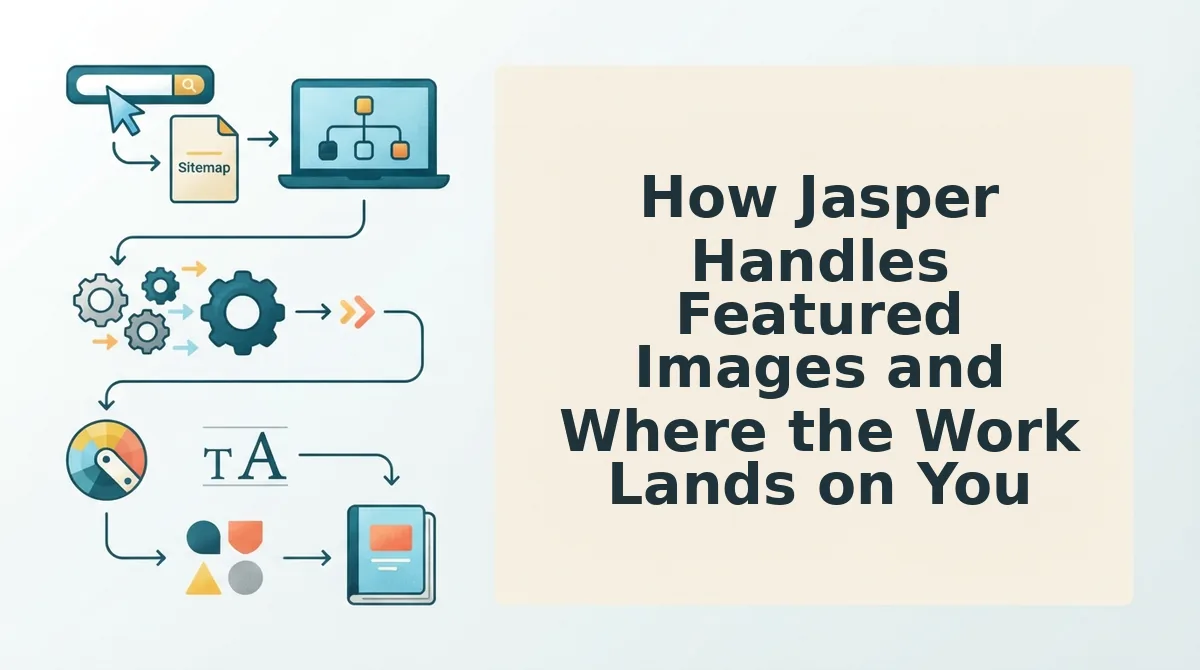
Jasper's featured image workflow is a generate-then-manually-place sequence that stops at the download button. The platform produces high-quality, prompt-driven images inside its editor, but it does not connect to your CMS or set the featured image field for you.
At the simple level, you type a prompt, Jasper returns four image variations, and you pick one. That part feels effortless. The friction starts when the image leaves Jasper's canvas.
Think of Jasper's image output like a print shop that hands you a beautiful poster but no envelope, no stamp, and no mailbox. You still have to walk it to the post office yourself. The export to download to upload to set-as-featured sequence requires 5-7 manual steps per article, and every one of those steps is a place where a bulk publishing day stalls.
At the intermediate level, you learn to batch downloads into a local folder, rename files to match article slugs, and upload them in WordPress's media library one by one. That works until you publish 20 articles in a week and realize you have spent an afternoon doing nothing but file management.
At the advanced level, you might wire Jasper's output into a Zapier or Make automation that watches a Google Drive folder and pushes files to WordPress. That reduces manual clicks, but it introduces a new failure mode: if the automation breaks mid-batch, you publish articles with missing or mismatched featured images and no alert tells you which ones failed.
Jasper's image workflow is fine for low-volume publishers who don't mind the extra steps. The image quality is genuinely strong, and the creative control is real. The gap is not the pixels, it's the pipeline between the pixels and the post.
BloGoose vs Jasper for Featured Image Workflow Side by Side
BloGoose automates the entire featured image pipeline from generation to CMS placement, while Jasper stops at image creation and leaves export, download, upload, and set-as-featured as manual steps. The difference is not image quality, it's the number of human actions required to get an image live on a published article.
Jasper deserves honest credit here. Its image generation is mature, its prompt controls are flexible, and for a single article, the manual steps are mildly annoying rather than painful. The problem compounds with volume. A publisher running 10 articles per week through Jasper faces 50-70 manual image steps weekly, and that labor is invisible until you measure it.
The real cost is the manual CMS step, not pixel quality. Both tools can produce a sharp, relevant featured image. Only one of them places that image into the WordPress featured image field without a human touching the media library.
| Workflow Step | BloGoose | Jasper |
|---|---|---|
| Image generation | Automatic, matched to article topic and brand style | Manual prompt, 4 variations per generation |
| Inline images inside article body | Auto-inserted during drafting | Manual placement required |
| CMS upload | Automatic via direct WordPress publishing | Manual download, then manual upload |
| Set as featured image | Automatic during publish | Manual click in WordPress editor |
| Editing or regeneration | Regenerate from dashboard, republish in one action | Regenerate in Jasper, repeat export and upload |
| Bulk publishing (10+ articles) | 0 manual steps after setup | 5-7 manual steps per article |
Best for solo bloggers and low-volume creators: Jasper. If you publish two or three articles a month and enjoy hands-on creative control over every image, the manual steps are a reasonable trade for that control.
Best for agencies, content teams, and publishers running weekly clusters: BloGoose. When your calendar has 10, 20, or 50 articles queued, every manual image step multiplies into hours of non-writing work. BloGoose removes the entire export-download-upload-set-as-featured chain so your team publishes clusters without a media library bottleneck.
If your current workflow involves downloading images from one tab and uploading them in another, the bottleneck is not your image generator. It's the missing connection between generation and publication.
The Upload Mistake That Kills Bulk Image Workflows
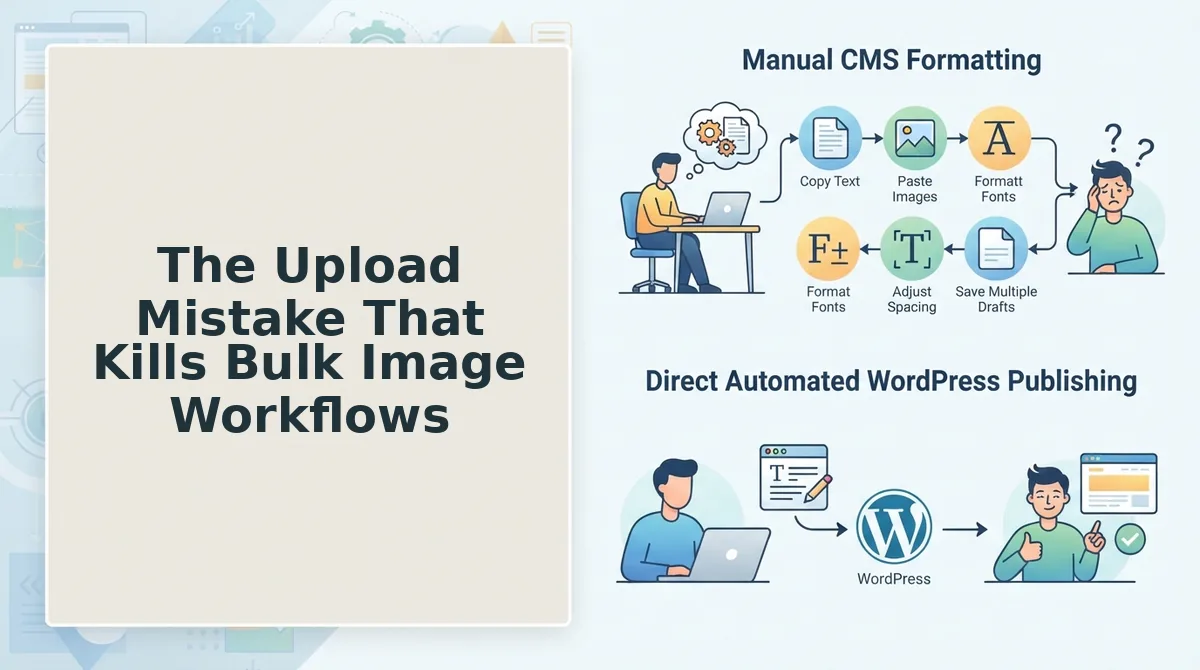
Bulk-generating images without CMS mapping creates orphaned files and wrong dimensions, and it is the most common failure pattern in automated content pipelines. Here are the three mistakes that quietly destroy a bulk publishing day, ordered by how badly they derail your workflow.
- Orphaned image files. You generate 30 featured images in one batch, download them to a local folder, and never map each file to its matching article slug. The images sit on your desktop while articles publish without featured images, and you discover the gap only after Google has already crawled the posts. Fix this by naming every file to match its article slug before any upload begins.
- Wrong image dimensions. Your generator outputs square 1024×1024 images, but your WordPress theme's featured image slot expects a 1200×630 landscape crop. The theme auto-crops awkwardly, faces get cut off, and your social shares look broken. Fix this by confirming your theme's exact featured image dimensions before generating any batch.
- Duplicate uploads. You upload the same image twice because you lost track of which files already made it into the media library. WordPress now has two copies with different IDs, your featured image field points to the wrong one, and your media library bloats with junk. Fix this by uploading through a single mapped pipeline instead of ad-hoc drag-and-drop.
The YouTube landscape shows entire tutorials dedicated to upload workflows, proving the pipeline is the real bottleneck. That bottleneck is exactly what the next section addresses: when Jasper's manual image workflow is fine and when it isn't.
When Jasper's Manual Image Workflow Is Fine and When It Isn't
Jasper's manual image workflow is perfectly adequate for low-volume publishing, but it becomes a real bottleneck once you cross roughly four posts per month. The deciding factor isn't image quality, it's how many times you're willing to download, rename, and re-upload files by hand.
| Publishing Volume | Jasper Manual Workflow | BloGoose Automated Pipeline | Verdict |
|---|---|---|---|
| 1-2 posts/month | Manageable: 10-15 minutes per post for image export and upload | Zero manual steps, but automation may feel like overkill at this cadence | Jasper is fine |
| 3-4 posts/month | Workable but repetitive; image handling becomes a recurring chore | Noticeable time savings; images ship with the article automatically | Either works |
| 10+ posts/month | Unsustainable: image upload alone can consume 2+ hours weekly | Essential: bundled images arrive in WordPress with zero manual steps | BloGoose wins |
Best for solo bloggers publishing 1-2 posts monthly: Jasper. You get strong image generation and full creative control, and the manual upload step is a minor inconvenience at that volume.
Best for content teams, agencies, or publishers running 4+ posts monthly: BloGoose. The bundled image pipeline removes an entire class of repetitive work, and the cost angle matters too. BloGoose includes image generation in its pricing, whereas Jasper's image features typically require a separate AI image subscription or higher-tier plan.
The contrarian reframe: most buyers compare image aesthetics, but at scale the real cost is pipeline labor. A slightly better-looking featured image that costs you 15 minutes of manual upload per post is a worse deal than a strong image that ships itself.
Frequently Asked Questions About Featured Image Generation
Featured image generation for SEO articles means using AI to create a unique, contextually relevant image for each post's thumbnail or hero slot, then placing it into your CMS. The questions below cover the workflow differences that matter most when comparing tools like BloGoose and Jasper.
Does Jasper automatically generate and upload featured images to WordPress?
No. Jasper generates images on demand, but exporting, downloading, and uploading them to WordPress are manual steps you complete yourself. There is no native publish-to-CMS image handoff in Jasper's standard workflow.
What happens after BloGoose generates a featured image?
BloGoose sends the generated image directly to your WordPress media library as part of the automated publish pipeline. The image is attached to the post and set as the featured image without any manual download or upload step.
Can you edit or replace AI-generated featured images before publishing?
Yes. BloGoose supports editing and replacing generated images before the article goes live, so you keep creative control without breaking the automation. You can regenerate, swap, or adjust the image and the updated version ships with the post.
Does Jasper's image output match on-page article images or just the featured image?
Jasper can generate both featured images and in-article images, but the user must manually place each one in the correct location. There is no automatic matching between the featured image style and the images used inside the article body.
Why does featured image automation matter for SEO at scale?
For publishers producing 10+ posts per month, manual image handling adds 2+ hours of repetitive work weekly. Automation removes that bottleneck and keeps publishing velocity consistent, which directly supports crawl frequency and indexation speed.
The Real Decision: Pipeline Cost, Not Pixel Quality
Every featured image comparison eventually circles back to the same question: how much manual labor are you willing to absorb per post? Jasper produces excellent images, and for a solo blogger publishing twice a month, the manual upload step is genuinely trivial. But for publishers producing 4+ articles per month, the upload pipeline, not image quality, is the deciding factor.
BloGoose ships featured images to WordPress automatically as part of the publish flow; Jasper leaves the upload as a manual step. That single difference compounds with every post you publish.
Your next step: start a BloGoose trial and watch one article go from crawl to published with its featured image attached. Then read our guide on AEO optimization to make sure those images, and the articles behind them, get cited in AI answers, and review the internal link map approach to strengthen the cluster around every post you ship. Bookmark this comparison for your team evaluation, because the volume math won't change, only the tool you choose to handle it.