
How to Generate Featured Images for SEO Articles
Every week, content teams lose an estimated 20-30 minutes per post on featured image creation, time that compounds into hours of lost publishing velocity and a visual identity that drifts further from brand with every rushed Canva edit. If you have ever stared at a blank canvas wondering whether your thumbnail will actually earn the click, you are not alone.
You already know featured images matter. What you may not realize is that the process of generating them can be systematized to the point where it stops being a creative tax and becomes an automatic output of your content pipeline. This guide will show you exactly how to generate featured images for SEO articles without manual design work, starting with the ranking mechanics most publishers overlook, then moving into a repeatable automated workflow you can deploy today.
We will cover why featured images influence rankings through indirect signals rather than direct ones, how to build an automated generation pipeline that pulls brand context from your own site, and the technical specs that prevent upload failures. Along the way, you will see why the most effective image workflows are the ones YouTube creators describe with three words: effective, quick, and simple, and one surprising finding about Google Discover visibility that changes how you should think about image selection.
Why Featured Images Matter for SEO More Than You Think
A featured image is the primary visual asset assigned to an article, automatically pulled into social sharing cards, Google Discover feeds, and internal site previews. It does not directly alter rankings, but it controls the click-through and engagement signals that do.
Start with the simplest layer: social sharing. When a link is pasted into X, LinkedIn, Slack, or Facebook, the platform scrapes the page's Open Graph (OG) tags, and the featured image is the first asset those tags reference. A missing or wrong-sized image kills click-through before anyone reads a word. Think of the featured image like a storefront window: the products inside may be excellent, but if the window is empty or displays a broken frame, foot traffic walks past.
The intermediate layer is engagement. Pages with compelling, relevant featured images earn higher click-through rates from social platforms and Google Discover, which sends more visitors, which generates dwell time and return visits, signals search engines interpret as quality. Google Discover, in particular, favors articles with large, high-resolution images because its card-based layout depends on them. Publishers who ignore image quality on Discover-eligible content are effectively opting out of a traffic channel that requires no query to trigger.
The advanced layer is Google Images and entity association. When you publish a featured image with descriptive alt text and a clean filename, you create another indexed asset that can rank in Google Images and reinforce topical relevance for the parent article. A self-contained answer: Featured images influence SEO indirectly by improving social click-through rates, enabling Google Discover eligibility, and creating additional indexed assets in Google Images, all of which feed engagement signals that correlate with higher organic rankings. For publishers targeting Google Discover visibility, image selection is not cosmetic; it is a distribution prerequisite.
How to Generate Featured Images for SEO Articles Automatically
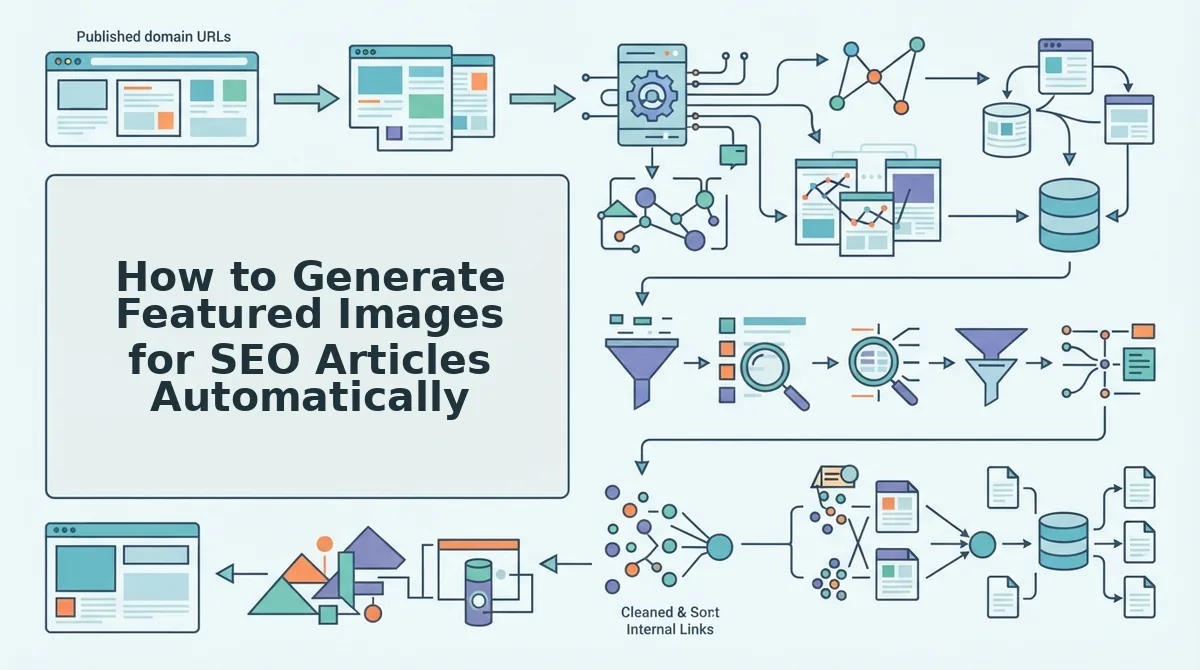
Automated featured image generation replaces manual design with a pipeline that extracts brand context from your site, generates prompts from article content, renders images, and publishes them alongside each post. You need a site domain, access to an AI SEO content engine, and a connected CMS before starting.
- Drop your domain into the setup wizard. Open the content engine and enter your website URL in the onboarding field. The system crawls your XML sitemap and inspects published pages to detect your visual style rules, color palettes, typography tendencies, image composition patterns, and logo placement. You should see a confirmation that the crawl completed and a summary of extracted brand rules.
- Review the extracted brand context. Navigate to the Brand Settings panel and verify the detected style rules match your actual visual identity. Adjust any incorrect color values or composition preferences. This step takes under five minutes and ensures every generated image stays on-brand without manual oversight.
- Generate prompts from article content. For each article in your content calendar, the engine reads the title, meta description, and body text, then produces an image prompt that reflects the article's core topic and your brand rules. No prompt engineering is required, the system handles prompt construction automatically.
- Render and validate the featured image. Click Generate on each article row. The engine renders the image and runs a validation check for dimensions, file size, and format compatibility. You should see a green checkmark next to each validated image, with warnings flagged for any asset that fails a spec requirement.
- Publish to your CMS. Select the articles you want to ship and click Publish. The engine uploads each featured image to your WordPress media library or custom API endpoint and attaches it to the corresponding post. The image, alt text, and OG tags are set in one action.
This workflow removes the consistency bottleneck that manual creation creates at scale. A self-contained answer: To generate featured images for SEO articles automatically, connect your domain to an AI SEO content engine, let it crawl your sitemap and extract brand style rules, generate prompts from each article's content, render and validate images, then publish them directly to your CMS with OG tags attached. The entire pipeline runs inside the AI SEO content engine and integrates with automated blog publishing so image generation never becomes a separate manual step. Next, we will cover the exact dimensions and technical specs that prevent upload mistakes before they happen.
Featured Image Dimensions and Technical Specs That Prevent Upload Mistakes
Getting the dimensions right before you upload eliminates cropping surprises, blurry social shares, and rejected Discover cards. Here are the exact specs that matter most, ordered by how often they cause problems.
- Open Graph and social share images: 1200×630 pixels at a 2:1 ratio. This is the universal standard for Facebook, LinkedIn, and X (Twitter) link previews. Uploading anything smaller than 600×315 triggers automatic upscaling, which produces pixelated thumbnails that reduce click-through rates. Always export your featured image at 1200×630 or larger while maintaining the 2:1 ratio, then let your CMS generate the smaller variants.
- WordPress featured images: 1200×675 pixels minimum for full-width themes. WordPress does not enforce a single dimension, but most modern themes display featured images at a 16:9 ratio above the post title. If your image is smaller than 1200 pixels wide, WordPress will stretch it to fill the container, causing visible blur. Set your media settings to 1200×675 and upload at that size or larger.
- Google Discover thumbnails: minimum 1200 pixels wide. Google Discover only surfaces articles with images that meet its large-image requirement. Images below 1200 pixels wide are either excluded from Discover or displayed as tiny thumbnails that get ignored. Use the
max-image-preview:largemeta tag to signal that Google can display your featured image at full size. - File format: WebP or AVIF first, JPEG as fallback. WebP and AVIF deliver 25-35% smaller file sizes than JPEG at identical visual quality, which directly improves Largest Contentful Paint scores. Most modern CMS platforms accept WebP natively, but keep a JPEG fallback for older browsers and email clients that cannot render WebP.
- Compression target: under 150 KB per image. Featured images above 150 KB measurably slow page load times, especially on mobile connections. Use lossy compression at 80-85% quality for photographs and lossless compression for graphics with text or sharp edges. Tools like Squoosh or your CMS's built-in optimizer can automate this step.
- File naming: descriptive, hyphenated, lowercase. Name your file
how-to-generate-featured-images.jpg, notIMG_4821.jpg. Search engines read filenames as weak ranking signals, and descriptive names make your media library searchable. Rename files before uploading, because changing them later breaks existing image URLs. - Aspect ratio consistency across your site. Pick one ratio, 16:9 or 2:1, and apply it to every featured image on your domain. Mixed ratios create jagged archive pages and make your brand look unpolished. If you publish a mix of tutorials and news posts, use 16:9 for tutorials and 2:1 for news, but never mix them within the same category.
For a deeper walkthrough on compressing images without visible quality loss and structuring your media library for search, see our guide to image SEO best practices. The single most common upload mistake we see is exporting at the right dimensions but forgetting to compress, a 1200×630 PNG can easily exceed 1 MB, which negates every speed benefit you gained by sizing correctly.
Alt Text and Image SEO: The Part Everyone Skips
Alt text is the HTML attribute that describes an image's content to search engines and screen readers, and it is your image's only chance to rank in Google Images. Skipping it means your featured image is invisible to one of the largest visual search engines on the web.
Think of alt text like a museum placard next to a painting. The painting itself carries the visual weight, but the placard tells visitors, and search crawlers, exactly what they are looking at, who made it, and why it matters. Without the placard, the painting is just decoration. Without alt text, your featured image is just a file.
Start simple: describe what is literally in the image in one sentence. "A laptop showing a WordPress post editor with a featured image panel open" is accurate and useful. Then move to intermediate: add context that connects the image to the article. "A laptop showing a WordPress post editor with a featured image panel open, demonstrating where to upload a 1200×630 Open Graph image."
The advanced step is understanding what not to write. Keyword stuffing, "featured image SEO, featured image dimensions, featured image generator, SEO featured image", reads as spam to Google's image ranking algorithms and gets your image demoted or ignored. Instead, write one natural sentence that a human would say out loud when describing the image to a colleague.
Alt text also feeds directly into Google Lens and AI answer engines. When a user asks an AI chatbot "what does a properly sized featured image look like," the model pulls from indexed alt text, not the pixels. A well-written alt attribute is a citation waiting to happen. For a complete workflow on writing alt text that ranks without stuffing, see our alt text featured image SEO guide.
Frequently Asked Questions About Featured Images for SEO
Featured images influence SEO indirectly through click-through rates, page speed, and eligibility for rich results like Google Discover. They are not a direct ranking factor, but a missing or broken featured image measurably reduces engagement signals that do affect rankings.
Do featured images directly affect Google rankings?
No, featured images are not a direct ranking factor in Google's core algorithm. However, they indirectly affect rankings by improving click-through rates from search results, enabling Google Discover eligibility, and supporting image search traffic. A page with a strong featured image typically earns more engagement, which feeds into ranking signals.
Can I use AI-generated images for featured images?
Yes, Google does not penalize AI-generated images as long as they are relevant and high quality. Google's guidance focuses on helpfulness and originality, not the tool used to create the image. Add descriptive alt text and avoid misleading visuals that do not match the article content.
How do I fix missing featured images on old posts?
Audit your posts in bulk using your CMS's media library or a plugin that flags posts without featured images. Set a default fallback featured image in your theme settings so no post ever publishes without one. Then batch-assign images to the highest-traffic posts first, since those have the most to gain from improved social sharing and Discover eligibility.
Why does my featured image look blurry on Facebook?
Facebook caches link preview images, so even after you update a featured image, the old version may still display. Use Facebook's Sharing Debugger tool to scrape the URL again and force a cache refresh. Also confirm your image is at least 1200×630 pixels, because smaller images get upscaled and appear blurry.
Should featured images have text on them?
Avoid putting important text inside featured images unless it is also present in the article's headline or body. Search engines cannot reliably read text embedded in images, and screen readers skip it entirely. If you do include text, keep it minimal and duplicate the message in the alt attribute.
From One Image to an Entire Autopilot Pipeline
Featured images stop being a bottleneck the moment you stop treating them as a one-off design task. The real unlock is pairing a dimension checklist with a brand consistency framework, that combination prevents the generic AI look that tanks click-through and erodes trust.
Your next move depends on where the friction lives:
- If uploads keep failing: Run every image through the dimension and format checklist from Section 4 before touching your CMS.
- If images feel off-brand: Lock in your color palette, typography, and composition rules once, then reuse them across every post.
- If the whole loop still eats your week: Automation saves 20+ minutes per post, time that compounds across a 30-article month into a full workday reclaimed.
BloGoose's autopilot engine handles crawl, brand extraction, image generation, alt text, and publishing in one pass. Check BloGoose pricing to see which tier matches your publishing volume.
Featured images are not decoration. They are the first indexed asset Google and AI answer engines associate with your article, and the first impression a reader trusts or scrolls past. Automate the mechanics, systematize the brand, and every image becomes a ranking asset instead of a recurring chore.