
How to Manage Google Indexing API Quota Limits for Blog Queues
Your publishing queue just hit a brick wall: the Google Indexing API returned a quota exceeded error, and every article behind it is now stalled mid-publish. That exact scenario has stopped real content teams in their tracks, and it's almost always avoidable once you understand how google indexing api quota limits actually work.
You're not wrong to feel blindsided, the documentation is scattered, and conflicting advice online makes it worse. One source claims 200 submissions per day, another mentions 200,000, and neither explains why both numbers exist. This article settles that confusion and gives you a practical throttle framework you can implement today.
Here's what you'll learn: the exact quota structure separating publish requests from notification requests, how to check your remaining quota before you hit the ceiling, and a queue throttling framework that treats quota as a budget rather than an afterthought. Along the way, you'll see why most publishers only discover their limits after a failure, and how an autopilot SEO content engine that handles indexing requests programmatically can prevent the error entirely.
What the Google Indexing API Quota Actually Is
The Google Indexing API quota is a per-project limit on how many URL submission and notification requests you can send through the API within a given time period. Think of it like a toll booth on a highway: every car (URL) that passes through pays a token, and when the booth runs out of tokens for the day, traffic stops, no matter how many cars are still waiting in line.
Here's the part most publishers miss: the quota is not one single number. The API splits requests into two separate pools, each with its own limit. URL_UPDATES covers the publish endpoint, the calls that tell Google a page has been created or significantly updated. URL_NOTIFICATIONS covers the notifications endpoint, which is used for pages that are already indexed but need a refresh signal. These pools are independent, meaning exhausting one does not automatically exhaust the other.
Equally important: the quota is attached to a Google Cloud project, not to your Google account as a whole. If you have three projects, each project gets its own quota. This is why some teams accidentally max out one project while another sits unused, and why checking the right project in the Google Cloud Console matters before you troubleshoot.
Now, the 200-versus-200,000 confusion. The commonly cited 200 requests per day figure refers to the per-project daily quota for the publish endpoint (URL_UPDATES) under default settings. The 200,000 figure comes from a different context entirely, bulk submission scenarios or aggregated usage across larger quota allocations, not the standard Indexing API limits most publishers operate under. If you're running a typical blog queue, plan around the smaller number unless you've explicitly requested and received a quota increase from Google.
To put it in workflow terms: if your blog publishes 10 articles per day and each article triggers one publish request plus one notification request, you're using 20 quota units daily. That leaves comfortable headroom under a 200-unit ceiling. But if you're migrating 500 legacy URLs in a single day, you'll hit the wall before lunch, and the error message won't tell you which pool you exhausted.
How to Check Your Remaining Quota
You can check your remaining Indexing API quota in under five minutes using either the API response headers or the Google Cloud Console quota page. Both methods show current usage, but the Console is the only place to set proactive alerts before you hit zero.
Prerequisites: A Google Cloud project with the Indexing API enabled, and either API credentials for header inspection or Console access for the visual dashboard.
- Open the Google Cloud Console quota page. Navigate to APIs & Services, then click Quotas in the left sidebar. Filter by Indexing API to see all quota metrics for your selected project. You should see separate rows for URL_UPDATES and URL_NOTIFICATIONS, each showing current usage against the limit.
- Inspect API response headers after each request. Every Indexing API response includes rate-limit metadata such as X-RateLimit-Remaining, which tells you how many requests are left in the current window. Log these headers in your publishing script so you can monitor quota without opening the Console every time.
- Set an alert threshold. In the Console quota page, click Create Alert next to the URL_UPDATES quota. Set the threshold to 80% of your limit, for a 200-request daily quota, that's 160. You should receive an email notification when usage crosses that line, giving you time to throttle the queue before errors appear.
- Verify your project selection. If the quota page shows zero usage but you're still getting errors, confirm you're viewing the same project ID that your API credentials authenticate against. You should see the project name match exactly in both the Console header and your service account configuration.
For a full walkthrough of API setup and credential configuration, see the Google Indexing API setup docs. Once you can see your remaining quota in real time, the next step is building a throttle framework that keeps your publishing queue moving without ever hitting the ceiling, which is exactly what an autopilot SEO content engine handles when it manages indexing requests programmatically.
A Queue Throttling Framework for High-Volume Publishers
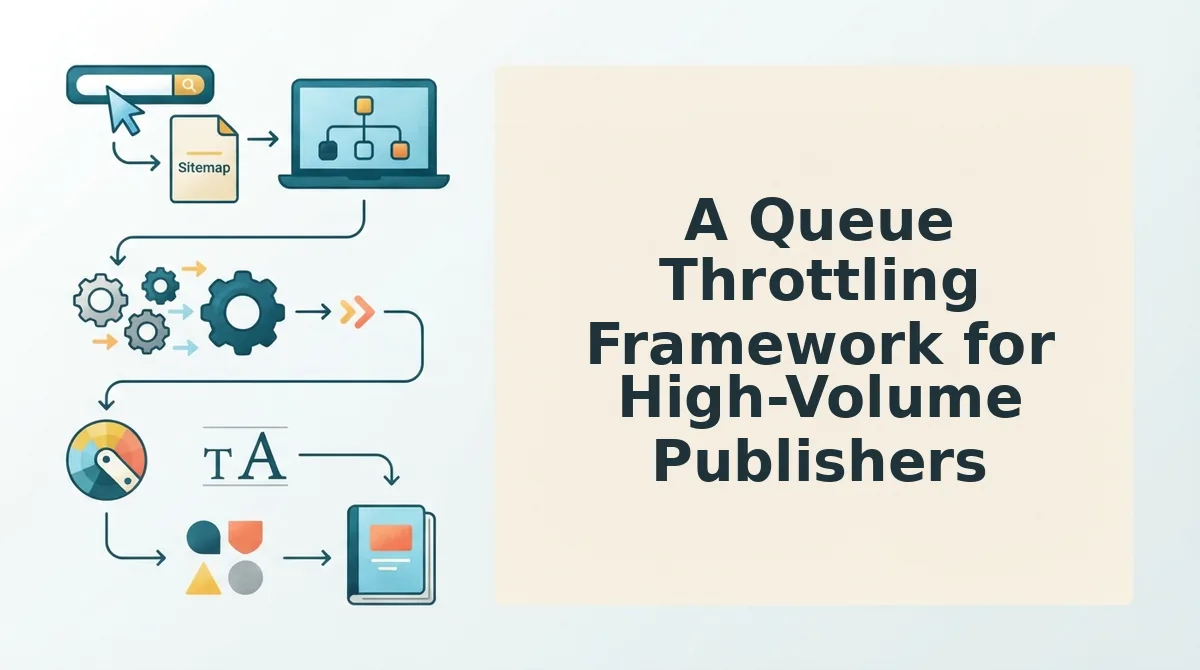
Quota is a budget, not a ceiling. A throttling framework lets you publish at scale without burning through your daily Google Indexing API allocation before noon.
Prerequisites: A Google Cloud project with the Indexing API enabled, a service account or OAuth token, and access to your publishing queue's scheduling layer. You'll also need a spreadsheet or dashboard to track daily call counts.
- Calculate your daily quota burn rate. Open your publishing calendar and count the number of new posts scheduled for the next 24 hours. Multiply that number by 2, one call for the URL_UPDATED notification and one for the initial submission. Type the result into a tracking cell labeled "Projected Daily Burn." Example: 50 new posts × 2 calls = 100 quota units, leaving 100 units for re-submissions and error retries. You should see a number at or below 160 if you're on the default 200-unit daily quota.
- Reserve a 20% buffer for retries and re-submissions. In your tracking sheet, subtract 20% from your total daily quota and label the remainder "Publish Budget." For a 200-unit quota, your publish budget is 160 units. This means you can safely submit 80 new URLs per day (80 × 2 = 160) without risking a mid-day quota exhaustion. You should see your publish budget cell turn green when the projected burn stays under the reserved threshold.
- Stagger submissions across the day. Open your queue scheduler and split your daily URL list into 3-4 batches, morning, midday, afternoon, and evening. Select the first batch and set its submission time to 15 minutes after your content publish time. Repeat for each batch, spacing them at least 4 hours apart. This prevents per-minute rate-limit spikes and keeps your queue flowing even if one batch fails. You should see a steady submission cadence in your API logs rather than a single burst.
- Route overflow through an automated indexing queue. If your daily volume exceeds your publish budget, connect your CMS to a queue that holds URLs and drips them into the API as quota frees up. Select your CMS plugin or API endpoint, then map the "post published" trigger to the queue's enqueue action. You should see overflow URLs queued automatically instead of failing with quota errors.
For publishers running 100+ posts per day, manual throttling becomes a full-time job. An autopilot content engine that batches submissions, tracks burn rate, and retries failed calls removes the spreadsheet overhead entirely, your queue runs itself while you focus on content quality.
How the quota burn-rate formula works: Every new URL you submit to the Google Indexing API consumes two quota units, one for the initial URL_UPDATED notification and one for the submission request itself. If you publish 50 posts in a day, that's 100 quota units consumed before any retries or re-submissions. With a default daily quota of 200 units, you're left with 100 units for error recovery, re-notifications after content updates, and any additional URLs you need to push. Publishers who ignore this 2× multiplier routinely exhaust their quota by mid-morning and spend the rest of the day unable to index fresh content.

What to Do When You Hit Quota Exceeded
A quota exceeded error means you've hit one of three limits: the daily cap, the per-minute burst limit, or the per-user rate limit. Each has a distinct error code and a specific fix.
Prerequisites: Access to your API response logs and the Google Cloud Console for your Indexing API project.
- Identify the error code. Open your API response log and locate the most recent failed request. Match the error against this table: 429 means you've hit the per-minute rate limit; quotaExceeded means your daily 200-unit cap is spent; RATE_LIMIT_EXCEEDED means you've triggered the per-user burst threshold. You should see the exact code in the response body's
reasonfield. - Apply exponential backoff for 429 and RATE_LIMIT_EXCEEDED errors. Wait 60 seconds, then retry the failed URL once. If it fails again, wait 5 minutes and retry. If it still fails, wait 30 minutes before the final attempt. You should see the request succeed on the second or third retry in most cases.
- Stop all submissions for quotaExceeded errors. Pause your queue immediately, retrying won't help because the daily cap resets at midnight Pacific Time, not hourly. Resume submissions after the reset window. You should see your quota counter return to zero at the start of the next Google Cloud quota window.
FAQ: Google Indexing API Quota Limits
The Google Indexing API gives you 200 quota units per day for URL submissions and notifications. Each new URL consumes 2 units, so you can effectively push 100 new pages daily before hitting the cap.
How often does the Google Indexing API quota reset?
The quota resets daily, not hourly, based on Google Cloud quota windows. The reset typically occurs at midnight Pacific Time. If you exhaust your 200 units at 10 AM, you'll wait until the next reset window before you can submit new URLs.
How do I request a higher Indexing API quota?
Quota increase requests go through the Google Cloud Console, not the API itself. Open your project, navigate to IAM & Admin, then Quotas, select the Indexing API, and click Edit Quotas to submit a request. Approval is not guaranteed and typically requires demonstrated legitimate use.
Why am I getting a 429 error when I haven't used my daily quota?
A 429 error indicates you've hit the per-minute rate limit, not the daily cap. The Indexing API enforces burst limits separate from the 200-unit daily quota. Space your submissions at least a few seconds apart and use exponential backoff to recover.
Do URL removal requests count against my Indexing API quota?
No, URL removals do not count against the publish endpoint quota. The URL_DELETED notification type uses a separate allocation from URL_UPDATED submissions. You can request removals without reducing your available units for new content indexing.
Can I use the Indexing API for bulk URL submission?
The Indexing API is designed for individual URL submissions, not bulk sitemap-style pushes. Each URL requires its own API call, and the 200-unit daily quota limits you to roughly 100 new URLs per day when accounting for the 2× burn rate.
Treat Quota as a Publishing Budget, Not a Ceiling
The publishers who stay ahead of Google's Indexing API limits don't have more quota, they have a system. The throttle framework from earlier reduces quota errors without slowing publishing because it matches request volume to what Google actually accepts, not what your queue theoretically holds.
That distinction matters more in 2026 than ever. Google's indexing pipeline increasingly rewards consistent, measured submission patterns over bursty floods. A queue that respects quota signals looks like a disciplined publisher. A queue that hammers the endpoint looks like noise.
Here's the payoff from the intro: the publishers scaling blog output without quota anxiety aren't hiring more ops people. They're automating the throttle logic itself.
Three concrete moves close the loop:
- Set a daily request ceiling at 80% of your documented quota, leaving headroom for retries and priority URLs.
- Route quota-exceeded responses into a retry queue with exponential backoff instead of manual intervention.
- Let an autopilot content engine handle queue pacing so publishing cadence never outruns indexing capacity.
BloGoose automates queue handling so publishers don't manually track quota, the platform throttles submissions, staggers retries, and ships articles to WordPress or your API without tripping Google's rate limits. Check BloGoose pricing to see which tier matches your publishing volume.
Quota isn't a wall you hit. It's a signal about how Google wants you to publish. Respect the signal, automate the pacing, and your indexing pipeline stops being a bottleneck and starts being a flywheel.