Where image generation sits in the publishing workflow
Juggling a 12-tab content stack just to match visual assets to your blog copy wastes hours and breaks your production velocity. Most growth leads and solo operators spend their afternoons copying headers into separate graphic apps, only to realize the draft changed midway through.
The image generation step in the publishing workflow belongs precisely between final textual stabilization and content management system staging. Mastering this placement eliminates generic stock photos, fixes broken aspect ratios, and aligns your graphics with search engine optimization standards. In this guide, you will learn the exact order-of-operations required to run an automated blog publishing workflow, prevent semantic drift, and bridge draft copy directly to your production database.
Adopting an integrated AI SEO content engine replaces fragile webhooks with a single engine that automatically extracts contextual prompts directly from written sections. Yet, many teams trigger prompts during outline planning, unaware that a subtle downstream error silently invalidates their visuals before the CMS upload even begins.
At What Point in the Publishing Workflow Are Blog Images Generated?
The image generation step is the intermediate operational checkpoint executed after final text drafting is complete but before the content payload is transmitted to the content management system. Placing asset creation at this specific juncture guarantees that visual models extract prompts from locked editorial copy rather than fluctuating outlines.
Think of this step like baking and frosting a cake. You cannot frost a cake that exists only as a recipe card, and you cannot ice the layers once the cake is sealed inside a cardboard delivery box. Visual assets require fully baked, finalized section paragraphs to ensure thematic relevance before they are packaged for delivery.
In standard production pipelines, the workflow advances across three sequential milestones: the asset generation hook, contextual prompt extraction, and payload staging. During the initial asset generation hook, the pipeline evaluates the final draft to confirm that section headings, target keywords, and core explanations are structurally locked. Moving into contextual prompt extraction, the system scans finalized H2 and H3 body copy to compile tailored descriptive prompts, completely preventing the visual misalignment that occurs when copywriters alter draft subheads. Finally, payload staging converts the newly rendered graphics into WebP files, attaches accessibility metadata, and joins the media references to the HTML body for unified publishing through automated content workflows.
How to Build an AI Image Generation Pipeline from Markdown to CMS
Building an automated pipeline requires establishing a programmatic bridge that ingests completed Markdown, renders optimized graphic files, and uploads structured media attachments directly to your publishing API. This sequential setup prevents asset desynchronization and guarantees clean content delivery across your digital properties.
Before beginning, ensure you have an active content management system endpoint with write credentials, an image rendering model endpoint, and an automated Markdown parser capable of isolating section nodes. Building and verifying this four-stage automation typically takes 45 to 60 minutes.
- Lock semantic headers in Markdown (Estimated time: 10 minutes). Parse the finalized article document and set the heading hierarchy status to locked. This action secures every H2 and H3 tag against downstream edits, ensuring that downstream graphic generation references stable structural copy.
- Extract contextual prompts from body paragraphs (Estimated time: 15 minutes). Direct your script to evaluate the completed paragraph copy immediately beneath each locked subhead. The script outputs clean descriptive prompts depicting the concepts explained in the text, avoiding premature generation from vague outline bullets.
- Render WebP visual assets and compile accessibility attributes (Estimated time: 15 minutes). Send the extracted prompts to your image generation model and convert the returned image payloads into compressed WebP format. Programmatically generate image alt text using the semantic keywords within that section to maintain strict image SEO compliance across search engines and assistive technologies.
- Transmit media payloads to the CMS REST API (Estimated time: 10 minutes). Post the WebP media assets to the media endpoint of your content management system. Retrieve the returned attachment identifiers, inject them into the corresponding image tags within the Markdown body, and submit the unified article payload to your staging database.
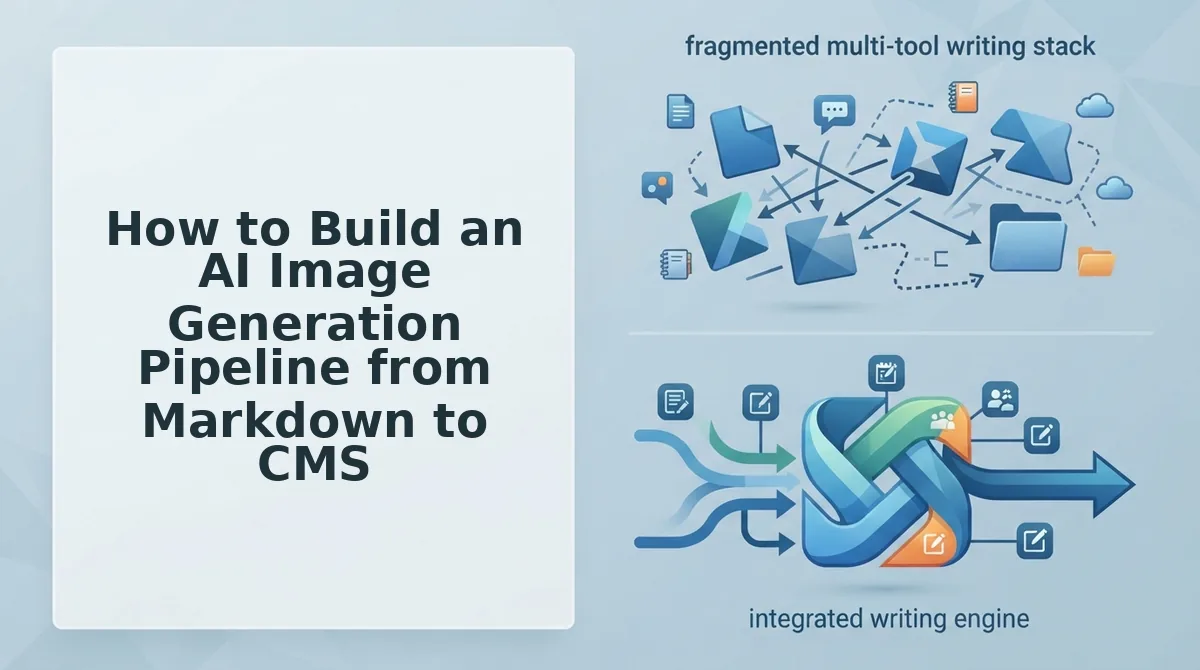
Consolidating these stages into an automated publishing engine eliminates fragile multi-tool webhooks, letting you focus on strategy while the platform handles writing, asset synthesis, and direct CMS ingestion.
Next, we examine how early outline generation, post-draft extraction, and post-publish triggers compare across different enterprise stacks.
Comparing Image Generation Triggers Across Content Pipelines
The exact timing of an image generation trigger dictates whether an automated content pipeline produces coherent assets or breaks downstream layout templates. Selecting the proper milestone determines the balance between generation throughput, asset accuracy, and database stability.
| Generation Pipeline Trigger | Operational Strengths | Failure Mode & Risks | Best Persona Fit |
|---|---|---|---|
| Outline-Stage Generation | Enables parallel batch queuing before drafting commences, maximizing processing velocity. | Suffers from high semantic drift when drafting refines the topic, yielding irrelevant visuals. | Best for high-volume aggregators publishing fixed programmatic summaries. |
| Post-Draft Staging Generation | Extracts visual prompts directly from locked section text, matching asset context to finished copy. | Adds a brief staging queue latency while processing sectional headers before API submission. | Best for growth leads and solo operators needing automated speed with editorial control. |
| Post-Publish Generation | Decouples initial text delivery speeds from third-party image generation latency. | Causes front-end layout shift and yields a missing featured image after auto publish on social crawlers. | Best for custom headless deployments running asynchronous background workers. |
Outline-triggered pipelines frequently generate assets that mismatch finalized copy, while post-publish webhooks introduce layout pop-in and missing featured image bugs on social scrapers. Post-draft staging provides the single viable balance of automated speed and editorial control, locking prompts to validated body copy before committing payloads to the CMS database.
The Pre-Flight Gate for Reviewing Visuals Before Production
The pre-flight gate is a three-checkpoint validation routine executed during post-draft staging to verify visual alignment, dimension ratios, and metadata payloads before CMS ingestion. Validating these technical layers stops corrupt assets, broken themes, and accessibility warnings from hitting public indexes.
- Sectional semantic alignment and hallucination audit: This verification validates that generated visual subjects reflect the locked subheadings rather than drifted prompts. It prevents contradictory or distorted AI elements from entering published editorial copy. Review the staged graphic alongside the rendered markdown section before committing the database payload.
- Aspect-ratio verification and WebP compression pass: This technical check confirms the target aspect ratio matches theme container specifications and compresses raw assets into web-ready formats. It prevents cumulative layout shifts, unformatted hero images, and slow initial page loads. Run automated boundary audits across all featured and inline image nodes prior to upload.
- Programmatic alt-text and descriptive schema tag injection: This metadata pass writes contextual image descriptions and accessibility tags directly into the media payload. It secures machine citations and search indexing eligibility across both web crawlers and answer engines. Map programmatic alt attributes directly to sectional header entities during the API packaging step.
Replacing Manual Image Friction with an Integrated Publishing Stack
Modern search optimization requires eliminating the disconnected multi-tab loop where writers bounce between separate word processors, external image generators, and manual CMS upload screens. Visual quality depends on contextual timing rather than complex manual prompt engineering, making post-draft staging the definitive bridge between text finalization and live distribution.
Consolidating image generation directly into the markdown parsing phase ensures every section receives semantically locked media, accurate dimensions, and validated metadata without human intervention. Search practitioners maintain consistent publishing velocity while protecting site layouts from asynchronous rendering failures.
Enter your website domain into the setup wizard to automate content planning, drafting, imagery, and WordPress publishing directly from your existing site structure.