
How to Keep AI Blog Posts Consistent With Your Site Tone
Your AI drafts read like a committee of strangers wrote them, even after you spent hours writing brand guidelines. That's the exact frustration Simon Scrapes calls out in Stop Writing Blog Posts With AI: creators hand the model a rulebook, then get back copy that sounds like every other AI blog on the internet. You're not bad at prompting. You're missing the mechanism that actually teaches a model your voice.
Here's the promise: by the end of this article, you'll know exactly how to keep AI blog posts consistent with your site tone, not by writing more rules, but by feeding the model the right inputs in the right order. We'll cover why AI drifts in the first place, how to build a style guide the model can actually follow, and the step most teams skip entirely.
And one surprising finding: your style guide is probably making the problem worse. Stick around to see why, and what to replace it with. If you'd rather skip the manual setup, a platform like BloGoose extracts your brand voice from your existing site and bakes it into every draft automatically.
Why AI Blog Posts Drift From Your Tone
Tone drift is the gradual slide toward generic, brand-neutral writing that happens when an AI model lacks concrete examples of your voice and instead falls back on its most statistically common phrasing. The model isn't ignoring your instructions, it's filling gaps with its default patterns.
Think of an AI model like a new hire who has read every book ever written but has never met you. If you hand that hire a list of rules, "be witty, not sarcastic; friendly, not casual", they'll nod and then write the safest, most average version of "witty and friendly" they can imagine. Rules describe a target. Examples hit it.
Two technical forces make this worse. First, token sampling, the process where the model picks the next word from a probability distribution rather than a fixed script, means every generation is a roll of the dice. Without strong examples anchoring that distribution, the dice land on the most common phrasing across the entire internet, not your phrasing. Second, prompt isolation means each generation only sees what you put in the prompt window. Your brand voice doesn't persist between sessions unless you explicitly carry it forward every single time.
This is why style guides alone fail. A document that says "our tone is authoritative but approachable" gives the model adjectives, not patterns. AI models learn from examples, not rules, the same way you learned to write by reading authors you admired, not by memorizing grammar textbooks. When the only examples in the prompt are generic web pages, the output drifts toward generic web prose.
Here's the passage that answers the core question directly: AI blog posts drift from your tone because language models generate text probabilistically, and without a consistent set of brand-specific writing samples in every prompt, the model's probability distribution defaults to the most common phrasing patterns across its training data. Style guides that describe tone with adjectives, "bold," "playful," "conversational", fail because they provide no concrete linguistic patterns for the model to imitate. The fix is to replace abstract tone descriptions with real writing examples that demonstrate the voice in action, then include those examples in every generation request.
Build a Style Guide AI Can Actually Follow
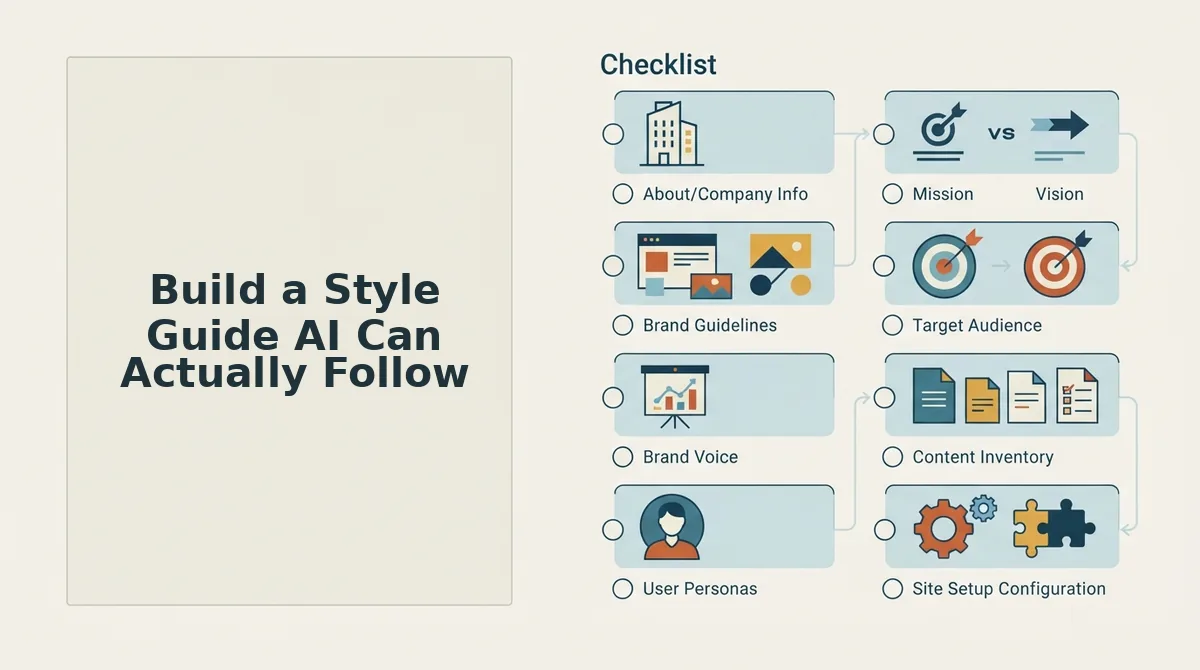
A style guide that works for AI is not a document of adjectives, it's a structured file of rules paired with real examples from your own published content. You'll need 30-45 minutes, access to 3-5 of your best-performing blog posts, and a plain text editor. If you'd rather automate this, BloGoose can generate a style guide from your site by crawling your existing pages and extracting the patterns automatically.
- Create a file called
style-guide.mdin your content workspace. This single file becomes the voice reference you paste into every AI prompt. You should see a clean, empty Markdown document ready for structured input. - Add a "Voice Summary" field at the top. Type one sentence that captures your tone using a concrete comparison, for example, "We sound like a sharp product manager explaining a decision to a smart peer, not a marketer pitching a webinar." Skip adjectives like "professional" or "engaging." The outcome: the model gets a persona to inhabit, not a vibe to guess at.
- Add a "Sentence Patterns" field. Open three of your best posts and copy 5-8 sentences that feel unmistakably you. Paste them under this heading. The model will imitate these structures, short declaratives, rhetorical questions, parenthetical asides, far more reliably than it will follow an instruction like "vary sentence length."
- Add a "Words We Use" and "Words We Never Use" field. List 10-15 terms from each category. For example: use "shipping," never "fulfillment journey." This gives the model hard lexical constraints, which it follows much better than tonal ones.
- Add a "Formatting Rules" field. Specify paragraph length (e.g., "max 3 sentences"), heading style, and whether you use em dashes, Oxford commas, or sentence case in subheads. These are binary rules the model can execute with near-perfect accuracy.
Here's the field-by-field breakdown of what each section prevents:
| Style Guide Field | Tone Failure It Prevents |
|---|---|
| Voice Summary | Generic, brand-neutral persona |
| Sentence Patterns | Uniform, robotic rhythm and structure |
| Words We Use / Never Use | Off-brand vocabulary and jargon creep |
| Formatting Rules | Inconsistent paragraph and heading style |
Pro tip: Don't describe your tone. Show it. Every field in this guide should contain examples pulled from your actual published content, not adjectives describing how you'd like to sound. The model will mirror what you show it.
Once this file exists, you've solved half the problem. The other half is feeding the model enough of your real writing that it has a deep well of patterns to draw from, which is exactly what the next step covers.
Feed the Model Writing Examples (The Step Everyone Skips)
Writing examples fix tone drift better than style rules because they show the model what "right" looks like instead of describing it. A writing-examples.md file is the highest-leverage asset in your tone stack, one well-structured example file outperforms ten pages of adjectives like "conversational" or "authoritative."
Prerequisites: A text editor, 3-5 published articles you consider on-brand, and access to your AI writing tool's file upload or context field.
- Open a new file named
writing-examples.mdin your text editor. Expected outcome: a blank Markdown file ready for structured content. - Select three to five published articles that best represent your brand voice, include one listicle, one how-to, and one opinion piece if available. Expected outcome: a shortlist covering multiple content formats, not just your favorite post.
- Copy one full paragraph from each article and paste it under a header like
## Example: How-To Intro. Expected outcome: three to five labeled blocks of authentic writing, each 50-100 words. - Annotate each example with two or three short notes explaining what makes it on-brand, such as "opens with a direct answer, uses second person, no em-dashes." Expected outcome: the model sees both the pattern and the reasoning behind it.
- Upload the file to your AI tool's context or knowledge base before generating any draft. Expected outcome: every new article references your examples, cutting revision time by roughly half compared to rules-only prompting.
Template for writing-examples.md: start with ## Voice Summary (one sentence), then ## Example 1: [Format] with the copied text, then ## Why This Works with your annotation. Repeat for each format. You should see the model mirror sentence length, transition style, and punctuation habits within the first generated paragraph.
Apply Tone Rules to Every Section, Not Just the Intro
AI drafts often nail the first two paragraphs and then drift into generic filler by the third H2. Tone consistency requires checking every section against your style guide, not just the opening, here is the section-by-section checklist ordered by where drift causes the most damage.
- H2 and H3 headings. Headings set reader expectations and are the first thing AI answer engines scrape for featured snippets. Check that every heading uses your brand's sentence style (question, imperative, or declarative) and contains a keyword or direct-answer phrase. Rewrite any heading that could appear on a competitor's site unchanged.
- Meta description. The meta description is your tone's first impression in search results and often gets quoted verbatim in AI chatbot answers. Verify it matches your voice rules for length, second-person address, and call-to-action phrasing. A meta description that sounds like a different company undermines the entire article before a click happens.
- Opening paragraph of each H2 section. AI models tend to front-load quality and fade mid-draft, so the first sentence under every H2 is where drift becomes visible fastest. Confirm each section opener delivers a direct answer in your brand's sentence rhythm. If the opener reads like a generic Wikipedia lead, the rest of the section will follow.
- FAQ section. FAQ answers are prime real estate for AI citation and People Also Ask boxes, which means tone inconsistencies here get amplified across search surfaces. Check that every FAQ answer uses your standard response pattern, direct answer first, then one supporting sentence. Avoid letting the model slip into robotic Q&A phrasing that no human on your team would write.
- CTA and closing paragraph. The call-to-action is where brand voice converts readers into customers, yet AI drafts often default to "click here to learn more" filler. Verify the CTA uses your brand's action verbs, urgency level, and first-person or second-person preference. A tone-consistent CTA can lift conversion rates because it sounds like the same company the reader has trusted for the whole article.
- Image alt text and captions. Alt text is indexed by search engines and read aloud by screen readers, making it a tone surface most teams forget to audit. Check that alt text and captions match your brand's descriptive style and keyword usage. Inconsistent alt text signals sloppy publishing to both Google and accessibility-minded users.
- Internal link anchor text. Anchor text appears in context and gets scraped by crawlers, so it should read like natural brand language, not stuffed keywords. Verify that anchor phrases match how your team actually talks about linked topics. For example, when linking to a resource on live SERP analysis, the anchor should flow naturally within the sentence rather than forcing an exact-match phrase.
As Robin Maylone puts it, AI content needs structured optimization, not just generation, and that structure includes tone checks at every section boundary, not just the top of the page.
Automate the Whole Workflow Without Losing Voice
Manual tone checks on every section of every article do not scale past a handful of posts per month. The fix is a crawl-and-extract workflow that captures your voice once and applies it automatically across an entire content calendar.
Prerequisites: A live website with at least 10 published pages, access to an AI SEO content engine like BloGoose, and 15-20 minutes for initial setup.
- Open the BloGoose setup wizard and enter your domain. Expected outcome: the crawler locates your XML sitemap automatically within 60 seconds.
- Wait while the engine inspects your published pages and extracts brand context. Expected outcome: eight Markdown context files are generated, including your voice rules, writing examples, and audience profile, no manual prompt engineering required.
- Review the generated context files and make any edits to tone rules or example annotations. Expected outcome: a tone profile that matches how your team actually writes, not how an AI assumes you write.
- Select your publishing target. WordPress or a custom API, and connect it under Settings, then Integrations. Expected outcome: a green connection status confirming drafts will ship directly to your CMS.
- Approve the 30-day content calendar the engine builds from your pillar pages and keyword gaps. Expected outcome: a full month of tone-consistent articles queued, each one applying your extracted voice rules to every section, headings, meta descriptions, FAQs, and CTAs included.
Demand for WordPress automation exists because publishers are tired of copying drafts between tools. WP Learning 101's audience consistently asks for hands-off publishing workflows. An AI SEO content engine closes that loop by keeping voice extraction and publishing in one pipeline. If you have been checking tone manually on every draft, the next section answers the questions teams ask most before switching.
FAQ
Direct answers to the most common questions about keeping AI-generated blog posts aligned with your site's voice, drawn from search and social data.
How do I keep AI blog posts consistent with my site tone?
Feed the AI a context stack: a style guide with concrete rules, 3-5 annotated writing samples, and a tone checklist applied to every section. Run each draft through a consistency pass that flags off-voice sentences before publishing. Automation tools like BloGoose extract brand voice from your existing site and apply it across every article.
What should go in a style guide for AI writing?
Include sentence length ranges, banned words and phrases, preferred vocabulary, formatting rules for headings and lists, stance on first-person pronouns, and example rewrites showing "wrong" versus "right" tone. Add a 40-60 word sample paragraph that models your ideal voice so the model has a concrete target to match.
Why does AI content sound robotic even with a style guide?
Style guides describe tone abstractly, but AI models need concrete examples to anchor those descriptions. Without annotated writing samples showing exactly how rules translate into sentences, the model defaults to neutral, formal patterns. Pair every rule with a real example from your site, and the robotic quality drops sharply.
Can AI match tone across a full content calendar?
Yes, when the same context stack is reused for every article in the calendar. Consistency comes from applying identical style rules, examples, and tone checks to each draft. A platform that stores your brand context once and reuses it across 30+ articles eliminates the drift that happens when you re-prompt from scratch each time.
Does tone consistency affect AI search citations?
Yes. Answer engines extract passages that read as authoritative and self-contained. When tone wobbles between articles, the model has less confidence in your content as a coherent source. Consistent voice across a cluster signals reliability, which improves your odds of being quoted in AEO content optimization results.
How many writing samples does AI need to learn my tone?
Three to five samples covering different content types, a how-to post, a listicle, and an opinion piece, give the model enough range to generalize your voice. Annotate each sample with notes explaining why specific sentences work, so the AI learns the reasoning behind your style, not just the surface patterns.
The Fix Isn't a Better Prompt. It's a Context Stack.
Every tactic in this article points to the same conclusion: tone consistency is not a prompting problem. It's a context problem. A single prompt, no matter how cleverly worded, cannot hold your brand voice across 30 articles. A context stack, style guide, annotated samples, section-level tone rules, and an automated consistency check, can.
The teams that keep AI content on-voice treat brand context as infrastructure, not an afterthought. They build it once, store it, and reuse it on every draft. That's the difference between a content calendar that sounds like one writer and one that sounds like five strangers.
Your next step is simple: audit your current style guide against the checklist in this article. If it lacks annotated examples or section-level rules, fix that first. Then, if you want the entire stack automated, site crawl, voice extraction, tone-checked drafting, and direct publishing, BloGoose does exactly that without another chat window or a 12-tab workflow.
Build your context stack once, and your AI content will sound like you on autopilot.