
What to Fix Before You Publish AI Posts to WordPress
You just watched your AI writer produce a 1,800-word post in 90 seconds. You hit "Publish to WordPress." Then nothing ranks, the tone sounds nothing like your brand, and three weeks later Google still hasn't indexed it. That gap between generation and publication is where most AI content quietly dies, and it's the exact problem content managers describe when they say they're tired of stitching together chat prompts, manual edits, and publishing loops.
If you publish AI blog posts to WordPress without a pre-publish quality gate, you're not saving time. You're creating cleanup work, risking deindexing under Google's scaled content abuse policy, and training your readers to ignore you. Competitors jump straight to API calls and automation triggers. Almost no one addresses the checks that happen before the publish button fires.
You're right to want the speed. The promise here is a repeatable pre-publish checklist you can run in under 20 minutes, one that catches tone drift, broken metadata, missing schema, and index-blocking mistakes before they go live. Here's the roadmap: first, a 7-point fix list covering everything from title tags to indexing triggers. Then, a comparison of three publishing paths. MCP plugins, automation platforms, and the WordPress REST API, so you can pick the right one for your team. Along the way, you'll see why an AI blog generator with direct WordPress publishing handles most of these checks automatically, and why the publish button is where your content strategy either compounds or collapses.
One finding ahead may surprise you: the most damaging pre-publish mistake isn't bad writing. It's a single WordPress setting that silently tells Google to ignore your post entirely.
What Should I Fix Before Publishing AI Blog Posts to WordPress?
Before publishing AI blog posts to WordPress, fix seven things: title tags, meta descriptions, heading structure, image alt text and compression, internal links, schema markup, and the indexing trigger. Each check below includes what to look for, the fix, and a pass/fail criterion so you can run the list in under 20 minutes.
- Title tags that match search intent and stay under 60 characters. AI drafts often produce clever but vague titles that bury the keyword or truncate in SERPs. Check that your primary keyword appears in the first 40 characters and the full title stays under 60. Pass when the title reads naturally to a human and contains the target phrase; fail when it's stuffed, truncated, or written for the AI's ego instead of the searcher. Use these title tag checks as your baseline.
- Meta descriptions written as a 150-160 character ad, not a summary. Google rewrites descriptions roughly 70% of the time, but a strong original still improves click-through when it survives. AI output tends to summarize the article instead of selling the click. Pass when the description includes the keyword, a benefit, and a soft call to action; fail when it's a dry recap or exceeds 160 characters.
- Heading structure that follows one H1, logical H2s, and no skipped levels. AI drafts frequently generate multiple H1s or jump from H2 to H4. Crawlers and screen readers both rely on hierarchy. Pass when the post has exactly one H1 and every subheading nests logically; fail when heading levels skip or duplicate.
- Image alt text and compression that serve both accessibility and speed. AI-generated images often ship with filenames like
image_3_final_v2.pngand no alt text. Rename files descriptively, write alt text that describes the image in context, and compress to WebP or optimized JPEG. Pass when every image has unique alt text under 125 characters and loads under 100KB; fail when alt text is missing, keyword-stuffed, or the image bloats page speed. Review the full image alt text and compression checklist before publishing. - Internal links that connect the post to at least 3-5 relevant pages. AI drafts often include zero internal links or link to irrelevant pages. Internal links distribute authority, reduce orphan-page risk, and give crawlers a path to the new post. Pass when the post links to 3-5 contextually relevant pages using descriptive anchor text; fail when it's an orphan or links only to the homepage.
- Schema markup that matches the content type and validates. Article schema helps Google understand your content and improves eligibility for rich results and AI answer citations. AI drafts rarely include schema. Pass when the post has valid Article schema with headline, author, datePublished, and image properties; fail when schema is missing or throws validation errors. See the schema markup requirements for a full property list.
- Indexing trigger: confirm the post is set to index, not noindex. This is the silent killer. Many staging sites, SEO plugins, and AI publishing tools default new posts to
noindexto prevent accidental indexing, and that setting goes live with your post. Pass when the post returns a 200 status, appears in your XML sitemap, and has nonoindexmeta tag or X-Robots header; fail when any of those conditions breaks. After publishing, request indexing in Google Search Console rather than waiting for a crawl.
If you're auditing an existing AI-generated post, run the same seven checks in reverse order. The indexing trigger is the highest-impact fix because a noindexed post earns zero traffic no matter how good the content is. The title tag is the second-highest because it determines whether anyone clicks through from search results or AI answer citations. The remaining five checks compound: each one you skip costs a small percentage of potential rankings, and together they explain why two posts with identical word counts can perform ten times apart.
Three Ways to Publish AI Content to WordPress
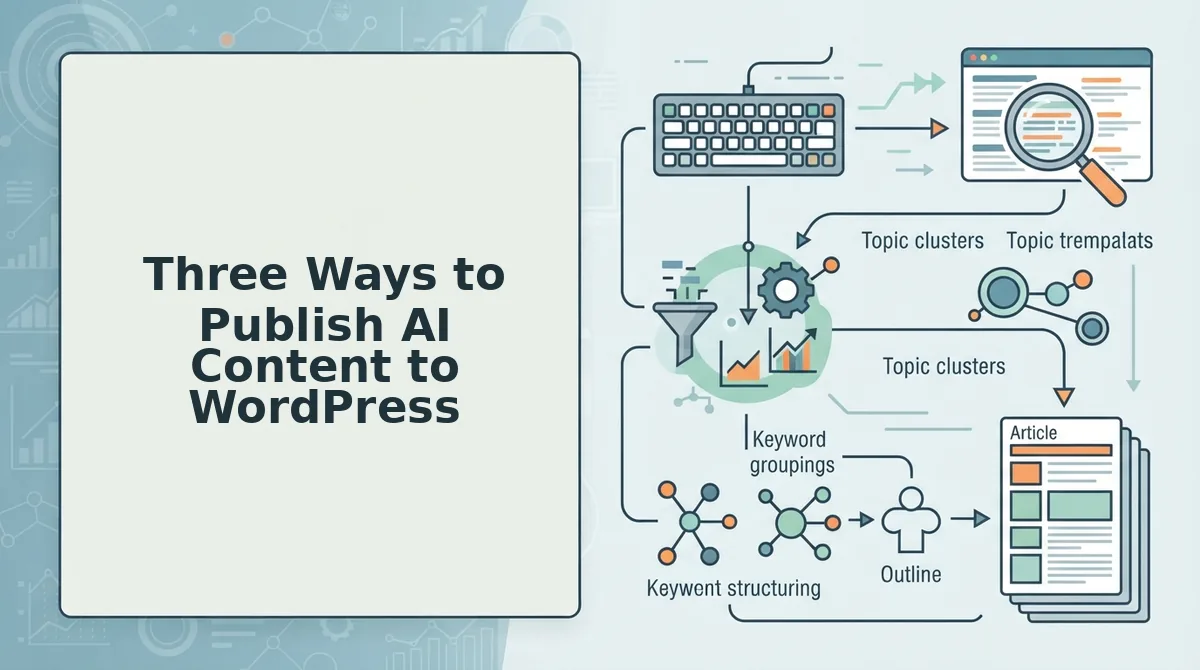
You can publish AI content to WordPress through MCP plugins, automation platforms like Make or n8n, or the WordPress REST API. Each path trades setup time, code requirements, and cost differently, and the right choice depends on whether you're a solo operator, a growth team, or a publisher running content at scale.
| Method | Setup Time | Code Required | Cost Profile | Best For |
|---|---|---|---|---|
| MCP plugins (e.g., Wooninjas) | Minutes | None | Free or low-cost plugin | Solo operators publishing directly from ChatGPT or Claude without leaving the chat window |
| Automation platforms (Make, n8n) | 1-3 hours | Minimal (visual builder) | Subscription-based, scales with operations | Teams that want multi-step workflows, draft, review, format, publish, without writing code |
| WordPress REST API | Days to weeks | Yes (custom integration) | Free API, but developer time is the real cost | Publishers and agencies that need full control over post status, metadata, and bulk operations |
MCP plugins: the no-code shortcut
MCP plugins like Wooninjas connect ChatGPT or Claude directly to WordPress, letting you publish a post from inside the chat interface. The strength is speed: no middleware, no API keys to manage beyond the plugin's own auth, and a setup time measured in minutes. The tradeoff is control, you're limited to the fields the plugin exposes, and pre-publish checks like schema validation or internal link auditing still happen manually. Best for solo operators who want to ship one post at a time without leaving their AI workflow.
Automation platforms: the workflow middle ground
Make and n8n let you build visual pipelines that trigger on a schedule, pull AI-generated drafts, apply formatting rules, and push posts to WordPress. YouTube creators cover these workflows extensively, but written SERPs rarely do, which is why this comparison exists. The strength is repeatability: once a workflow passes your pre-publish checklist, every future post inherits the same gates. The tradeoff is that automation platforms add a subscription cost and a learning curve. Best for growth teams that publish weekly and want a review step baked into the pipeline.
WordPress REST API: maximum flexibility, maximum effort
The REST API accepts any post field WordPress supports, including custom meta, categories, tags, and post status. That flexibility makes it the strongest option for publishers running bulk operations or custom editorial rules. The tradeoff is real: you need a developer to build and maintain the integration, handle authentication, and manage error handling. Best for agencies and publishers who treat content as an engineering problem and have the resources to match.
If you're weighing these paths against the chat-window workflow you're already using, the difference comes down to whether your pre-publish checklist runs automatically or lives in your head. An AI content engine vs chat window workflows comparison makes the case that the publish step, not the draft step, is where automation pays for itself. BloGoose handles the crawl, brand voice extraction, and pre-publish checks in one pipeline, then ships directly to WordPress or a custom API without the manual stitching.
Whichever path you choose, the next decision is whether to publish immediately or hold posts in draft for review, and that choice changes your risk profile more than any plugin or API setting.
Draft vs. Direct Publish: Which Is Safer for AI Content?
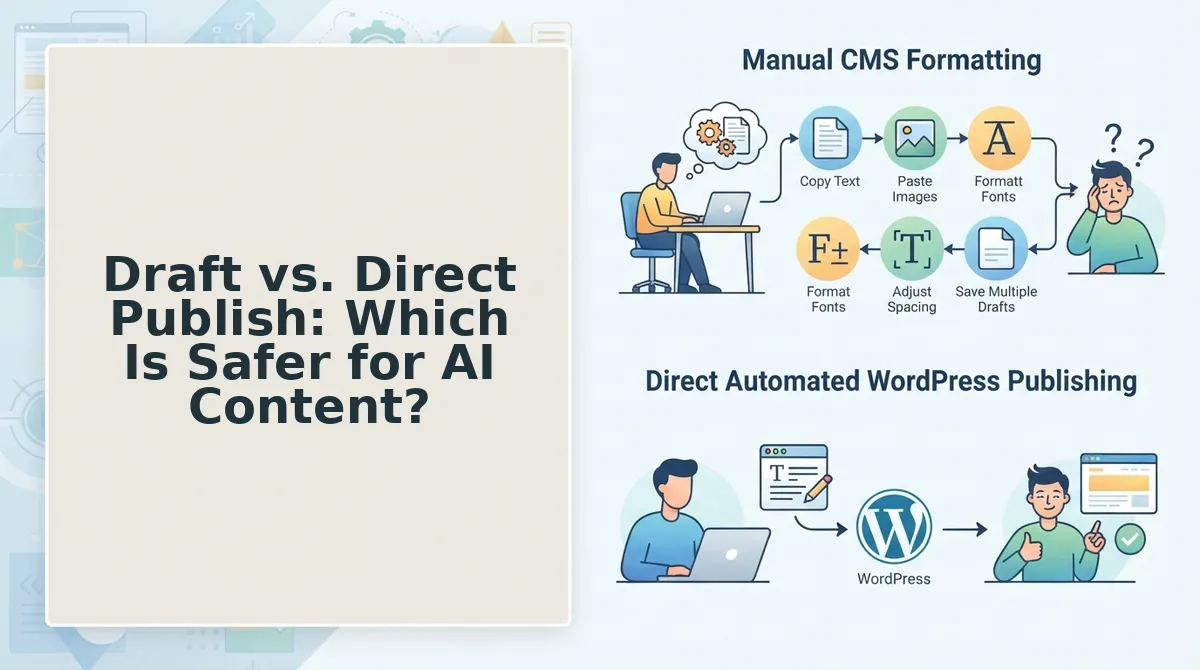
Draft-first publishing is a workflow where AI-generated articles land in WordPress as unpublished drafts for human review before going live, while direct publishing pushes finished posts live immediately after passing an automated quality gate. Draft-first is safer for high-risk content, but direct publishing is faster for low-risk, high-volume output.
Think of it like a restaurant kitchen. A draft-first workflow is the expediter checking every plate before it leaves the pass. Direct publishing is a fast-casual assembly line where the recipe and ingredient checks happen upstream, so the plate can go straight to the customer.
The simple version: if a post could hurt your brand or mislead a reader, send it to draft. If it is a commodity topic where factual errors are unlikely and your brand voice is already locked in, direct publishing saves hours per post.
The intermediate layer is a pre-publish gate, which is an automated checklist that runs before either path executes. It verifies factual claims against source URLs, checks for brand voice compliance, and flags thin sections. BloGoose applies this gate to every article regardless of destination, so direct publishing never means zero review.
The advanced layer is a 2x2 decision matrix based on two axes: content risk and brand sensitivity.
| Content Risk | Brand Sensitivity | Recommended Path |
|---|---|---|
| YMYL (health, finance, legal) | Voice-critical | Always draft-first with human review |
| YMYL | Commodity | Draft-first, lighter review |
| Evergreen commodity | Voice-critical | Draft-first until voice rules are proven |
| Evergreen commodity | Commodity | Direct publish after pre-publish gate |
YMYL stands for "Your Money or Your Life," a Google classification for content that can affect a reader's health, finances, or safety. A wrong dosage in a supplement post or a misstated tax rule is not recoverable with a quick edit after the damage is done.
Brand-voice-critical content includes anything where a flat, generic tone would erode trust, such as founder essays, opinion pieces, or category-defining landing pages. If you have not yet automated brand voice in AI blog posts, keep those in draft until the voice model proves itself across ten or more published pieces.
Evergreen commodity content, such as "how to clean a coffee maker" or "best WordPress caching plugins," can safely direct-publish once the pre-publish gate passes. The facts are stable, the stakes are low, and the brand voice is unlikely to be the deciding factor in reader trust.
Here is the self-contained answer: Should you draft or direct-publish AI content to WordPress? Direct publishing is safe only for evergreen commodity content that passes an automated pre-publish gate checking facts, sources, and brand voice. Draft-first is required for YMYL topics (health, finance, legal) and brand-voice-critical content, where a human reviewer should approve every post before it goes live. Most publishers should run a hybrid: direct-publish low-risk posts, draft everything else.
Why Google's Scaled Content Abuse Policy Should Shape Your AI Publishing Workflow
Google's scaled content abuse policy is a spam-fighting rule that penalizes sites producing large volumes of low-value content, regardless of whether AI, human writers, or a mix of both created it. If your AI publishing workflow lacks a quality gate, this policy is the single biggest deindexing risk you face.
Think of it like a health inspection. The inspector does not care whether your kitchen uses a sous-vide machine or a line cook. They care whether the food is safe and whether you are cutting corners at scale. Google's March 2024 spam policy update applies the same logic to content.
The simple takeaway: the policy does not ban AI content. It bans content produced at scale with little or no added value for readers. A site publishing 500 thin, repetitive AI posts a month is a target. A site publishing 50 well-researched, fact-checked AI posts is not.
The intermediate layer is understanding what "scaled" means in practice. Google looks at patterns: near-duplicate templates, mass-produced pages targeting minor keyword variations, and content that rephrases existing sources without adding original analysis, data, or experience. The volume itself is not the trigger. The value-to-volume ratio is.
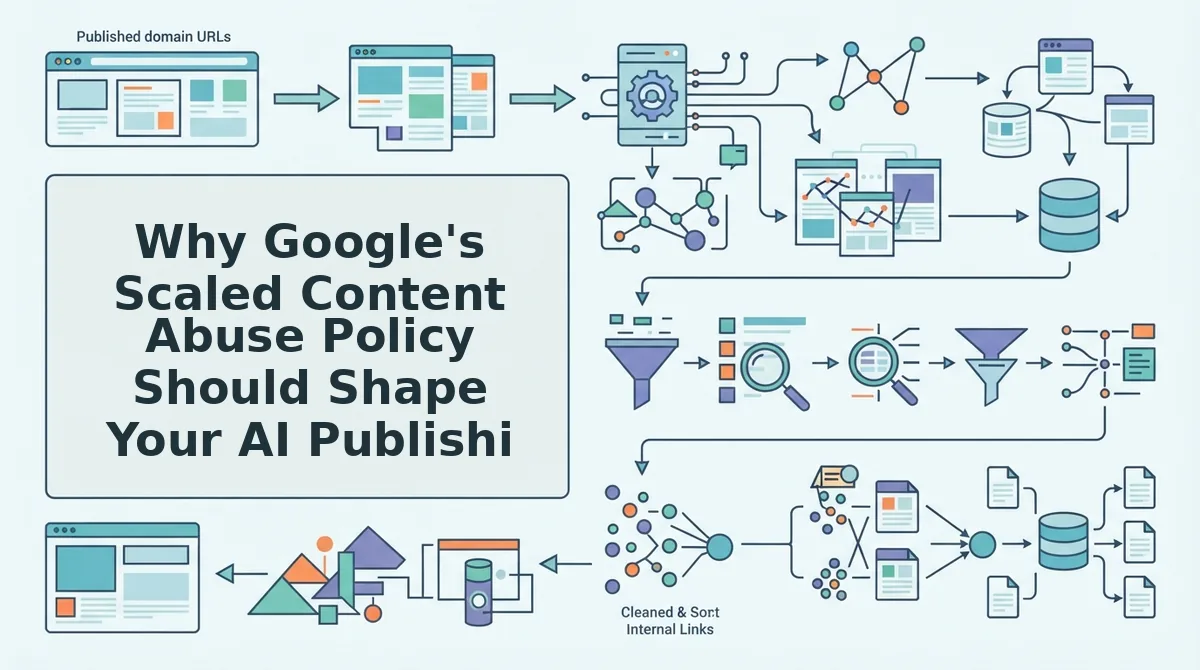
The advanced layer is building a pre-publish gate that functions as your deindexing safeguard. A pre-publish gate is an automated checklist that runs before any post goes live, verifying factual claims against source URLs, checking for duplicate or thin sections, and confirming the post adds something a reader could not get from the source material alone.
Every article in your workflow should pass through three checks before publishing: fact verification against at least one primary source, originality assessment to confirm the post is not a rephrased copy of the top-ranking page, and value-add confirmation that the post includes at least one element the source material lacks, such as original data, a unique workflow, or first-hand experience.
If you are running an AI content engine at scale, the scaled content abuse policy is not a reason to stop. It is a reason to build the gate first and scale second. A workflow that automates fact-checking, source verification, and originality scoring before every publish is the practical defense against manual actions and algorithmic demotions.
BloGoose applies this gate automatically to every article it drafts, which means your publishing volume can grow without tripping the value-to-volume threshold that triggers Google's scaled content abuse policy review.
After Publish: How to Get AI Posts Indexed Faster
Getting AI posts indexed faster requires three actions after you hit publish: submit the URL to Google Search Console, ping your XML sitemap, and optionally use the Google Indexing API for time-sensitive content. Each step takes under five minutes and can cut indexing time from days to hours.
Prerequisites: A verified Google Search Console property, access to your WordPress admin or sitemap URL, and a Google Cloud project if you plan to use the Indexing API.
- Open Google Search Console and inspect the URL. Go to the URL Inspection tool, paste your new post's full URL into the search bar, and press Enter. Wait 10-15 seconds for Google to fetch the page. You should see a green "URL is on Google" status or a "URL is not on Google" message with a "Request Indexing" button.
- Click "Request Indexing." Select the Request Indexing button in the URL Inspection panel. Google queues the URL for crawling, typically within a few hours. You should see a confirmation message stating the request was submitted. This is the simplest manual trigger for new posts and requires no API setup.
- Ping your XML sitemap. Open a browser tab and enter
https://www.google.com/ping?sitemap=https://yourdomain.com/sitemap.xml, replacing the sitemap URL with your own. Press Enter. You should see a blank page or a "Sitemap Notification Received" message. This alerts Google that your sitemap has changed, which can prompt a faster crawl of recently added URLs. - Use the Google Indexing API for time-sensitive posts. The Google Indexing API is a programmatic interface designed for job postings and live event pages that need near-instant indexing. Many publishers also use it for rapid indexing of news-style content. Create a service account in Google Cloud, enable the Indexing API, and submit a URL notification with the type
URL_UPDATED. You should receive a 200 OK response confirming the notification was accepted. Expect indexing within minutes to a few hours for eligible content. - Verify indexing within 24-48 hours. Return to the URL Inspection tool and re-run the inspection. You should see "URL is on Google" with a "Crawled" timestamp. If the URL still shows as unindexed after 48 hours, check for crawl errors, noindex tags, or canonical conflicts in your WordPress settings.
For a deeper walkthrough of the manual request process, see how to ask Google to crawl new posts. For technical details on API quotas and eligibility, consult the Google indexing docs.
Once your posts are indexed, the next step is understanding the most common questions publishers ask about AI content and WordPress.
Frequently Asked Questions About Publishing AI Posts to WordPress
Publishing AI content to WordPress raises specific workflow, tooling, and quality questions that standard SEO guides rarely answer directly. These answers cover the most common queries from PAA results, Reddit threads, and YouTube comment sections.
Can ChatGPT publish directly to WordPress?
Yes, ChatGPT can publish directly to WordPress through MCP plugins or the WordPress REST API, but a quality gate is still required before anything goes live. Direct publishing bypasses human review, so you need automated checks for factual accuracy, internal linking, and brand voice consistency first.
What is the best WordPress plugin for AI publishing?
MCP plugins work best for no-code ChatGPT-to-WordPress publishing, while an AI content engine like BloGoose handles the end-to-end workflow including research, drafting, optimization, and scheduled publishing. The right choice depends on whether you need a simple connector or a full pre-publish quality system.
How do I stop AI blog posts from getting flagged as spam?
Add original data, first-hand examples, and brand-specific insights that generic AI output cannot produce, then run every post through a pre-publish checklist before it reaches WordPress. Google's scaled content abuse policy targets mass-produced, low-value pages, not AI content with genuine editorial input.
Why does my AI content rank for a week then disappear?
AI content often ranks briefly during Google's initial crawl, then drops when the algorithm evaluates it against quality signals like originality, E-E-A-T, and user engagement. Posts that lack unique insights or fail to match search intent typically lose rankings within days of indexing.
Should I use draft mode or publish AI posts immediately?
Draft mode is safer for AI content because it creates a mandatory review checkpoint before anything goes live, catching factual errors, broken internal links, and off-brand phrasing. Direct publishing only makes sense when you have automated quality gates already in place.
How many AI posts can I publish per day without hurting my site?
There is no fixed safe number, but publishing velocity should match your ability to maintain quality, not your API rate limit. Sites that publish dozens of thin AI posts daily trigger manual review faster than sites publishing fewer, higher-value articles with original data and expert input.
The Publish Button Is Where Most AI Content Fails
Every section in this guide points to the same conclusion: the publish button is where most AI content fails, but a 7-point pre-publish gate fixes that. Fact-checking, brand voice alignment, internal linking, image originality, metadata, structured data, and indexing readiness are not optional polish, they are the difference between content that ranks and content that gets ignored or penalized.
What changes the equation is automation. Manual checklists work but break down at scale, which is why the strongest workflow pairs a human review gate with a system that handles the repetitive checks automatically. BloGoose AI SEO content engine automates the entire pre-publish checklist and publishes directly to WordPress, so your review time goes to judgment calls instead of mechanical verification. Pair that with automated blog image generation to eliminate another common publishing bottleneck.
Your next step: run your current AI publishing workflow through the 7-point gate on your next post and measure the difference in indexing speed and ranking stability. If the manual process takes more than 30 minutes per article, that is your signal to automate the gate itself. The sites winning with AI content in 2026 are not the ones publishing the most, they are the ones publishing the most verified.