What to do when a site crawl finds no usable sitemap
The setup wizard finishes its pass and reports back: no sitemap found. If that message is on your screen right now, your instinct is that something on the site is broken.
Usually it isn't. A site crawl finds no sitemap because the crawler checked a location the file doesn't occupy, or reached one it couldn't read â a 404, an HTML error page served with a 200 status, a path blocked in robots.txt. Absence is the least common explanation.
You'll have a verdict in under a minute. Crawlers check four places, in order:
- https://yourdomain.com/sitemap.xml
- /sitemap_index.xml, the index file most WordPress SEO plugins generate
- Sitemap: lines inside robots.txt â a file most owners never open on purpose
- A Search Console submission, or a homepage link
If your file sits at step two and the crawl failed at step one, you have a discovery problem, not an absence problem.
Picture a publisher who drops a domain into BloGoose and gets the same message. The crawl doesn't halt; it follows internal links from the homepage, reads published pages, and pulls brand voice rules from them anyway, so the calendar and drafts still get built.
That link-graph fallback is why BloGoose keeps producing when discovery fails â a readable sitemap only makes the crawl faster and more complete.
The more useful question is what that fallback actually sees.
What does a crawl without a sitemap actually mean?
A crawl without a sitemap means the crawler found no usable index of your URLs and switched to link-following discovery from your homepage. The sitemap is a shortcut, not a lock on the door.
A sitemap is an XML file listing a site's URLs so crawlers can reach them without crawling every link on every page. It is a discovery aid, which is why a missing one delays indexing rather than blocking it.
But "no sitemap" covers two failures. Absent: no file at any location the crawler checks. Unreadable: the file exists but registers as nothing â a 404, an HTML error page served with a 200 status (a soft 404), a Disallow in robots.txt, a JavaScript-rendered sitemap, a gzip or XML parse error, or a sitemap index whose child files are dead.
A sitemap index pointing at dead children is a table of contents for chapters that were never printed. The book is on the shelf; the crawler still cannot read it.
Discovery follows a fixed ladder:
- /sitemap.xml â the default path. Failure signature: a 404 or an HTML page.
- /sitemap_index.xml â the common CMS variant. Failure signature: a 404, or children that 404.
- Sitemap: lines in robots.txt â documented behavior, not a tool quirk. Failure signature: no line, or a line pointing at a dead URL.
- Search Console submission or a homepage link â the manual fallbacks. Failure signature: a property mismatch on www versus non-www.
Sitemap discovery is documented behavior, not a tool quirk. A crawler checks /sitemap.xml first, then /sitemap_index.xml, then reads any Sitemap: directive in robots.txt, and finally accepts a Search Console submission or a link on the homepage. Each step is a fallback for the one before it, so a single failure does not end the search. What does end it is every step failing at once â which is what a diagnostic should confirm before anyone rebuilds anything. Checking robots.txt and the two default paths takes under a minute and tells you which of the two states you are in.
Absent needs a file created. Unreadable needs the existing file repaired. See the XML sitemap reference for what a valid one contains.
Fixing each state is short work once you know which one you have.
How to fix a missing sitemap step by step
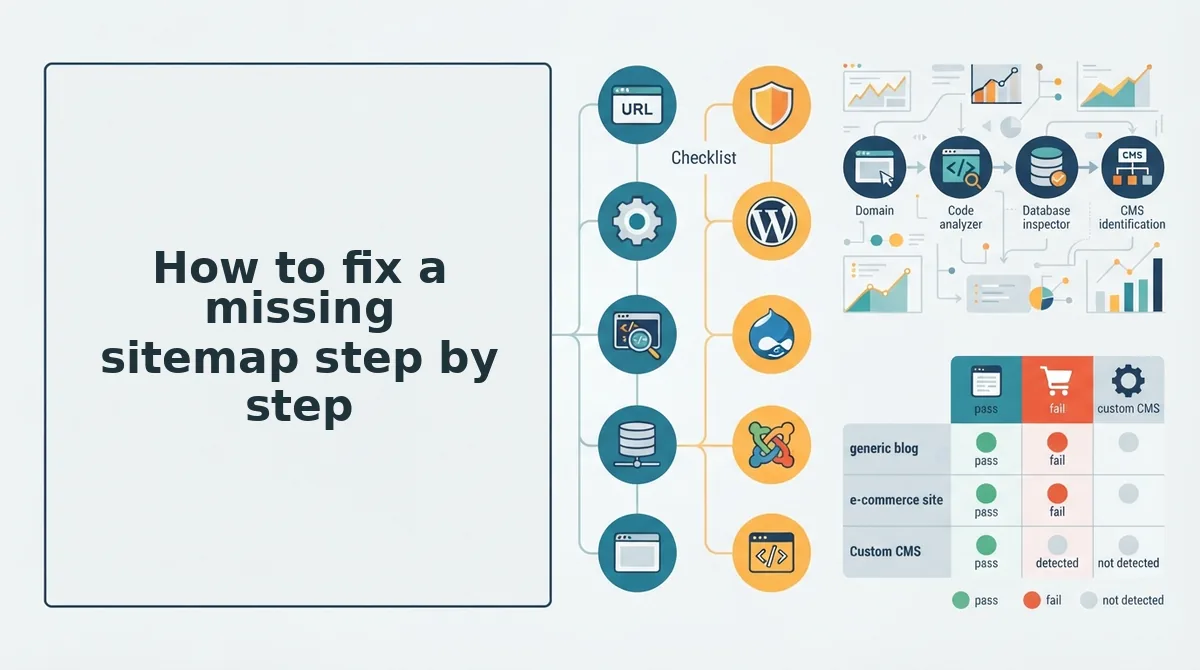
Fixing a missing sitemap usually takes one file check and one edit to robots.txt â not a site rebuild. The order below follows how often each cause shows up in practice, so read the symptom at the start of each step and skip the ones that do not match yours.
A sitemap index file is a sitemap that lists other sitemaps instead of page URLs. That distinction matters here: an index can exist, parse cleanly, and still be unusable because the files it points to are gone.
Before you start: have edit access to your site root (FTP, SSH, or your host's file manager) and to robots.txt, plus the exact domain you entered in the BloGoose setup wizard. No plugins or extra tools are required.
- Symptom: the wizard reports no sitemap on the very first run. Open
https://yourdomain.com/sitemap.xmlin a browser, then runcurl -I https://yourdomain.com/sitemap.xmlin a terminal. A true 404 returns no document; a soft 404 returns HTTP 200 with HTML error copy inside. Expected outcome: you know which of the two you have. Time: 2 minutes. - Symptom: the file exists and opens fine in a browser, but the crawl still misses it. Open
https://yourdomain.com/robots.txtand scan for aDisallowline covering the sitemap path. ADisallowrule blocks that path even when the file parses perfectly. Expected outcome: any blocking rule on the sitemap path is removed or narrowed. Time: 3 minutes. - Symptom: you use a sitemap index. Open the index file and click each child sitemap URL it lists. Any child returning a 404 or pointing at a renamed section needs republishing or removal from the index. If you have moved URLs, run them through your redirect chains and confirm the final destinations match your canonical URLs. Expected outcome: every child URL resolves. Time: 5â10 minutes.
- Symptom: the sitemap is gzipped or rendered by JavaScript. Gzipped and JS-rendered sitemaps fail the parser and read as missing to the crawler. Serve an uncompressed XML file at a static path instead. Expected outcome: the URL loads raw XML source in the browser with no script execution needed. Time: 10 minutes.
- Add a
Sitemap:line to robots.txt, then rerun the crawl. TypeSitemap: https://yourdomain.com/sitemap_index.xmlon its own line at the end ofrobots.txtand save. Return to the BloGoose setup wizard, re-enter the domain, and start the crawl again. Expected outcome: the crawl completes and reports a sitemap it can read. Time: 2 minutes plus crawl time.
Worked example
A site publishes its sitemap at /sitemap_index.xml. The wizard checked only /sitemap.xml and got a 404, so setup reported no usable sitemap. The fix was not a new sitemap â it was a declaration. Adding Sitemap: https://example.com/sitemap_index.xml to robots.txt told the crawler where to look, and the rerun picked up the index and its children.
Troubleshooting: if Search Console shows a submitted sitemap but the crawl still misses it, check that the wizard domain matches the verified property exactly â www versus non-www, and production versus staging.
Once a sitemap is readable, the interesting question becomes how much the crawler can work out on its own.
What can a crawl still infer without a sitemap?
More than most troubleshooting guides admit. A link-graph crawl is a discovery method that builds a URL inventory by following hyperlinks outward from a starting page instead of reading an XML file â and it reconstructs three of a sitemap's four jobs: which pages exist, which ones matter most, and how your brand sounds.
Think of a sitemap as a library's card catalogue and the link graph as walking the shelves. The catalogue lists what should be there; the shelves show what a visitor can actually reach.
Simple: the homepage and its navigation
The crawl opens your homepage and expands through header, footer, and in-body links. A menu with twelve items hands the crawler twelve URLs before a sitemap is ever needed.
Intermediate: link depth as a priority proxy
Homepage links sit at depth one; pages three clicks away sit at depth three. Crawlers read shallow pages first and revisit them most, so internal linking quietly ranks what gets read â and that same sample of linked pages stands in as the voice corpus when no URL inventory exists.
Advanced: discovery is not ranking
A missing sitemap delays discovery; it does not downrank pages. The delay is a crawl budget question â how much time a bot allocates to your site â not a quality signal. And no sitemap rescues an orphan page: a URL nothing links to has no path into the graph.
Does a missing sitemap hurt your rankings? Not directly. A sitemap is a discovery aid, not a ranking factor. What it changes is speed: how fast new URLs enter the index and how reliably deep pages get recrawled. A site with dense internal linking and no sitemap can index as completely as one with a perfect file â it just takes longer and depends on bots reaching every page by link. The real risk is delay and coverage gaps, never a penalty.
BloGoose treats this as the default fallback rather than a dead end. When no usable file surfaces, sitemap context extraction rebuilds the inventory from linked pages and samples that corpus for brand voice, so setup finishes instead of stalling on an error badge.
How do you check the fix worked?
Four checks, fastest first. Run them in order and you will know within minutes whether the crawler can read the file â no guessing from an error message.
- Fetch the sitemap URL directly. Open it in a browser and confirm the first line is XML markup, not an HTML error page. A 200 status serving HTML is a soft 404, which reads as a missing file to every crawler.
- Confirm robots.txt no longer blocks it. Search the file for a Disallow rule covering the sitemap path. A blocked sitemap behaves exactly like an absent one.
- Discovery sets how soon a page is found.
- Internal links set whether it is found at all.
A sitemap is a shortcut, not a rescue
A missing sitemap rarely blocks a crawl â it only slows it.
The payoff the crawl was holding back is this: your link graph, not your sitemap file, decides what gets found.
Two levers, one distinction worth keeping straight:
Tighten discovery and you shorten the wait. Tighten links and you stop depending on it.
For the wider argument on why crawlable structure now feeds AI answers as much as Googlebot, the AEO optimization guide carries it forward. For the answer on your own site, run a crawl on your domain and watch which URLs the fallback pass surfaces that the sitemap never listed. That list is your real to-do.
A clean sitemap plus linked navigation is the only combination that holds â discovery is a speed advantage, but links are what make a page findable at all.