
How to Style AI Blog Images for Brand Consistency
Your blog posts finally rank, but the images look like they were made by five different design agencies on five different days. That visual whiplash quietly erodes the trust your content worked so hard to earn. If you publish AI-generated images without a repeatable system to style AI blog images for brand consistency, you are leaking authority with every post.
You are not alone. YouTube creators like Payton Bilodeau and Technically Trent have built entire tutorial channels around stopping style drift, which tells you how widespread this pain point really is. Most advice stops at "use the same prompt," which is like telling a chef to "use the same recipe" without giving them the recipe card.
This guide gives you the actual system: a 4-part framework for locking your visual style, a tool matrix for choosing the right generator, and a troubleshooting table for when drift still happens. Along the way, you will see how an AI-powered SEO content engine can bake brand rules into every asset automatically, including the one style element almost everyone overlooks, which we reveal in the framework below.
Why AI Blog Images Drift From Your Brand (And Why It Matters)
AI image drift is the gradual, generation-by-generation shift away from your intended visual style, caused by missing style references, prompt suffixes that degrade over time, and tool limitations that quietly override your instructions. The fix starts with diagnosing which failure mode you are actually hitting.
Think of an AI image generator like a new freelance illustrator you hire for every single image. If you hand them a one-line brief each time, "make it modern and clean", you will get a different interpretation every day. But if you hand them a brand board with exact colors, a sample illustration, and composition rules, every output lands in the same visual universe. That brand board is what most AI image workflows are missing.
There are three specific failure modes behind style drift. First, no style reference exists: the generator has nothing concrete to anchor to, so it improvises from its training data. Second, a prompt suffix is used instead of a prompt asset: appending "flat illustration, blue and orange" to every prompt is fragile, because the generator weights those words differently depending on the rest of the prompt. Third, tool limitations interfere: some generators re-interpret style keywords between model versions, so a prompt that worked in June produces different output in November.
Why this matters goes beyond aesthetics. Brand consistency is a trust signal, when a blog's images shift between photorealistic, 3D-rendered, and hand-drawn styles across posts, readers subconsciously register the site as multiple brands rather than one authoritative voice. The most common question across YouTube tutorials on AI image generation is some variation of "How do I stop AI from giving me a different style every time I generate?", which confirms this is a systemic gap, not a user error.
The 4-Part Style Lock Framework
The Style Lock Framework is a four-step system for turning your brand's visual identity into a reusable prompt asset, so every AI blog image matches without re-engineering prompts from scratch. You will need your brand's hex color codes, one reference image you already like, and access to your image generator's style or seed settings.
- Extract your visual DNA. Open your existing blog or website and collect three concrete elements: your primary and secondary hex color codes, the medium you want to emulate (flat illustration, 3D render, watercolor, photograph), and the lighting direction you prefer (top-left soft, studio even, natural diffused). Write these down in a plain text file. You should end up with a single line like "flat illustration, #1E3A8A + #F59E0B + #F8FAFC, soft top-left lighting."
- Define your composition rule. Select one recurring layout pattern: centered subject, rule-of-thirds subject, or subject-left with negative space on the right for text overlay. This is the overlooked lock, most drift happens because composition is never specified, so the generator places subjects randomly. Commit to one pattern and write it as a short phrase like "centered subject, generous negative space."
- Build your style prompt block. Open a code editor or note app and paste the five elements, palette, medium, lighting, composition, and subject consistency, into one block you will copy before every image prompt. A worked example: a blog about SEO tools uses a flat-illustration style with a fixed 3-color palette, soft top-left lighting, and centered subject composition. Your block should read as a single paragraph, not a list, so the generator parses it as one coherent style instruction.
- Test and lock the seed. Generate three test images using the same style block with three different subjects. If all three share the same palette, medium, and composition, save the style block as your master asset. If not, adjust one element at a time, palette first, then composition, and regenerate. Once stable, store the block in a shared document or your brand context files so every team member copies the exact same text.
Once your style block is stable, the next step is turning it into a prompt template you can reuse without thinking, which is exactly what the next section covers.
How to Turn Your Brand Style Into a Reusable Prompt Block
A reusable prompt block is a saved text snippet containing your brand's visual rules, palette, medium, composition, lighting, and subject treatment, that you append to every AI image prompt. Once written, it removes guesswork and keeps every generated image inside your style guardrails.
Prerequisites: 3-5 existing on-brand images (your site, social, or product shots), a hex color picker, and your brand's primary font name. Total setup time: 20-30 minutes.
- Open your brand asset folder and select 3-5 images that best represent your visual identity. Pick images from different contexts, a hero shot, a product photo, a blog graphic, so the style block captures what stays consistent across scenes. You should end up with a small reference set you can revisit whenever you audit the block.
- Extract your palette using a color picker on each image. Sample the dominant, secondary, and accent colors, then record their hex codes (e.g., #1A2B3C, #F5F0E8, #C9A227). You should have 3-5 hex codes that appear across most images, these become your palette lock.
- Identify the medium and write it as a fixed phrase. Look at your reference images and decide whether they read as "flat vector illustration," "35mm film photography," "soft 3D render," or "minimal line art." You should be able to describe the medium in one short phrase that any AI tool will interpret consistently.
- Type your style block in this order: palette to medium to composition to lighting to subject rules. Example: "Palette: #1A2B3C, #F5F0E8, #C9A227. Medium: flat vector illustration with subtle grain. Composition: centered subject, rule of thirds for secondary elements. Lighting: soft diffused daylight from upper left, neutral temperature. Subject: simple geometric shapes, no photorealism, no text." You should have a block of 80-120 words you can paste anywhere.
- Save the block in a notes app, a team wiki, or your prompt library, then test it on one new image. Paste the block at the end of a fresh prompt and generate. You should see the new image match your reference set on palette, medium, and composition within one or two generations.
Here's where most teams get stuck, they write a new style description for every image. That's the drift engine. Treat the style block as a prompt asset: write it once, version it, and append it everywhere. BloGoose extracts brand style rules from your site and applies them to every generated image automatically, so you don't rebuild the block per post. If you want to formalize the rules as a brand context file, you can store palette, medium, and composition rules once and reuse them across every article in your calendar.
If you're asking "how do I keep AI-generated blog images consistent with my brand," the answer is a saved style block that locks palette, medium, composition, lighting, and subject treatment into one reusable snippet. Teams that append the same block to every prompt see far less drift than teams that describe style from scratch each time, because the AI receives identical constraints on every generation. The block works across Midjourney, DALL-E, and most other image models, and it takes under 30 minutes to create from 3-5 existing brand images.
AI Image Tools Compared by Style Consistency
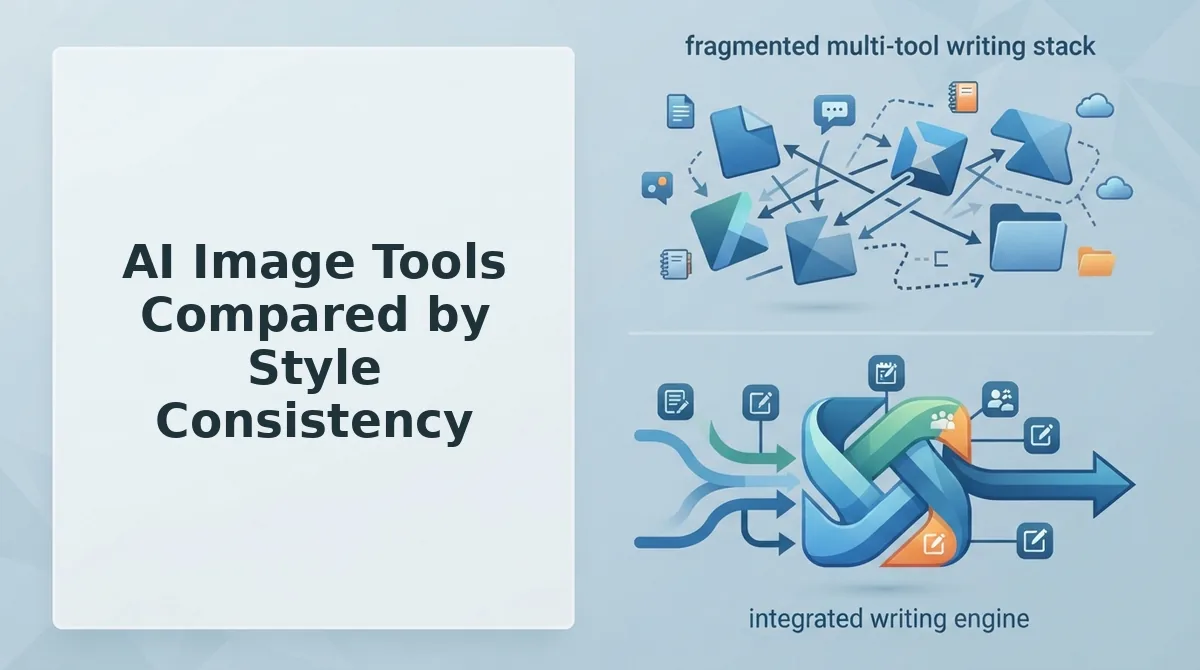
Style consistency depends less on which tool you pick and more on whether the tool exposes a style-locking feature you can reuse across generations. Midjourney, DALL-E, and Runway ML each approach the problem differently, and each suits a different publishing workflow.
| Tool | Style-Locking Feature | Consistency Ceiling | Best For |
|---|---|---|---|
| Midjourney | --sref parameter locks a reference image's style across scenes |
High, same style transfers across radically different subjects and compositions | Brands that need one visual identity across many unrelated blog topics |
| DALL-E / GPT image | Accepts style reference images in the prompt; follows natural-language style descriptions | Medium-high, strong on palette and medium, weaker on exact composition replication | Teams already working inside ChatGPT who want style control without leaving the chat |
| Runway ML | Reference workflows designed for photo and character consistency across frames | High for photographic subjects and recurring characters; less tuned for illustration styles | Publishers producing photo-realistic or character-driven blog imagery |
Midjourney's --sref parameter is the most direct style lock available: you feed it a reference image, and every subsequent generation inherits that image's palette, medium, and mood, even when the subject changes completely. That makes it the strongest option for a blog that covers diverse topics under one visual brand.
DALL-E and GPT image take a more conversational route. You can attach a style reference image and describe the rules in plain language, which lowers the barrier for non-technical content teams. The trade-off is that exact composition replication is less predictable than Midjourney's parameter-driven approach.
Runway ML deserves credit for its reference workflows, which were built for photo and character consistency, a real strength if your blog relies on a recurring mascot or photographic product shots. It is less purpose-built for illustration-heavy brands, but for the right persona it outperforms general-purpose tools.
None of these tools, however, connects style rules to your publishing pipeline. That's the gap BloGoose fills: it extracts brand style rules from your site and applies them to every generated image, then publishes the result alongside your article. If you're optimizing those images for search, pair the workflow with image SEO best practices so your consistent visuals also earn rankings.
Fixing Style Drift: 5 Common Problems and Exact Prompt Fixes
Style drift happens when an AI image tool silently changes one visual variable, color, medium, composition, lighting, or subject, between generations. The fix is always the same pattern: name the variable explicitly in your prompt block and lock it with a specific value.
- Color shift. The AI drifts toward its training-data defaults and your brand palette washes out. Fix it by adding hex codes to your palette lock, "palette: #1A2B3C, #F5F0E8, #C9A227 only", and repeat the hex codes in every prompt.
- Medium change. One image renders as a photo, the next as a cartoon, because the medium was never stated. Fix it by specifying the exact medium phrase, "flat vector illustration" or "35mm photography", and never leaving the medium implied.
- Composition break. Subjects drift off-center or framing shifts between images, breaking the visual rhythm of your blog. Fix it by locking framing language, "centered subject, rule of thirds for secondary elements", so every generation follows the same grid.
- Lighting flip. One image is bright and airy, the next moody and shadowed, because light direction was left to chance. Fix it by specifying light direction and temperature, "soft diffused daylight from upper left, neutral temperature", in every prompt.
- Subject inconsistency. A mascot or product looks different in every image because the AI has no fixed reference. Fix it by attaching a style reference image or character sheet to the prompt, or by using a tool with a
--sref-style parameter that locks the subject across generations.
If you're asking "how do I fix AI image style drift on my blog," the answer is to treat drift as a variable-by-variable problem, not a vague quality issue. Color shift is fixed with hex codes, medium change with an explicit medium phrase, composition break with framing language, lighting flip with direction and temperature, and subject inconsistency with a reference image or character sheet. Each fix takes one line in your prompt block, and together they eliminate the five most common drift patterns teams report.
Lock these five variables into your style block once, and you'll spend far less time regenerating images, and far less time explaining your brand to an AI. Next, the questions readers ask most about styling AI blog images.
FAQ: Styling AI Blog Images for Brand Consistency
Brand-consistent AI images come from locking a style reference, color palette, and prompt block, then reusing them on every generation. Below are the most common questions from search data and social threads, answered for featured snippet extraction.
How do I keep AI images consistent across blog posts?
Save a reusable prompt block containing your brand's color hex codes, lighting style, composition rules, and a style reference image, then paste it before every new image prompt. Tools like Midjourney and DALL-E 3 support style reference parameters that anchor output to the same visual identity.
What is a style reference in Midjourney?
A style reference is an uploaded image Midjourney uses to match aesthetic qualities, color grading, texture, line weight, and mood, without copying the subject. Add --sref with an image URL to apply it, and combine with --sw to control influence strength.
Can I use AI images for my blog without them looking generic?
Yes, by feeding the generator brand-specific constraints instead of default prompts. Generic output comes from vague descriptors like "modern illustration." Specific inputs, your brand's exact palette, a named art style, and a locked composition template, produce images that look commissioned rather than stock.
How do I match AI images to my brand colors?
List your brand's hex codes directly in the prompt (for example, #1A2B3C background, #F5A623 accents) and request that the generator restrict the palette to those values. Midjourney and DALL-E 3 both honor explicit hex instructions more reliably than color names like "warm orange."
Why does my AI image style change when I add new details to the prompt?
Longer prompts dilute the weight of earlier style instructions, especially in diffusion models that process tokens sequentially. Keep style tokens at the start of the prompt and append new subject details after a separator, or use a style reference parameter so the aesthetic stays anchored regardless of prompt length.
Do I need to rewrite image prompts for every blog post?
No. Build one master prompt block containing your style lock, palette, lighting, composition, and reference image, then swap only the subject line per post. This is the same principle behind AEO content optimization: reusable structure beats ad-hoc generation every time.
Consistency Is a System, Not a Hope
The brands with recognizable blog imagery don't have better taste, they have a locked style file and a workflow that applies it automatically. The 4-Part Style Lock framework gives you the file. The prompt block gives you the repeatable input. What remains is removing the manual step where drift creeps in.
That's the gap BloGoose closes. Instead of pasting your brand context into every image prompt by hand, the AI-powered SEO content engine applies your brand context files to every image it generates, no prompt rewriting, no style drift between posts, no 12-tab stack.
Your next step: run your site through BloGoose's setup wizard and let it extract your brand voice and visual rules from what you've already published. The style lock you built in this article becomes the system that ships with every article. Consistency stops being a discipline and becomes the default.