
Unlimited AI Blog Generator with Included Model Access
You've just published your third article this week, and the LLM bill already hit $47, with two more posts queued and a rate-limit warning flashing on your dashboard. Sound familiar? That's the reality of building a content pipeline on per-token API pricing, and it's exactly why an unlimited AI blog generator with included model access has become the most searched-for capability in publishing tooling this year.
You're right to be frustrated. Paying separately for model usage while also paying for a content platform is double taxation, and the usage caps that come with it quietly throttle your publishing calendar. YouTube creators like Quorify and Digital Creator Avi have built entire channels around chasing free or bundled model access, because the audience demand is that loud.
Here's what this guide will do: first, we'll define what "included model access" actually means with a three-tier taxonomy nobody else has articulated. Then we'll show why per-token billing breaks blog publishing at the operational level. Finally, you'll get a five-check verification framework to test any "unlimited" claim before you commit. Along the way, you'll see how a platform like BloGoose bundles AI generation directly into the subscription, so your publishing volume never gets held hostage by a metered API key.
One thing we'll resolve by the end: most "unlimited" plans aren't unlimited at all, but the way they fail is predictable, and you can spot it in under ten minutes.
What Does Included Model Access Actually Mean?
Included model access means the AI model usage, the actual text generation, is bundled into your platform subscription, not billed separately per token or per API call. You pay one price, and the model runs as part of the product.
To understand why this matters, think of a gym membership. Per-token billing is like paying the gym a monthly fee and then being charged an extra $0.03 every time you lift a weight. Included model access is the standard membership: you pay once, and you use the equipment as much as your plan allows. The difference isn't just cost, it's whether you think twice before every workout.
The Three-Tier Taxonomy of AI Pricing
Every AI content tool on the market falls into one of three pricing structures. Understanding these tiers is the fastest way to evaluate any "unlimited" claim.
Tier 1: Per-token billing. You connect your own API key from OpenAI, Anthropic, or Google, and the platform meters every word generated. Your cost scales linearly with output volume, and a long-form article can cost anywhere from a few cents to several dollars depending on the model. This is the most common setup among AI writing tools, and it's the one that creates unpredictable monthly bills.
Tier 2: Bundled credits. The platform includes a fixed number of "credits" or "words" per month in your subscription. Once you exhaust them, you either upgrade or wait for the next billing cycle. This is better than Tier 1 for predictability, but it still imposes a ceiling, and heavy publishing weeks burn through credits fast.
Tier 3: Fully included access. The model usage is absorbed entirely into the platform's subscription cost. There is no separate meter, no credit counter, and no API key to manage. This is what a true unlimited AI blog generator with included model access delivers: the platform operator negotiates model costs at scale, and you publish without watching a usage dashboard.
Digital Creator Avi's video on Gemini 2.5 Pro captures the user sentiment driving this shift: people want specific model access bundled with generation, not a separate API billing relationship they have to babysit. The demand for Tier 3 isn't about getting something for free, it's about removing a cognitive load from the publishing workflow.
Here's the self-contained answer if you're skimming: Included model access is a pricing architecture where AI generation costs are folded into the platform subscription rather than charged separately per token, per credit, or per API call. It eliminates variable monthly AI bills and lets content teams publish at whatever volume their editorial calendar demands without triggering rate limits or overage charges. When a platform advertises "unlimited" generation, the real question is which tier it actually operates in, and most claims collapse under that scrutiny.
Why Per-Token Pricing Breaks Blog Publishing
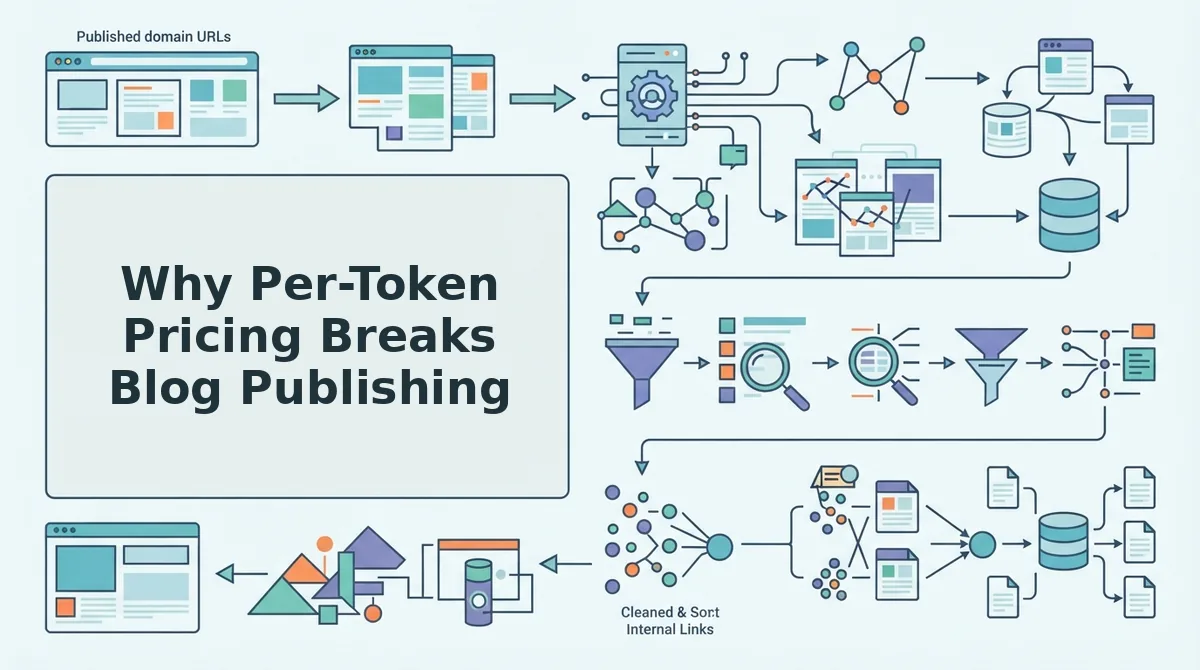
Per-token pricing is a billing model where every word an AI generates is metered and charged separately, creating a direct financial penalty for publishing more content. It's the single biggest structural mismatch between AI tooling and content operations.
Think of per-token billing like a taxi meter running during a cross-country road trip. Every mile adds cost, every red light adds cost, and you spend the entire journey staring at the meter instead of the road. That's what happens to a content team: instead of focusing on topic quality and publishing cadence, writers and editors watch token counts, trim prompts to save money, and hesitate before regenerating a draft that missed the mark.
The Operational Failure Mode
The damage isn't just financial, it's behavioral. When every generation has a visible cost, teams start making worse editorial decisions. A topic that needs three angles gets one. The publishing calendar slips because someone hit a monthly API budget cap mid-month, and now the whole queue is frozen until the billing cycle resets.
Quorify's video on 200+ free AI model APIs captures the frustration driving this search behavior: users are exhausted by paywalls and restrictive rate limits that interrupt their workflow. The message is clear, creators don't want to negotiate with a meter every time they need content.
The failure compounds at the team level. Drafts stall waiting for budget approval. Editors fall back to manual writing because it's "free" in the moment, even though it costs hours. The entire point of an AI content engine, consistent, high-volume publishing, collapses under a pricing model that punishes exactly the behavior it's supposed to enable.
Platforms like BloGoose solve this by bundling AI generation directly into the subscription, so there's no separate LLM bill to reconcile and no usage dashboard to monitor. You can see how that pricing structure works at BloGoose's pricing page, where included AI means exactly that: no separate model invoices, no token counters, no rate-limit anxiety.
Next, let's put any "unlimited" claim to the test with a five-point verification framework.
How to Verify an Unlimited Claim in 5 Checks
An unlimited AI blog generator claim is only as real as the fine print behind it. Run these five checks before committing to any plan, and you will know within 30 minutes whether the tool can actually sustain your publishing volume.
Prerequisites: a free trial or demo account, access to the tool's pricing page and terms of service, and one test article topic ready to generate. You will not need a credit card for most of these checks.
- Open the pricing page and locate the fair-use clause. Scroll past the headline price and look for a link labeled Terms, Fair Use Policy, or Acceptable Use. Search the page for the words "token," "credit," "quota," or "reasonable use." You should see either an explicit token cap (for example, 500,000 tokens per month) or a vague clause that lets the vendor throttle you at their discretion. If you find no clause at all, proceed to Check 2 with caution.
- Click Settings, then Usage or Billing, and look for queue priority tiers. Many tools advertise unlimited generation but route paying users through a shared queue with different priority levels. Look for labels like "Standard queue," "Priority queue," or "Turbo mode." You should see a clear statement of where your plan sits in the queue. If the plan page mentions "faster processing" as a paid add-on, the base unlimited tier is throttled by design.
- Select Model Settings and check whether the model version is pinned. Open the article generator and look for a dropdown or label showing the model name, such as GPT-4o, Claude, or a custom model. You should see a specific version number or date. If the tool only says "AI-powered" without naming a model, or if the model changes between your first and tenth article, the vendor is silently downgrading quality to preserve margins. A pinned model version means you get the same output quality on article 100 as on article 1.
- Upload or generate 5 articles in one session and watch for concurrent limits. Start a batch of five articles at once using the Generate or Create button. You should see all five appear in the queue simultaneously with individual progress bars. If the tool only lets you run one or two at a time, or if later articles wait for earlier ones to finish, the "unlimited" claim applies to total volume, not throughput. A true unlimited plan processes concurrent articles without a hard ceiling.
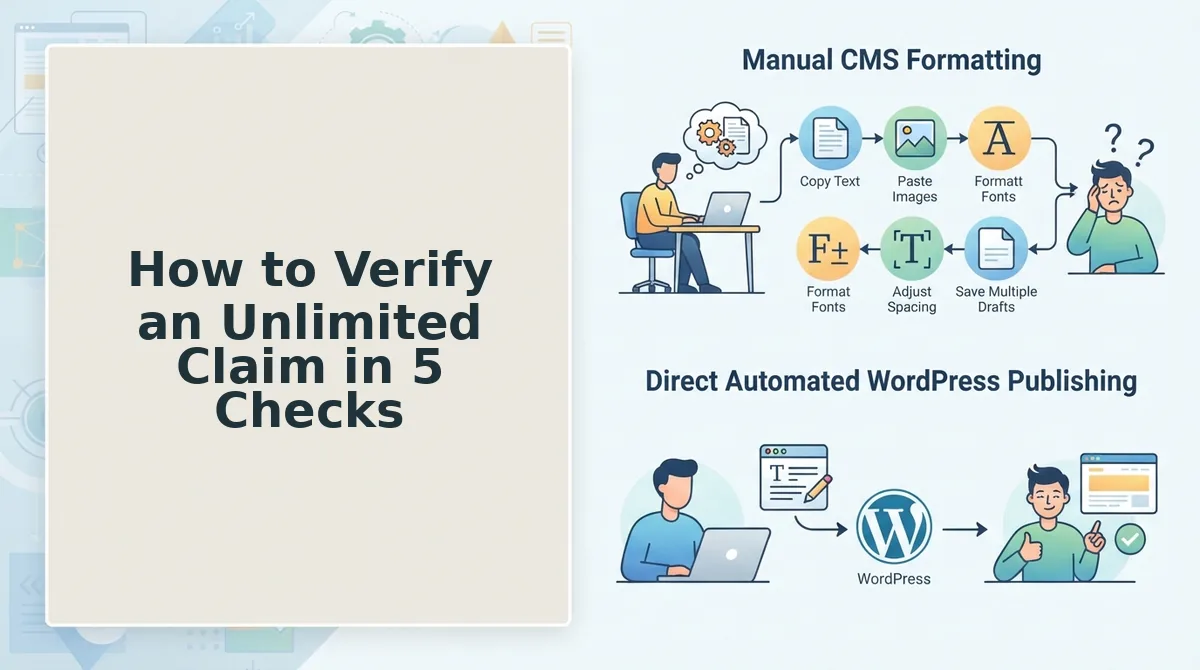
- Open Settings, then API Keys or Integrations, and confirm publishing API access. Look for a REST API endpoint, a WordPress plugin connection, or a webhook URL field. You should see documentation for pushing articles directly to your CMS without manual copy-paste. If publishing API access is locked behind a higher tier, your unlimited generation is trapped inside the tool. BloGoose includes publishing API access on its plans, so you can verify this against the pricing page, which shows included AI without separate LLM bills.
After all five checks, you should have a clear yes or no on each item. A tool that passes all five is genuinely unlimited in the ways that matter for a publishing calendar. A tool that fails even one will stall your workflow at exactly the wrong moment.
Passage for quick reference: An unlimited AI blog generator audit covers five controls: token caps and fair-use clauses, queue throttling and priority tiers, model version pinning, concurrent article limits, and publishing API access. Token caps are hard monthly ceilings hidden in terms of service. Queue throttling appears as slower processing times for lower-tier plans. Model version pinning means the tool names a specific model and keeps it stable across all generations. Concurrent article limits restrict how many articles you can generate at once. Publishing API access determines whether finished articles can be pushed directly to WordPress or a custom API without manual upload. Check all five before signing up.

What Happens When a Supposedly Unlimited Plan Throttles
Throttling is a silent performance cap that vendors apply to supposedly unlimited plans when usage exceeds an undisclosed threshold. It rarely appears as an error message; instead, it shows up as slower queue times, lower-quality drafts, or articles that never finish generating.
Think of throttling like a gym membership that advertises unlimited visits but only staffs the front desk for two hours a day. You can technically go whenever you want, but the practical experience degrades the moment demand spikes. The same logic applies to AI blog generators: the infrastructure cost per article is real, and vendors who sell unlimited access must quietly limit throughput to stay profitable.
The simplest failure mode is a slower queue. You submit an article and it sits in "pending" for 20 minutes instead of 2. The intermediate failure is quality degradation: the tool swaps your pinned model for a cheaper one after a certain article count, so article 21 reads noticeably worse than article 5. The advanced failure is a stalled publishing calendar. A publisher running a 30-article cluster discovers that articles 20 through 30 never complete, leaving internal links pointing to pages that do not exist and cluster coverage with gaping holes.
These failures cascade. Missed publishing slots break your internal linking structure, because planned anchor text now points to unpublished URLs. Stale cluster coverage means your pillar page references subtopics that were never created. The operational cost of repairing a throttled calendar often exceeds the savings from choosing the cheaper plan in the first place.
The telltale sign is inconsistency. If your first 10 articles generated in under 3 minutes each and article 11 takes 45 minutes, you are being throttled. If the prose quality drops without any change to your prompts or settings, the model was downgraded. No vendor will label these changes in the interface; you have to track generation times and output quality yourself to spot the pattern.
How an Autopilot Engine with Included Models Changes the Workflow
An autopilot engine with included models removes the manual steps between idea and published article, so your publishing calendar runs on a single connected system instead of five disconnected tools. Here is the workflow shift, step by step.
Prerequisites: a live website with an XML sitemap, admin access to your WordPress site or a custom API endpoint, and one pillar topic you want to rank for. You will need about 15 minutes for the initial setup.
- Open the setup wizard and enter your domain URL. Type your site's root domain into the field labeled Website URL and click Start Crawl. The engine locates your XML sitemap, inspects your published pages, and detects your technical stack. You should see a crawl summary listing the number of pages found and your detected CMS within a few minutes.
- Click Brand Voice and review the extracted rules. The engine pulls tone, formatting, and terminology patterns from your existing content. You should see a summary of detected voice rules, such as sentence length preferences, heading style, and recurring phrases. Adjust any rule that does not match your editorial standards before proceeding.
- Select Calendar and confirm the pillar-focused cluster. The engine proposes a content calendar built around your pillar topic, with supporting articles mapped to subtopics. You should see a list of article titles, target keywords, and internal link suggestions. Approve or reorder the list to match your publishing priorities.
- Click Generate to draft the first batch. The engine drafts, optimizes, and formats each article using the included model access, with no separate LLM billing or token metering. You should see finished drafts appear in your queue with on-page SEO elements already applied.
- Open Publishing and connect your WordPress site or custom API. Enter your WordPress credentials or API endpoint in the Integrations panel. The engine pushes finished articles directly to your CMS, including internal links and metadata. You should see each article appear on your site as a published draft or live post, depending on your settings.
This is the operational layer that matters beyond generation. The AI content engine with search indexing handles the crawl, voice extraction, calendar building, drafting, and publishing in one pass. After publishing, you can ask Google to crawl new posts via the indexing API so your articles enter the search queue immediately instead of waiting for the next natural crawl.
When the engine handles the full loop, your only recurring task is reviewing drafts and approving the calendar. That is the workflow shift that makes consistent publishing sustainable. Now let's answer the most common questions about unlimited AI blog generators.
Frequently Asked Questions About Unlimited AI Blog Generators
Unlimited AI blog generators with included model access bundle frontier model usage into a flat subscription, removing per-token billing so publishing volume never changes your monthly cost.
What is an unlimited AI blog generator with included model access?
An unlimited AI blog generator with included model access is a flat-rate platform that bundles frontier model usage into the subscription instead of charging per token or per API call. You generate, optimize, and publish articles without watching a usage meter or receiving surprise overage invoices at the end of the billing cycle.
Do unlimited AI blog generators have hidden usage caps?
Many do, which is why verification matters. Some platforms advertise unlimited generation but enforce fair-use throttling, queue delays, or monthly article ceilings buried in terms pages. Check for stated token limits, concurrent job restrictions, and whether support will confirm the cap in writing before you commit.
Can I publish unlimited AI blog posts to WordPress automatically?
Yes, when the generator includes a native WordPress publishing integration. Platforms like BloGoose crawl your site, draft articles, and ship finished posts directly to WordPress without manual copy-paste. Confirm the integration supports scheduled publishing, category assignment, and featured image handling before relying on it for daily output.
What is the difference between included model access and API key billing?
Included model access means the platform pays for model usage and bundles it into your subscription price. API key billing means you connect your own OpenAI or Anthropic key and pay usage fees directly to the model provider on top of the platform subscription. Included access creates predictable costs; API key billing scales cost with every generation.
Why does my unlimited plan slow down after publishing a few articles?
Throttling is the most common cause. Some providers queue jobs behind higher-tier customers or cap concurrent generations once you cross an unpublished threshold. If speed drops consistently after a specific article count, request the exact concurrency and throughput limits in writing to determine whether the plan is genuinely unlimited or soft-capped.
How do I check if an unlimited AI blog generator is actually unlimited?
Run a five-point verification: read the terms for token or article caps, ask support to confirm limits in writing, test generation speed after 20 articles, check whether publishing integrations cost extra, and review whether model quality downgrades on higher volume. A provider confident in its unlimited claim will answer all five checks directly.
The Real Difference Is What Happens After the Draft
Every AI blog generator produces a draft. The draft was never the bottleneck. The bottleneck is the loop that follows: formatting for your CMS, checking brand voice, wiring internal links, submitting to search indexing, and repeating the process across an entire content cluster without burning a day per article.
Included model access removes the pricing anxiety from that loop. Verification removes the trust gap. But the compounding advantage comes from automation: when drafting, publishing, and indexing happen inside one engine, your publishing cadence stops being a manual coordination problem and becomes a system output.
That is the open loop from the start of this article: unlimited is not a feature you buy, it is a claim you verify and a workflow you build. The five checks separate genuine flat-rate platforms from throttled marketing pages. The workflow shift separates an article generator from a publishing engine.
Your next step is to start a site crawl and see what BloGoose extracts from your existing pages, brand voice, and sitemap before you commit to any plan. The crawl is the verification step applied to your own site, not a vendor's claims. When the engine understands your structure, the question stops being whether you can afford another article and becomes how fast you can cover the cluster.