How an AI blog writer for WordPress cuts manual publishing steps
Most content teams still spend 3 - 5 hours per post on manual publishing alone, topic selection, research, outlining, writing, formatting, image upload, and finally hitting "Publish" in WordPress. You already know the grind: copy from Google Docs, paste into Gutenberg, fix broken headings, re-upload every image, then wait for Google to notice. An AI blog writer for WordPress that connects via API eliminates that entire copy-paste bottleneck, not just the drafting step.
You're right to be skeptical of plugins that only generate text and leave you with the same manual upload loop. What actually matters is whether your tool is a true publishing engine, one that pushes finished, formatted posts directly to your CMS and pings Google's Indexing API so content gets crawled this week, not next month. In this guide, you'll learn the three-layer stack that removes manual work, how an AI blog generator with direct WordPress publishing differs from a chat window, and why the plugin-versus-platform decision determines your crawl speed. Stick around for the surprising reason most "automated" workflows still fail at the indexing layer.
What an AI Blog Writer for WordPress Actually Does
An AI blog writer for WordPress is a software engine that crawls your existing site to learn your brand voice, generates a content calendar, writes full drafts, and publishes finished posts directly to WordPress, then notifies search engines so new content gets indexed within days instead of weeks.
Think of it like a sous-chef who doesn't just prep ingredients but plates the dish, walks it to the table, and tells the maître d' it's ready. A basic plugin only writes text and leaves you to handle everything else. A true publishing engine handles the entire loop: crawl, generate, publish, index.
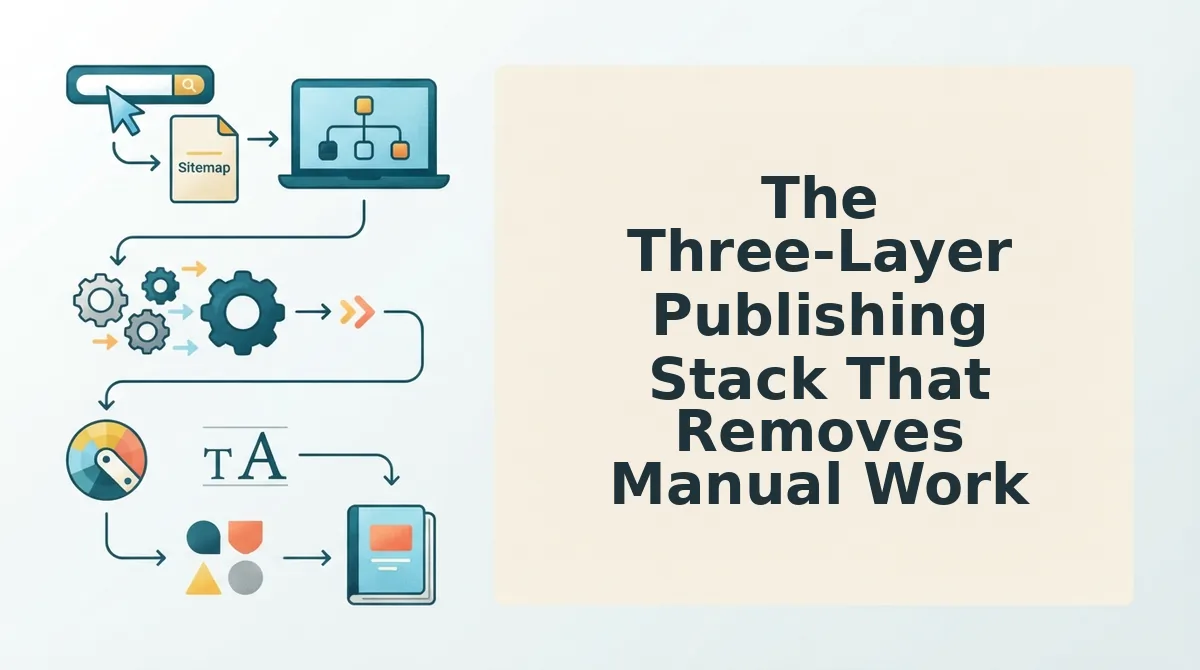
The workflow breaks into four stages. First, the engine crawls your XML sitemap and reads your published pages to extract brand voice rules, tone, formatting preferences, recurring phrases. Second, it builds a pillar-focused content calendar based on your site structure. Third, it writes drafts that match your style guide, not generic ChatGPT output. Fourth, it pushes finished posts to WordPress via REST API and pings Google's Indexing API so the post enters the crawl queue immediately.
This is the key distinction most competitors gloss over: an AI blog writer for WordPress works best when it connects via API, not a plugin. Plugins live inside your WordPress install and require manual triggering, review, and often reformatting. An API-connected engine operates outside your CMS, sends complete posts with formatting intact, and can trigger indexing pings automatically. For a deeper breakdown of why this matters, see AI content engine vs chat window workflows.
The Three-Layer Publishing Stack That Removes Manual Work
A three-layer publishing stack is a framework that separates AI content production into generation, brand context extraction, and publishing/indexing, so each layer automates a distinct manual step that traditional tools leave to you.
Think of it like a car assembly line: one station builds the engine, another installs the body panels, and a third drives the finished car off the lot. If any station is missing, you're pushing the car by hand.
Layer 1: Content Generation
The AI writes drafts using your brand voice rules, not generic ChatGPT output. It pulls from your existing content to match tone, sentence length, and formatting preferences. This eliminates the "rewrite everything to sound like us" pass that eats hours per post.
Layer 2: Brand Context Extraction
The engine crawls your sitemap, detects your CMS, and generates a style guide from your published content. This is what makes output feel native to your site. Tools like markdown brand context files store these rules so every future post inherits them automatically. For a comparison of how this works against competitors, see sitemap context extraction vs Byword.
Layer 3: Publishing and Indexing
The engine pushes finished posts directly to WordPress via REST API, no copy-paste, no manual image upload, no reformatting, then pings Google's Indexing API so the post enters the crawl queue immediately. This is the layer that determines whether your content gets indexed this week or sits in limbo for a month.
Here's the passage-indexing answer in one block: A three-layer publishing stack removes manual work by automating content generation, brand context extraction, and publishing with indexing. Layer 1 generates drafts that match your brand voice rules instead of generic AI output. Layer 2 crawls your sitemap and existing pages to build a style guide automatically, so every new post sounds like you wrote it. Layer 3 pushes finished, formatted posts to WordPress through a REST API and pings Google's Indexing API, eliminating manual upload and reducing the time from draft to indexed page from weeks to days. Without all three layers, you're still doing at least one manual step per post.
That third layer is where most tools fall short, which is exactly why the plugin-versus-platform question matters more than any feature list.
Plugin vs. Platform: Which AI Blog Writer Actually Cuts Publishing Steps?
Plugin-based AI writers live inside WordPress and require manual setup for each post, while platform-based engines crawl your site, generate a calendar, and push finished articles via REST API without copy-paste. The right choice depends on whether you want writing assistance or a fully automated publishing pipeline.
| Capability | Plugin-Based Writers (AI WP Writer, GravityWrite) | Platform-Based Engines (BloGoose) |
|---|---|---|
| Setup time | Install plugin, configure API keys, set per-post parameters manually | Drop in domain once; engine crawls sitemap and extracts brand voice automatically |
| Brand voice extraction | Manual prompt templates or style presets you maintain | Automatic crawl of existing pages to detect tone, structure, and terminology |
| Sitemap crawling | Not included; you map content gaps yourself | Built-in sitemap detection and content gap analysis |
| Content calendar | Manual planning or separate tool | Generated automatically via autopilot 30-day content calendar generator |
| Image generation | Varies by plugin; often requires separate tool or manual uploads | Included via automated blog image generation |
| Publishing method | Direct to WordPress dashboard, one post at a time | Batch push via REST API, no copy-paste between tools |
| Indexing API integration | Typically stops at publishing; indexing left to Google's natural crawl cycle | Pings Google Indexing API after publish so posts get crawled within days, not weeks |
Best for solo bloggers testing AI writing: Plugin-based writers like AI WP Writer or GravityWrite. They are low-commitment, familiar inside the WordPress editor, and let you experiment with AI drafts without changing your workflow.
Best for publishers, agencies, and DTC brands scaling content: Platform-based engines like BloGoose. If you publish multiple posts weekly and need brand consistency, calendar automation, and faster indexing, a platform removes the manual steps plugins leave behind.
Plugins are genuinely useful for one-off drafts and on-page editing. But if your goal is cutting manual publishing steps across a content cluster, a platform that crawls, plans, writes, publishes, and requests indexing in one flow is the only option that removes the spreadsheet-and-copy-paste loop entirely.
How to Connect an AI Blog Writer to WordPress in 6 Steps
Connecting an AI blog writer to WordPress takes under 10 minutes when the tool handles crawling, drafting, and publishing automatically. You need a WordPress site with REST API access enabled and an AI content engine account before starting.
- Drop your domain into the setup wizard. Enter your WordPress site URL in the onboarding field and click Connect. The engine automatically locates your XML sitemap and detects your CMS. You should see a confirmation message listing the pages found.
- Verify the sitemap and CMS detection. Review the detected sitemap URL and confirm your platform is listed as WordPress. If the engine finds multiple sitemaps, select the primary one. A green checkmark confirms the crawl source is correct.
- Generate a topic calendar from your niche. Click Generate Calendar. The engine analyzes your existing content and niche to propose a 30-day topic list. Review the suggestions, remove any that do not fit, and approve the calendar.
- Review sectional drafts with brand voice applied. Open the first draft in the review panel. The engine applies your extracted brand voice rules automatically. Check tone, terminology, and structure. Approve or request revisions before moving to publish.
- Publish via REST API, no copy-paste. Click Publish to WordPress. The engine pushes the article directly to your CMS through the REST API. You should see a success notification with the live post URL, not a prompt to copy HTML.
- Trigger Google Indexing API for faster crawling. After publishing, the engine pings Google's Indexing API automatically. To verify, check the post status in your dashboard, it should show Indexing Requested. For manual verification, follow the steps in ask Google to crawl new posts or review the Google Indexing API docs.
Once connected, every future article follows the same path: crawl context, generate calendar, draft with brand voice, publish via REST API, and request indexing. The manual steps of copying HTML, uploading images, and submitting URLs to Search Console disappear from your workflow.
Why Publishing Is Only Half the Job: The Indexing Step Most Tools Skip
Indexing is the process by which Google discovers, crawls, and stores your page in its searchable database. Publishing a post without requesting indexing is like printing a book and leaving it in a warehouse with no delivery address, it exists, but nobody can find it.
Most AI blog writers stop at publishing. They push the post to WordPress and declare the job done. But Google's natural crawl cycle can take days or weeks to discover new content on its own, especially on smaller sites. BloGoose closes this gap by pinging Google's Indexing API immediately after publish, so posts get crawled within days, not weeks.
Think of the Indexing API like a priority mail notification for search engines. Instead of waiting for Google's mail carrier to pass by on a random schedule, you send a direct signal that new content is ready for pickup. This is the step that turns published content into crawled content, and crawled content into AI answer citations, which is the AEO payoff most tools never reach.
Next, we answer the questions readers ask most about AI blog writers for WordPress.
AI Blog Writer for WordPress: Common Questions
An AI blog writer for WordPress automates drafting and publishing, but the real questions users ask are about ranking, copy-paste work, and whether plugins or platforms actually save time.
Do I still need to copy-paste content into WordPress?
No. API-connected engines publish directly to WordPress without copy-paste. The platform generates the article, applies your brand voice, and pushes it through the REST API. Plugins still require manual review and insertion inside the editor, which adds back the steps you tried to remove.
What's the difference between a plugin and an API-connected platform?
Plugins live inside WordPress and only assist with drafting. An API-connected platform crawls your site, extracts brand voice, generates full articles, and pushes them to WordPress automatically. The platform handles the entire pipeline; the plugin handles one step of it.
Will AI-written posts actually rank on Google?
They can, when brand voice is extracted from your existing content and indexing is accelerated. Generic AI output without site context tends to underperform. BloGoose extracts voice rules from your published pages and includes search indexing, which addresses the two biggest ranking blockers for AI content.
How fast can I publish a full month of content?
A platform engine can generate and publish a 30-day content calendar in one workflow. Instead of writing, formatting, and uploading each post individually, you approve the calendar and the engine ships articles to WordPress on schedule. For a deeper look at the publishing flow, see AI blog generator direct WordPress publishing.
Why does my AI content feel generic even when I give it prompts?
Because prompts alone don't capture your site's actual voice. BloGoose crawls your existing pages and extracts brand rules automatically, so generated articles match your tone, terminology, and structure without you writing detailed instructions for every post.
The Copy-Paste Tax Ends When Publishing Becomes a Pipeline
Every manual step between a finished draft and a live post is a tax on your publishing velocity. The plugin vs. platform decision ultimately comes down to one question: do you want assistance inside WordPress, or do you want the entire pipeline automated outside it?
Platforms win when volume matters. A site crawl extracts your brand voice, a calendar generates a month of posts, and the first article ships to WordPress with indexing included, no copy-paste, no manual upload, no separate indexing tool.
Start with a site crawl and see what BloGoose AI SEO content engine extracts from your existing content. The first post ships to WordPress with indexing included, so you can measure the full loop, generation, publishing, and search visibility, in a single workflow.
The publishers who stop treating content as a series of manual tasks and start treating it as a pipeline are the ones who publish consistently enough to win. Your site already has the structure. Let the engine turn it into rank-ready articles.