
How to Plan a 30 Day Content Calendar Automatically
You spent four hours last month rebuilding a content calendar that fell apart the week after you built it. Now you're staring at a blank spreadsheet again, wondering if there's a faster way to plan the next 30 days without sacrificing quality or brand consistency.
You're right to be frustrated. An automated 30 day content calendar should not require manual spreadsheet coordination, five disconnected tools, or a fresh round of prompt engineering every time priorities shift. The problem isn't your process, it's that most tools stop at generating a list of topics and leave you holding the publishing bag.
This guide will show you how to build a calendar that generates, schedules, and publishes itself. You'll learn how to extract your site's existing structure as the blueprint, cluster topics around pillar pages, and close the loop with direct-to-CMS publishing, no 12-tab stack required. Along the way, you'll see why the calendar-versus-queue distinction changes everything about how you plan content.
YouTube creators show how to build a 30-day calendar in five minutes with Claude, but none of them explain the pipeline that keeps it from breaking the next month. That pipeline, powered by an automated SEO content engine, is exactly what we'll unpack, starting with what "automated" actually means when the calendar has to survive contact with reality.
What Does an Automated Content Calendar Actually Mean?
An automated content calendar is a system that generates topic ideas, schedules them against a publishing cadence, and pushes finished drafts to your CMS without manual spreadsheet coordination or copy-paste handoffs between tools.
Think of it like a thermostat versus a space heater. A space heater warms the room while you're watching it, you turn it on, adjust it, and turn it off. A thermostat reads the room's current state and adjusts automatically. Most content tools are space heaters: they generate a list of topics, and then you manually manage everything downstream. An automated calendar is the thermostat, it reads your site structure, your brand voice, and your publishing goals, then keeps the pipeline running without constant intervention.
The Calendar vs. Queue Distinction
Here's the foundational concept most tools never explain: a calendar is date-locked, while a queue is priority-ordered and auto-refills when a post ships. A calendar says "this topic goes out Tuesday." A queue says "this topic is next in priority, and when it publishes, the next one slides into place automatically."
Most tools stop at the calendar. They give you a grid of dates and topics, then leave you to manage the actual production pipeline yourself. The gap is direct-to-WordPress or API publishing that closes the loop, drafting, optimizing, creating images, and shipping the post without you touching a spreadsheet or a chat window. That's the difference between a planning tool and an AI content engine vs chat window workflows that actually runs your content operation.
An automated content calendar extracts your existing site structure, detects your brand voice rules from published pages, builds a pillar-focused topic map, and then generates, schedules, and publishes articles in sequence. When one post ships, the next draft is already in progress. When a priority shifts, the queue reorders itself, the calendar doesn't break, because it was never a static grid to begin with.
This is why the "automated" part matters more than the "calendar" part. A spreadsheet with dates is a calendar. A system that generates, schedules, and publishes without manual handoffs is an engine. The distinction determines whether your 30-day plan survives week two.
Step 1: Crawl Your Site and Extract the Blueprint
Start with your existing site structure, not a blank keyword list. Your XML sitemap and published pages contain the pillar topics, content gaps, and brand voice signals that should drive every topic you schedule for the next 30 days.
Prerequisites: Access to your site's domain and an automated SEO content engine that can crawl your sitemap and extract brand context. You'll need your domain URL ready before you begin.
- Enter your domain into the setup wizard. Type your site's root URL (for example,
yourdomain.com) into the crawl field and click Start Crawl. The system will automatically locate your XML sitemap and begin inspecting your published pages. You should see a progress indicator showing pages discovered. - Review the detected site structure. Once the crawl completes, open the Site Map view. Look for the pillar pages the system identified, these are your highest-authority, broadest-topic pages. Confirm that the detected pillars match your actual content strategy. You should see each pillar listed with its associated cluster pages grouped beneath it.
- Check the gap report. Navigate to the Content Gaps tab. The system compares your detected pillars against your existing pages and flags topics you should cover but haven't. This report reveals orphan pages, posts with no internal links pointing to them, and cluster opportunities that keyword research alone would miss. You should see a list of recommended topics ranked by priority.
- Extract brand voice rules. Open the Brand Voice panel. The system analyzes your existing published pages for tone, sentence structure, terminology, and formatting patterns. Review the extracted rules and adjust any that don't match how you actually write. Brand voice rules should be extracted from existing pages before generating any AI content; otherwise every draft sounds generic. You should see a summary of detected voice patterns with toggle controls for each rule.
Your XML sitemap reveals pillar gaps, orphan pages, and cluster opportunities that keyword tools miss because it shows how your content actually connects, not just which terms you target. When a sitemap lists pages that no internal links point to, those orphan pages waste crawl budget and dilute topical authority. When a pillar topic has only two supporting posts while a competitor's pillar has twelve, that gap signals a cluster opportunity. Automated sitemap context extraction turns these structural signals into a prioritized topic map, which is why it outperforms starting from a keyword spreadsheet. For a deeper comparison of this approach, see sitemap context extraction vs Byword.
Once your blueprint is extracted, you're ready to turn those detected pillars into a topic architecture, which is exactly what Step 2 covers.
Step 2: Cluster Topics Around Pillar Pages
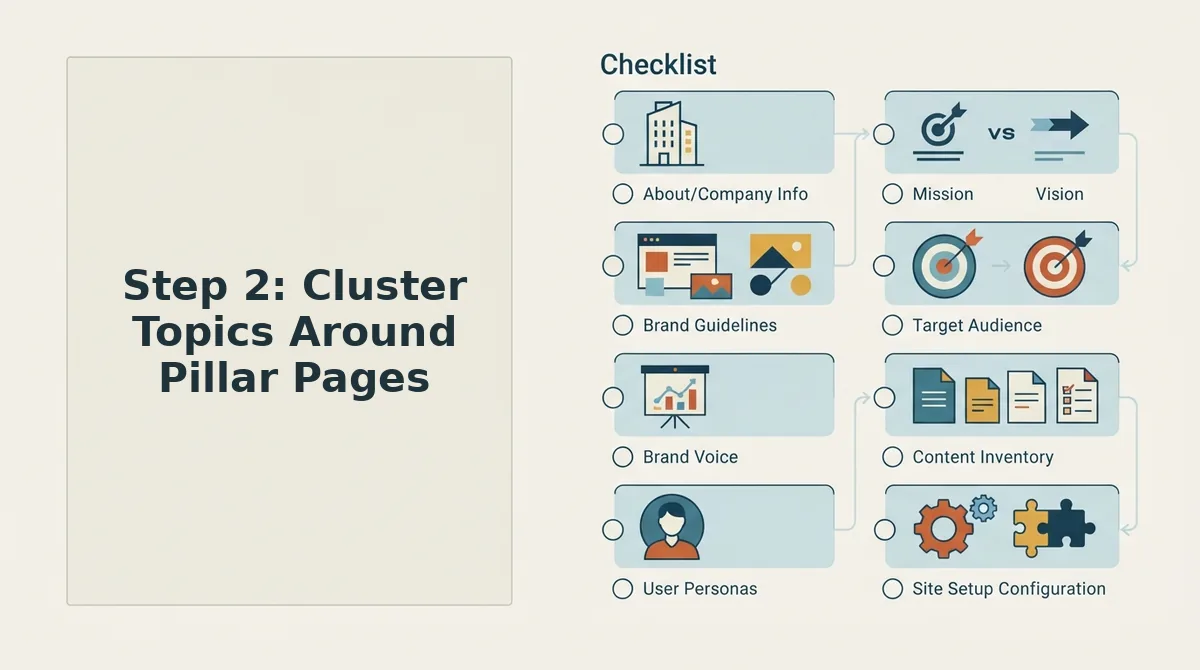
Topic clustering is the process of grouping related articles under one authoritative pillar page so search engines recognize your site as the go-to source on a subject. A 30-day calendar built on clusters concentrates ranking signals instead of scattering them across unrelated posts.
Think of a pillar page like the trunk of a tree: it covers a broad topic at a high level, while cluster articles branch off into specific subtopics that all link back to the trunk. Without the trunk, every branch competes alone. With it, each new article strengthens the whole structure.
Contrast this with the fitness coach on YouTube who posts a random mix of nutrition tips, workout routines, and gear reviews with no connecting theme. Each video fights for attention in isolation, and the channel never becomes the default answer for any single question. A clustered channel, by comparison, builds a library where every video reinforces the others.
The hierarchy works in three layers. The pillar page targets a high-volume, high-competition keyword and links out to every related cluster article. Cluster articles target long-tail variations of the pillar topic and link back to the pillar. Supporting content. FAQs, glossaries, comparison posts, fills semantic gaps and gives search engines more context about what your pillar actually covers.
This structure is what creates topical authority: the accumulated signal that your site comprehensively covers a subject, not just a single keyword. Search engines reward sites that answer every adjacent question a reader might ask.
Thirty days of random posts fails because it spreads authority too thin. Ten posts across ten unrelated topics means you rank nowhere for anything. Ten posts clustered under one pillar means you rank for ten related queries and reinforce the pillar's position every time you publish. For a deeper breakdown of how to structure these relationships, see our topic clusters guide.
Step 3: Build the Calendar, Or Better, the Queue
A rolling 30-day queue is a prioritized list of article briefs that can be reordered as search results shift, while a fixed calendar locks every publish date in advance. Most teams should build a queue with a handful of fixed-date anchors, not a rigid 30-day lock.
Prerequisites: a completed site crawl with extracted pillar topics, a list of cluster article ideas, and access to an autopilot 30 day content calendar generator that can score and schedule drafts automatically.
- Open your calendar tool and create two views: Fixed Dates and Rolling Queue. Fixed Dates holds time-sensitive content like product launches, seasonal posts, or news reactions. Rolling Queue holds evergreen articles that can ship any day. You should see two empty columns ready for assignment.
- Assign a priority score to every article idea using two variables: time-sensitivity (1-5) and evergreen value (1-5). Multiply them. Articles scoring 15 or higher on time-sensitivity go to Fixed Dates. Articles scoring high on evergreen value but low on time-sensitivity go to Rolling Queue. This takes roughly 10 minutes for 30 ideas.
- Set draft intervals based on your publishing capacity. If you publish five articles per week, set drafts to generate three business days before each publish date. The queue should show a continuous pipeline: drafted, in review, scheduled, published.
- Lock only the next seven days. Everything beyond seven days stays in the queue as a prioritized list, not a committed date. When a SERP shifts or a pillar page gets updated, you reorder the queue without breaking a published schedule.
- Review the queue every Monday for 15 minutes. Re-score any article affected by ranking changes, new competitor content, or internal product updates. Move underperforming topics down; promote topics that align with current search demand.
A fixed 30-day calendar breaks the moment a SERP shifts or a pillar page changes, because every downstream date depends on assumptions that no longer hold. The rolling queue absorbs those changes without disrupting your publishing cadence. The decision matrix is simple: if an article's value expires by a specific date, it belongs on the calendar. If its value holds for months or years, it belongs in the queue.
Step 4: Compose with Brand Voice Consistency
Brand voice consistency means every AI-generated article sounds like the same human wrote it, using the same vocabulary, sentence rhythm, and tone rules across all 30 posts. Without a voice reference file, AI drafts drift toward generic corporate prose by article three.
Prerequisites: at least five published articles or pages that represent your best voice, a text editor, and an AI content engine that supports Markdown brand context files.
- Open your existing site and select five to ten pages that best represent your brand voice. Choose pages where the tone is unmistakably yours, not templated landing pages or outsourced filler. You should have a folder of source text ready for extraction.
- Upload those pages to your content engine's brand context extractor. The tool scans sentence length, transition phrases, vocabulary choices, and formatting habits, then outputs a Markdown file with voice rules like "use contractions," "avoid passive voice," or "start paragraphs with a claim, not a setup." You should see a downloadable .md file with 10-20 distinct rules.
- Review the extracted rules and delete anything that doesn't match how you actually write. AI extraction sometimes over-indexes on one author's quirks. Keep only rules you'd defend in an editorial meeting. This takes about 20 minutes.
- Attach the brand context file to every draft generation request. In BloGoose, the file is referenced automatically once uploaded, so every article in the queue inherits the same voice rules. You should see consistent tone markers, sentence length, vocabulary, and formatting, across all generated drafts.
Brand context files prevent the "robot wrote it" effect across 30 AI-generated posts because they give the model a fixed reference point instead of letting it improvise tone on every request. Extract voice rules from existing content before generating anything; retrofitting voice after 30 articles are drafted means rewriting all of them. For a full walkthrough of how these files work, see our guide to Markdown brand context files and our breakdown of how to automate brand voice in AI blog posts.
Next: Step 5 covers shipping drafts to WordPress or your API without manual copy-paste handoffs.
Step 5: Ship from Draft to Published Without Manual Handoffs
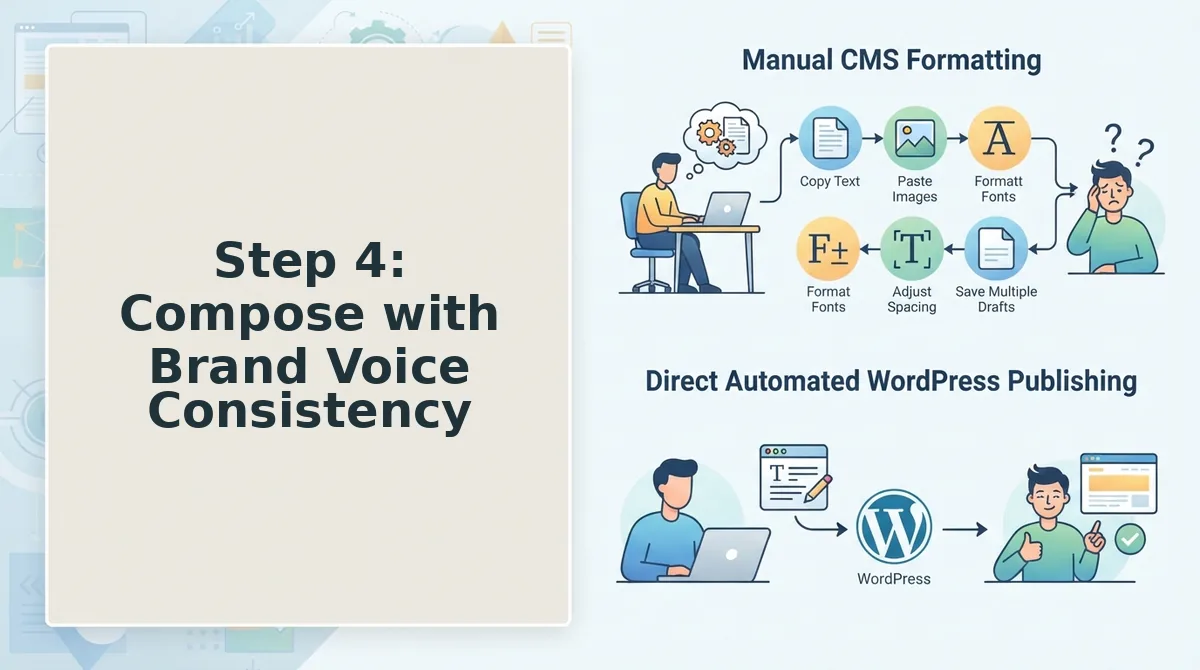
Direct publishing closes the loop that most content tools leave open. A calendar that stops at "draft ready" still costs you the manual copy-paste, formatting, and scheduling work, which is exactly what an AI blog generator with direct WordPress publishing eliminates.
Prerequisites: A connected WordPress site or custom API endpoint, your publishing credentials saved in BloGoose, and at least one approved draft in your queue.
- Open Settings, then API Keys. Paste your WordPress application password or custom API token into the field labeled Publishing Destination. Click Test Connection. You should see a green checkmark confirming BloGoose can authenticate.
- Select your draft from the queue. Click the article title to open the preview panel. Review the rendered post, headings, images, and internal links should appear exactly as they will on your site.
- Click Schedule, then choose a publish time. Pick a date and time slot from the dropdown, or select Publish Immediately. BloGoose writes the post directly to WordPress with your theme's formatting applied, no copy-paste, no block editor fiddling.
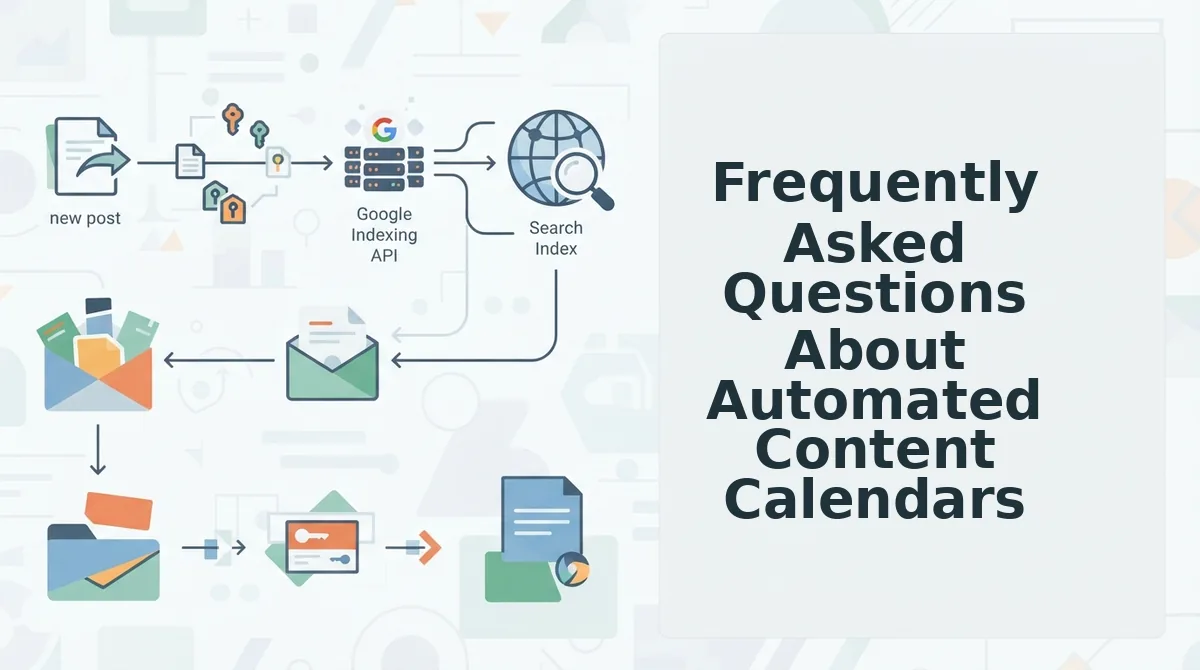
- Enable Indexing API under Publishing Preferences. Toggle on Request Crawl on Publish. This triggers an automatic ping to Google's Indexing API so you can ask Google to crawl new posts the moment they go live, cutting the typical days-long discovery window.
- Confirm the handoff. Return to your queue after the scheduled time. You should see the status change from Scheduled to Published with a live URL link. Click the URL to verify the post renders correctly on your domain.
This is what "autopilot" actually delivers: a queue that drafts, schedules, publishes, and pings Google without a single manual handoff. Most tools stop at the calendar view; the missing step is the shipping layer.
Next: Connect your WordPress site in the BloGoose setup wizard and watch your first queued article publish itself end to end.
Frequently Asked Questions About Automated Content Calendars
An automated content calendar is a publishing queue that plans, drafts, and ships articles without manual spreadsheet updates or copy-paste handoffs. Here are the questions publishers ask most when evaluating whether to automate.
How do I plan a 30 day content calendar automatically?
Connect your domain to an AI SEO content engine, let it crawl your site to extract existing topics and brand voice, then approve the generated 30-day queue. The engine clusters posts around pillar pages, assigns publish dates, drafts each article, and ships directly to WordPress or your API, no spreadsheet required.
What is the best AI tool for automated blog publishing?
The best tool combines crawling, brand voice extraction, calendar generation, drafting, and direct CMS publishing in one pipeline. Look for a platform that publishes to WordPress natively rather than exporting text files you must manually upload. BloGoose is built specifically for this end-to-end workflow.
How do I automate WordPress blog posts with AI?
Connect your WordPress site to an AI content engine using an application password or API key. The engine drafts posts in your brand voice, schedules them on a queue, and publishes directly to your WordPress installation, including automatic image insertion and internal linking, without manual intervention.
How do I keep AI-generated content on-brand?
Use a tool that extracts brand voice rules from your existing published pages before drafting. The engine should analyze your tone, sentence structure, terminology, and formatting patterns, then apply those rules to every new article. Spot-check the first few drafts and adjust the voice settings until output matches your editorial standards.
What is the difference between a content calendar and a content queue?
A calendar is a static spreadsheet of dates and topics that requires manual execution. A queue is a living pipeline that refills itself, when one article publishes, the next draft is already in progress. The queue model is what makes true autopilot publishing possible, because the system does the work instead of reminding you to do it.
The Pipeline Is the Product
You started this article asking how to plan a 30-day content calendar automatically. The answer turned out to be bigger than a calendar: it's a five-step pipeline, Crawl to Cluster to Calendar to Compose to Ship, where each stage feeds the next without a spreadsheet in sight.
The distinction that matters most is the one between a calendar and a queue. A calendar tells you what to write and when. A queue writes it, schedules it, publishes it, and pings Google to crawl it, then refills the next slot. That refill loop is the difference between a system and a spreadsheet, and it's the reason most "content planning" tools still leave you doing the actual work.
Your next step is to stop rebuilding another editorial spreadsheet and start the automated pipeline instead. Connect your domain to BloGoose, let it crawl your site and extract your brand voice, and approve the first 30-day queue it generates. You can review BloGoose pricing to see which plan fits your publishing volume.
Once the queue is live, your job shifts from producing content to reviewing it, and the pipeline keeps shipping while you focus on strategy.