Brand Voice Rules for Agency Client Sites Without Manual Docs
Your agency signs a new client, and someone spends the week writing a brand guide that the content team will skim once and then ignore. Within a month, posts drift toward generic AI tone, and your writers are chaining prompts by hand to pull them back.
That frustration is reasonable. Most advice on brand voice rules for agency client sites, including popular videos from Cattoni and Wiebe, assumes one brand and one hand-written guide. None of it explains how to run voice across ten or twenty accounts.
Voice rules for a client site can be extracted from the pages that client has already published. Each client should get separate, editable files for voice, keywords, and internal links. An AI writer follows DO/DON'T rules reliably and does not follow adjectives the same way.
This guide covers what you need before you start, how to crawl, split, and correct each client's rules, and how to confirm that no tone carries over between accounts. It also explains which file most agencies skip and why that file prevents most tone drift.
What You Need Before Setting Voice Rules for a Client Site
You need two things: a live client domain with an XML sitemap and published pages, and a clear distinction between a rule and a guide. An AI writer can execute rules. It cannot reliably execute a guide.
The current norm is manual creation. Wiebe's "How to Match Your Client's Brand Voice in 4 Steps" and Cattoni's "6 Steps To Crafting A Totally Irresistible & Unique Brand Voice" both teach thoughtful workshop methods. Those methods work well for defining a voice from scratch.
| Element | Brand guide | Rule file |
|---|---|---|
| Core content | Adjectives, mission, personality | DO/DON'T pairs, terminology, banned phrases |
| Evidence | Aspirational descriptions | Examples taken from published pages |
| Can an AI writer execute it? | Loosely, because "bold" and "friendly" are open to interpretation | Yes, because each line is a checkable instruction |
| Best for | New brands with no published content, or a deliberate rebrand | Agencies inheriting live client sites at scale |
Here is the contrarian point. For an inherited site with dozens of live pages, a creation workshop repeats evidence that the client has already published. The voice already exists in their headlines, CTAs, and product copy, so you can read it directly from those pages.
Can you build brand voice rules from an existing website instead of interviews? Yes, as long as the site has published pages and a sitemap a crawler can read. The extraction reads real copy and converts recurring patterns into DO/DON'T lines, preferred terminology, and phrases to avoid, each backed by an example from the site. This replaces interview questions with published evidence. There is one limitation. An extracted voice reflects the site as it exists now, so it copies today's inconsistencies and weak phrasing along with today's strengths. Plan to review the output before you treat it as final.
BloGoose handles that extraction step by reading the client's sitemap and pages during setup, so your team begins with an editable draft instead of a blank document.
How to Set Brand Voice Rules for Each Client Without Manual Docs
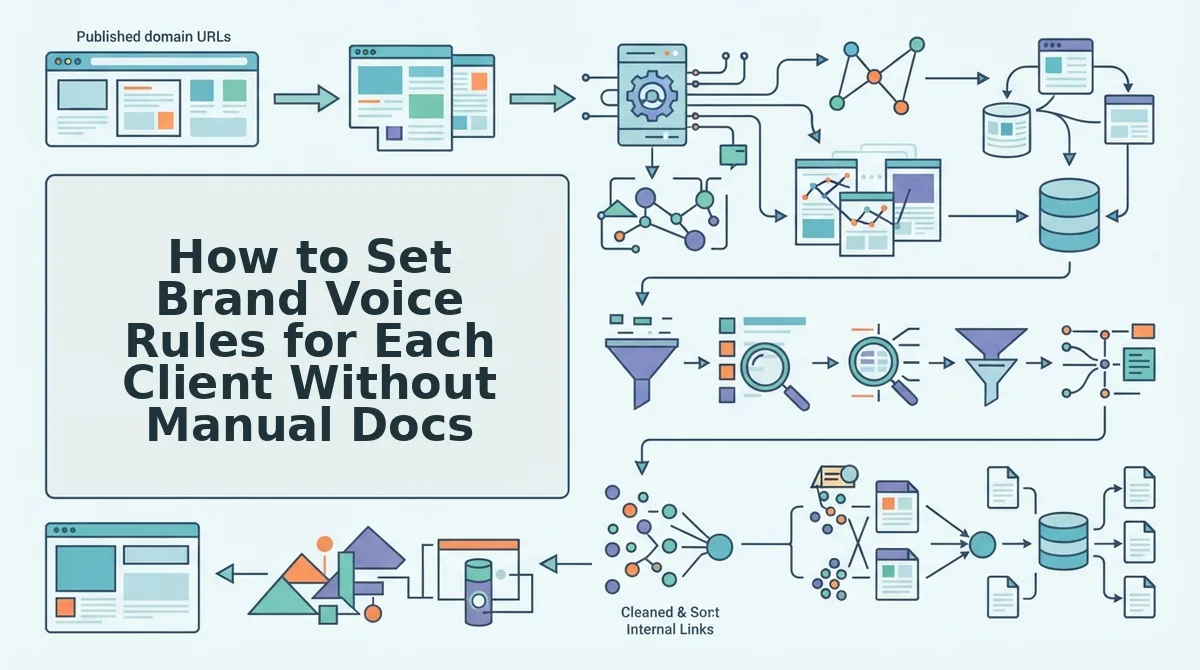
To set brand voice rules for each client without manual docs, crawl the client's live domain, split the findings into separate files for voice, keywords, and links, and then correct the extracted rules before the first draft. Each client ends up with an isolated, editable rule set built from their own published pages.
Prerequisites: a live client domain with an XML sitemap, published pages, and a BloGoose account. Budget about 30 minutes of human review per client. Most of that time goes to Step 3.
Step 1: Crawl the Client Domain
- Open the BloGoose setup wizard and type the client's domain into the domain field. This takes about 2 minutes.
- Confirm the detected sitemap. BloGoose locates the XML sitemap, inspects the published pages, and detects the CMS automatically.
- Check the result. You should see the client's sitemap and CMS listed before you continue.
Step 2: Split the Results Into Separate Files
The crawl produces 8 separate Markdown files for each client. The ones you will edit most are brand-voice.md, seo-context.md, seo-guidelines.md, target-keywords.md, and internal-links-map.md.
Why should voice, keywords, and links live in separate files? Separate files let you change one layer without disturbing the others. If a client changes its keyword focus, you edit target-keywords.md, and brand-voice.md stays exactly as approved. If the client launches new product pages, you update internal-links-map.md alone. A single combined document mixes these concerns, so every edit risks overwriting a rule someone else signed off on. For agencies, isolation also keeps one client's terminology out of another client's drafts, because each account reads only its own files. That separation is the structural fix for tone drift.
Step 3: Correct the Extracted Rules Before the First Draft
This is the file most agencies skip. Many teams publish straight from the extraction, but brand-voice.md needs a human pass first, because the crawl reflects the site as it exists today, including its flaws.
- Open brand-voice.md and read every DO/DON'T line. Allow about 20 minutes.
- Edit lines that are vague or that preserve weak copy. A strong pair looks like this: DO "Explain exact mechanics" and DON'T "Use inflated startup jargon or marketing fog."
- Delete rules that come from inconsistent pages, such as an old campaign written in a different tone. Treat the crawl as a draft, not as the final authority.
- Save the file. Each remaining rule should be a specific, checkable instruction.
Pro tip: Write every rule as a DO/DON'T pair with one concrete example taken from the client's own copy. A rule without an example tends to drift back toward generic phrasing. For other pitfalls to watch for, review these brand context file mistakes.
Once the files are corrected, BloGoose uses them to plan a voice-accurate 30-day content calendar for each client and drafts against that client's rules only. You no longer need to chain prompts manually for every account.
The next step is to confirm that the rules hold in real drafts.
How to Check the Rules Work and No Tone Bleeds Between Clients
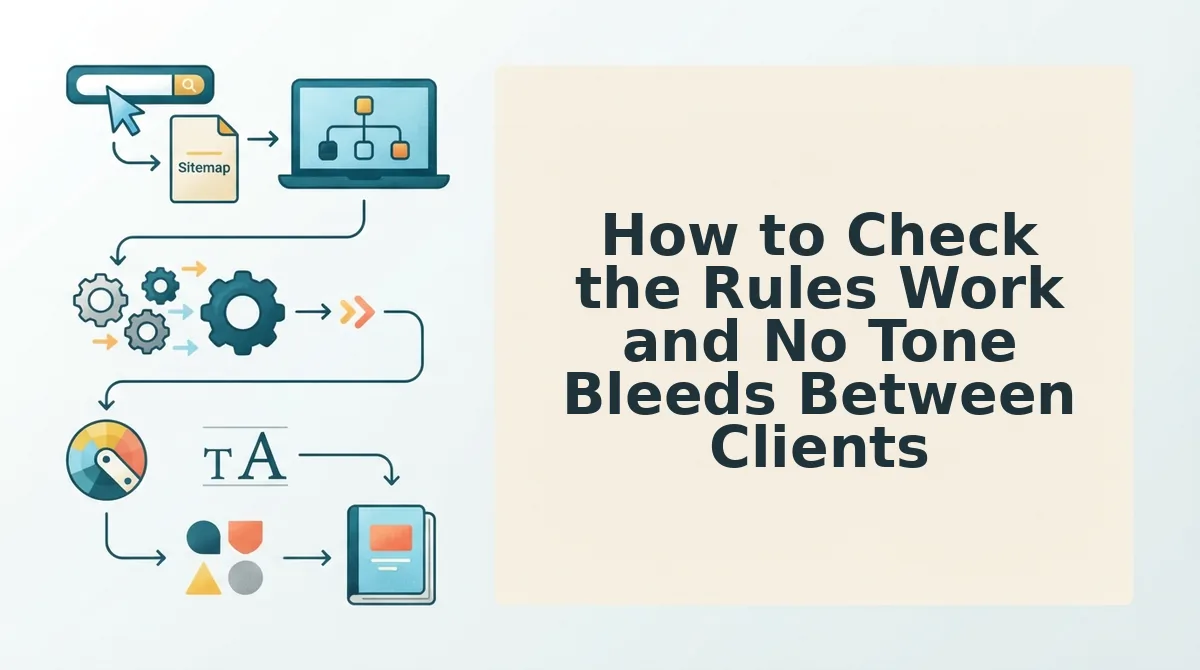
Keep separate context files for each client and match each drift source to a per-client fix. Then check the first draft line by line against that client's DO/DON'T rules, internal-links-map.md, and terminology. When a line fails, fix the file instead of patching the draft.
Here's where it gets messy. Tone rarely bleeds through one big mistake. It leaks through shared assets that nobody thought to separate.
- Isolate context files per client. Give every account its own brand voice, terminology, and link files, and never share one prompt across accounts. Every other check depends on this, because a draft can only follow one client's voice if that is the only voice it sees.
- Replace the shared prompt with per-client files. A master prompt reused across clients carries one account's phrasing into the next. Move every client-specific instruction into that client's own file so the prompt stays generic and the context does the work.
- Retire the reused style guide. A style guide copied from one client brings in rules the new brand never wrote. Rebuild the guide from each client's own published pages so every rule traces back to real evidence.
- Split the mixed internal link map. A combined link list lets drafts point to another client's domain or the wrong product page. Keep one internal-links-map.md per client and delete any URL that belongs to a different domain.
- Test the first draft against every DO/DON'T line. Read the draft beside the rules and mark each line pass or fail. A failed line usually means the rule is vague, so tighten the file before the next draft runs.
- Confirm links and terminology match the client's files. Check that every internal link resolves to a URL in that client's internal-links-map.md. Then scan product names, banned words, and preferred terms against that client's terminology file.
Brand Voice Rules for Client Sites FAQ
Agencies usually ask three voice questions that the steps above leave open.
How do I match a client's brand voice when I'm not the client?
Extract the voice from the client's own published pages instead of running manual interviews. A site crawl pulls tone, terminology, and sentence patterns from content the client already approved. That makes their real writing the evidence base, rather than your notes from a kickoff call.
What if the client's current site has a weak or inconsistent voice?
Treat the extracted voice file as a draft, not the final rule set. Keep the patterns from the client's strongest pages, delete the outliers, and add the DO/DON'T lines the client confirms. The crawl gives you a starting point to edit, not a verdict.
What happens to voice files after a client redesigns their site?
Update the context files whenever the published pages change, because the old crawl no longer reflects the live brand. Re-crawl the new site and compare the voice, terminology, and link files. Then follow the steps to update brand context files after a redesign.
From Voice Rules to a 30-Day Client Calendar
But voice alone won't rank. Voice rules only pay off when one set of context files per client feeds every downstream step, not just the draft.
In BloGoose, those same files steer live SERP research, a 30-day content calendar, and drafts with AEO content optimization built in. Each finished article then publishes to that client's WordPress site or custom API. You never have to write the manual voice doc.
Crawl your first client domain in the AI SEO content engine and edit the extracted rules. From there, every client's calendar runs in its own voice.