
How to Build an Internal Link Map from Your Sitemap
You've exported your XML sitemap into a spreadsheet, color-coded a few hundred URLs, and called it a day. That spreadsheet is not an internal link map, and the gap between the two is quietly costing you rankings. If you want to build an internal link map from your sitemap, you need to stop treating a URL list as a relationship diagram and start extracting the actual connections between pages.
You're right to feel frustrated. Most tutorials hand you a crawl export and call it "strategy," leaving you to manually stitch together anchor text, orphan pages, and link equity flows in a tool that was never designed for it. By the end of this guide, you'll know exactly how to turn your sitemap into a working link map, and how to automate the parts that eat your afternoon.
Here's the roadmap: first, we'll define what an internal link map actually is and why your sitemap falls short. Then, you'll crawl your sitemap and extract on-page links step by step. Finally, you'll get a copy-paste file structure you can use immediately. Along the way, you'll see why a popular Ahrefs video on this topic has 77,061 views but no text template, and how platforms like BloGoose generate eight Markdown context files, including an internal-links-map.md, so you never build this by hand again.
What Is an Internal Link Map and Why Your Sitemap Isn't One
An internal link map is a structured record of how pages on your site connect to each other through hyperlinks, including which page links to which, what anchor text is used, and which pages receive no internal links at all. A sitemap lists URLs; an internal link map shows relationships between them.
Think of your sitemap as a phone book and your internal link map as a family tree. The phone book tells you everyone who lives in town, but it says nothing about who is related to whom, who talks to whom, or who has been cut off from the family entirely. Your sitemap answers "what pages exist?" Your link map answers "how do those pages pass authority and context to each other?"
Here's where the misconception bites. Many site owners assume that because a page appears in the XML sitemap, search engines can find and rank it. But a URL in a sitemap with zero internal links pointing to it is an orphan page, a page no other page on your site references. Orphan pages receive no link equity, which is the ranking authority passed from one page to another through hyperlinks. They also lack anchor text, the clickable words in a link that tell search engines what the destination page is about.
To build a real link map, you need three data points per URL: the source page, the destination page, and the anchor text used. A sitemap gives you only the destination. That missing two-thirds is why your spreadsheet feels incomplete, it is. For a deeper look at the SEO documentation that should accompany this process, review our SEO guidelines.
An internal link map is a document that records every internal hyperlink on a website, including the source URL, destination URL, and anchor text for each link, so you can identify orphan pages, measure link equity distribution, and plan strategic linking improvements. Unlike an XML sitemap, which is a flat list of URLs submitted to search engines for discovery, a link map captures the relational structure of your site, which pages endorse which other pages and through what language. This distinction matters because search engines use internal links to understand site hierarchy, topic relevance, and page importance. A page buried in your sitemap but linked from your homepage with descriptive anchor text will outperform an orphan page with identical content every time.
How to Crawl Your Sitemap and Extract Internal Links Step by Step
You need a crawler that can read your XML sitemap, follow every URL, and export the on-page links it finds. Screaming Frog, Sitebulb, or any crawl tool with sitemap import works. Budget 30-60 minutes for a site under 500 URLs.
- Locate and parse your XML sitemap. Open your browser and type
yourdomain.com/sitemap.xml. If you see a sitemap index file, open each child sitemap listed inside. You should see a structured list of URLs with<loc>tags, this is your crawl source. Download or copy the full URL list. - Crawl each URL and extract on-page links. Open your crawler, select List Mode or Sitemap Import, and paste the URLs from step one. Click Start Crawl. The crawler visits every page and records each internal hyperlink it finds, including the destination URL and anchor text. You should see a crawl progress bar complete with a summary like "500 URLs crawled, 3,214 internal links found."
- Build the link relationship table. Export the crawl results as a CSV. Open the file and keep only three columns: Source URL, Destination URL, and Anchor Text. Sort by Destination URL. You should now see every page that links to every other page, and, critically, which sitemap URLs never appear in the Destination column at all.
Here's where most people get stuck. You now have a raw link table, but a table is not a map. The next move is to identify patterns: which pages receive the most internal links, which anchor texts are over-optimized or generic ("click here"), and which sitemap URLs are orphaned. Without this analysis layer, you've simply traded one spreadsheet for another.
An internal link map built from a sitemap crawl is a table listing every source URL, destination URL, and anchor text on your site, sorted to reveal orphan pages and link concentration. To create one, export your sitemap URLs, crawl them with a tool like Screaming Frog, and filter the results to three columns: Source, Destination, and Anchor Text. Pages in your sitemap that never appear as a Destination are orphan pages, they receive no internal link equity and should be your first linking priority. This self-contained workflow works for any site size and requires no custom scripting.
Once your link relationship table is clean, the fastest way to operationalize it is to structure it as a reusable Markdown file your team can update with every content sprint.
The internal-links-map.md File Structure You Can Copy
An internal link map file works best as a simple Markdown table with three columns: Anchor Text, Target URL, and Placement. This structure forces you to record not just where links point, but what words carry them and where on the page they live, the three variables that determine whether a link passes ranking value or gets ignored.
Here are the seven fields and conventions that make the file actually usable, ordered by how much they affect your link equity.
- Anchor Text. The exact clickable words you will use for the link. Vary anchors across pages so Google sees natural language patterns instead of exact-match repetition, and keep each anchor under six words for maximum relevance transfer.
- Target URL. The full destination path, written as a relative URL like
/blog/keyword-research/so the file stays portable across staging and production domains. This column is what you cross-reference against your sitemap URL list to confirm every target actually exists and is indexable. - Placement. Where on the source page the link appears: body paragraph, sidebar, footer, or breadcrumb. In-content links pass materially more authority than footer or sidebar links, so tracking placement tells you whether your map is building real equity or just navigation noise.
- Source URL. The page where the link will be inserted. Without this column you have a wishlist, not a map; with it you can filter by page and see exactly which URLs still need links added.
- Status. One of
planned,live, orbroken. Update this after each publishing cycle so the map doubles as a QA log and you never re-audit links you already shipped. - Notes. A free-text field for context like "replaces old anchor on line 4" or "added to support pillar cluster." This prevents duplicate work when multiple writers touch the same page.
- Last Updated. A date stamp per row. Internal link maps rot fast when you publish weekly; the date tells you which entries are stale and need re-verification against the live site.
Here is a minimal internal-links-map.md example for a five-page site:
| Anchor Text | Target URL | Placement | Source URL | Status |
|---|---|---|---|---|
| keyword clustering guide | /blog/keyword-clustering/ | body paragraph | /blog/target-keywords/ | live |
| pillar page strategy | /blog/pillar-pages/ | body paragraph | /blog/keyword-clustering/ | planned |
| internal link map template | /blog/internal-link-map/ | sidebar | /blog/pillar-pages/ | planned |
| orphan page fix | /blog/orphan-pages/ | body paragraph | /blog/internal-link-map/ | broken |
| sitemap crawl tutorial | /blog/sitemap-crawl/ | footer | /blog/orphan-pages/ | live |
Want this generated automatically? BloGoose builds the internal-links-map.md file during site setup by crawling your sitemap and mapping your existing link graph, so you start with a populated template instead of a blank spreadsheet.
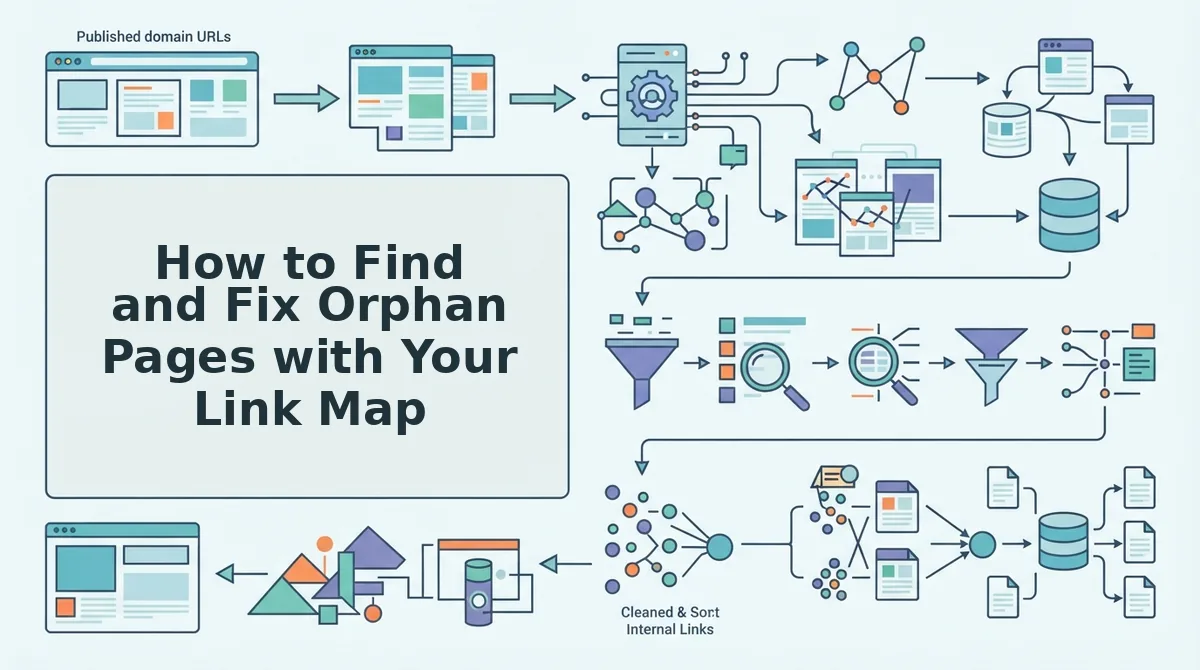
How to Find and Fix Orphan Pages with Your Link Map
Orphan pages are URLs in your sitemap that no other page on your site links to. You find them by comparing your sitemap URL list against the crawled internal link graph, then you fix them by adding at least one in-content link from a relevant page.
Prerequisites: You need your sitemap URL list, your internal-links-map.md file, and a crawler export showing which pages link to which. A tool like Screaming Frog or Sitebulb works; BloGoose does this automatically during setup.
- Export your sitemap URLs. Pull every URL from your XML sitemap into a spreadsheet column. This is your master list of pages you want indexed, typically 50 to 5,000 rows depending on site size.
- Export your crawled link graph. Run a crawl and export the "Inlinks" report, which shows every page and the URLs that point to it. You should see a table with a Source URL column and a Target URL column.
- Compare the two lists. Paste your sitemap URLs next to the crawled target URLs and use a VLOOKUP or conditional formatting to flag sitemap URLs with zero inlinks. Any sitemap URL missing from the crawled link graph is an orphan, expect to find 5-15% of pages orphaned on a typical site.
- Prioritize orphans by traffic potential. Sort flagged orphans by search impressions or estimated search volume. Fix pages with ranking potential first; delete or noindex orphans with no search value and no conversion role.
- Add a link row to your internal-links-map.md. For each orphan worth keeping, add a row with a descriptive anchor, the orphan URL as Target URL, and a relevant source page as Placement. Pick the source page by topical relevance, not by whatever page is easiest to edit.
- Publish the link and mark the row live. Insert the link in the body of the source page, then update the Status column to
live. Re-crawl after 48 hours and confirm the orphan now shows at least one inlink.
One publisher dropped their domain into BloGoose setup and received eight context files including a pre-populated internal-links-map.md, the orphan list was already cross-referenced against their internal link map from sitemap crawl data, so step three was done before they opened a spreadsheet.
Your Link Map Is a Living System, Not a One-Time Audit
Building an internal link map from your sitemap closes the gap between what you think your site structure is and what search engines actually crawl. The map only pays off if it stays current, every new post, every deleted page, every changed anchor shifts the graph.
The workflow in this article works, but it is manual by nature: crawl, compare, annotate, publish, re-crawl. That loop takes hours per cycle and breaks the moment you skip a week. The alternative is to let the extraction and mapping happen at setup, so the file regenerates as your site changes.
BloGoose crawls your sitemap, extracts your brand context, and generates all eight context files, including internal-links-map.md, automatically as part of the AI-powered SEO content engine workflow. You skip the spreadsheet and start with a populated map that already flags orphans and suggests anchor text.
Next step: run your sitemap through a crawl, build the three-column map from Section 4, and flag your first orphan. If you would rather have the map generated for you, drop your domain into BloGoose setup and let the engine produce the file before you write your next article.
Your internal link map is either a snapshot that decays or a system that compounds. Build the system once, and every page you publish from here forward strengthens the whole site.