
How to Cluster Blog Topics Around Detected Pillar Pages
Most sites don't have a pillar page problem, they have a detection problem. You already own accidental pillars: high-traffic posts that rank for broad terms but sit stranded with thin cluster support, leaking authority you never capture. If you've ever stared at your analytics wondering why one post gets 10x the traffic of everything else, you're sitting on an untapped topic clusters goldmine.
You're right to feel stuck. Most guides assume you're building a content architecture from zero, but you're working with a live site that already has history, rankings, and baggage. Here's the promise: by the end of this article, you'll know how to cluster blog topics around detected pillar pages, not hypothetical ones, using a repeatable 5-signal scorecard. We'll cover what a pillar page actually is, why detection beats creation for existing sites, and the exact signals that reveal which posts deserve pillar status.
One signal in particular flips the conventional wisdom on its head, and it's the one most SEOs never check. Keep reading.
If you'd rather skip the manual spreadsheet work, BloGoose crawls your existing site, detects pillar candidates automatically, and builds the cluster calendar for you.
What Is a Pillar Page? And Why Detection Beats Creation
A pillar page is a comprehensive page targeting a broad topic that links to and from multiple supporting posts. It's the hub that holds a topic cluster together.
Think of a pillar page like the trunk of a tree. The supporting posts are branches, each one covers a specific subtopic in depth, but they all connect back to the trunk, which gives the whole structure stability and lets search engines see the relationship between them. Without the trunk, you just have scattered branches on the ground.
HubSpot and Surfer have popularized pillar page frameworks, but their playbooks assume you're building from zero. That's the gap. If your site has been live for a year or more, you already have pages doing pillar work, they just were never labeled as such. Detection means auditing what exists and promoting the right pages, which is faster and cheaper than writing a new 3,000-word cornerstone post from scratch.
Here's the workflow in practice: crawl your sitemap, pull traffic and backlink data for every URL, score each page against pillar criteria, then map existing posts to the winners. A page that ranks for 50+ related keywords and already has 10 internal links pointing to it is a pillar waiting to be recognized, not a page that needs to be created.
For AI answer engines, a pillar page is the entity anchor. When Google or an AI chatbot needs a single authoritative source to cite for a broad query, it looks for the page that both covers the topic comprehensively and is reinforced by a network of supporting content. That's why detection matters: you can't optimize what you haven't identified.
Pillar Page vs Topic Cluster: The Difference That Matters
A pillar page is a single comprehensive page targeting a broad topic. A topic cluster is the pillar page plus every supporting post linked to it. One is a page; the other is a system.
Matthew Zare's hub-and-spoke model captures this well: the pillar is the hub, and the supporting posts are the spokes radiating outward and linking back. You can't build a cluster until you know which page is the hub, which is exactly why detection has to come first.
Both approaches have legitimate strengths. Building a pillar from scratch gives you full control over structure and keyword targeting. Detecting an existing pillar leverages authority you've already earned and saves weeks of production time. The right choice depends on your situation.
| Approach | What It Is | Strengths | Best For |
|---|---|---|---|
| Pillar page (built new) | A fresh comprehensive page created to anchor a cluster | Full control over structure, targeting, and internal linking from day one | New sites or new topic areas with no existing coverage |
| Pillar page (detected) | An existing high-authority page promoted to pillar status | Leverages earned rankings and backlinks; faster to implement | Established sites with 12+ months of content history |
| Topic cluster | The pillar plus all supporting posts linked bidirectionally | Signals topical authority to Google and AI answer engines | Any site ready to organize content around a proven hub |
If you're a content manager at an established site, detection is almost always the better starting point. If you're launching a new vertical with zero coverage, building from scratch makes sense. Either way, the cluster only works if the pillar is correctly identified first.
That identification step is where most teams stall, so let's fix it with a concrete scoring system.
The 5-Signal Pillar Detection Scorecard
Run this five-signal audit against any page on your site to determine whether it functions as a pillar. A page that passes at least four of five signals is a detected pillar worth building a cluster around.
Prerequisites: Access to Google Search Console, your XML sitemap, and a crawler such as Screaming Frog or Sitebulb. Budget 45-60 minutes for a 200-post blog.
- Check URL depth. Open your sitemap and filter for URLs at root level or one folder deep (e.g.,
/seo-audit/or/seo-audit). Pillars live shallow; supporting posts live two or more levels down. Pass threshold: URL is at depth 0 or 1. You should see the candidate page sitting at the top of its folder hierarchy. - Count internal inlinks. Run a crawl and open the Inlinks report. Sort by internal link count descending. Pillars attract links naturally from supporting posts, navigation, and body content. Pass threshold: The page has at least 2-3× the site's median internal inlink count. You should see the candidate page in the top 5% of crawled URLs.
- Measure traffic concentration. Open Google Search Console, then navigate to Pages under Performance. Filter to the last 90 days and sort by clicks. Pillars hold a disproportionate share of organic traffic. Pass threshold: The page captures at least 10% of total site clicks, or ranks in the top 10 pages by traffic. You should see the candidate page outperforming 90% of its siblings.
- Verify sitemap position and priority. Open your XML sitemap in a browser or text editor. Check whether the page appears in the primary sitemap file rather than a secondary or paginated sitemap, and note any
<priority>value if your CMS assigns one. Pass threshold: The page is listed in the main sitemap index with a priority of 0.8 or higher. You should see the URL near the top of the sitemap file. - Assess content length and comprehensiveness. Open the page and review its word count, heading structure, and coverage of subtopics. Pillars are long-form resources that answer a broad question and link outward to deeper dives. Pass threshold: The page exceeds 1,500 words and contains at least five H2 or H3 subheadings addressing distinct facets of the topic. You should see a table of contents or clearly scannable section structure.
One content manager ran this scorecard on a 200-post SaaS blog and discovered four accidental pillars: a 3,200-word guide on SEO audits, a comparison post on content tools, a glossary page, and a case-study hub. None had been intentionally designed as pillars, yet each passed four or five signals. The audit took 50 minutes and produced a cluster map that replaced three months of guesswork.
If you want to skip the manual crawl, you can extract pillar signals from your sitemap automatically and get the same scorecard output in minutes.
How to Build Topic Clusters Around Detected Pillars
Once you have detected pillars, building clusters is a three-step process: map supporting topics, validate each with live SERP data, and wire internal links bidirectionally. A complete cluster takes 2-3 hours to map and validate for one pillar.
Prerequisites: Your completed pillar scorecard from Section 4, a keyword research tool with SERP data, and access to your CMS.
- Map supporting topics from the pillar's own gaps. Open your detected pillar page and list every subtopic it mentions but does not fully cover. For each subtopic, write one working title that answers a specific long-tail query. Expected outcome: A list of 8-15 supporting post ideas per pillar. You should see each idea map to a distinct H2 or H3 in the pillar.
- Validate each supporting topic with live SERP analysis. Open your keyword tool and run each working title's primary keyword. Check keyword difficulty, search volume, and the current top-10 results. Discard topics where difficulty exceeds your site's authority range or where the SERP is dominated by irrelevant intent. Expected outcome: A validated list of 5-10 supporting topics with realistic ranking potential. You should see a difficulty-to-volume ratio that fits your site's profile. BloGoose can run live SERP analysis for each supporting topic before you commit to writing.
- Wire internal links bidirectionally. Open your CMS and add a link from the pillar to each supporting post you publish, using descriptive anchor text. Then add a link from every supporting post back to the pillar. Expected outcome: A fully interlinked cluster where every supporting post links to the pillar and the pillar links back. You should see the pillar's internal inlink count rise with each published supporting post.
This mapping-to-linking workflow is exactly what an autopilot SEO content platform automates: detection feeds the calendar, the calendar feeds drafting, and publishing closes the link loop without manual spreadsheet coordination.
The Cluster Gap Grid: Prioritizing What to Write First
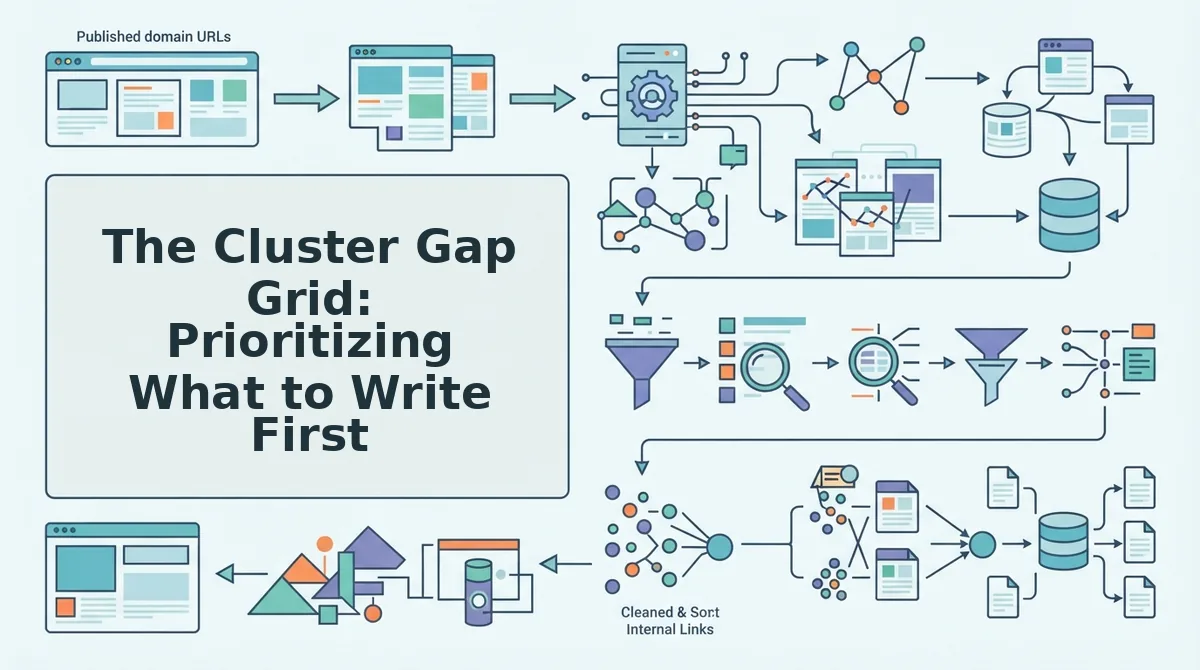
Not all cluster gaps deserve equal attention. Use a 2×2 grid with keyword difficulty on one axis and traffic potential on the other, then prioritize the low-difficulty, high-traffic quadrant first.
- Low difficulty, high traffic, write immediately. These are quick wins that can rank within weeks and feed authority to the pillar. Publish these first to build cluster momentum and validate the topic map.
- Low difficulty, low traffic, batch for later. These support long-tail coverage and AI citation visibility but won't move traffic numbers alone. Schedule them after quick wins, and optimize each cluster post for AI citations to compound their value.
- High difficulty, high traffic, plan a long-term play. These require more authority, backlinks, or content depth than you currently have. Map them now but publish after the cluster has accumulated internal links and topical authority.
- High difficulty, low traffic, skip or merge. These drain resources without a clear return. Fold their subtopics into existing posts or drop them entirely.
Worked example: A detected pillar on "SEO content audit" reveals two missing supporting topics: "content refresh" (difficulty 22, volume 1,900) and "crawl budget" (difficulty 41, volume 700). The content refresh post lands in the low-difficulty, high-traffic quadrant and gets written first. The crawl budget post lands in high-difficulty, low-traffic and gets merged into an existing technical SEO post.
BloGoose applies this difficulty-to-traffic prioritization automatically when it builds your calendar. Next, we'll turn these prioritized clusters into a 30-day content calendar.
Turning Clusters Into a 30-Day Content Calendar
Once your Cluster Gap Grid is filled, converting it into a publishable calendar takes under an hour if you have your pillar list, gap grid, and CMS access ready. BloGoose builds this automatically from a sitemap crawl, but you can also do it manually with a spreadsheet.
- Open your Cluster Gap Grid and export it to a spreadsheet. Sort rows by priority score, then by pillar. You should see each pillar with its supporting post gaps ranked from highest to lowest search opportunity.
- Select Week 1 slots and assign the pillar refresh as your first publish, followed by the two highest-priority supporting posts. This establishes the internal link hub before search engines crawl the new cluster.
- Type the publish dates for Weeks 2 through 4, scheduling two to three supporting posts per week. Each post must link back to its pillar page using the exact anchor text from your keyword map.
- Click the calendar view in your CMS or spreadsheet template to verify no pillar has more than one post per day. You should see a balanced distribution across all detected pillars, not a burst around one topic.
- Upload the calendar to your publishing tool or hand it to your writer. If you use BloGoose, the platform generates this schedule from your sitemap crawl and internal link analysis automatically, no manual slotting required.
| Week | Pillar Focus | Supporting Posts | Link Target |
|---|---|---|---|
| 1 | Pillar refresh + 2 supporting posts | 2 | Pillar page |
| 2 | 2-3 supporting posts | 2-3 | Pillar page |
| 3 | 2-3 supporting posts | 2-3 | Pillar page |
| 4 | 2-3 supporting posts + gap review | 2-3 | Pillar page |
If manual slotting feels like spreadsheet sprawl, BloGoose's sitemap-to-calendar workflow handles the sequencing, linking, and scheduling from a single domain crawl.
FAQ: Clustering Blog Topics Around Detected Pillar Pages
Clustering blog topics around detected pillar pages means grouping related posts under one authoritative hub page so search engines and AI answer engines recognize your topical depth. These answers cover the questions practitioners ask most when starting cluster work.
How many supporting posts should each pillar page have?
Five to ten supporting posts per pillar is the practical range. The exact number depends on search volume distribution across your cluster keywords and your crawl budget, smaller sites should start with five and expand as rankings stabilize.
What if my site has no obvious pillar pages?
Cluster around your existing category pages or top-traffic posts. Run the 5-signal scorecard on your ten highest-performing URLs; even without a formal pillar, the page with the most internal links and organic traffic functions as your de facto hub.
How long does it take to cluster an existing blog?
Manual clustering of a 50-post blog takes roughly four to six hours: two hours for pillar detection, two for keyword mapping, and two for gap grid building. Automated tools like BloGoose compress this to minutes by crawling your sitemap and analyzing internal link structure.
Can I cluster blog topics without rewriting old posts?
Yes. Start by mapping existing posts to detected pillars, then add internal links from each post to its pillar. Only rewrite posts that rank on page two or lower for their target keyword; the rest can stay as-is while you fill gaps with new content.
Why does my pillar page rank below a supporting post?
This happens when a supporting post has stronger backlinks or better on-page relevance for a specific query than the pillar. Fix it by adding internal links from the supporting post to the pillar with descriptive anchor text and expanding the pillar's coverage of that subtopic.
How do I know if my topic cluster is working?
Track three signals over 60 to 90 days: pillar page impressions for cluster keywords, the number of supporting posts indexed, and click-through from supporting posts to the pillar via internal links. Rising impressions plus stable internal traffic flow indicates the cluster is consolidating authority correctly.
From Detection to Publication: Your Cluster Execution Path
The 5-signal scorecard and Cluster Gap Grid give you a repeatable system, but the real unlock is treating pillar detection as an ongoing audit, not a one-time project. Every new post you publish shifts your internal link graph, and your next pillar candidate may already be hiding in your analytics.
Run the 5-signal scorecard on your top 10 pages today. You will likely find at least two pages already functioning as pillars without the label, which means you can start clustering immediately instead of waiting to create new hub content.
If you want the detection, gap analysis, and calendar sequencing handled automatically, BloGoose crawls your sitemap, scores pillar candidates from internal link data, and ships a 30-day cluster calendar to your CMS without manual spreadsheet work. The system you build today compounds with every post you publish, start with the scorecard, then let automation carry the repetition.