
How to Create a Style Guide from Your Website Automatically
Most style guides are dead on arrival. The moment you publish a PDF or Notion doc, your site has already drifted, new pages ship with different phrasing, a freelancer guesses at your tone, and nobody updates the guide because nobody has time. The fix is to create a style guide from your website automatically, pulling rules from the live site instead of a static document that ages like milk.
You're right to feel the maintenance burden. Manual guides demand constant babysitting, and every missed update widens the gap between what you say you sound like and what you actually publish.
This article walks you through the entire pipeline: what an automated guide actually contains, how the crawl-to-guide extraction works step by step, and what you can do with the generated files once they exist. Along the way, you'll see why most tools stop at visual rules, and why that's only half the job. BloGoose's site crawl and brand context extraction handles the rest automatically.
What an Automated Style Guide Actually Contains
An automated style guide is a set of editable markdown files generated by crawling your live website, containing brand voice rules, keyword targets, competitor notes, and internal link maps. It captures what your site already does, not what a brand deck claims it should do.
Think of it like a restaurant recipe book written by watching the kitchen work. Instead of asking the chef what they intend to cook, you observe every dish that leaves the pass, note the ingredients and techniques, and document the actual patterns. The result reflects reality, not aspiration.
The 8-file deliverable map
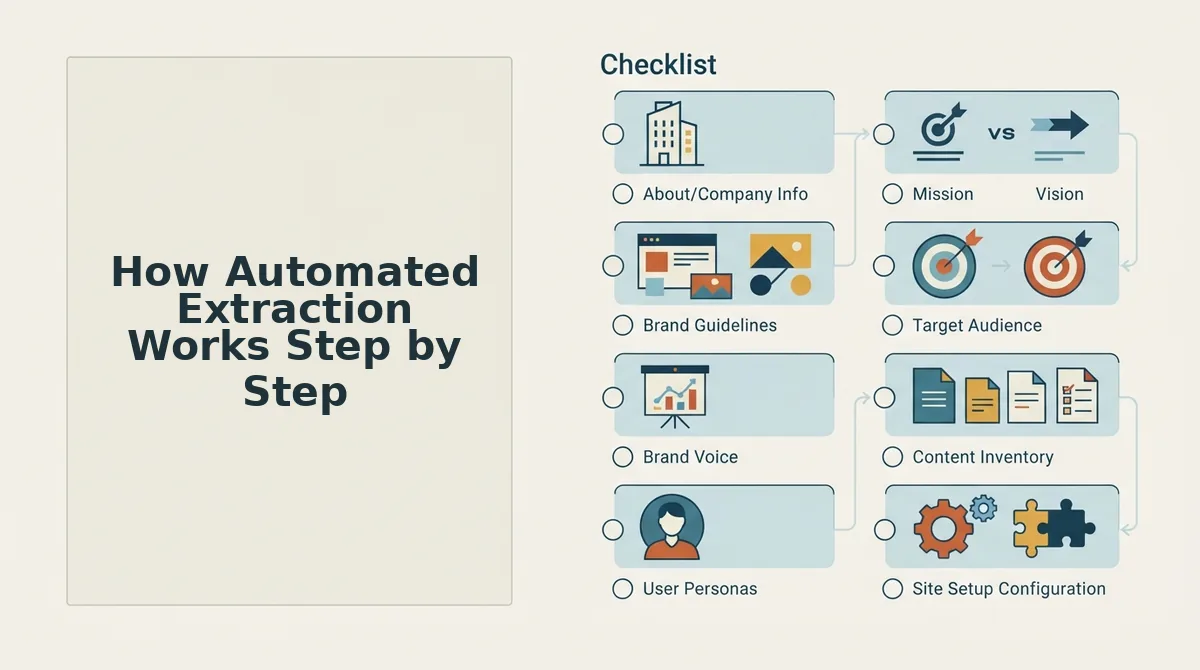
A complete automated extraction produces eight context files, each serving a distinct role in content production:
- style-guide.md, brand voice rules, tone boundaries, and phrasing conventions detected across published pages
- target-keywords.md, primary, secondary, and long-tail keyword clusters mapped to search intent
- competitor-analysis.md, notes on competing domains, their content angles, and gaps you can exploit
- writing-examples.md, real passages from your site that exemplify the voice rules in action
- internal-links-map.md, the pillar-to-supporting-page structure and anchor text patterns already in use
- seo-guidelines.md, title tag conventions, meta description formulas, and heading hierarchy rules
- Two additional context files covering technical and audience parameters that round out the full picture
Content rules vs. visual rules: the split most tools miss
Figma's Automatic Style Guides plugin extracts only visual rules, logo usage, color palette, typography, and spacing. That's the equivalent of documenting a book's cover while ignoring every sentence inside. Content voice rules, how you open articles, which words you avoid, how you structure arguments, are what actually determine whether new pages sound like you. An automated extraction that stops at visuals leaves the harder, higher-leverage half of the job undone.
If you want the full content-voice layer, you can generate a markdown style guide from your website that includes both visual and editorial rules in editable form.
An automated style guide answers one question competitors rarely address: what does this site actually sound like, right now, across every published page? The answer lives in the extracted files, not in a brand workshop deck. That gap between intended voice and published voice is where most content teams quietly fail, and where automated extraction closes the loop.
How Automated Extraction Works Step by Step
Automated extraction follows a five-stage pipeline: sitemap location, page inspection, CMS detection, brand voice extraction, and markdown context file generation. Each stage feeds the next, turning your live site into a structured, editable guide in minutes.
Prerequisites: You need your domain name and access to a tool that performs site crawl and brand context extraction. No manual sitemap upload is required, the crawler locates it for you.
- Enter your domain. Type your website URL into the setup wizard and confirm. The tool locates your XML sitemap automatically, mapping every published page it needs to inspect. You should see a confirmation that the sitemap was found and the page count detected.
- Let the crawler inspect published pages. The system visits each page in the sitemap, reading headings, body copy, meta tags, and anchor text. Expected outcome: a structured inventory of how your site actually writes, not how you think it writes.
- Detect the CMS stack. The crawler identifies the underlying content management system. WordPress, Shopify, Webflow, or a custom build, by inspecting page signatures and technical markers. This determines how the guide will later map to your publishing workflow.
- Extract brand voice rules. The system analyzes sentence length, tone markers, recurring phrases, and structural patterns across pages. It distills these into concrete rules like "open with a direct answer" or "avoid first-person plural." You should see a draft voice profile that matches your strongest pages.
- Generate editable markdown context files. The final stage writes the eight deliverable files, style guide, keywords, competitor notes, writing examples, internal link map, SEO guidelines, and two supporting context files, as plain markdown you can open, edit, and version-control. Success looks like a folder of files ready for any content workflow.
Most tools stop at visual extraction, logo, palette, fonts. The real value is content voice and structure rules, because those determine whether every future article sounds like it came from your site or from a generic AI prompt. BloGoose handles this full pipeline automatically, shipping the markdown files directly to your stack.
Once the files exist, the next question is what you can actually build with them.
What You Can Do With the Generated Files
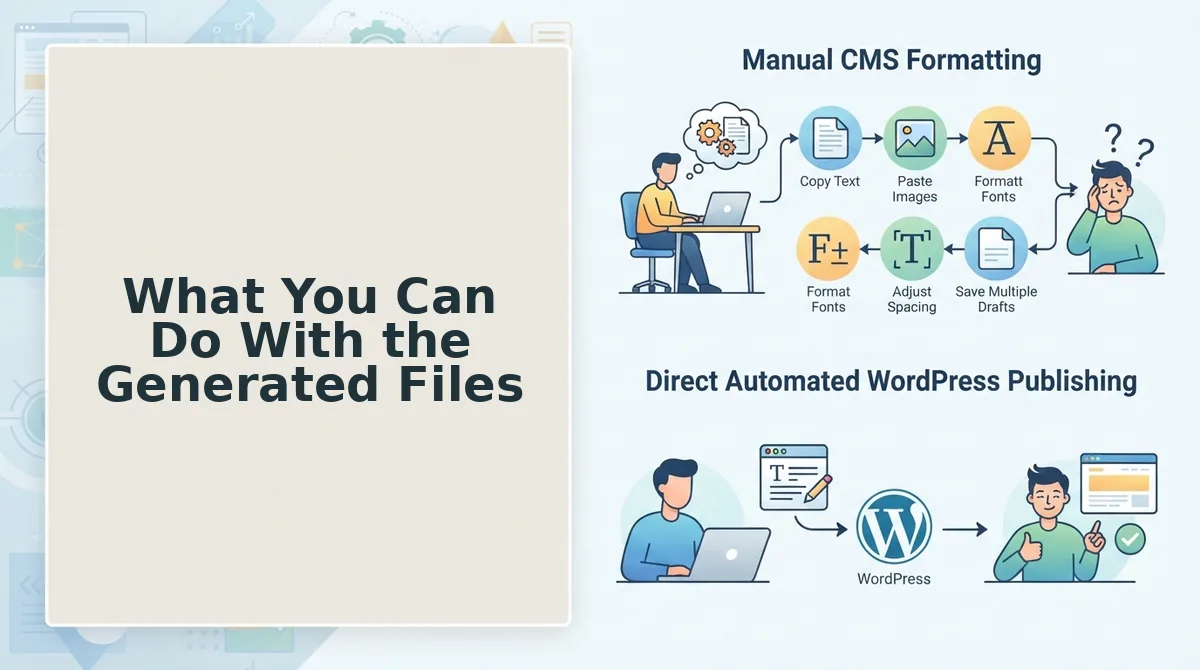
Once your style guide is extracted as structured markdown, it becomes a reusable asset across your entire content workflow, not a document that sits in a folder.
- Feed the files into AI writing tools for voice-accurate drafts. Upload the extracted markdown as a system prompt or knowledge base file in any AI writing tool, and every generated draft inherits your sentence rhythm, terminology, and formatting rules without manual prompting. This is the core workflow behind tools that automate brand voice in AI blog posts, and it removes the "sounds generic" failure mode from AI content.
- Use them as onboarding docs for new writers and editors. Share the generated style guide with freelancers, agencies, or internal hires so they learn your voice from real published examples rather than abstract instructions. New contributors start producing on-brand work from day one because the guide reflects what your site actually does, not what a brand manager intended.
- Re-crawl after site changes to keep the style guide current. Run the extraction again after a redesign, rebrand, or content pivot, and the guide updates automatically to match the live site. This turns style documentation from a one-time project into a living artifact that never drifts from reality.
- Audit existing content for voice drift. Compare older posts against the extracted rules to flag pages that use outdated terminology, inconsistent capitalization, or off-brand tone. The guide gives you an objective baseline for content refresh prioritization.
- Brief designers and developers on content constraints. Share the structural rules, heading hierarchy, link conventions, keyword placement, with anyone building templates or components, so design decisions never conflict with how your content actually performs.
- Scale multi-author publishing without editorial bottlenecks. When every writer and AI tool references the same extracted guide, editors spend less time rewriting voice inconsistencies and more time on strategy. The guide becomes the single source of truth that scales with your publishing volume.
- Export to your CMS or API for automated enforcement. Push the extracted rules into your publishing pipeline so drafts are checked against voice and structure guidelines before they go live. This closes the loop between documentation and enforcement.
If you are already publishing regularly, the fastest win is item one: export the markdown and connect it to your AI drafting workflow today.
Automated vs. Manual Style Guides: Why Extraction Wins
Manual style guides document what you intend to sound like; automated extraction documents what your site actually does. Both have a place, but they serve different failure modes.
Manual guides are valuable when a brand is launching and has no published history to analyze. They let a team define aspirational voice, tone, and terminology before content exists. However, manual guides require ongoing maintenance and are often outdated the day they're published, every new writer, campaign, or product shift introduces drift that the document never captures. Automated extraction re-crawls the live site to reflect current voice and structure, so the guide evolves with your actual publishing output rather than your intentions.
There is also a category distinction worth clarifying. Content style guides and design systems solve different problems: visual tools extract logo, palette, fonts, and spacing from a site, while content engines extract voice, structure, keywords, and link rules. A complete brand documentation stack needs both, but they should not be conflated.
| Factor | Manual Style Guide | Automated Extraction |
|---|---|---|
| Source of truth | Brand team intentions | Live published content |
| Time to create | Days to weeks of workshops and drafting | Minutes after domain crawl |
| Maintenance burden | High, requires manual updates after every brand shift | Low, re-crawl to refresh automatically |
| Accuracy over time | Drifts stale as content evolves | Stays current with the live site |
| AI tool compatibility | Must be manually reformatted for prompts | Exports as structured markdown ready for AI ingestion |
| Best for | Pre-launch brands with no published content yet | Established sites with a content archive to analyze |
If you already have a live site with published content, extraction is the pragmatic choice. If you are pre-launch, write a manual guide first, then switch to extraction once you have enough pages to analyze. Avoid the common brand context extraction mistakes by starting with a clean crawl of your own domain rather than a competitor's.
Frequently Asked Questions
Direct answers to the questions readers ask most about automated style guide extraction.
How is a website style guide different from a design system?
A website style guide defines content rules, voice, tone, terminology, heading structure, link conventions, and keyword placement. A design system defines visual rules, logo usage, color palette, typography, spacing, and component behavior. Content style guides govern what you say and how you say it; design systems govern how it looks. Automated tools can extract both, but they scan different signals from the same site.
What does the tool actually scan on my site?
An automated extraction tool crawls your published pages and analyzes recurring patterns: sentence length and rhythm, vocabulary frequency, heading hierarchy, internal link structure, keyword density, formatting conventions, and structural templates. It identifies what your site consistently does across dozens or hundreds of pages, then compiles those patterns into a structured style guide with rules and examples drawn from your own content.
Will the style guide match how I actually write?
Yes, because the guide is generated from your published content rather than from a questionnaire or template. It reflects the voice, terminology, and formatting choices already present on your live site. If your writing has evolved over time, the extraction reflects the dominant patterns in your current content, and you can re-crawl after major changes to keep the guide aligned with how you write today.
Can I get a style guide without manually documenting anything?
Yes. You provide a domain, and the extraction tool crawls your sitemap, analyzes your published pages, and generates a structured style guide automatically. No manual documentation, workshops, or prompt engineering is required. The output is typically delivered as markdown files that you can download, share, or feed directly into AI writing tools for voice-accurate drafting.
Your Style Guide Should Be a Living Document, Not a Static Artifact
Automated extraction closes the loop that manual documentation never could: your style guide stays current with your live site because it's generated from the domain itself, not from a one-time audit that drifts out of date the moment you publish your next post. That's the open loop from the start of this article, and the payoff is simpler than most publishers expect.
Here's the sequence that gets you there:
- Run a domain crawl. BloGoose generates editable markdown files from a domain crawl, capturing voice, formatting, and structural rules in one pass.
- Review and refine the output. The files are yours to adjust, add brand-specific terms, tighten tone rules, or expand section templates.
- Feed the guide back into your publishing workflow. Every future article inherits the same rules automatically, no prompt engineering required.
The bigger picture: a style guide stops being a document you maintain and becomes a system that maintains itself. That's the difference between documenting your brand voice and operationalizing it. Run your domain through the autopilot SEO content engine and see what your site already knows about itself, the extraction takes minutes, not weeks.
A style guide you have to remember to update is just another to-do item; a style guide that updates itself is a publishing advantage.