
How to Detect Your CMS Stack for Blog Automation
You've watched a YouTube creator spin up a custom CMS for AI agents in 21 minutes, yet your own site runs on a stack you inherited, half-documented, and now you're supposed to automate publishing on top of it. That gap between the demo and your reality is exactly why you need to detect your CMS stack for blog automation before touching a single tool.
You're right to feel stuck. Automating content on an unknown platform is like installing smart-home wiring without knowing if your walls are drywall or concrete. This guide promises a clear, three-tier detection method that takes you from a 60-second visual check to full source-code confirmation, so you can choose an automation path that actually fits. You'll learn quick browser signals, sitemap and generator-tag inspection, and the one surprising place competitors never look, a signal that reveals whether your site is even automatable at all.
BloGoose's site crawl already handles this detection automatically, but knowing the manual method keeps you in control before you connect any publishing engine.
Why CMS Detection Comes Before Automation
CMS detection is the process of identifying which content management system powers a website so you can match it to the right automation tool. You cannot safely automate publishing until you know what you're publishing into.
Think of it like choosing a fuel nozzle at a gas station. Diesel and gasoline pumps look similar, but putting the wrong one in your tank destroys the engine. Picking a WordPress-only automation tool when your site runs on Ghost, or an API-only tool when your site is static HTML, produces the same kind of failure, just slower and more expensive.
The simple case is a WordPress site with a visible /wp-admin login and a theme credit in the footer. Detection takes seconds. The intermediate case is a headless CMS or custom build where the front end reveals nothing, and you must inspect HTTP headers or source code. The advanced case is a static site generator like Hugo or Eleventy, where there is no CMS at all, only build files, and automation requires a completely different publishing path.
FlowHunt's YouTube review confirms that CMS platforms differ significantly in automation readiness, yet most written guides skip the connection between detection and tool selection. That omission is why so many teams buy a plugin-based WordPress blog automation setup only to discover their site is on Webflow. BloGoose sidesteps this by crawling your domain and extracting the stack before generating any content, so the publishing path is never a guess.
Tier 1 Quick Detection (Under 60 Seconds)
You can identify most CMS platforms in under a minute using three browser-level signals: the login URL pattern, the page source generator tag, and visible theme or platform credits. No tools required, just your browser and the site itself.
- Open the site's homepage and scroll to the footer. Look for text like "Powered by WordPress," "Publish with Ghost," or a theme credit such as "Squarespace" or "Wix." You should see a platform name or a theme developer link within five seconds. If the footer is blank or generic, move to step two.
- Append
/wp-adminto the domain and press Enter. If you see a WordPress login screen with the WordPress logo, the CMS is WordPress. If you see a 404 or a redirect, try/ghostfor Ghost or/adminfor Drupal. A login page appearing at any of these paths is a positive identification. - Right-click anywhere on the page and select "View Page Source." Press Ctrl+F (or Cmd+F on Mac) and search for
generator. You should see a meta tag like<meta name="generator" content="WordPress 6.7">orcontent="Ghost 5.0". The generator tag names the exact platform and version. - Open your browser's developer tools, go to the Application or Storage tab, and expand Cookies. Look for cookie names like
wp-settings,ghost-admin, orSSESS. Platform-specific cookie prefixes are a reliable signal even when the front end hides all other clues.
Static HTML sites built from tutorials like Kevin Powell's CSS guides show none of these signals, no login URL, no generator tag, and no platform cookies. That absence is itself a detection result: your site is static, and automation must target the build pipeline, not a CMS database.
If Tier 1 signals are ambiguous or missing, the next step is to inspect source code and sitemap structure for deeper confirmation.
Tier 2 Source Code and Sitemap Signals
Source code and sitemap inspection reveals the CMS behind a site when visual cues fail, because every platform leaves distinct fingerprints in generator meta tags, asset paths, and XML sitemap structures. These signals also indicate whether the CMS exposes the API endpoints and content models an automation engine needs.
CMS Detection Signal Comparison
| Platform | Generator Tag / HTML Attribute | Asset Path Pattern | Sitemap Pattern | API Endpoint | Best for |
|---|---|---|---|---|---|
| WordPress | <meta name="generator" content="WordPress 6.x"> |
/wp-content/themes/, /wp-content/plugins/ |
wp-sitemap.xml (core since 5.5) |
/wp-json/wp/v2/ |
Publishers running content-heavy blogs who want the largest plugin and integration ecosystem |
| Ghost | <meta name="generator" content="Ghost 5.x"> |
/ghost/assets/, /content/images/ |
/sitemap.xml (served by Ghost core) |
/ghost/api/content/ |
Newsletters and membership sites that need native subscription features without plugins |
| Webflow | data-wf-site attribute on <html> |
cdn.prod.website-files.com |
/sitemap.xml (auto-generated) |
Webflow CMS API (requires site-specific token) | Design-led marketing teams who want visual control over templates and CMS collections |
| Shopify | <meta name="generator" content="Shopify"> or Shopify.shop JS object |
cdn.shopify.com |
/sitemap.xml (auto-generated, includes products/collections) |
/admin/api/2024-01/graphql.json |
Ecommerce brands that need product, inventory, and order data natively in the CMS |
| Headless (Contentful, Sanity, Strapi) | No generator tag; JSON payloads in network tab | No theme directory; assets on CDN subdomains | Often absent or manually configured | /api/ or GraphQL endpoint returning JSON |
Engineering teams building custom frontends who need structured content models and webhooks |
WordPress remains the most detectable platform because wp-content paths appear in nearly every theme and plugin asset request, and the core wp-sitemap.xml file confirms the version without opening the admin panel. Ghost is equally transparent through its /ghost/api route, which returns JSON even when the frontend is heavily customized. Webflow and Shopify hide their CMS behind CDN domains, but the data-wf-site attribute and cdn.shopify.com asset URLs are reliable fingerprints that survive template changes.
XML sitemap patterns are an underused detection method that competitors skip. A wp-sitemap.xml file points to WordPress core, while a sitemap.xml with <generator> tags naming Ghost, Webflow, or Shopify identifies the platform without inspecting a single page of HTML. For a deeper walkthrough of XML sitemap CMS detection, the generator tag inside the sitemap index is often more current than the meta tag in the page head, because caching layers update sitemaps on a different schedule than rendered HTML.
Headless CMS platforms require a different detection approach: open the browser's network tab and look for API responses returning JSON with a content-type: application/json header. The absence of a visible theme directory combined with JSON-first responses is the strongest signal you are looking at an API-driven stack rather than a monolithic CMS.
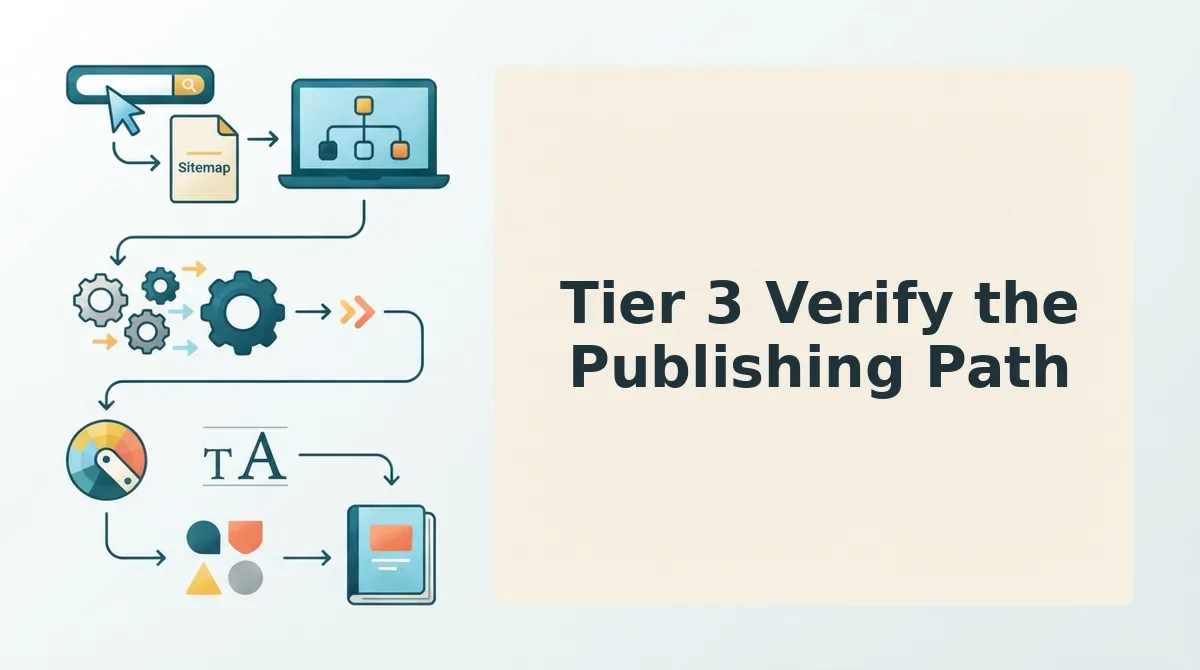
Tier 3 Verify the Publishing Path
Detecting the CMS is only half the job; verifying that the publishing path supports automation determines whether an automated blog publishing engine can actually ship content without manual intervention. Run these four readiness checks in order, because each one gates the next.
- REST API availability. Confirm the CMS exposes a public or authenticated REST endpoint that accepts POST requests for new content. WordPress exposes
/wp-json/wp/v2/posts, Ghost exposes/ghost/api/admin/posts/, and headless platforms expose GraphQL or REST mutations. Without a writable API, automation stops at draft export. - Webhook support. Check whether the CMS can send outbound webhooks on publish, update, or delete events. Webhooks let your automation engine trigger re-indexing requests, notify search engines, and sync content across channels. Shopify, Webflow, and most headless CMS platforms include webhooks natively; WordPress requires a plugin like WP Webhooks or a custom mu-plugin.
- Content model extraction. Verify that the CMS exposes its content types, custom fields, and taxonomies through the API. A blog post type with custom fields for author, category, and featured image must map cleanly to your automation engine's output schema. Headless CMS platforms excel here because content models are API-first by design; WordPress requires inspecting
/wp-json/wp/v2/typesand registered taxonomies. - Authentication method. Identify whether the CMS uses application passwords, API keys, OAuth, or session cookies for write access. Application passwords and API keys are automation-friendly because they do not expire mid-run; session cookies break scheduled publishing. Ghost and Shopify use stable API keys, while WordPress application passwords require enabling them per user.
Detection is recurring validation, not a one-time step. Luke Carter's custom CMS build bypassed detection entirely by building around his own stack, but publishers managing existing sites need re-detection after theme, plugin, or hosting changes, a migration from Apache to Nginx, a caching plugin update, or a headless frontend swap can silently change API routes and sitemap behavior. Run the four checks above after any infrastructure change, and score your stack: four out of four means full automation readiness, three means partial automation with manual review, and two or fewer means the publishing path needs work before an autopilot SEO content platform can operate reliably.
FAQ
How do I detect a headless CMS?
Headless CMS platforms are API-first, meaning they have no visible theme directory and serve content as JSON responses rather than rendered HTML pages. Open your browser's network tab and look for API calls returning application/json with structured content fields. The absence of generator meta tags combined with JSON-first responses is the strongest headless signal.
Can an XML sitemap alone tell me which CMS a site uses?
An XML sitemap can identify the CMS platform but not its automation readiness. A wp-sitemap.xml file confirms WordPress, while generator tags inside sitemap.xml name Ghost, Webflow, or Shopify. However, the sitemap reveals nothing about API access, webhook support, or authentication methods, so you still need Tier 3 verification.
Why does my CMS detection change after a theme or plugin update?
Theme and plugin updates can alter generator meta tags, asset paths, and even API routes, because developers sometimes strip or modify these fingerprints during customization. Caching layers also serve stale HTML that no longer matches the live CMS. Re-run detection after any theme, plugin, or hosting change to keep your automation engine's publishing path accurate.
What is the fastest way to check if a CMS supports automated publishing?
Check for a writable REST API endpoint first. WordPress exposes /wp-json/wp/v2/posts, Ghost exposes /ghost/api/admin/posts/, and headless platforms expose GraphQL or REST mutations. If the endpoint accepts authenticated POST requests, automated publishing is possible; if not, the CMS requires manual content entry or a middleware layer.
The Shortcut Is Already Built Into Your Stack
You don't need to memorize HTTP header patterns, sitemap fingerprints, or publishing-path quirks. The three-tier framework works because it's systematic, but it's still manual labor you'll repeat every time you onboard a new site or client.
BloGoose collapses that entire process into setup. Drop in your domain, and the engine crawls your sitemap, inspects your source, and detects the CMS stack automatically before a single article is drafted. No browser dev tools. No guessing between Ghost and WordPress. No spreadsheet tracking which tier you've completed.
Here's the pattern interrupt: you've been treating CMS detection as a research task when it's actually an integration task. The goal isn't knowing what stack you run, it's connecting your content engine to the publishing path that stack exposes.
Your next step: run your domain through BloGoose's setup wizard and confirm the detected stack against what you found in this guide. If the tiers matched, your automation is ready. If they didn't, you just caught a misconfiguration before it became a publishing failure.
For the full walkthrough on how detection feeds into content automation, see how to detect your CMS stack for blog automation.
CMS detection isn't the obstacle to blog automation, it's the first automation you should stop doing by hand.