
How to Edit Markdown Brand Context Files After a Crawl
Your crawl just finished, BloGoose generated eight markdown context files, and you're staring at a folder wondering which one to open first. You're not alone, most founders and publishers skip straight to drafting and then wonder why the output sounds generic. The fix is simpler than you think: edit markdown brand context files after crawl before you generate a single article. You're right to feel that the raw crawl output isn't ready to publish from. This guide will show you exactly which files to edit first, what to change in each, and how to turn crawl data into voice-accurate drafts. We'll walk through the eight-file context map, a three-tier Edit Priority Framework, and a file-by-file editing workflow. Along the way, you'll see why one surprising file, not the style guide, often causes the biggest accuracy drop when left untouched.
If you're using an AI SEO content engine like BloGoose, the crawl is only step one. The real leverage comes from shaping those markdown files before your first draft.
What the Crawl Generates: The Eight Markdown Context Files
A brand context file set is the structured markdown output a crawl produces to teach an AI writer how your site sounds, what it targets, and how it links. Think of it like a sous-chef's prep station: the crawl chops and measures your site's ingredients, but you still decide the final seasoning before service.
BloGoose generates eight files after a crawl. Each one controls a specific lever in draft output:
| File | What It Controls |
|---|---|
| style-guide.md | Tone, sentence rhythm, banned phrases, formatting habits |
| target-keywords.md | Primary, secondary, and long-tail keyword assignments per page |
| competitor-analysis.md | Gap positioning, angle differentiation, content territory to avoid |
| writing-examples.md | Sample passages the AI mimics for voice consistency |
| internal-links-map.md | Anchor text rules and which URLs to link from each cluster |
| seo-guidelines.md | Meta description patterns, heading hierarchy, snippet targeting rules |
| audience-personas.md | Reader jobs-to-be-done, objections, and vocabulary preferences |
| publishing-defaults.md | CMS metadata, category assignments, and scheduling conventions |
The crawl extracts these from your sitemap, published pages, and technical signals, but extraction is only pattern recognition, not judgment. A crawl can detect that you use short paragraphs, yet it cannot know that you never start a sentence with "However." That distinction is why editing matters. BloGoose's site crawl and brand context extraction gives you the raw material; your edits turn it into instruction.
Passage for indexing: When a crawl finishes, BloGoose produces eight markdown files that each govern a distinct part of article generation. style-guide.md controls voice and formatting, target-keywords.md assigns search terms to pages, competitor-analysis.md shapes positioning against rivals, writing-examples.md provides mimicry samples, internal-links-map.md defines anchor and URL rules, seo-guidelines.md sets snippet and heading patterns, audience-personas.md captures reader intent and objections, and publishing-defaults.md handles CMS metadata and scheduling. Editing these files before drafting is what separates brand-accurate output from generic AI text.
The Edit Priority Framework: What to Change First
Start with the two files that most directly shape voice and topic accuracy, then work outward. The three-tier framework below orders edits by how much they change your first draft's quality.
- Tier 1. Edit style-guide.md and target-keywords.md before your first draft. These two files determine how the AI sounds and what it writes about. Open style-guide.md and replace any generic phrasing rules with your actual preferences, banned words, sentence length limits, and formatting quirks. Then review target-keywords.md to confirm the crawl assigned the right primary and secondary terms to each page, since a wrong keyword here derails the entire article's search intent.
- Tier 2. Edit internal-links-map.md and seo-guidelines.md before your first publish. These files control how articles connect to each other and how they appear in search results. Check internal-links-map.md to ensure anchor text rules match your site's actual linking style, and adjust seo-guidelines.md so meta description patterns and heading structures align with what already ranks for you.
- Tier 3. Refine competitor-analysis.md and writing-examples.md over time. These files improve with iteration. After your first few drafts, revisit competitor-analysis.md to sharpen your positioning against gaps you notice in published content, and swap weak examples in writing-examples.md for passages from articles that performed well.
BloGoose's autopilot publishing engine applies these edited files to every draft automatically, so Tier 1 edits compound across your entire content calendar. Next, we'll walk through exactly how to edit style-guide.md for a specific brand voice.
How to Edit style-guide.md for a Specific Brand Voice
Editing style-guide.md means replacing vague descriptors like "professional" with concrete, enforceable rules, sentence length, voice, banned punctuation, and required terminology, so every draft BloGoose generates sounds like your brand, not a generic AI. You'll need the style-guide.md file from your crawl output and a plain-text or Markdown editor (VS Code, Obsidian, or any text editor). Budget 15-20 minutes for a first pass.
- Open style-guide.md in your Markdown editor and locate the "Tone" or "Voice" section. Delete any descriptor that is subjective, "professional," "friendly," "authoritative", because the AI cannot enforce what it cannot measure. You should see a list of adjectives that read like a job posting.
- Type a replacement rule for each deleted descriptor using measurable language. Instead of "professional," write: "Use sentences under 22 words. Avoid passive voice. Never use exclamation marks." You should now have rules an editor could check with a red pen.
- Add a "Prohibited Phrases" block under the tone rules. List exact strings to ban, for example, "unlock your potential," "game-changer," "in today's fast-paced world." The generator will treat these as hard exclusions, not suggestions.
- Add a "Required Terminology" block. Type the exact product names, category words, and branded phrases your team always uses, "content engine," not "writing tool"; "publish," not "post." You should see a glossary the model can pull from during drafting.
- Save the file and run one test draft. Compare the output against your old drafts: the new version should contain zero banned phrases, no exclamation marks, and your required terms in the first 100 words.
Here is a concrete before/after comparison. Before: "Write in a professional and engaging tone that resonates with our audience." After: "Use sentences under 22 words. Prefer active voice. Never use exclamation marks. Prohibited: 'unlock,' 'supercharge,' 'game-changer.' Required: 'content engine,' 'publish,' 'rank-ready.'" The first instruction produces generic output because it gives the model no measurable target. The second instruction produces consistent, on-brand drafts because every rule is checkable. If you want BloGoose to generate markdown style guide files from your live site before you edit, run a fresh crawl first, the extracted rules give you a baseline to refine rather than a blank page.
How to Edit target-keywords.md and Lock in Search Intent
Editing target-keywords.md means aligning every keyword in the file with the exact search intent of the page it targets, so BloGoose drafts content that matches what searchers actually want, not just what ranks. You'll need the target-keywords.md file from your crawl and your site's page list open in a second tab. Budget 10-15 minutes.
- Open target-keywords.md and review the primary keyword for each URL. Ask for each one: does this page satisfy the intent behind this query? If a primary keyword is "AI SEO content engine" but the page is a feature list, the intent is commercial, keep it. If the page is a tutorial, swap it for an informational variant. You should see one primary keyword per URL that matches the page's job.
- Refine secondary keywords by intent, not volume. Replace any secondary keyword that duplicates the primary's intent with one that captures an adjacent angle, "autopilot SEO content platform" for buyers, "AI blog writer for WordPress" for tool-seekers. You should see distinct intents per keyword, not synonyms.
- Add long-tail variants under each intent bucket, informational ("how to automate SEO content publishing"), commercial ("best AI content engine with WordPress integration"), and comparison ("BloGoose vs manual content workflow"). Type each variant on its own line under the matching intent heading. You should see 3-5 long-tail keywords per page that capture qualified traffic at different funnel stages.
- Save and regenerate one draft for a page you edited. Check that the draft's H2s and intro paragraph reflect the refined intent, an informational keyword should produce a how-to structure, not a sales page. For a deeper walkthrough of structuring this file, see how to manage target keywords markdown file.
How to Edit internal-links-map.md and seo-guidelines.md for Authority
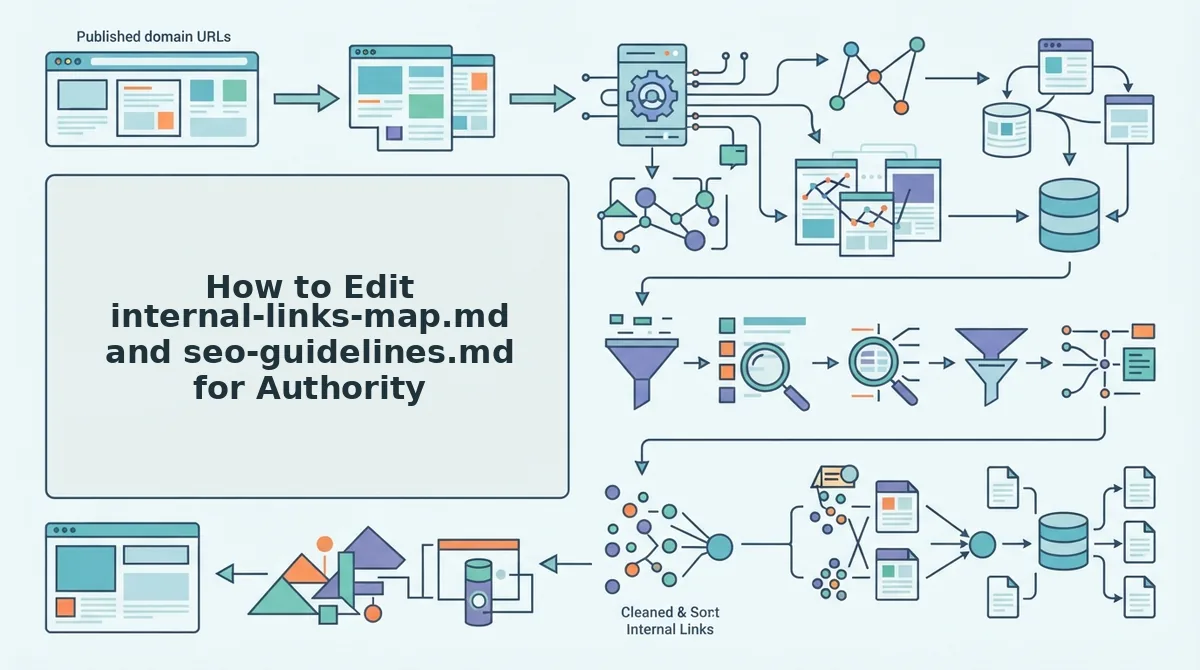
An internal links map is a structured record of which pages on your site link to which other pages, using what anchor text. Editing it well means every link points to a real, relevant URL with anchor text that reinforces the topic cluster, which is how search engines learn which pages are authoritative on a subject.
Start simple: open internal-links-map.md and verify that every source URL and target URL in the file actually exists on your live site. Delete any row pointing to a 404 or a redirect. Then check the anchor text column, replace generic anchors like "click here" or "learn more" with descriptive phrases that name the target page's topic, such as "AI SEO content engine workflow" instead of "this tool." Think of anchor text like a library card catalog: the card tells you exactly what the book is about before you pull it off the shelf. Vague anchors are cards with no title.
At the intermediate level, map anchors to clusters. Group your pages by pillar topic, then ensure every supporting page links up to its pillar and every pillar links down to at least three supporting pages. You should see a web, not a chain.
For advanced control, open seo-guidelines.md and align meta tag conventions with your brand standards. Set title tag patterns (for example, [Primary Keyword], [Brand]), meta description length limits, and canonical rules. Consistent, branded titles and descriptions improve click-through rates from search results because searchers recognize your format. For a full walkthrough of how BloGoose builds these files from your sitemap, see the guide on internal link map sitemap crawl.
Once your structural files are clean, the next step is differentiating your content from competitors, which starts in the competitor and writing example files.
How to Edit competitor-analysis.md and writing-examples.md for Differentiation
Editing these two files sharpens your competitive positioning and teaches the AI your unique voice, preventing generic output that blends into search results. You'll need your BloGoose dashboard open and 15-20 minutes per file.
- Open competitor-analysis.md and review the positioning table. Locate the file in your project's context files list and click to open it. You should see a table comparing your site against detected competitors across tone, angle, and keyword gaps.
- Type your current differentiators into the "unique angle" column. Replace any auto-detected placeholder text with specifics like your pricing model, customer segment, or proprietary methodology. You should see the AI's next draft stop mirroring competitor phrasing.
- Select your top three performing posts and copy their URLs. Open your analytics or CMS, sort by organic traffic or conversions, and copy the three URLs that best represent your voice. This takes about 5 minutes.
- Upload or paste those URLs into writing-examples.md. Replace the default examples with your own content so the AI learns from what already works for you. You should see the preview panel flag the new examples as "active voice references."
- Click Save and run a test draft. Generate a short sample article and compare it against a draft from before the edit. You should see sharper differentiation and fewer recycled competitor phrases. Update the competitor analysis markdown file whenever a new competitor emerges or your positioning shifts to keep drafts ahead of the curve.
Troubleshooting: When Edits Don't Seem to Change Output
Most "edits not working" issues trace to one of five causes: markdown syntax errors, inactive context files, stale crawls, cached drafts, or conflicting instructions across files. Work through this checklist in order.
- Check for markdown syntax errors that silently break file parsing. A missing closing bracket, an unescaped pipe character in a table, or a stray backtick can cause the parser to skip an entire section of your file. Open the file in a markdown preview tool and look for rendering breaks, if a heading or table doesn't render, the AI never sees that content.
- Verify the edited file is in the active context set for the next draft. BloGoose lets you toggle which context files feed a given content run. If you edited markdown brand context files but didn't enable them in the draft settings, the output won't reflect your changes. Check the context set panel before generating.
- Confirm you saved and synced the file to your CMS or API. Edits made in a local editor or external tool don't reach BloGoose until you re-upload or sync. Look for a green "synced" status next to the file name; a gray or red indicator means the platform is still using the old version.
- Re-run a crawl after major site changes to refresh the context files. If you've redesigned pages, changed your navigation, or published a new content cluster, the original crawl data is stale. Run a fresh crawl, then re-apply your manual edits on top of the updated files.
- Check for conflicting instructions across multiple context files. If style-guide.md says "conversational tone" but writing-examples.md contains only formal whitepapers, the AI averages the two and produces inconsistent output. Align tone, formatting, and keyword rules across all files before troubleshooting further.
FAQ: Editing Markdown Brand Context Files
Editing markdown brand context files after a crawl is how you correct the AI's assumptions about your brand and lock in your real voice, keywords, and competitive positioning before generating content.
How do I edit markdown brand context files after a site crawl?
Open the file in BloGoose's built-in editor or any markdown editor, make your changes, and save. The platform re-parses the file on the next draft generation, so your edits take effect immediately for subsequent content runs.
What happens if I skip editing the context files?
The AI drafts from auto-detected patterns, which often miss nuances like tone shifts, seasonal keyword priorities, or recent positioning changes. Skipping edits produces generic content that sounds like your competitors rather than your brand.
How often should I re-edit my brand context files?
Review them quarterly or after any major site change, such as a redesign, new product launch, or content strategy pivot. Competitor files need more frequent updates, monthly is ideal in fast-moving niches.
Can I edit the files outside of BloGoose?
Yes. Download the markdown files, edit them in any text editor or markdown tool, then re-upload or sync them back to your project. Just ensure the file structure and YAML front matter remain intact to avoid parsing errors.
Edit once, rank forever
Editing markdown brand context files is not a one-time setup task. It is a recurring discipline that keeps your AI content engine aligned with the site your audience actually visits. Crawl drift happens quietly. You change a service page, adjust pricing, or shift positioning, and within weeks, drafts start reflecting a version of your brand that no longer exists.
That is why the Edit Priority Framework matters beyond the first pass. Start with style-guide.md and target-keywords.md for the biggest accuracy gain. Then schedule a re-edit every four to six weeks, or immediately after any meaningful site change. The payoff is measurable: fewer manual rewrites, tighter topical authority, and AI answers that cite you accurately.
Here is the synthesis that ties it together:
- Edit the files that shape voice and intent first. Everything else inherits from them.
- Re-crawl after major site updates. Stale context produces stale drafts faster than you expect.
- Treat the markdown files as living documentation. They are not config files; they are your brand's operating manual for AI.
The open loop from the start resolves simply: the crawl does not fail when your brand changes, your edits do. Scheduled re-edits prevent crawl drift and keep every AI draft anchored to brand reality, not brand memory.
Start a crawl and edit your first file today. The next article you publish should sound like you, not like a cached version of you.
Your brand context files are only as current as your last edit, and your rankings will reflect the gap.