
How to export formatted blog posts via webhooks
You trigger a publish event, yet your production blog still relies on brittle XML exports or manual copy-pasting to update external channels. The modern fix is to export formatted blog posts via webhooks directly to target endpoints the moment draft assets clear review. This approach replaces legacy database polling with real-time HTTP POST event architecture, an architectural shift documented in ByteMonk system design research for reducing server overhead.
Managing multi-frontend distribution across static sites, digital applications, and headless setups often fractures your publishing pipeline. This guide walks through setting up event-driven delivery pipelines that serialize rich text, clean metadata, and maintain your schema integrity across decoupled destinations.
Consider this standard implementation workflow:
- Situation: A custom application frontend requires newly generated articles without querying the origin database every minute.
- Action: Configure an automated blog publishing engine to emit an HTTP POST payload containing sanitized HTML, meta tags, and category taxonomies immediately upon completion.
- Outcome: The listening endpoint receives the structured payload and mounts the formatted content natively without human intervention.
This implementation focuses strictly on standard outbound HTTP POST setups and assumes your destination receiver can parse valid JSON strings. Later, you will uncover how handling nested schema tags within webhook payloads avoids a subtle metadata indexing issue that commonly breaks search visibility.
To inspect your current architecture, explore how BloGoose automates article generation and ships finished output directly through API endpoints. Understanding the payload delivery mechanics is the first step toward building your ingestion endpoint.
How Webhook Exports Deliver Structured Blog Posts to Custom Frontends
Webhook exports deliver structured blog posts to custom frontends by transmitting formatted content payloads via real-time HTTP POST requests the instant an article is published or updated. Instead of forcing headless frontends to query an API repeatedly on a schedule, an event-driven webhook pushes completed drafts, metadata, and markup straight to your application ingestion layer.
Most publishing workflows rely on polling, but polling wastes server overhead checking for drafts that do not exist yet. Think of a webhook like a home delivery service: rather than driving to the warehouse every five minutes to check if a package arrived, the driver rings your doorbell only when the parcel is ready on the porch.
A webhook payload is a structured data bundle, typically serialized as JSON, that contains an event type, publication metadata, and the full body text transmitted between systems. In modern content automation stacks, this architecture removes synchronization delays entirely. Principles from ByteMonk system design demonstrate that event-driven pushes achieve near-instantaneous content distribution while avoiding the continuous database polling cycles that degrade API performance during bulk generation tasks.
Why continue querying relational databases when headless endpoints can receive clean data on demand?
Production setups protect this transmission using three structural layers:
- Delivery Trigger: The generation platform finalizes the formatted post and initiates a single HTTP POST request to your designated endpoint URL.
- HMAC Verification: HMAC verification is a cryptographic authentication method that uses a shared secret key and a hash function to confirm the incoming payload originated from your engine and was not modified in transit.
- Idempotency Key Handling: An idempotency key is a unique request identifier that allows an API endpoint to process incoming requests repeatedly without creating duplicate entries or layout mutations.
Handling these incoming post objects reliably starts with understanding the exact properties packed into each broadcast.
The Production Blog Post Webhook Payload and JSON Schema
A production blog post webhook payload is a structured JSON document that delivers parsed editorial copy, technical metadata, and nested media objects directly to receiving API endpoints. A webhook payload schema defines the exact contract between an automated writing engine and an external database to guarantee zero rendering errors across consumer applications.
Imagine your publishing queue sends fifty programmatic posts to your staging environment, and every layout breaks because your frontend expected raw Markdown while your CMS expected sanitized HTML. Without a validated delivery contract, receiving endpoints fail on simple null attributes or nested image arrays.
Deploying a resilient ingestion pipeline requires seven core schema properties to preserve SEO fidelity, taxonomy mapping, and multi-platform rendering across your custom stack.
- Dual-body payload delivery provides both a raw Markdown string and a pre-rendered HTML string within the same JSON transmission. Headless web frameworks parse raw Markdown syntax through local static components, whereas monolithic content management systems require sanitized, pre-rendered markup. Map the Markdown property to frontend site generators and route the HTML property directly to standard database rows.
- Targeted technical SEO metadata bundles the publication title, programmatic slug, and canonical URL into top-level key-value strings. Missing canonical addresses cause multi-domain syndication conflicts and duplicate indexation penalties across search engines. Inject these parameters directly into your database header templates and article schema markup during initial ingest.
- Nested featured image objects deliver media attributes through structured sub-keys containing image URLs, dimensional heights, widths, and required alt text strings. Flat image URLs fail accessibility audits and force edge servers to calculate layout shifts dynamically during browser rendering. Ingest this object directly into your media library or pass the remote asset link to an edge CDN handler.
- Standardized taxonomy mapping organizes categories and semantic tags into uniform string arrays rather than unparsed comma-separated values. Relational databases reject unstructured taxonomy text during bulk insertion scripts, breaking automated pillar clustering. Loop through the array using a map function to locate or create matching category IDs on your target server.
- Automated summary excerpts supply a trimmed string designed specifically for archive previews and open-graph descriptive tags. Relying on an endpoint to truncate raw HTML tags frequently produces broken preview cards and clipped sentences in feed readers. Route this dedicated summary field into your social graph metadata and blog listing cards.
- ISO-8601 publication timestamps define scheduled releases, actual publishing events, and modification dates with precise timezone offsets. Native date parsers throw unhandled exceptions when systems transmit non-standard string formats like localized month names. Convert this standardized time string directly into native database timestamps using your language's standard date library.
- Deterministic content hashes pass a unique cryptographic string derived from the post body to prevent accidental duplicate entries. Distributed networks occasionally retry webhook transmissions when network timeouts occur, causing consumer databases to generate duplicate articles. Check your database for matching hash values before executing an insert query to ensure complete idempotency.
Are your API endpoints configured to handle these incoming payload keys without dropping unmapped properties?
Now that the payload structure is defined, routing that data securely into your backend application requires an active receiving endpoint.
How to Configure Webhook Delivery and Endpoint Ingestion Step by Step
Webhook delivery for formatted blog posts requires three sequential configurations: trigger emission from your content engine, HMAC SHA-256 signature validation at the receiver, and database insertion in your headless stack. Each step below takes 5 - 15 minutes and produces a verifiable outcome before you move to the next.
Prerequisites: A running webhook receiver endpoint (Next. js API route, Express server, or serverless function), your BloGoose API key, and access to your database credentials. If you have not yet connected a direct publishing pipeline, review how BloGoose ships posts directly to WordPress before proceeding.
- Open Settings, then Webhooks, and click Add Endpoint. In the BloGoose dashboard, navigate to Settings to Webhooks to Add Endpoint. Type your receiver URL (for example,
https://api.yoursite.com/webhooks/posts) into the Endpoint URL field. Select post. published as the trigger event so the webhook fires only when an article moves from draft to published status. Click Save. You should see a green checkmark next to the endpoint name and a generated signing secret displayed once. - Copy the signing secret and configure X-Hub-Signature-256 validation on your receiver. BloGoose signs every payload with HMAC SHA-256 using your secret. In your receiver code, read the
X-Hub-Signature-256header, compute the expected hash over the raw request body, and compare the two values using a constant-time comparison function. Reject any request where the signature is missing or mismatched with a 401 response. This blocks unauthenticated spoofing attempts that could inject malicious HTML into your database. You should see a test event logged in your receiver console with a valid signature when you click Send Test Event in the BloGoose dashboard. - Add Idempotency-Key caching logic to your ingestion handler. Network retries can deliver the same webhook payload twice, which produces duplicate drafts in your database. Store each incoming
Idempotency-Keyheader value in Redis or an in-memory cache with a 24-hour TTL. Before inserting any post, check whether the key already exists; if it does, return a 200 response immediately without writing to the database. You should see exactly one database row per unique post ID after simulating three retries with the same payload.
When all three steps pass, your receiver returns a 200 or 202 status code to BloGoose, which marks the delivery as acknowledged. A 401 response indicates signature failure, while a 500 response triggers the retry loop, both are covered in the verification checklist below.
A common ingestion pattern for headless stacks is to deserialize the webhook payload into a database insert that preserves the original HTML structure. The payload includes the full rendered post body, frontmatter metadata, and asset URLs, so your receiver should store the HTML as-is rather than re-rendering it from markdown. This preserves formatting decisions made at generation time and avoids layout drift between the BloGoose preview and your production frontend.
If your frontend renders posts from a headless CMS rather than a direct database query, configure the webhook receiver to forward the payload to your CMS API after validation. BloGoose supports this pattern natively, and the direct publishing pipeline documentation covers both database-first and CMS-first ingestion flows.
Payload Serialization Across Headless CMS and Custom Stacks
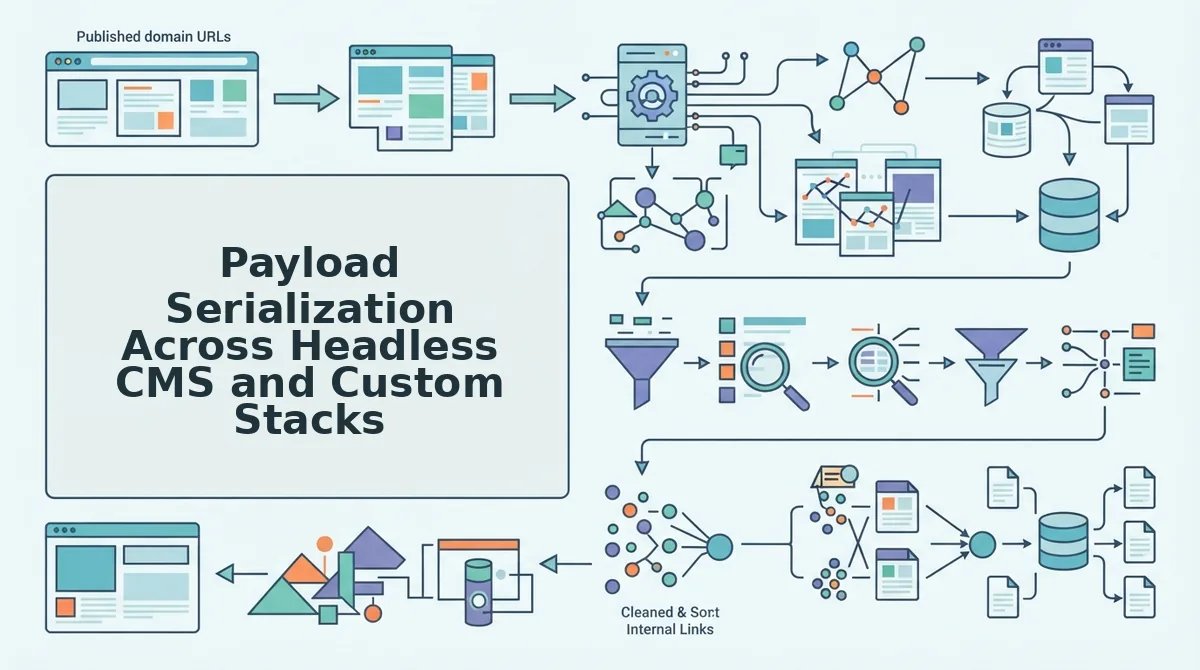
Webhook payloads for formatted blog posts serialize differently depending on your receiving stack: Next. js headless endpoints consume raw JSON with an html field, Ghost CMS hooks expect mobiledoc or html cards, and WordPress REST API receivers map content to post_content. Each option preserves formatting, but the key naming conventions and asset handling differ enough to affect your ingestion code.
| Receiver Type | Content Field Name | Asset Path Handling | Best For |
|---|---|---|---|
| Next. js headless endpoint | html |
Fully qualified CDN URLs recommended; relative paths break on nested routes | Developers building custom frontends with full control over rendering |
| Ghost CMS webhook | mobiledoc or html |
Ghost rewrites relative image paths to its own storage adapter on import | Publishers who want Ghost's editor and membership features without manual migration |
| WordPress REST API receiver | post_content |
WordPress stores URLs as-is; relative markdown links require a filter to resolve | Teams already running WordPress themes and plugins that expect standard post fields |
Next. js headless endpoints offer the most flexibility because you control the entire serialization layer. You receive the payload as JSON and can store the html field directly in PostgreSQL or forward it to a static site generator. The tradeoff is that you own asset path resolution: relative markdown links like /blog/old-post will break when rendered on nested routes, so BloGoose emits fully qualified CDN asset paths for headless receivers by default.
Ghost CMS hooks are strong for publishers who want a managed editor experience. Ghost's webhook system accepts html payloads and converts them to mobiledoc internally, which means syntax-highlighted code blocks and embedded media survive the import. The limitation is that Ghost's storage adapter rewrites image URLs, so you lose direct control over CDN caching headers. Ghost is best for content teams that prioritize editorial workflow over custom infrastructure.
WordPress REST API receivers map BloGoose payloads to post_content, which integrates cleanly with existing themes and plugins. WordPress preserves the HTML structure exactly as sent, but relative markdown links require a filter on the_content to resolve against your site's canonical URL structure. WordPress is best for teams that need the plugin ecosystem and are comfortable adding a small ingestion plugin.
Across all three receivers, the critical preservation strategy is to treat the html field as immutable. Do not re-serialize, re-render, or strip tags during ingestion. Any transformation between the BloGoose payload and your database introduces formatting drift that is difficult to debug after publication.
How to Verify Payload Delivery and Check It Worked
Verifying webhook delivery requires checking three layers: the HTTP acknowledgment status, the database row integrity, and the rendered DOM output. Each check below gives you a clear pass/fail criterion so you can isolate failures without guessing.
- Check the HTTP status code returned to BloGoose. A 200 or 202 response means your receiver acknowledged the payload and BloGoose will not retry. A 401 response indicates the X-Hub-Signature-256 validation failed, check that your signing secret matches the one shown in the BloGoose dashboard. A 500 response triggers BloGoose's retry loop, so inspect your receiver logs for unhandled exceptions before the next attempt arrives.
- Query your database for the post ID from the payload. Run a SELECT query using the
post_idoridfield from the webhook JSON. You should see exactly one row with thehtmlfield populated and no duplicate entries. If duplicates exist, your Idempotency-Key caching logic is not running before the insert statement. - Audit the rendered DOM in your browser. Open the published post URL and inspect the page with DevTools. Confirm that heading tags (
h2,h3) match the source HTML, syntax-highlighted code blocks retain theirpreandcodewrappers, and responsive images includesrcsetattributes with multiple widths. Missingsrcsetvalues indicate your receiver stripped attributes during ingestion. - Verify typography and spacing match the BloGoose preview. Compare the rendered post against the preview in the BloGoose dashboard. Line heights, paragraph spacing, and blockquote styling should be identical. Differences here usually mean your frontend CSS is overriding inline styles or your CMS is applying its own content filters.
- Confirm asset URLs resolve from your production domain. Check every image, link, and embedded media URL in the post. Relative paths that worked in preview may 404 on your production domain if your receiver did not rewrite them. Fully qualified CDN URLs should load without redirects.
- Test the retry path with a deliberate failure. Temporarily return a 500 from your receiver, send a test event from BloGoose, and confirm the retry arrives with the same Idempotency-Key. Restore the 200 response and verify that only one post row exists, this proves your deduplication logic works under real network conditions.
- Submit the new post URL to Google Search Console. After verification passes, use the URL Inspection tool to request indexing so the post enters search results promptly. BloGoose can ask Google to crawl new posts automatically when the webhook delivery is confirmed.
Once all seven checks pass, your webhook pipeline is production-ready, and the next section answers the most common questions about exporting posts via webhooks.
Frequently Asked Questions About Exporting Posts via Webhooks
Webhook exports deliver structured post payloads to any endpoint, but retry logic, payload format, and security validation determine whether your pipeline survives real-world publishing conditions.
How do I retry a webhook delivery when my server is down?
Implement exponential backoff with jitter, starting at 1 second and doubling each attempt up to a 5-attempt ceiling over roughly 31 seconds total. Most production webhook systems follow this pattern because it prevents thundering-herd retries while giving transient outages time to recover without dropping editorial events.
Should I send Markdown or HTML in my webhook payload?
Send HTML when your frontend renders content directly, because it preserves inline styling, tables, and media embeds without a client-side conversion step. Send Markdown only when your destination CMS or static site generator natively parses it, since converting HTML to Markdown on the receiving end routinely strips semantic elements like figure captions and code blocks.
Why does my webhook payload lose images and embedded media?
Media loss happens when the payload references relative URLs or a CDN host that the receiving server cannot resolve. Validate that every image src and media URL is an absolute https:// link pointing to a CDN domain your destination explicitly allows, then reject or rewrite any host that fails that allowlist check before rendering.
How do I verify a webhook request actually came from my content engine?
Validate an HMAC signature in the request header using a shared secret, typically computed as SHA-256 over the raw JSON body. Reject any request where the signature does not match before parsing the payload, because unsigned webhooks are trivially spoofable and expose your CMS to unauthorized content injection.
What happens to a post if the destination CMS rejects the webhook payload?
A rejected payload should trigger the same backoff retry sequence as a timeout, with the rejection reason logged and surfaced in the delivery dashboard. If the payload fails validation after all retries, the post remains queued in the source system rather than silently disappearing, so editorial staff can fix the schema mismatch and re-trigger delivery manually.
Can I send multiple posts in a single webhook call?
Yes, batch endpoints accept an array of post objects, but each item must carry its own unique event ID so partial failures can be retried individually. Batching reduces HTTP overhead for bulk migrations, while per-item IDs prevent a single malformed post from blocking the entire delivery window.
Building an Autonomous Publishing Pipeline with Webhooks
Webhook exports close the gap between content creation and publication, but the real architectural win is removing the human from the transport layer entirely. When research, drafting, optimization, and delivery run as one event-driven chain, the editorial workflow shifts from exporting files to approving a queue that publishes itself.
Legacy manual exports force a recurring tax: download, reformat, re-upload, re-check. Every step is a chance for layout drift, stale metadata, or a missed publish window. An event-driven pipeline collapses those steps into a single signed payload that lands in your CMS already structured, already validated, and already retried if the destination hiccups.
The next step is wiring that pipeline into an AI content engine with search indexing so the webhook carries more than formatted HTML, it carries researched, keyword-mapped articles that arrive ready to rank. Start by connecting your destination endpoint in the BloGoose delivery settings and sending one test post through the full retry and signature validation flow.
Once the first payload verifies cleanly, the publishing loop becomes a background process instead of a weekly chore. Your site structure feeds the calendar, the calendar feeds the engine, and the engine feeds your CMS, with you reviewing the queue, not rebuilding it.