
How to Generate an Editorial Plan From a Detected Niche

You have a folder full of half-written drafts, a spreadsheet with 40 "content ideas," and a publishing cadence that resets every Monday. The problem isn't effort, it's that you're planning from aspiration instead of evidence. Most editorial calendars fail because they start with what you want to rank for, not what your site already proves it's about. To generate an editorial plan from a detected niche, you need to reverse the order: let crawl data name the niche first, then build the calendar around it.
If that sounds backwards, you're not alone. Competitors assume a niche is already defined, none explain how to derive it from crawl data. Jade Beason's content batching video (212K views) proves demand for batch planning, but nobody ties the batch size to actual niche size. Here's the roadmap: define what a detected niche means, crawl your sitemap for raw structure, cluster URLs to name your niche and sub-niches, then assemble a 30-day plan. Along the way, you'll see why the 30-day calendar only works after detection, and how a tool like BloGoose automates the crawl-to-calendar pipeline so you skip the 12-tab stack entirely. The surprising part comes later: your sitemap already knows your niche better than you do.
If you want the full crawl-to-calendar workflow in one place, see our guide on turning a sitemap into a 30-day content calendar.
What Does a Detected Niche Actually Mean?
A detected niche is the topical territory your site already signals to Google through its crawl data. URL patterns, category depth, and internal link density, not the niche you wish you occupied. It's evidence, not aspiration.
Think of it like a store's floor plan. Google reads your site the same way: it infers your niche from structure, not from your About page mission statement.
A detected niche is what a website's crawlable architecture reveals as its de facto topical focus. It is derived from three signal types: URL path patterns (e.g., /blog/fly-fishing/ recurring across dozens of URLs), category page depth (how many clicks from the homepage a topic cluster sits), and internal link counts per section (how frequently pages within one topical area link to each other versus outward). Unlike a declared niche, which an owner states in a tagline or pitch deck, a detected niche is computed from the site's existing information hierarchy. When a crawler parses the XML sitemap, groups URLs by shared path segments, and tallies inbound internal links per group, the resulting clusters show which topics the site has invested in most heavily. That investment pattern, not the owner's stated intent, is what search engines use to assign topical authority. A site that publishes 200 articles under /guides/keto/ and 12 under /guides/vegan/ has a detected niche of keto, regardless of what its homepage claims.
This matters because planning from a detected niche means your editorial calendar reinforces authority you already hold, instead of fighting for authority you haven't earned. For a deeper look at how those clusters form, see our breakdown of topic clusters.
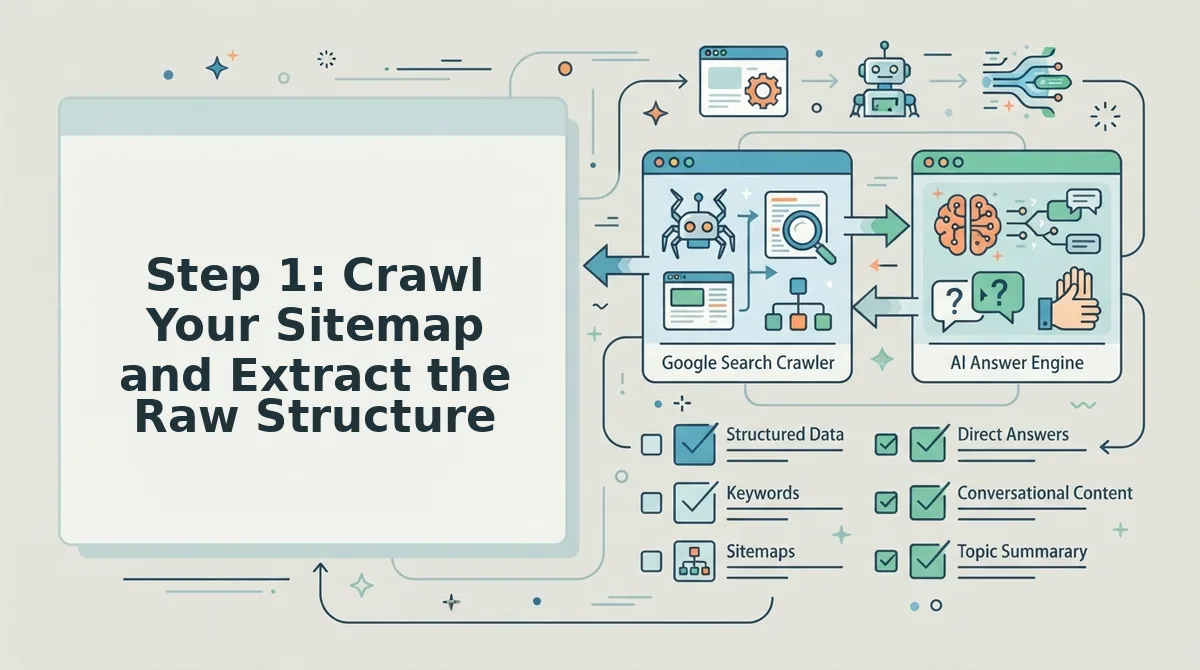
Step 1: Crawl Your Sitemap and Extract the Raw Structure
Your first move is to pull the raw crawl data, the sitemap plus internal link structure, and let it show you where your content investment actually sits. You'll need access to your site's XML sitemap and either a crawler tool or a platform like BloGoose that automates this step.
- Locate your XML sitemap. Open your browser and type
yourdomain.com/sitemap.xml. If nothing appears, checkyourdomain.com/sitemap_index.xmlor your CMS's SEO settings. You should see a list of URLs grouped by section. - Export the full URL list. Copy every URL into a spreadsheet, or run a crawl with a tool that exports sitemap data. Expected outcome: a single column of every indexable URL on your site, typically 50 to 5,000 rows depending on site size.
- Tag each URL by path segment. Add a second column and extract the first folder after the domain,
/blog/keto/,/guides/fly-fishing/,/products/. This takes 10-15 minutes with a simple formula or text-to-columns split. You should see natural groupings emerge. - Count URLs per segment. Sort by your new path column and tally how many URLs fall under each segment. Expected outcome: a ranked list showing which topics dominate your site's architecture, your de facto niche, even if you never articulated it.
- Check internal link density per section. For the top three segments, note how many internal links point into each one. High link counts confirm the section is a priority; low counts reveal orphaned content. Success looks like a clear top segment with 2-3x the URL count of the runner-up.
Sitemap URL patterns, category page depth, and internal link counts per section reveal the de facto niche even when the owner hasn't articulated it. BloGoose replaces the 12-tab content stack by automating this crawl and clustering in one pass. Once your raw structure is exported, you're ready for the next move.
Next: Step 2: Cluster URLs to Name Your Niche and Sub-Niches.
Step 2: Cluster URLs to Name Your Niche and Sub-Niches
Clustering your crawled URLs by path pattern reveals the niche your site already occupies, the highest-density cluster names the niche, and each sub-cluster becomes a content pillar you can plan against.
Prerequisites: A completed crawl export from Step 1 (CSV or spreadsheet with URL, title, and word count columns). You'll also need a spreadsheet tool like Google Sheets or Excel.
- Open your crawl export and sort the URL column alphabetically. Sorting groups similar path prefixes together so patterns become visible at a glance. You should see blocks of URLs sharing the same first directory segment, like
/blog/seo/or/guides/email-marketing/. - Create a new column called "Cluster" and type the first path segment for each URL. For
/blog/seo/keyword-research-tools/, the cluster isseo. For/blog/email/automation-sequences/, the cluster isemail. This takes roughly 10-15 minutes for a 100-URL crawl. - Count how many URLs fall into each cluster using a pivot table or COUNTIF formula. Select your Cluster column, then Insert to Pivot Table, and drag Cluster into both Rows and Values. You should see a ranked list of clusters by URL count within seconds.
- Label the top cluster as your primary niche and the next 2-4 as sub-niches. A crawl of a site with scattered posts on SEO, email marketing, and analytics might cluster into 3 clear categories, and the "aha" moment arrives when you realize 60% of your URLs sit under
/seo/. The niche names itself: you're an SEO content site, not a general marketing blog.
Before drafting anything against these clusters, find content gaps before writing so each pillar targets queries your cluster doesn't already answer.
Step 3: Turn Detected Clusters into a 30-Day Editorial Plan
A 30-day editorial plan from detected clusters follows a fixed rhythm: Days 1-3 publish one pillar post per detected cluster, Days 4-27 publish supporting long-tail posts drawn from cluster gaps, and Days 28-30 run a refresh and interlink pass across everything published that month.
Prerequisites: Your named clusters from Step 2, a spreadsheet or calendar tool, and a list of long-tail keywords mapped to each cluster. If you're using BloGoose, the platform generates this calendar automatically from your crawl.
- Open a new spreadsheet and create columns for Day, Date, Cluster, Post Type, Target Keyword, and Status. Label rows 1-30 down the first column. This grid becomes your single source of truth for the month.
- Type one pillar post per detected cluster into Days 1-3. If your crawl surfaced three clusters, say, SEO, email marketing, and analytics, assign Day 1 to the SEO pillar, Day 2 to email, Day 3 to analytics. Each pillar should target the highest-volume keyword in its cluster. You should see three pillar rows filled before any supporting content appears.
- Fill Days 4-27 with 3-4 supporting posts per cluster, rotating clusters so no single topic dominates a week. Pull long-tail keywords from the gaps you identified in Step 2, questions, comparison terms, and tool-specific queries. A three-cluster site gets roughly 8 supporting posts per cluster across these 24 days. This is the volume engine of the plan.
- Reserve Days 28-30 for a refresh and interlink pass. Type "Refresh + Interlink" into the Post Type column for these three days. Open every post published earlier in the month, add internal links to the three pillar posts, and update any stale claims. You should see a fully linked cluster web by Day 30.
One pillar plus 3-4 supporting posts per detected cluster, scaled to your crawl depth, is the formula that keeps the plan realistic and rankable. If you'd rather not build this grid manually, BloGoose turns your sitemap into a 30-day content calendar automatically, clusters, keywords, and publish dates included, so you can skip the spreadsheet and start reviewing drafts instead.
Step 4: Fill Gaps with Live SERP and Social Research
Detected clusters tell you what your site already covers; live SERP and social research tells you what your niche expects that you haven't published yet. Run this gap pass before finalizing any editorial plan.
- Keywords competitors rank for that you don't. Pull the top 5 ranking pages for each pillar keyword, then list every secondary keyword those pages target that your cluster lacks. These become your highest-priority supporting post ideas because they're already proven to rank in your niche.
- Questions in People Also Ask and autocomplete. Search each pillar keyword and copy every PAA question into a spreadsheet. These are long-tail queries with explicit demand, each one maps directly to a supporting post slot in Days 4-27.
- Title patterns across the top 10 SERP results. Note whether ranking titles use numbers, years, "vs." comparisons, or list formats. If 7 of 10 results are listicles and your cluster has none, you've found a format gap to fill.
- Content formats missing from your cluster. Check whether competitors publish templates, calculators, case studies, or video embeds that your cluster lacks. A missing format is a differentiation opportunity, not just a keyword gap.
Running this research manually across every cluster takes hours. BloGoose's live SERP analysis automates the gap pass, it crawls competitor rankings, extracts PAA questions, and flags format gaps for each detected cluster, then feeds those findings directly into your 30-day plan. For a deeper walkthrough of the method, see how to find content gaps in niche SERPs.
With clusters named, a 30-day plan built, and gaps identified, the remaining questions are about execution, which we answer below.
Frequently Asked Questions About Detected Niche Editorial Plans
A detected niche editorial plan is a content calendar built from the topical clusters already present in your site's URL structure, sitemap, and published pages, not from guesswork or keyword tools alone. These are the questions publishers ask most when moving from detection to a working plan.
How do I know what my niche actually is if I publish across multiple topics?
Look at your URL clusters, not your menu labels. Group your published URLs by path segment and count how many posts fall into each cluster. The cluster with the highest post count, deepest internal linking, and most consistent ranking is your operational niche, even if your brand positioning says otherwise. Secondary clusters become sub-niches you can either nurture or prune. If no cluster dominates, you have a topical sprawl problem, and the detection step should reveal which cluster has the strongest existing authority signals before you commit to a 30-day plan.
How many posts should a 30-day editorial plan include?
Between 8 and 20 posts, depending on your publishing capacity and cluster depth. A 30-day plan works best when each post targets one detected sub-niche and links back to a pillar page. Publishing fewer than 8 posts makes it hard to build topical authority in a single cluster within a month. Publishing more than 20 risks thin, cannibalizing content. The right number is the count of distinct sub-niche gaps your crawl and SERP research surfaced, capped by what you can publish without sacrificing depth.
What if my detected niche doesn't match what I want to write about?
Trust the detection first, then reconcile. Your site's existing URL structure and internal links tell search engines what you are authoritative about, not what you wish you were. If the detected niche differs from your target niche, you have two options: pivot your editorial plan toward the detected clusters to compound existing authority, or deliberately build a bridge cluster that connects your current authority to your desired niche over 60-90 days. Writing against the detection without a bridge strategy usually produces content that ranks for neither.
Why does my editorial plan keep producing posts that never rank?
Because the plan was built from keyword volume instead of detected topical authority. Posts rank when they extend an existing cluster your site already has signals for, internal links, URL patterns, and historical content depth. A plan built purely from keyword research ignores those signals and scatters authority across unrelated topics. The fix is to run the crawl first, name your clusters, and only then map keywords to gaps inside those clusters. Detection before keyword mapping is the difference between compounding authority and starting from zero every post.
How do I turn a detected niche into a plan my team will actually follow?
Convert each detected cluster into a named pillar with a fixed URL, then assign every planned post to one pillar and one sub-niche gap. A plan survives team turnover and content freezes when each row states the cluster name, the target URL, the gap it fills, and the internal link it must include. Without those four fields, writers default to their own topic instincts and the detection work is wasted. The plan is only as durable as the cluster structure it inherits from the crawl.
A detected niche editorial plan answers one question before any writing starts: which clusters does this site already have authority in, and which gaps inside those clusters can 8-20 posts fill in 30 days? The detection step, crawling the sitemap, clustering URLs by path segment, and naming the dominant topical groups, determines whether the plan compounds existing authority or scatters it. Publishers who skip detection and build plans from keyword volume alone produce posts that compete with each other instead of reinforcing a pillar. The plan works when every assigned post maps to a named cluster, fills a specific gap, and links back to the pillar URL that the crawl already identified as authoritative.
From Detected Niche to a Plan That Compounds
The 30-day plan only works if the detection step is done first. Every skipped crawl, every unnamed cluster, every post assigned by keyword volume instead of URL evidence weakens the plan before the first draft is written. The payoff from the intro holds: a niche you can name is a niche you can plan, and a niche you can plan is a niche you can rank in, but only when the plan inherits the structure your site already built.
Run the crawl, name your clusters, and build the 30-day plan from the gaps inside them. Or let BloGoose do all three in one pass, crawl your sitemap, detect your niche and sub-niches, and generate a rank-ready editorial calendar without the spreadsheet stitching. The detection step is the plan. Everything after it is execution.