
How to Set Up a Publishing Queue for AI Blog Articles
You've spent three hours formatting an AI-drafted article that still reads like a robot wrote it, and your publishing calendar is a graveyard of half-finished drafts. That's the reality for most teams trying to set up a publishing queue for AI blog articles without a system that handles cadence, validation, and failure recovery in one place.
You're right to be frustrated, stitching together five separate tools for research, drafting, optimization, and publishing is exactly the stack sprawl BloGoose was built to eliminate. By the end of this guide, you'll have a working queue that publishes voice-accurate articles on a schedule your site can actually sustain. We'll cover three parts: setting your cadence first, extracting brand voice before generation, and building a validation gate that catches AI mush before it goes live.
Here's the part most guides skip: your publishing frequency should depend on your site's authority and content depth, not on how fast your AI can generate. The AI SEO content engine approach treats the queue as a conveyor belt with built-in quality checks, not a firehose. Stick around for Step 1, where the cadence matrix changes everything for new sites.
What a Publishing Queue Actually Does (And What It Doesn't)
A publishing queue is a scheduled pipeline that holds AI-generated articles in a defined order, applies validation rules before release, and routes failures to a fallback state instead of publishing them silently. Think of it like a conveyor belt in a bakery: dough goes in one end, but only loaves that pass the proofing check reach the oven.
At its simplest, a queue is just a list of drafts with a publish date. At the intermediate level, it adds a cadence rule, how many articles go live per day or week, and a validation gate, which is a checklist of requirements an article must meet before the queue releases it. At the advanced level, the queue includes a failure fallback: when an article fails validation, it doesn't disappear. It returns to a review state with a specific reason attached.
BrandStory AI's publish queue review interface shows what users actually want: a visible review step, not blind auto-publishing. The queue is not a quality guarantee. The gate is what protects you, without it, you're just automating the publication of mediocre content faster.
Here's the key distinction most competitors gloss over: a queue manages when and in what order articles publish. It does not make the articles good. That job belongs to the validation rules you configure before anything enters the pipeline.
Step 1, Set Your Cadence Before You Queue Anything
Your publishing cadence is the rhythm at which articles leave the queue, and it should be decided before you generate a single draft. Use the Cadence Decision Matrix below to match your frequency to your site's reality.
Prerequisites: You need your site's domain authority estimate and an honest assessment of whether your typical article is shallow (under 800 words, thin coverage) or deep (1,500+ words, original examples, multiple sections).
- Open your analytics and check your crawl frequency. In Google Search Console, navigate to Settings, then Crawl stats. Note how often Googlebot requests pages from your site. New sites often see crawls every few days, not hourly. You should see a report showing total crawl requests over the last 90 days.
- Plot your site on the Cadence Decision Matrix. High authority plus shallow content supports daily publishing. Low authority plus deep content performs better on a weekly cadence or in scheduled bursts, for example, three articles every Tuesday. This matters because new sites get crawled less frequently, so daily publishing can waste crawl budget on pages Google won't index promptly.
- Type your chosen cadence into your queue settings. In BloGoose, open Settings, then autopilot content calendar, and set the maximum articles per day or week. You should see the calendar populate with scheduled slots matching your cadence.
- Set a burst override for launches or seasonal pushes. If you plan a content sprint, configure a temporary burst window with a defined end date. This prevents the queue from defaulting to an unsustainable pace permanently.
If you're unsure about your site's crawl behavior, review the crawl budget implications before locking in a daily schedule, a queue that outpaces Google's crawling wastes your best content. Once your cadence is set, the next step is making sure every article sounds like you before it enters the queue.
Step 2, Extract Brand Voice Before You Generate
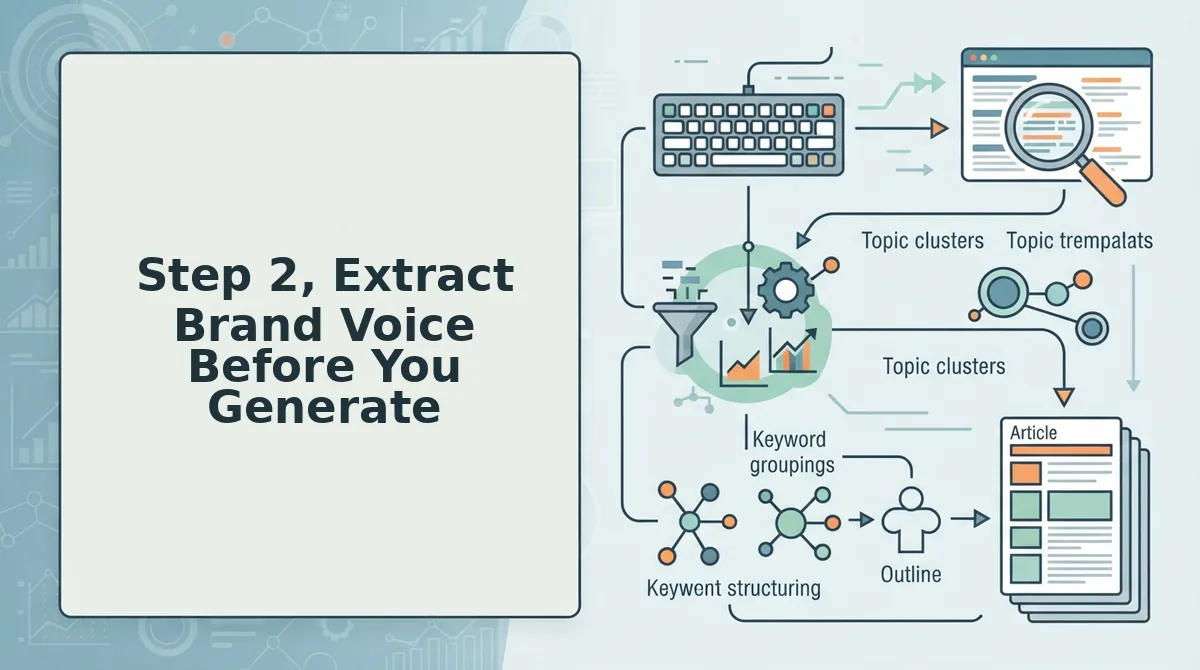
Brand voice extraction turns your existing site content into reusable rules that keep every queued article consistent. Without it, each AI draft drifts toward generic phrasing that erodes reader trust and search relevance.
Prerequisites: A live domain with at least 10 published pages, access to your XML sitemap, and a tool that supports automated brand context extraction.
- Drop your domain into the setup wizard. Enter your site URL and let the crawler locate your XML sitemap automatically. You should see a list of discovered pages within 30-60 seconds.
- Select the pages that best represent your voice. Choose 10-20 high-performing posts, landing pages, or pillar articles. The crawler analyzes tone, terminology, sentence length, and formatting patterns across these samples.
- Review the extracted voice rules. Open the Brand Voice panel and check detected rules for tone (e.g., direct vs. conversational), banned phrases, preferred terminology, and heading conventions. You should see a green checkmark next to each confirmed rule.
- Save the voice profile to your queue settings. Click Save Profile so every future article in the queue inherits these rules automatically. New drafts should match your existing content within one generation cycle.
Per-article prompts fail at queue scale because they don't carry consistent rules across dozens of posts. A saved voice profile applies the same terminology, formatting, and tone decisions to every queued draft, which prevents the slow drift into AI mush that plagues manual prompt workflows.
Step 3. Build the Validation Gate
A validation gate is a pre-publish checklist that runs against every queued article before it ships. It catches structural, factual, and formatting errors that would otherwise publish silently at scale.
- Image alt text. Every image needs descriptive alt text that includes the target keyword where natural. Automated checks flag missing or empty alt attributes before the article leaves the queue.
- Internal links. Each article should link to 3-5 relevant pages on your own site. The gate verifies link targets resolve correctly and anchor text varies naturally across posts.
- Meta length. Title tags should stay under 60 characters and meta descriptions under 155. Automated validation truncates or flags over-length fields so search results display cleanly.
- Factual claims. Every statistic, date, or named source needs a verifiable origin. The gate flags unsupported claims for manual review before publication.
- Formatting consistency. Heading hierarchy, list structure, and paragraph length should match your brand voice profile. Automated checks compare each draft against your saved formatting rules.
Automating the gate catches roughly 80% of common issues, broken links, missing alt text, meta overruns, without human intervention. Manual spot-checks remain necessary for nuance: tone shifts, awkward transitions, and factual context that rules-based checks miss. Pair both layers with AEO content optimization to keep queued articles eligible for AI answer citations.
Step 4, Connect Your CMS or Custom Endpoint
Connecting your CMS or API endpoint is what turns a validated queue into published articles without manual uploads. BloGoose supports both no-code WordPress connections and custom API endpoints for non-WordPress stacks.
Prerequisites: Admin access to your WordPress site or API credentials for your custom endpoint, plus one validated draft article ready to test the connection.
- Open Settings, then CMS Connections. Navigate to the Connections tab in your BloGoose dashboard. You should see two options: WordPress and Custom API.
- Select WordPress and enter your site URL. Type your domain and click Connect. Approve the OAuth prompt in the popup window. You should see a green checkmark confirming the connection within 10 seconds.
- Or select Custom API and paste your endpoint URL. Enter the full endpoint path and your authentication token. Click Test Connection to validate the response code, a 200 or 201 status confirms the endpoint accepts POST requests.
- Send one test article through the queue. Click Send Test Post and verify the article appears on your site or in your endpoint's response log. Check that formatting, images, and meta fields transferred intact.
Website Learners and Publisha Ai treat no-code WordPress connections as the standard entry point, but custom endpoints are where BloGoose extends beyond WordPress-only tools. Validate response codes and authentication before queueing real articles, a failed connection mid-queue stalls your entire publishing schedule. Once your connection passes the test, you're ready to configure what happens when a queued article fails.
Step 5. Set the Failure Fallback
A failure fallback is a pre-written rule that tells your queue what to do when an article fails to generate, validate, or publish. Without one, failed items silently stall your pipeline and you discover the gap weeks later.
- Retry once, then stop. API timeouts and transient CMS rejections often resolve on a second attempt within minutes. Configure your queue to retry a failed article exactly one time, then move it out of the active pipeline so it never blocks the articles behind it.
- Quarantine failed items in a separate view. Formatting drift and image rendering failures need human review, not infinite retries. Route every twice-failed article into a quarantine folder with the error message attached, so you can fix the root cause instead of re-queueing blind.
- Notify the owner automatically. A queued article that fails on image rendering can sit unnoticed for days if nobody is pinged. Set the fallback to email or Slack the content owner with the article title, failure reason, and a one-click link to the quarantined draft.
One publisher running a 40-article queue discovered that every post containing a WebP screenshot failed at the CMS upload step. The retry-once rule caught the pattern in a single afternoon, and the quarantine view let them batch-fix the image format instead of debugging forty separate drafts. A fallback protocol turns silent failures into visible, fixable events.
FAQ
How do I set up a publishing queue for AI blog articles?
Set a fixed cadence first, then extract your brand voice rules, build a validation gate for every draft, connect your CMS or custom API endpoint, and configure a failure fallback that retries once, quarantines twice-failed items, and notifies the owner. A queue without all five layers will publish inconsistently or stall silently.
What's the best publishing cadence for AI content?
The best cadence is the one your review capacity can sustain, not the maximum your AI can generate. Most teams publish two to four AI-assisted articles per week. Publishing faster than you can validate leads to quality drift, while publishing slower forfeits topical authority to competitors.
Can I queue AI articles to a custom API?
Yes. A publishing queue can ship finished articles to any custom API endpoint that accepts structured content, not just WordPress. Configure the endpoint URL, authentication headers, and field mapping once, and every queued article posts through that same connection without manual copying.
How do I keep brand voice consistent across queued articles?
Extract brand voice rules from your existing published pages before generating any queued content. Feed those rules into every draft as a style constraint, then run each article through a validation gate that checks tone, terminology, and formatting against the extracted baseline before it enters the queue.
What happens if a queued article fails to publish?
A proper failure fallback retries the article once to rule out transient API timeouts, then quarantines it in a separate review view if it fails again. The content owner receives a notification with the error reason and a link to the draft, so no failed article disappears silently from the pipeline.
Conclusion
A publishing queue only works when three layers operate together: a cadence rule that matches your review capacity, a validation gate that enforces brand voice before anything ships, and a failure fallback that surfaces problems instead of hiding them. Remove any one layer and the queue becomes either a bottleneck or a blind spot.
Start by auditing your current workflow against those three layers. If you are still stitching together a generator, a validator, and a manual publishing loop, the next step is consolidating them. BloGoose crawls your site, extracts your brand voice, builds the queue, and ships finished articles directly to WordPress or your custom API, with the AI included, not bolted on. Set up your first queue with the AI SEO content engine and see how much of the pipeline you can stop managing by hand.