URL Inspection vs Automated Indexing Requests for Blog Publishers
Forty posts shipped last month. Four days later, one still returns nothing when you search for it by title. The Request Indexing button looks like the fix.
If you are staring down a queue of unindexed URLs, your instinct is right: the page needs a nudge. But sorting URL inspection vs automated indexing requests starts with one fact most tutorials skip â only one of the two writes anything to Google.
Both get called "submitting to Google." That holds for one of them, and not in the way publishers assume â a point this article resolves.
This is a decision guide, not a button tour, and it stays inside documented Google behavior without promising a crawl.
The volume problem here is arithmetic, not skill:
- One per-URL request, made by hand, 40 times.
- One manual re-check per URL, days later, 40 times.
Picture that month. A post goes live, someone opens URL Inspection, pastes the URL, clicks Request Indexing, then repeats it 39 times. Days later they return to see which ones landed. The outcome is a manual queue, not a system.
Which one belongs on a post published Monday?
Is URL Inspection or an automated indexing request better for new blog posts?
Automated indexing requests win for new blog posts at scale; manual Request Indexing is a per-URL priority hint worth spending on a handful of urgent pages. They are not rival tools â one scales discovery, the other nudges it.
The five terms worth knowing before you choose:
- URL Inspection tool is Search Console's read-only status checker for a single URL â it reports whether Google knows about, has crawled, or has indexed the page.
- Request Indexing is the button inside that tool that pushes one URL into Google's discovery pipeline as a hint.
- Indexing API is a write endpoint Google documents only for JobPosting and BroadcastEvent pages, not for general blog posts.
- IndexNow is a push protocol that notifies participating search engines instantly â Bing and Yandex among them â but not Google.
- Crawled â currently not indexed is a status meaning Google fetched the URL but chose not to add it to results yet.
Request Indexing is like flagging one email as important: it moves faster inside the same delivery system, it does not open a second one.
For a new blog post, the order that matters is links first, sitemap second, manual hint third. Request Indexing does not jump that queue; it feeds the same discovery pipeline Google already runs. That is why a URL that is internally linked and listed in your sitemap is already ahead of one that received a manual request while sitting orphaned. Spend the button on pages that are both urgent and weak on signals â a launch post, a time-sensitive announcement. For everything else, a clean sitemap and a steady publishing rhythm beat refreshing Search Console.
That is the practical reason BloGoose ships finished articles straight into WordPress or your custom API on a planned calendar: posts go live on schedule rather than waiting in a queue of manual requests.
The difference gets clearer once you look at what each route actually does to a URL.
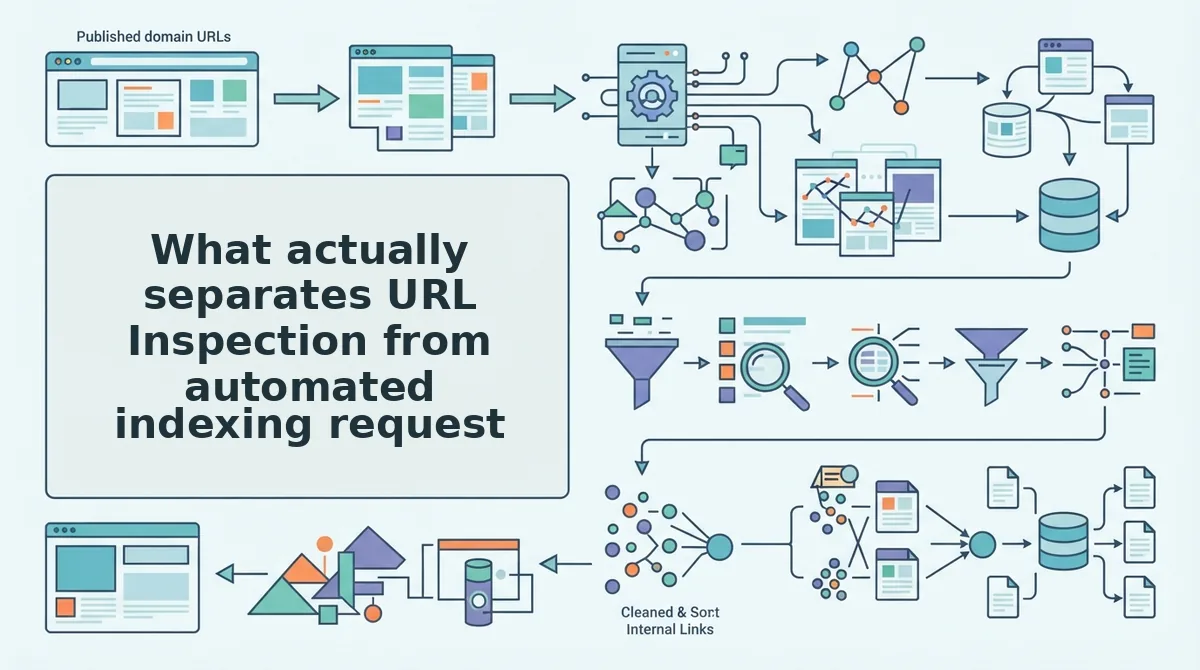
What actually separates URL Inspection from automated indexing requests
The real difference is not speed, because Google publishes no fixed recrawl timing for either path. What separates them is who submits the URL, which page types qualify, whether the action leaves a record, and how each method scales.
Most teams argue about the wrong thing. Eligibility and auditability settle the choice before speed ever matters.
The URL Inspection API is a read-only interface that returns a URL's index status. It never submits anything. Because it only returns data, it cannot be wired into a publish hook, no matter how the request is built.
| Criterion | Request Indexing (Search Console UI) | URL Inspection API | Indexing API |
|---|---|---|---|
| Who holds the submission | A person clicking in Search Console | Nobody, because it is read-only | Your system, through an API call |
| Qualifying page types | Any URL on a verified property | Not applicable | JobPosting and BroadcastEvent pages, per Google's documentation |
| Leaves a record | No exportable log | Returns status data you can store | Calls come from your pipeline, so you can log them |
| Scale | One URL per manual action | Programmatic status checks | Automated, but only within its documented scope |
| Best for | Solo operators with one urgent post | SEO leads auditing index coverage | Job boards and livestream publishers |
The manual button has one real strength. It accepts a standard blog post, which neither API will submit.
Run each new URL through three gates:
- Discovered: Is the URL in your sitemap and internally linked? If not, fix that first.
- Eligible: Is it a JobPosting or BroadcastEvent page? If so, the Indexing API applies.
- Urgent: Is it revenue-critical or time-critical on a low-crawl site? Only then should you spend a manual request.
Our recommendation: Blog publishers should lean on sitemaps and internal links, use the URL Inspection API for monitoring, and save manual requests for gate-three URLs. The average blog post falls outside the Indexing API's scope before latency is even a question.
That raises a sharper question about what an inspection result is actually telling you.
What the URL Inspection tool shows you, and what Request Indexing never guarantees
URL Inspection is a diagnostic readout, not a submission lever. It reports six states for a single URL â discovery, crawl, indexing, chosen canonical, enhancements, and a live render test â while Request Indexing only nudges an existing signal into a queue. Nothing on that panel promises a crawl, an index entry, or a ranking.
- Current indexing state. The panel tells you whether the URL is on Google, and if not, which exclusion applies: "Discovered â currently not indexed," "Crawled â currently not indexed," or "Excluded by noindex." Each state maps to a different fix, so read this line before touching anything. Treating all three as "not indexed" is how publishers end up resubmitting a page that was never discovered in the first place.
- Discovery state. This shows whether Google knows the URL exists, and whether it learned that from a link, a sitemap, or your manual request. If discovery is the missing piece, extra submissions do nothing â you need an XML sitemap entry and an internal link first.
- Crawl state and last crawl date. You see when Googlebot last fetched the page and whether that fetch succeeded. A stale crawl date on a page you edited recently points at crawl capacity, not at your submission habits.
- The canonical Google selected. The report names the canonical Google chose, which is often not the one you declared â and it is frequently the real problem. A "URL is on Google" status paired with a canonical pointing at a different page means your article is competing with itself. Compare your declarations against the selection using canonical URLs hygiene before requesting anything.
- Enhancements and structured data. Valid and invalid items are listed per page type, so markup errors surface here rather than in a bulk report. Use it to catch a broken Article or Breadcrumb block on the exact URL you plan to submit.
- The live test. This runs the URL through Google's current renderer on demand, returning the HTML Google actually sees and any page resources it failed to load. It exposes JavaScript and headless-CMS failures that a status check alone hides.
The read-only API trap
The URL Inspection API returns the same diagnostic data programmatically, and it is read-only â it can query index status for a URL, and it cannot submit one. This is the single most common automation mistake: teams wire up the API expecting "Request Indexing at scale" and end up with a monitoring job instead of a submission job. The only programmatic push paths are the Search Console UI's Request Indexing, which is manual by design, and the Indexing API, which Google documents for JobPosting and BroadcastEvent pages only. Read the panel with the API, submit through the UI or an eligible channel, and never assume one does the other's job.
How automated indexing requests fire at publish time
Publish-time automation is a seven-step sequence that takes roughly 15 minutes to wire up once per site and seconds to run thereafter. Prerequisites: edit access to your CMS template or webhook, a verified Search Console property, a service account if you intend to use the Indexing API, and somewhere to write a log row.
- Publish to one stable canonical URL (1 minute). Resolve trailing-slash, http/https, and parameter variants before the post goes live. You should see a single self-referencing canonical tag in the rendered source.
- Add the URL to your XML sitemap (2 minutes). The sitemap step should fire from the same webhook as publish, not from a weekly export. Fetch the sitemap afterward and confirm the new loc element is present.
- Link the post from at least one already-indexed page (5 minutes). Add it to a parent hub, an index page, or a related-posts block. Internal links are the discovery signal you control directly; the sitemap is the backup.
- Log the submission at publish time (1 minute). Write the URL, an ISO timestamp, and the channel to a table your team can query. A pipeline is only auditable if a skipped submission is visible as a missing row rather than as silence.
- Fan out to IndexNow for the Bing family (10 minutes of setup). Generate a key, host the key file at your root, and POST the changed URLs on publish. If XML is confirmed, you should see a 200 response per URL. IndexNow is a separate channel from Google entirely, so a pipeline built only on it leaves Google to discovery.
- Reserve the Indexing API for eligible page types (15 minutes of setup). Google documents it for JobPosting and BroadcastEvent, which means most blog articles do not qualify. Follow the service-account and property-verification steps in Google indexing setup.
- Verify in URL Inspection after 48 hours (2 minutes). Check crawl date and chosen canonical, not just the indexed/not-indexed label. The setup succeeds when the canonical Google selected matches the one you declared.
If maintaining four endpoints plus a log table per site sounds like a second job, that is the loop BloGoose collapses: articles ship to WordPress or your API with the submission signals attached at publish, and AEO content optimization applied before the URL ever enters a queue.
Where automation stops helping, including our own pipeline's limits
Every automated path attaches signals; none of them compels a crawl. The honest comparison is not automation versus manual, it is which gaps each option leaves you to close by hand.
| Option | What it actually does | Reaches Google? | Audit trail | Best for |
|---|---|---|---|---|
| Request Indexing (Search Console UI) | Manual hint to the crawl queue | Yes | None exportable | Solo publishers shipping a handful of URLs a month |
| IndexNow pipeline | Push notification to participating engines on publish | No | Buildable via your own log | Teams wanting instant Bing-family pickup alongside Google |
| Indexing API | Programmatic submission for JobPosting and BroadcastEvent only | Yes, for eligible page types | Service-account request logs | Job boards and event listings |
| BloGoose publish pipeline | Attaches sitemap and indexing signals at publish, logs each submission | Indirectly, via those signals | Per-article submission log | Publishers running clustered content at volume |
Three cases still require a human on the panel: canonical selection disputes, render failures on JavaScript or headless-CMS front ends (see JavaScript SEO), and one-off launch pages on sites with thin crawl capacity â where a diagnosis pass using crawl budget data beats extra submissions every time.
What BloGoose does not do: it cannot compel a crawl, it does not reach Google through IndexNow, it does not publish fixed recrawl windows or quota numbers because none are publicly documented, and it will not fix a canonical conflict by resubmitting an unchanged URL. Comparing indexing state against the chosen canonical is the action that changes the outcome.
The setup that makes any of this work is the part you control before the first post goes live.
The indexing setup to put in place before your next post
The setup worth doing before your next post takes three moves: audit your pipeline for sitemap and internal-link coverage, run one stuck URL through URL Inspection and read the diagnosis instead of pressing the button, then make publication and submission the same event.
- Quota: Request Indexing is a daily allowance, not a queue slot â spend it on revenue pages.
- Timing: A request flags a URL; it doesn't crawl or render it, so expect days, not minutes.
- Sitemap vs request: The sitemap is the standing signal; a manual request is a one-off nudge on top of it.
Which brings back the finding from the opening: the end state is a verification loop, not a submit loop. Publish, submit, then read what Google reports back and fix whichever gate failed.
Start by connecting Search Console to your blog automation â the handoff that makes every future post both submitted and measurable.
Automation wins the submission; only the diagnosis loop wins the index.