Surfer SEO vs BloGoose for Live SERP Topic Research

A SERP tool in one tab, a chat window in another, then a CMS, an image generator, and a spreadsheet tying it all together. That is the 12-tab content stack, and it is why the surfer seo vs blogoose serp research question matters more than any feature checklist.
Surfer scores a draft against top-ranking pages, showing which terms and structure competitors share. BloGoose runs live SERP and social research that feeds the brief, draft, images, and publishing in one dashboard. Choose Surfer to optimize drafts you already write. Choose BloGoose to replace the stack.
SERP data matters, and both tools take it seriously. This guide compares the two workflows side by side. You will get a criteria table, a breakdown of how Surfer handles SERP research, and a walkthrough of how BloGoose runs live SERP and social research.
To start with BloGoose, drop your domain into the setup wizard. It locates your sitemap and generates eight Markdown context files before topic research begins, so research runs against your brand rather than a blank prompt. The full sequence is laid out in the automated SEO content workflow.
One step in the workflow decides which tool fits, and it is not the research itself.
Is Surfer SEO or BloGoose better for live SERP topic research?
Surfer SEO is better for scoring and refining a draft against current top-ranking pages. BloGoose is better when SERP research needs to flow straight into a brief, a finished article, images, and a published post without changing tools.
The deciding factor is what happens after the research. Surfer analyzes the pages that already rank and turns their shared terms into a content score your writers chase inside an editor. BloGoose pulls live SERP results and social discussion, then uses that research to build the brief, draft the article in your brand voice, create images, and ship the post to WordPress or a custom API. If your team already writes and edits by hand, Surfer adds a measurable optimization layer. If you want research to end in a published article, BloGoose removes the handoffs.
Five terms shape this comparison:
- Content score: a numeric rating of how closely a draft matches the term usage and structure of top-ranking pages.
- NLP terms: words and phrases extracted from ranking pages that signal topical coverage.
- Live SERP research: pulling current search results at the moment a topic is researched.
- Social research: mining community discussions for questions and angles that ranking pages miss.
- AEO: answer engine optimization, which structures content so AI chatbots can quote and cite it.
| Criteria | Surfer SEO | BloGoose |
|---|---|---|
| Research source | Terms from top SERP pages | Live SERP plus social research |
| Output | Scored draft | Brief, draft, images, and published post |
| Editing existing drafts | Stronger: built around an editor | Focused on generating new articles |
| Multi-writer editorial teams | Stronger: shared editor for human writers | Built for autopilot output |
| Numeric content score | Yes: core feature | No single score |
| Publishing volume | Limited by writer capacity | Planned through a 30-day calendar |
| AEO citation focus | Not the core focus | Built into every draft |
| CMS shipping | Manual handoff | Direct to WordPress or custom API |
Best for: Surfer suits editorial teams with in-house writers polishing drafts to a target score. BloGoose suits founders, growth leads, and solo operators who want research to become published, citation-ready content.
To see how research turns into a usable plan, read the guide to building an SEO content brief.

How Surfer SEO handles SERP research
Surfer SEO handles SERP research by analyzing top-ranking pages for a keyword and converting their patterns into on-page guidance and a score. The features below are named on surferseo.com, ordered by how much they shape daily work.
- Content Editor. This is the workspace where writers draft or paste content while Surfer's guidance updates beside it. Most teams live here, so open it before writing rather than after.
- Content Score. This numeric rating shows how closely your draft matches ranking pages. Use it as a progress signal for writers, not as the finish line.
- NLP term suggestions. Surfer lists phrases that frequently appear across top results. Work them in where they add coverage, and skip any that force awkward sentences.
- Keyword and term density guidance. Surfer suggests usage ranges for each term based on competitors. Treat the ranges as guardrails against thin coverage rather than quotas.
- SERP Analyzer. This feature was built to break down ranking pages by length, structure, and other on-page factors. Its availability has changed over time, so confirm its current status on surferseo.com before building a process around it.
What you get:
- Term lists and density ranges drawn from ranking pages
- A live score while drafting
- A shared editor for writers and editors
What you still do manually:
- Choosing topics and planning a calendar
- Writing or generating the draft in brand voice
- Creating images and publishing to your CMS
Does keyword scoring help you get cited in AI answers? It helps with coverage, but it has a structural limit. A content score rewards matching the average of pages that already rank, which pushes drafts toward imitation. Answer engines tend to quote passages that add something the existing pages lack, such as a clear verdict, a specific definition, or an angle no competitor covers. That makes scoring a useful floor for topical completeness rather than a citation strategy. Pair it with deliberate information gain and the structural practices covered in AEO content optimization.
The gaps tend to multiply tools. The Niche AI Tool video argues for running Semrush and Surfer together, which adds tabs to a stack that already needs a writer, an image tool, and a CMS.
BloGoose approaches research from the other end.

How BloGoose runs live SERP and social research
BloGoose's live SERP and social research is a pre-drafting step that pulls what currently ranks on Google and what real people ask online, then merges both into one article brief. Your site's brand context files shape that brief before any drafting starts.
Here's where the workflow splits.
Step one: live SERP queries
A SERP (search engine results page) is the list of results Google shows for a query. BloGoose queries it live to see which pages rank, which subtopics they cover, and which search intent they serve. Search intent is what the searcher wants: to learn, compare, or buy.
Competitive gaps show up as subtopics that most ranking pages skip. Those gaps become candidate sections for your brief.
Step two: social research adds the user's own words
SERP-only research is like studying a competitor's menu. Social research is like listening to diners at the table.
A SERP-only tool tells you what already ranks. Adding social research captures the phrasing, complaints, and follow-up questions real users post, which rarely appear in polished ranking pages.
Step three: brand context files shape the brief
During setup, BloGoose crawls your sitemap and extracts brand context into Markdown files, plain-text documents covering brand voice, product features, SEO context, and target keywords. The brief generator reads these files alongside the research, so angles, claims, and terminology match your site before a draft exists.
That grounding prevents common topic research mistakes in blog briefs, like targeting keywords your product cannot credibly answer.
Worked example: a social question becomes an FAQ heading
Suppose a site sells running gear. Social research surfaces a question users keep asking: "Can you put running shoes in the washing machine?"
BloGoose adds that exact question as an FAQ heading in the generated brief, with a direct-answer slot beneath it. Question-shaped headings mirror how people query chatbots, which is a core trait of outlines that answer engines cite.
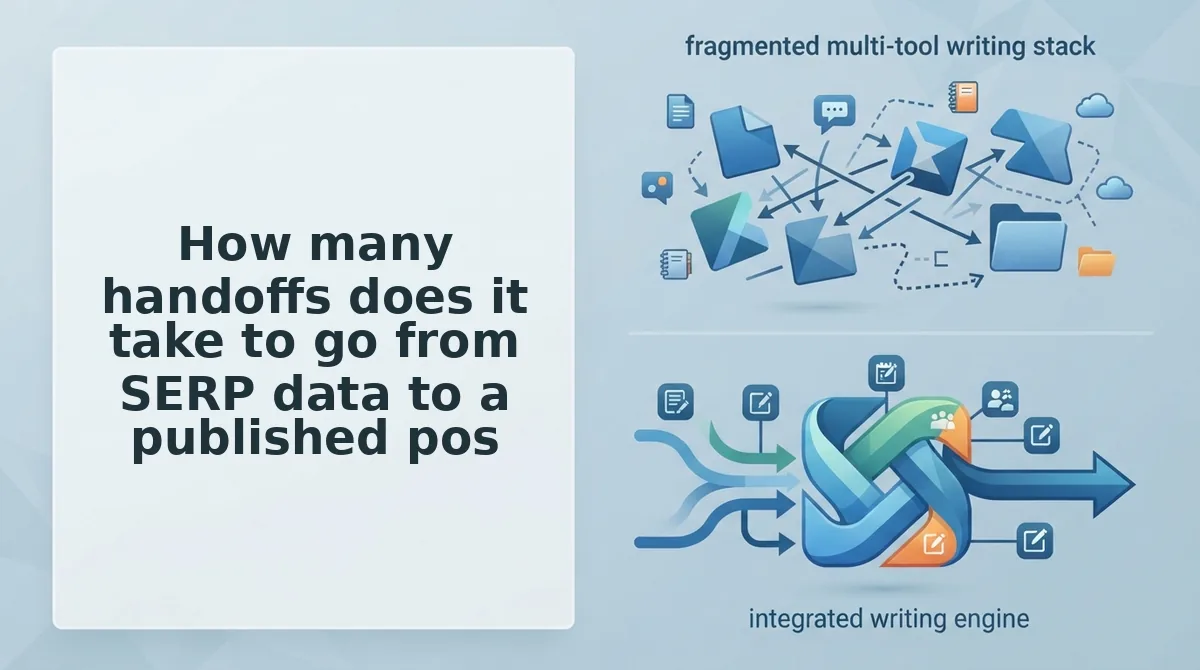
How many handoffs does it take to go from SERP data to a published post?
In a Surfer workflow, most steps after research involve a manual handoff or a separate tool, while BloGoose keeps all nine steps inside one dashboard. Call this the Handoff Count: every time work leaves one tool for another, you add one.
| Step | Surfer (documented editor workflow) | BloGoose |
|---|---|---|
| 1. Export SERP data | Inside Surfer | Inside dashboard |
| 2. Brief | Inside Content Editor guidelines | Inside dashboard |
| 3. Prompt | Manual | Inside dashboard |
| 4. Draft | Writer or separate step | Inside dashboard |
| 5. Score | Inside Content Editor | SEO and AEO built into drafting |
| 6. Format | Manual | Inside dashboard |
| 7. Image | Separate tool | Inside dashboard |
| 8. Upload | Manual or integration | Inside dashboard |
| 9. Indexing request | Separate tool | Inside dashboard |
The deciding step comes after the content score. If your bottleneck is formatting, images, upload, and indexing, a score alone leaves that work on your desk.
Prerequisites: a BloGoose account, a WordPress admin login, and a Google Cloud project with Search Console access.
- Enter your domain in the setup wizard (about 5 minutes). BloGoose locates your sitemap and generates brand context files. You should see your brand voice and keyword files listed.
- Open your 30-day calendar and select a topic (about 2 minutes). Run research to generate the brief. You should see headings, gaps, and FAQ questions.
- Generate the draft. The article arrives with inline images already placed.
- Create a WordPress Application Password under Users, then Profile, then Application Passwords. Paste it into BloGoose's publishing connection. You should see a confirmed connection.
- Add your service account by enabling the Indexing API, adding the account as an Owner in Search Console, and uploading its JSON key. Follow the Google Indexing API setup guide.
- Click Publish. The post goes live on WordPress and BloGoose requests indexing through your Google Indexing API service account.
Research, draft, and publish from one dashboard.
Where BloGoose falls short and who should stay on Surfer
BloGoose is built to research and ship new posts, so teams that mainly edit and score existing drafts will find Surfer a better fit.
Now for the honest part.
- It does not line-edit drafts your writers already wrote. BloGoose generates articles from research and brand context rather than polishing outside drafts. Teams with a full writer bench should weigh this first.
- It does not center on a numeric content score. SEO and AEO are built into drafting instead of graded on a live meter. Editors who manage quality by score will miss that number.
- It publishes only to WordPress or a custom API. Other CMS platforms need a custom API endpoint. Confirm your stack supports one before switching.
Recommendation
- Stay on Surfer if you run an editing-heavy team with multiple writers who want a score to hit.
- Choose BloGoose if you are an operator who wants research-to-publish autopilot.
So which workflow fits you?
Which SERP research workflow should you pick?
Pick Surfer SEO if you need a content score inside an editor. Pick BloGoose if you need live SERP and social research turned into a published post without extra handoffs.
The deciding factor isn't data quality. It's how many times that data changes hands before it goes live.
Run this three-question check before you choose:
- Count your handoffs. How many tools, tabs, and people touch a brief between SERP research and publishing?
- Decide what you need: a score to tune a draft, or a finished post shipped to WordPress or your custom API?
- Check your briefs. Does real social language from your audience make it into them, or only SERP headings?
If you answered "many," "shipped post," and "no," test BloGoose's AI SEO content engine on your own domain. Run the setup wizard, then compare plans on the BloGoose pricing page.
Research only pays off once it's published, so the best SERP workflow is the one with the fewest handoffs.