
How automated inline image generation breaks up long form text
You've spent 45 minutes stitching together a screenshot tool, an AI image generator, a WordPress plugin, and a manual upload workflow, just to add three images to one blog post. Now multiply that by 20 articles a month. That's the quiet killer of content velocity, and it's exactly why automated inline image generation is shifting from novelty to necessity for publishers who treat long-form content as a growth asset.
You're right to feel the friction. Long-form posts without visual breaks read like walls of text, but manually sourcing or designing section-relevant images doesn't scale. This article will show you how automated inline image generation works, why section-specific images outperform bulk-generated ones, and how a full pipeline takes you from prompt to published post without touching a design tool.
Here's the roadmap: first, a clear definition of the technology. Then, the contrarian case against bulk generation, including why YouTube creators chasing speed are optimizing for the wrong metric. Finally, the pipeline itself, including the failure modes nobody talks about. One surprising finding: the biggest wins come not from generating more images, but from placing the right image in the right section. A platform like BloGoose handles this placement automatically as part of its AI-powered SEO content engine, so you don't rebuild the stack yourself.
What Is Automated Inline Image Generation?
Automated inline image generation is the process of using AI to create and place images within specific sections of a blog post, matched to the content of each section, without manual design work.
At the simplest level, the system reads a section of text, say, a paragraph explaining how a CDN reduces latency, and produces an image that illustrates that specific concept, then inserts it directly after that paragraph. No stock photo search, no screenshot annotation, no drag-and-drop upload.
Think of it like a smart editorial assistant who watches over your shoulder as you write, and every time you finish explaining a concept, quietly slides a relevant diagram or illustration onto the page. The assistant doesn't ask you to describe the image in detail; it infers what would help the reader from the text itself.
At an intermediate level, the system parses the semantic structure of the article, headings, key terms, and argument flow, and assigns each image a role: explanatory diagram, data visualization, conceptual metaphor, or attention anchor. Advanced implementations integrate with AI answer engine optimization workflows, ensuring images carry alt text and contextual metadata that help both search engines and AI chatbots cite the content accurately.
The key distinction: this is not batch image generation. It's contextual placement driven by the content of each section, which is why the output feels native to the article rather than decorative.
Why Section-Specific Images Beat Bulk Generation
Section-specific image generation is the practice of creating each image in response to the exact text block it will sit beside, rather than producing a batch of loosely related images and distributing them across a post. It wins because relevance drives dwell time, and dwell time drives rankings.
Bulk generation optimizes for the wrong variable: speed. The YouTube creator landscape makes this clear. AutoPlayLabs published a video on bulk AI image generation for blogs that pulled 10,049 views, and the entire framing is about how many images you can produce per minute, not whether each image matches the section it lands in. That's the dominant narrative, and it's backwards.
Think of it like a restaurant. Bulk generation is a kitchen that cooks 50 identical side dishes and slaps one on every plate regardless of the entrée. Section-specific generation is a chef who tastes the main course and pairs a side that complements it. One approach fills the plate; the other improves the meal.
The hidden costs of bulk pipelines are rarely discussed. A generic image next to a specific technical explanation creates cognitive dissonance, the reader's brain spends energy reconciling the mismatch instead of absorbing the content. Worse, irrelevant images trigger quick scrolls, which signal to search engines that the section didn't satisfy intent. No competitor currently documents these failure modes with data, which leaves publishers flying blind when their engagement metrics dip after adopting bulk tools.
Section-specific images, by contrast, act as comprehension checkpoints. They give the reader a visual anchor exactly when the text introduces a new concept, which extends time on page and reduces bounce. The next section walks through the full pipeline that makes this possible.
The Automated Image Pipeline: From Prompt to Published Post
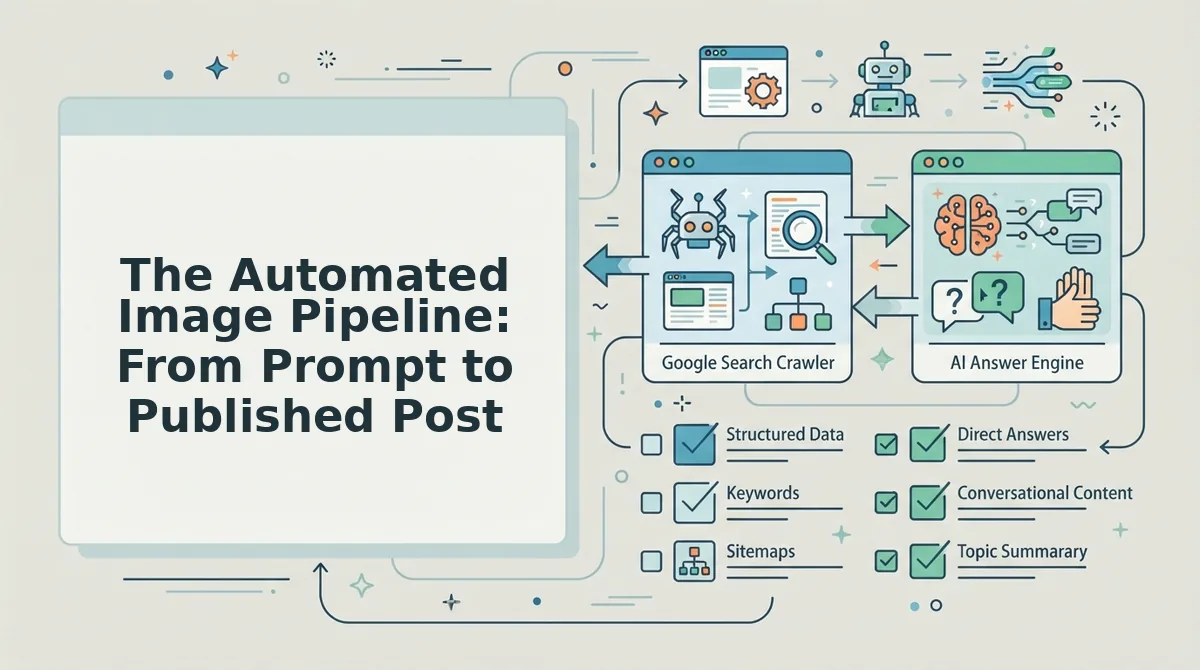
An automated inline image pipeline moves a draft from a text prompt through generation, placement, and publishing without manual uploads, typically in under five minutes per article when the workflow is preconfigured.
Prerequisites: an n8n instance (self-hosted or cloud), a Google Sheets workbook with one row per article section, a Runware API key for image generation, and a Gemini API key for alt-text and context scoring. If you publish to WordPress, have your site URL and an application password ready.
- Open your n8n dashboard and create a new workflow. Click Add first step, select Google Sheets, then choose Get Rows as the trigger. Connect your workbook and select the sheet containing section headings and body text. You should see a test row populate in the output panel.
- Click the plus icon to add a Runware node. Select Text to Image, paste your API key under Credentials, and map the section heading field from Sheets into the Prompt input. Add a static prefix like "editorial illustration, clean layout, no text" to keep outputs consistent. Run the node once, a preview image should appear in the output.
- Add a Gemini node and select Generate Content. Map the section body text and the generated image URL into the prompt field. Instruct Gemini to return a JSON object with two keys: alt_text (under 125 characters, descriptive, no keyword stuffing) and context_score (1 - 5 rating how well the image supports the section). You should see structured JSON in the output panel.
- Add an IF node to filter low-context images. Set the condition to context_score ≥ 3. Route the true branch to the next step and the false branch to a Regenerate loop that re-runs the Runware node with a modified prompt. This prevents irrelevant images from reaching your draft.
- Add a WordPress node and select Create Post. Map the article title, section HTML with the image URL embedded as an
<img>tag, and the Gemini-generated alt text into the corresponding fields. Set the post status to Draft for review or Publish for a fully automated publishing directly to WordPress loop. You should see a post ID and permalink in the output. - Click Execute Workflow and open the returned permalink. Verify the image renders inline, the alt text is present in the HTML source, and the image visually matches the section topic. If any step fails, n8n highlights the node in red, click it to inspect the error payload.
This pipeline mirrors the n8n + Google Sheets + Runware integration demonstrated in Pro Nirob's video and the broader n8n AI agent workflow shown by Lenny In Tech. Once the workflow is saved, the entire sequence runs on a schedule or webhook trigger, making it a true automated content pipeline rather than a one-off script.
The Section-Image Fit Framework
A section image earns its place when it passes three tests: it matches the section's context, it creates a deliberate visual break in long-form text, and its alt text carries search intent. No competitor publishes a decision framework for this, most tutorials jump straight to tool configuration.
Use this three-part framework before generating or placing any inline image. Score each candidate image 1 - 5 on all three dimensions; only place images scoring 3 or above on every dimension.
- Context Match. The image must illustrate the specific claim, step, or concept in the section it sits beside, not the article's general topic. A generic "SEO growth chart" next to a paragraph about alt-text syntax fails this test. Generate images from the section heading plus the first sentence of the paragraph, not from the article title alone.
- Visual Break. The image must interrupt the reading rhythm at a natural transition point, after a dense explanation, before a new sub-topic, or between list items. Place images every 300 - 500 words in long-form text to reduce scroll fatigue and increase time-on-page. A wall of text without breaks loses mobile readers within seconds.
- Alt-Text Intent. The alt text must describe the image in a way that answers the searcher's underlying query, not just the pixels. If the section answers "how to set up an n8n workflow," the alt text should read "n8n workflow editor showing Google Sheets trigger connected to Runware image node", not "screenshot of software." This is where image SEO and AI-citation optimization converge: answer engines read alt text as content.
The framework works because it forces a decision at each placement point. If an image fails Context Match, regenerate with a tighter prompt. If it fails Visual Break, move it to a different paragraph boundary. If it fails Alt-Text Intent, rewrite the alt text before publishing. BloGoose applies this same three-part test automatically to every inline image it generates and places, so you get section-specific visuals without manually scoring each one.
Tools Compared: n8n, Runware, Gemini, ImageFX, and BloGoose
Each tool in the automated image stack solves one part of the pipeline well, but none covers the full prompt-to-published-post flow alone. The right choice depends on whether you need orchestration, generation, context scoring, or end-to-end publishing.
| Tool | Core Strength | Limitation | Best For |
|---|---|---|---|
| n8n | Visual workflow orchestration connecting Sheets, APIs, and CMS platforms | No native image generation or SEO context scoring; requires API keys for every service | Technical operators who want full control over multi-step automations |
| Runware | Fast, API-first image generation with predictable output formats | No content understanding; prompt quality depends entirely on the upstream workflow | Developers building custom generation pipelines at scale |
| Gemini | Multimodal context scoring and alt-text generation from image plus text pairs | Not a publishing tool; requires an orchestration layer to act on its output | Teams that need automated quality gates before images reach a draft |
| ImageFX | Bulk image generation via browser automation, as shown in AutoPlayLabs' scale workflow | Chrome-extension dependent; no built-in CMS integration or SEO validation | Solo creators who need volume generation without writing API code |
| BloGoose | End-to-end pipeline: site crawl, section-specific image prompts, alt-text scoring, and WordPress publishing in one platform | Less customizable than a hand-built n8n workflow for non-standard CMS targets | Publishers and growth teams who want the pipeline without maintaining five tools |
Gemini's bulk generation via Chrome extension, as demonstrated in the Auto Image Gen video, works well for quick volume but leaves alt text and placement decisions to the user. ImageFX automation, covered by AutoPlayLabs, scales generation but stops short of publishing. n8n ties everything together but demands ongoing maintenance. If your goal is an AI blog writer for WordPress that handles images, context, and publishing in one pass, BloGoose collapses the stack into a single workflow. The trade-off is flexibility: hand-built n8n pipelines adapt to any API, while BloGoose optimizes for the WordPress and custom-API publishing path most content teams already use.
Understanding the tool landscape is only half the picture, the other half is what breaks when these pipelines run unattended.
The Hidden Costs and Failure Modes of Image Automation
Image automation failure is what happens when a pipeline that reliably produces images at scale quietly produces images that don't belong on the page. The costs rarely show up as a line item, they show up as slower pages, confused readers, and a brand voice that drifts one prompt at a time.
Start with the simple failure: API costs. Every generated image is a billable call, and bulk generation multiplies that spend across every section of every post. A 2,000-word article with eight section images costs eight generation calls, and if the pipeline retries failed prompts or regenerates for quality checks, that number climbs without anyone noticing until the invoice arrives.
The intermediate failure is prompt drift. A prompt that says "minimalist illustration, blue and white palette" produces slightly different results every run because generative models are probabilistic, not deterministic. Think of it like asking five different illustrators to draw the same brief, each one is competent, but the collection looks like five different brands. Over a content calendar of fifty posts, that drift compounds into visual inconsistency that readers register as sloppiness even if they can't name it.
The advanced failure is relevance decay. Bulk generation assigns images to sections by position, not by meaning, so a section about churn metrics might receive a generic dashboard graphic that says nothing. Irrelevant images don't just waste money, they interrupt reading flow and can hurt dwell time, because a reader who pauses to decode a mismatched image is a reader who is one scroll away from leaving.
FAQ
How do I match images to specific sections of a long article?
Map each H2 or H3 heading to a dedicated image prompt before generation. Automated pipelines extract section headings, convert them into descriptive prompts, and assign the resulting image to that exact block in your CMS. This keeps visuals contextually aligned instead of scattered randomly.
What are the hidden costs of automated inline image generation?
API call volume, storage fees, and failed generations that require retries add up quickly. Some providers charge per image regardless of quality, so a 3,000-word article with 15 sections can silently consume 30 - 50 API calls. Audit your pipeline's retry logic before scaling.
Can I automate image generation without coding?
Yes. No-code platforms like BloGoose handle prompt extraction, image generation, and CMS insertion inside a single workflow. You connect your site once, and the engine generates section-matched images during content creation without touching an API or writing a script.
What is the best tool for inline image generation in long-form content?
BloGoose is built specifically for this use case because it crawls your site, understands section structure, and publishes images directly to WordPress. Standalone tools like n8n or Runware work but require manual prompt engineering and pipeline maintenance.
Why do bulk-generated images feel disconnected from the text?
Bulk generation creates images from a single topic prompt, so every visual shares the same style and subject matter regardless of section context. Section-specific generation pulls keywords and intent from each heading, producing images that reinforce the adjacent paragraph instead of repeating a generic theme.
How many images should a long-form article have?
One image per major section is the practical baseline. A 2,500-word article with six H2s benefits from six contextual visuals. More than that risks visual fatigue and slower page loads; fewer leaves dense text blocks unbroken.
Your images are either carrying the article or silently sinking it
The Section-Image Fit framework isn't a nice-to-have layer. It's the difference between a page that holds attention for eight minutes and one that loses readers at the second scroll. The contrarian argument holds: bulk generation produces bulk results. Section-specific images, matched to the job each block of text performs, compound engagement in ways no single hero image can.
Three moves get you there:
- Audit your last five posts. Count how many images are decorative versus explanatory. If the ratio tilts decorative, you've found your leak.
- Map one image job per section before you generate anything. Concept, proof, transition, or retention, pick one and commit.
- Automate the pipeline, not the judgment. Let BloGoose handle crawl-to-publish image placement while you keep the Section-Image Fit calls human.
When the pipeline runs without manual stitching, you stop thinking about images as assets and start treating them as structural load-bearing elements of the article itself. That's the shift. Automated inline images don't decorate long-form content, they give it a skeleton readers can actually follow.