
How to Extract Brand Voice Rules from Your Own Website
You've described your brand voice to AI writers a dozen times, "friendly but authoritative, witty but professional", and every draft still reads like a generic template. That's not a prompting failure. It's a description failure. When you describe a voice with adjectives, you hand the AI a mood board. When you extract brand voice rules from website pages you've already published, you hand it a blueprint.
You're right to be frustrated. Social research shows users consistently report that AI output feels generic even after detailed prompts, because adjectives capture intent, not patterns. HubSpot Academy notes that AI can match tone at scale only when given structured rules, sentence length, transition habits, vocabulary density, not personality adjectives. The fix isn't better prompting. It's extraction.
Here's what you'll learn: how to crawl your own site, pull measurable voice patterns from your best pages, and turn those patterns into rules an AI writer can follow without drift. You'll walk through the crawl to extract to edit to apply workflow, including the eight brand context files that make patterns actionable. One surprising finding ahead: your worst-performing pages often reveal more about your true voice than your best ones. Platforms like BloGoose automate this extraction during setup, but the method works manually too.
What Are Brand Voice Rules and Why Do Descriptions Fail?
Brand voice rules are measurable, repeatable patterns extracted from published content, sentence length ranges, transition word frequency, terminology clusters, and formatting habits, that an AI writer can apply without interpretation. They differ from brand voice descriptions, which are adjectives like "bold" or "conversational" that tell a writer how to feel but not what to do.
Think of it like teaching someone to cook your family's signature dish. Saying "make it taste homey" gives them nothing actionable. Handing them the recipe, two teaspoons of smoked paprika, onions caramelized for exactly eight minutes, salt added only after the tomatoes break down, produces the same dish every time. Voice descriptions are "homey." Voice rules are the recipe.
Copywriting educator Alex Cattoni's framework makes the same point: brand voice requires systematic definition, not adjectives. Her approach separates what you say from how you say it, then codifies both. Most teams stop at the "what" and wonder why output drifts.
The voice-versus-tone distinction is where competitors blur the line. Voice is constant, it's the personality that stays the same whether you're writing a product page or an apology email. Tone shifts by context: a pricing page might be direct, while a 404 page stays playful. Treating these as one bucket produces rules that contradict themselves. Voice rules should be stable; tone rules should be conditional.
Descriptions fail for a structural reason: they capture intent, not patterns. "We sound smart but approachable" tells an AI nothing about whether your sentences run 12 words or 28, whether you use "however" or "but," whether you write "utilize" or "use." Those patterns are the actual voice. Extracting them from pages you've already published, rather than inventing them in a brand workshop, is what separates consistent output from constant editing. This is also where most brand context extraction mistakes happen: teams sample too few pages, or only their best-performing ones, and bake in blind spots.
How to Extract Brand Voice Rules From Your Website Step by Step
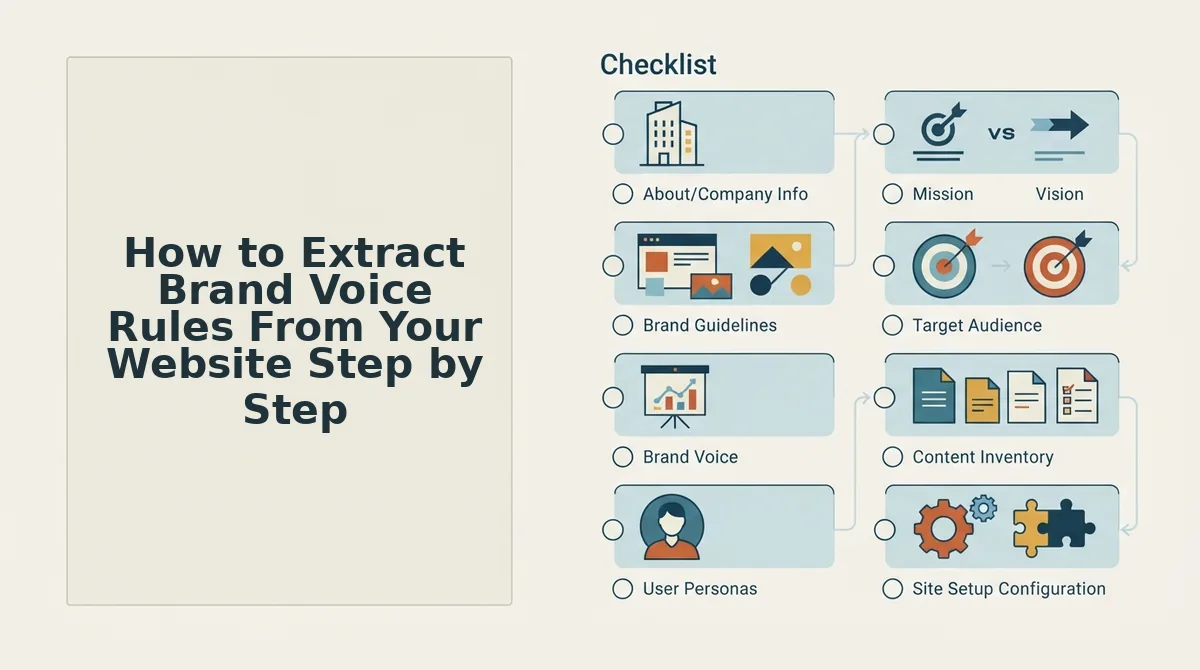
You extract brand voice rules by crawling your own site, sampling representative pages across formats, and logging recurring patterns in sentence structure, vocabulary, and formatting. The Crawl-First Method below takes roughly 90 minutes manually, or about five minutes with an automated tool like BloGoose.
Prerequisites: Access to your website's XML sitemap, a spreadsheet or note-taking tool, and 10-15 published pages you consider on-brand.
- Locate your XML sitemap. Open your browser and type
yourdomain.com/sitemap.xmloryourdomain.com/sitemap_index.xml. You should see a structured list of every page on your site. If you don't, check your robots.txt file for a sitemap reference. This file is your complete content inventory, it prevents you from sampling only pages you remember. - Select 10-15 representative pages. Pick pages across at least four formats: blog posts, landing pages, product or service pages, and one FAQ or help page. Include two or three pages that underperform, they often reveal voice patterns you unconsciously avoid or overuse. You should end up with a list that covers different goals and audiences, not just your greatest hits.
- Log sentence length patterns. Open each page and copy five consecutive sentences from the body text into your spreadsheet. Count the words per sentence. You should see a range emerge, for example, 8 to 22 words, with occasional 30-word exceptions. Record the average and the outliers. This single metric does more to stabilize AI output than any adjective.
- Identify vocabulary clusters. Scan each page for repeated terms, product names, and industry shorthand. Note whether you say "customers" or "clients," "pricing" or "investment," "get started" or "begin." You should see 15-25 recurring terms across your sample. These become your terminology density rules.
- Record formatting and transition habits. Note how each page uses headings, bullet points, bold text, and paragraph breaks. Count transition words, "however," "because," "so," "meanwhile", per 500 words. You should see a consistent pattern: some brands use one transition per paragraph, others almost none. This is the rhythm an AI writer needs to replicate.
- Compile the patterns into a rule sheet. Turn your observations into instructions an AI can follow: "Sentences average 14 words, never exceed 25. Use 'but' not 'however.' One bulleted list per 400 words. Bold key terms on first mention." You should end up with a one-page document that reads like a style guide written by a data analyst, not a brand strategist.
Pro tip: Sample across formats, not just your best-performing pages. BloGoose's setup wizard follows this same crawl-first logic, you enter a domain, it locates the sitemap, generates context files from detected patterns, and lets you edit them before any article is drafted. The manual version works; the automated version removes the spreadsheet step entirely. For a comparison of extraction approaches, see sitemap context extraction vs Byword.
Once your rule sheet exists, the next step is turning those raw patterns into structured files an AI writer can consume without ambiguity.
The 8 Brand Context Files That Turn Patterns Into Rules
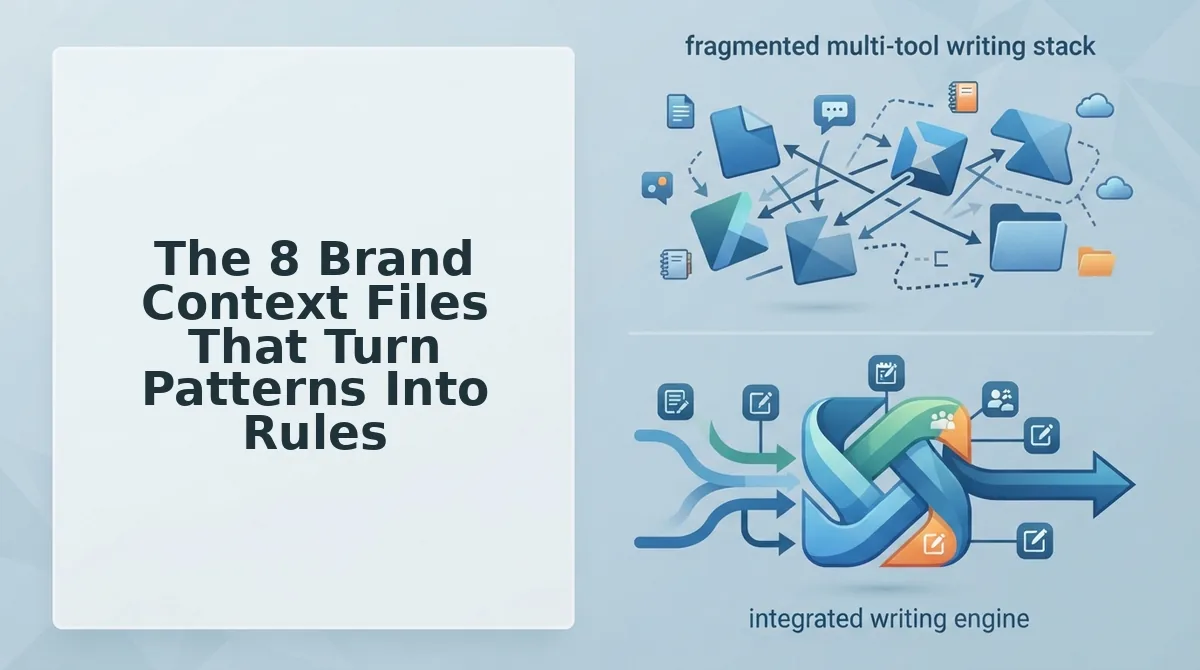
Brand voice extraction produces raw observations; context files convert those observations into reusable, machine-readable instructions. BloGoose generates eight Markdown files per project, a complete system no competitor names as a set, so your AI drafts from explicit rules instead of guessing.
Markdown is editable, versionable, and AI-readable, which addresses the E-E-A-T concern that AI-generated brand rules feel untrustworthy: you can open any file, see exactly what the engine will follow, and change it before a single draft is written.
- style-guide.md. Captures tone, sentence length, banned phrases, formatting conventions, and voice do/don't rules extracted from your published pages. It matters because this is the file your AI reads first when drafting, and it prevents drift toward generic marketing prose. Use it as the single source of truth every writer and tool references. You can generate a markdown style guide from your website automatically during setup.
- target-keywords.md. Lists primary, secondary, and long-tail keywords mapped to specific URLs and search intents. It matters because keyword context tells the AI which terms to use naturally and which pages to reinforce. Use it to keep every draft aligned with your cluster strategy instead of chasing random topics.
- competitor-analysis.md. Records what ranking competitors cover, the angles they miss, and the content gaps you can exploit. It matters because differentiation is a voice decision as much as a topic decision. Use it to instruct the AI on which positions to take and which generic claims to avoid.
- writing-examples.md. Stores 5-10 of your best-performing published pieces as canonical voice samples. It matters because concrete examples outperform abstract descriptions when an AI needs to match style. Use it to give the drafting engine reference material it can pattern-match against. A well-built brand voice writing examples file is the difference between "sounds close" and "sounds like us."
- internal-links-map.md. Maps pillar pages, cluster posts, and anchor text relationships across your site. It matters because internal linking signals topical authority and keeps readers moving through your funnel. Use it so every new article reinforces existing pages with contextually relevant anchors.
- seo-guidelines.md. Encodes your on-page rules: heading hierarchy, meta description formulas, image alt conventions, and schema preferences. It matters because voice consistency extends to structure, not just word choice. Use it to prevent drafts that read well but fail technical review.
- brand-voice.md. Distills positioning, audience jobs-to-be-done, and the emotional register your content should hit. It matters because tone rules without audience context produce technically correct but strategically empty copy. Use it to keep every draft speaking to the right reader with the right stakes.
- seo-context.md. Documents business constraints, regulated topics, prohibited claims, and geographic limits. It matters because compliance failures are expensive and AI models do not know your legal boundaries unless you state them. Use it to hard-block risky language before drafting begins.
These eight files work as a stack: style-guide.md controls how sentences sound, target-keywords.md controls what they target, and seo-context.md controls what they must never say. Together they form the complete markdown brand context files system that turns a one-time extraction into a repeatable publishing operation.
If you are evaluating whether a context-file approach fits your workflow, BloGoose generates all eight files from your domain in minutes, then lets you edit any of them before the first article is drafted, rules as a starting point, not a black box.
How to Apply Extracted Voice Rules to AI Content
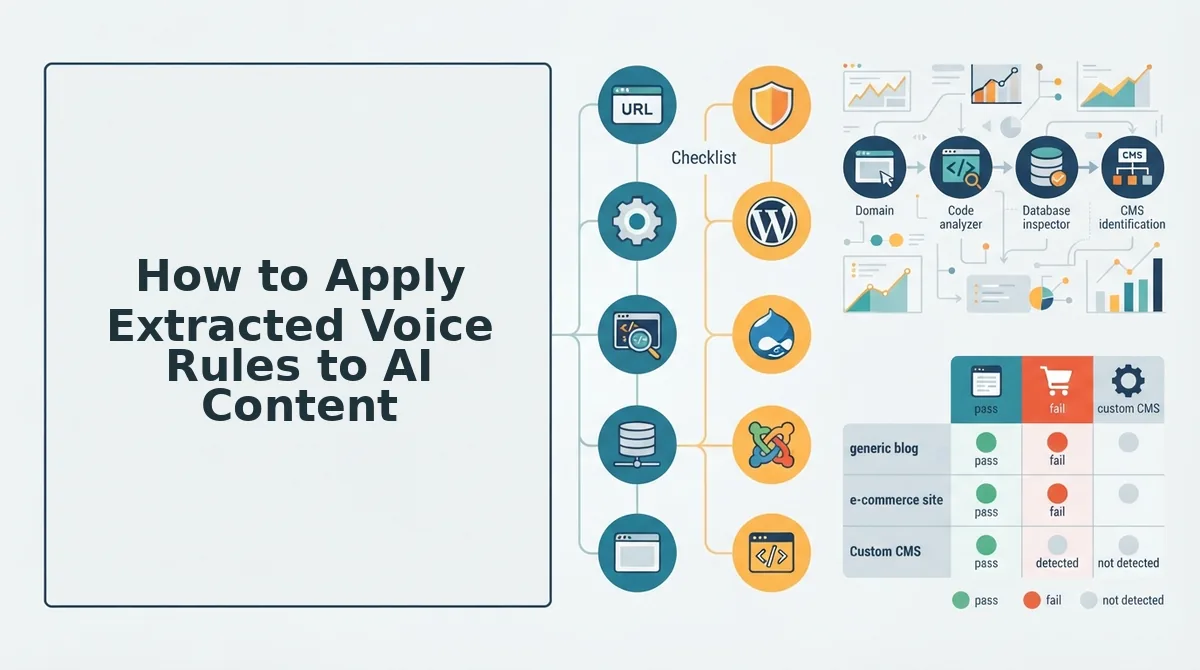
Extracted voice rules only change output when they are actually fed into the drafting step. The BloGoose flow closes that loop: domain entered, sitemap located, context files generated, user edits applied, then articles drafted in the detected voice.
Prerequisites: a live website with at least 10 published pages, access to your CMS or API credentials, and 15-20 minutes to review generated files before drafting.
- Enter your domain in the setup wizard. Type your site URL into the onboarding field and click Continue. BloGoose locates your XML sitemap and begins crawling published pages. You should see a crawl progress indicator within 30 seconds.
- Review the generated context files. Open style-guide.md, brand-voice.md, and writing-examples.md in the file viewer. Edit any rule that feels off, change a banned phrase, add a tone note, or swap a weak example for a stronger one. This is the step that separates BloGoose from black-box tools like thruuu Brand Kit, which captures brand voice for AI writing but does not expose editable Markdown files. HighLevel users face the same gap: AI agents need configured brand voice, and BloGoose provides the configuration files automatically.
- Select your content cluster or enter a new topic. Choose an existing pillar page from the calendar or type a new keyword. The engine maps your topic against target-keywords.md and internal-links-map.md. You should see suggested anchor texts and related cluster posts appear in the right panel.
- Set drafting parameters. Pick article length, target keyword density range, and whether to include an FAQ section. These settings override defaults in seo-guidelines.md for this draft only. Expect a 2-3 minute generation time for a 1,500-word article.
- Review the draft against your voice rules. Open the side-by-side view showing the draft next to your style-guide.md. Check sentence length, banned phrases, and tone markers. If something reads generic, edit the relevant context file and regenerate, the fix applies to every future draft, not just this one.
- Publish or push to your CMS. Click Publish to send the article directly to WordPress or your custom API endpoint. You should see a green success confirmation with the live URL. This is the core difference from an AI content engine vs chat window workflows: rules persist across every article instead of being re-prompted each session.
The brand voice writing examples file does the heaviest lifting here, the more representative your examples, the less manual editing each draft requires.
Troubleshooting When Extracted Rules Still Produce Generic Content
Generic output after voice extraction almost always traces to one of four failure modes: narrow sampling, wrong content-type coverage, unedited rules, or context files not reaching the drafting step. Each fix below targets a specific break in the chain.
- Sampled pages were too narrow. If you extracted voice from only three blog posts, the AI learned a fragment of your range. Re-run extraction with at least 10 pages spanning blog, product, landing, and about pages. Broader input produces rules that hold across content types instead of overfitting to one format.
- Voice extracted only from blog posts. Blog tone rarely matches product page tone, and rules built on one will flatten the other. Add product pages, case studies, and comparison pages to your sample set. Your style-guide.md should note per-template tone shifts, not one universal voice.
- Rules were never edited after generation. Auto-generated context files are a first draft, not a final answer. Open each file and correct anything that misrepresents your brand, a single wrong banned phrase or tone note compounds across every article. Ten minutes of editing prevents weeks of generic drafts.
- Context files are not being fed into the drafting step. If your workflow exports rules to one tool and drafts in another, the rules never reach the model. Use a pipeline where the same engine that generates context files also consumes them at draft time. Check your SEO guidelines markdown checklist to confirm every file is active in the drafting configuration.
- Writing examples are too few or too similar. Three examples from the same author writing the same topic teach the AI one narrow register. Include 5-10 examples across authors, formats, and funnels. Variety in the examples file is the single highest-leverage fix for flat output.
- No negative examples defined. Rules that say what to do without saying what to avoid leave the AI room to drift. Add a "never sound like" section to style-guide.md with phrases, sentence patterns, and tones to reject. Negative constraints are often more effective than positive ones at preventing generic copy.
If your AI output still sounds generic, check whether your sampled pages were too narrow, that single issue causes more voice-matching failures than any other. Users consistently report frustration with prompt-based voice matching, and these concrete fixes address the root causes instead of adding more prompts. For a deeper breakdown of common configuration gaps, see the questions below.
Frequently Asked Questions About Brand Voice Extraction
Brand voice extraction turns your published pages into reusable rules for AI drafting. These answers cover the questions users ask most often about sampling, automation, and output formats.
How do I extract brand voice rules from my own website?
Extract brand voice rules by crawling your sitemap, sampling 10-20 representative published pages, and analyzing recurring patterns in sentence length, vocabulary, punctuation, and formatting. Group those patterns into rule files covering syntax, terminology, banned words, and structural conventions, then feed those files into your AI drafting workflow.
Can brand voice extraction be automated?
Yes. Tools like BloGoose crawl your domain, inspect published pages, and generate brand context files without manual documentation. Automation works best when you review the extracted rules once, then reuse them across every draft, so the AI applies consistent voice constraints instead of guessing from a text description.
What's the difference between brand voice and tone?
Brand voice is the stable set of rules governing how you always write: sentence rhythm, vocabulary choices, punctuation habits, and structural patterns. Tone shifts with context, such as a product launch versus a support reply. Extraction captures voice; tone gets layered per piece.
How many pages do I need to sample for accurate voice extraction?
Sample 10-20 pages that represent your content mix: blog posts, landing pages, and product descriptions. Fewer than 10 pages risks overfitting to one author's quirks. More than 20 adds diminishing returns unless your site spans multiple distinct content categories with different voice conventions.
What format should brand voice rules be in?
Store brand voice rules as plain Markdown or text files with explicit, testable constraints: "maximum 22 words per sentence," "no passive voice in headings," "use 'you' not 'customers.'" Structured files work better than prose descriptions because AI models apply checkable rules more consistently than vague adjectives like "friendly" or "professional."
Why does my AI content still sound generic after I describe my brand voice?
Descriptions like "conversational but authoritative" give AI models no checkable constraints, so they default to the most statistically common phrasing. Extracted rules fix this by specifying concrete patterns: exact sentence length ranges, banned words, heading formats, and transition habits pulled from your actual published pages.
Stop Describing Your Brand Voice and Start Extracting It
Every hour spent writing "we're friendly but professional" into a prompt is an hour the AI ignores. Descriptions are uncheckable. Extracted rules are constraints, and constraints are the only thing that reliably changes model output.
The shift from describing to extracting closes the loop this article opened: generic AI content isn't a model problem, it's an input problem. When you crawl your sitemap, sample representative pages, and convert observed patterns into rule files, you give the AI the same reference material a new editor would study before writing for you. The result is drafts that sound like your site on the first pass, not the fifth revision.
Your next step is to generate those brand context files from your actual domain. Drop your URL into BloGoose AI and let it crawl your site, extract voice patterns, and produce editable Markdown rule files you can feed into any drafting workflow. That single action replaces the manual documentation loop most teams never finish.
You already have a brand voice. It lives in your published pages, waiting to be measured. Extract it once, apply it everywhere, and watch your AI content stop sounding like everyone else's.