
How to generate eight markdown context files from your site
You paste a 5,000-word prompt of tone guidelines and linking targets into an LLM, only to watch it abandon half your rules by paragraph four. Monolithic prompt dumps trigger severe token bloat and context drift, turning repository instructions into chaotic messes as analyzed by Technology Debunk. To stop prompt degradation, you can automatically generate eight markdown context files directly from your published site structure.
Adopting the persistent project memory paradigm established by Claude Code CLAUDE.md architecture, an AI SEO content engine replaces unwieldy chat dumps with modular context files. This guide details the automated XML sitemap extraction framework that parses your production site into structured, domain-grounded knowledge files. Along the way, you will discover the specific architectural file that permanently prevents generation tools from fabricating broken URLs.
Here is how the automated extraction functions in practice:
- Situation: A publisher requires voice-accurate, citation-ready drafts without spending hours writing manual documentation or prompt engineering homework.
- Action: The user inputs their domain into the setup wizard, prompting the engine to locate the XML sitemap, inspect published articles, and detect the technical CMS stack.
- Outcome: The system automatically extracts style rules, target topics, and linking paths, delivering eight editable Markdown files ready for production.
This extraction framework requires an active website with published pages, as it organizes existing signals rather than inventing rules from an empty domain. Understanding how each document is categorized is necessary before initiating the setup wizard.
What Are the Eight Markdown Context Files for AI Grounding?
The eight markdown context files are modular reference documents that supply autonomous language models with explicit guidelines for brand voice, search strategy, competitive positioning, and site architecture. Instead of stuffing every brand instruction into a bloated system prompt, these structured files isolate editorial parameters so language models generate voice-accurate drafts without hallucinations.
A modular markdown context system is a decoupled knowledge base that provides role-specific site instructions to an artificial intelligence engine during content generation. Think of these context files like an architect's organized blueprint binder: rather than tossing structural designs, plumbing layouts, and electrical diagrams into a single messy folder, each trade receives its own distinct specification sheet. Web Dev Simplified highlights that markdown offers cleaner structural parsing than verbose JSON, stripping away syntax overhead while preserving semantic hierarchy for language models.
Autonomous generation breaks down when models rely on unorganized prompt instructions. Maintaining distinct markdown context files for AI gives multi-agent pipelines dedicated, cacheable boundaries across eight distinct core files:
- seo-context.md: Records business goals, core audiences, conversion objectives, and hard editorial constraints.
- brand-voice.md: Outlines tone, audience job-to-be-done details, perspective traits, and explicit dos and don'ts.
- style-guide.md: Governs syntax patterns, formatting standards, terminology rules, and typography output.
- target-keywords.md: Structures primary terms, secondary targets, and intent-grouped long-tail phrases.
- internal-links-map.md: Catalogs canonical destination URLs, target parent pages, and allowed anchor associations.
- seo-guidelines.md: Enforces meta tag character counts, passage indexing targets, search intent alignment, and schema instructions.
- competitor-analysis.md: Profiles industry rivals, positioning differences, and topical coverage gaps to exploit.
- writing-examples.md: Supplies verified historical snippets as a writing examples ground truth for few-shot stylistic matching.
Why replace JSON payloads with plain Markdown text? Markdown headers establish predictable token hierarchies that search agents parse efficiently without wasting token context windows on repetitive key-value punctuation.
When you enter a domain into the BloGoose setup wizard, the engine automatically compiles these eight foundational files directly from your site to ground every future post in your real-world footprint.
Extracting these eight files requires converting your existing content footprint into structured reference data.
Step 1: Ingest Site Architecture via XML Sitemap Crawling
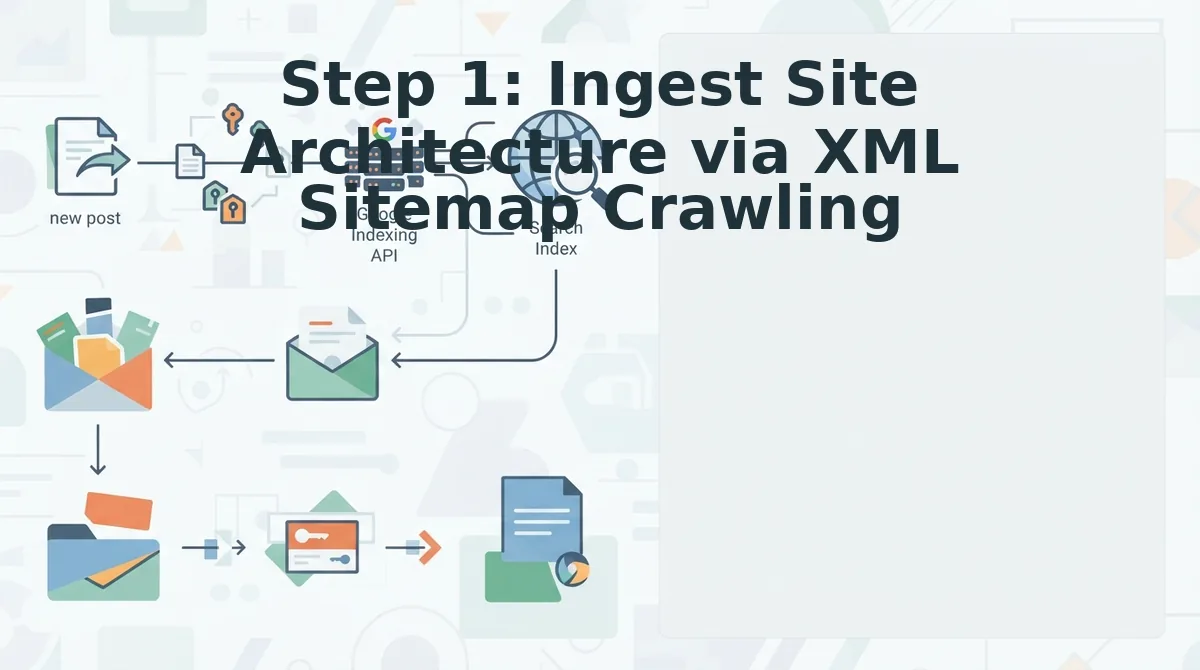
Ingesting site architecture requires pointing an automated crawler at your root domain to resolve indexable endpoints and extract technical site signatures. BloGoose parses domain routes automatically, discarding non-editorial noise to build structured context files.
An XML sitemap is an organized index file that lists an application's canonical URLs to inform search engines and automated crawlers about available site structure.
Prerequisites: A published root domain, public network access, and an indexable sitemap endpoint.
An automated content engine ingests site architecture by parsing your root domain to identify structural endpoints and CMS configurations. During this crawl, the engine extracts the XML sitemap, catalogs all existing live posts, and profiles technical headers to detect CMS stack setups like WordPress or static headless builds. Advanced crawling logic filters out low-value URLs, such as media attachments, author archives, and paginated feeds, before data ingestion begins. This leaves a pristine corpus of primary articles and pillar pages, ensuring that generated context files reflect authentic editorial topics rather than administrative site noise.
Why avoid copying and pasting your URLs by hand? Manual scraping misses deep pillar clusters and pulls in noisy code fragments.
Here is the exact breakdown:
- Type your primary website domain into the setup wizard and click Scan Domain (Estimated time: 10 seconds). The crawler queries the root host and checks standard root files. You should see an active connection status with a confirmed domain handshake.
- Confirm the resolved sitemap location under the crawler settings (Estimated time: 30 seconds). The parser inspects canonical paths, nested sub-sitemaps, and index feeds. You should see a green verification indicator alongside the total count of discovered indexable URLs.
- Review the filtered endpoint inventory and software profile (Estimated time: 60 seconds). BloGoose uses technical header signatures and script structures to detect CMS stack environments like WordPress, Ghost, or custom headless frameworks. The ingestion engine automatically isolates editorial articles while dropping media files, category taxonomies, and author pagination to prevent context pollution. You should see a clean URL manifest ready for processing.
Extracting brand knowledge directly from validated sitemap endpoints prevents the hallucinated voice drift typical of ungrounded prompt workflows.
With clean site architecture indexed, the raw page data is ready for structural file generation.
Step 2: Extract Voice, Linking, and Entity Rules into Discrete Files
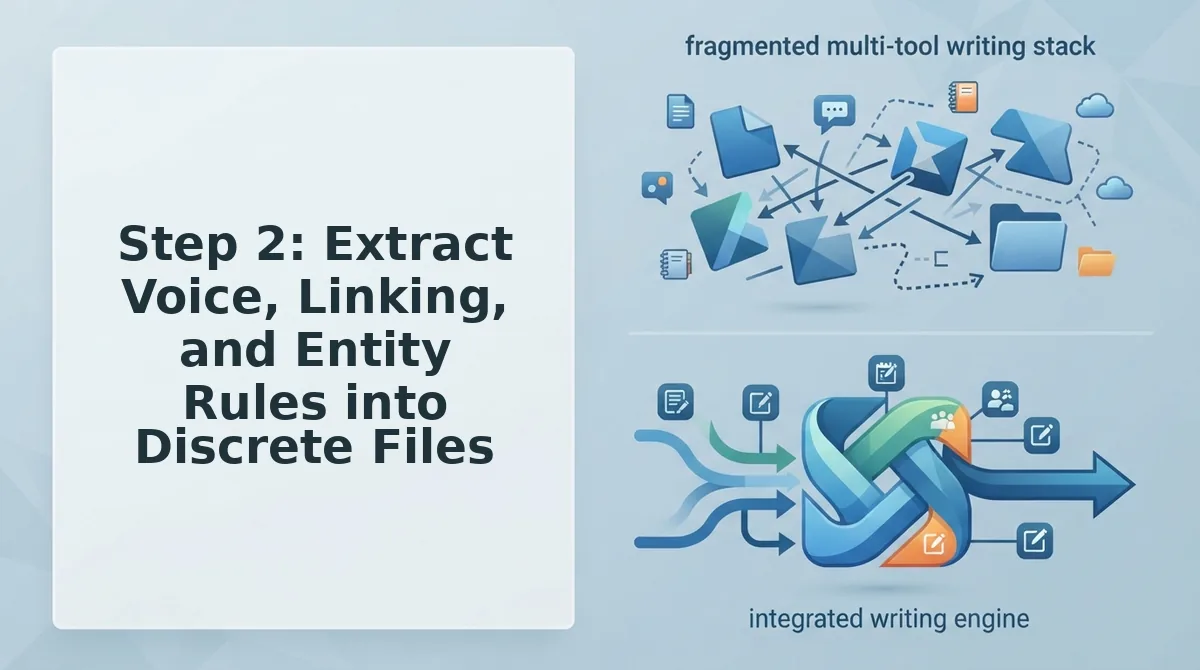
Extracting voice, linking, and entity rules requires stripping raw HTML formatting from your crawled pages and converting the remaining semantic text into structured Markdown documents. This process isolates brand tone, factual site boundaries, and link architecture into discrete, machine-readable instructions.
A brand context file is a lightweight Markdown document that defines editorial rules, internal link targets, and factual constraints for automated writing workflows. Before beginning this extraction phase, you must have an active site crawl completed within your BloGoose dashboard.
Follow these steps to parse your live site into modular configuration files:
- Select Extract Context in your project dashboard (Estimated time: 30 seconds). The crawler strips layout wrappers, header tags, and script bloat to isolate semantic body copy. You should see eight pending document cards populate on your screen.
- Extract tone and pacing conventions to generate markdown style guide assets alongside your voice profile (Estimated time: 1 minute). The engine evaluates phrasing patterns across your top-performing published articles to automatically produce concrete DO and DON'T voice rules. You should see green checkmarks next to
style-guide.mdandbrand-voice.md. - Map live URL topology directly into your linking file (Estimated time: 1 minute). For example, parsing 50 published blog posts extracts live target URLs and converts them automatically into an internal links map with verified anchor conventions. You should see
internal-links-map.mddisplay an indexed directory of target destinations. - Define operating boundaries by generating your SEO parameter file (Estimated time: 45 seconds). BloGoose performs the extraction of domain boundaries to form
seo-context.mdwithout hallucinating facts, locking down strictly verified topics, target audiences, and prohibited claims. You should see a preview pane displaying verified site constraints.
When BloGoose transforms crawled website elements into clean Markdown syntax, it bypasses HTML tag pollution entirely. By converting body copy into concise structural rules, the engine defines clear topical limits, verified internal link paths, and voice constraints. If you want to eliminate prompt-engineering homework and multi-tool stack sprawl, BloGoose automates this extraction step so you can produce voice-accurate, citation-ready articles that publish directly to WordPress.
Once your eight files have finished populating in the dashboard, you must verify the parsed parameters against your actual content goals.
Step 3: Validate and Prune Your Generated Markdown Context Files
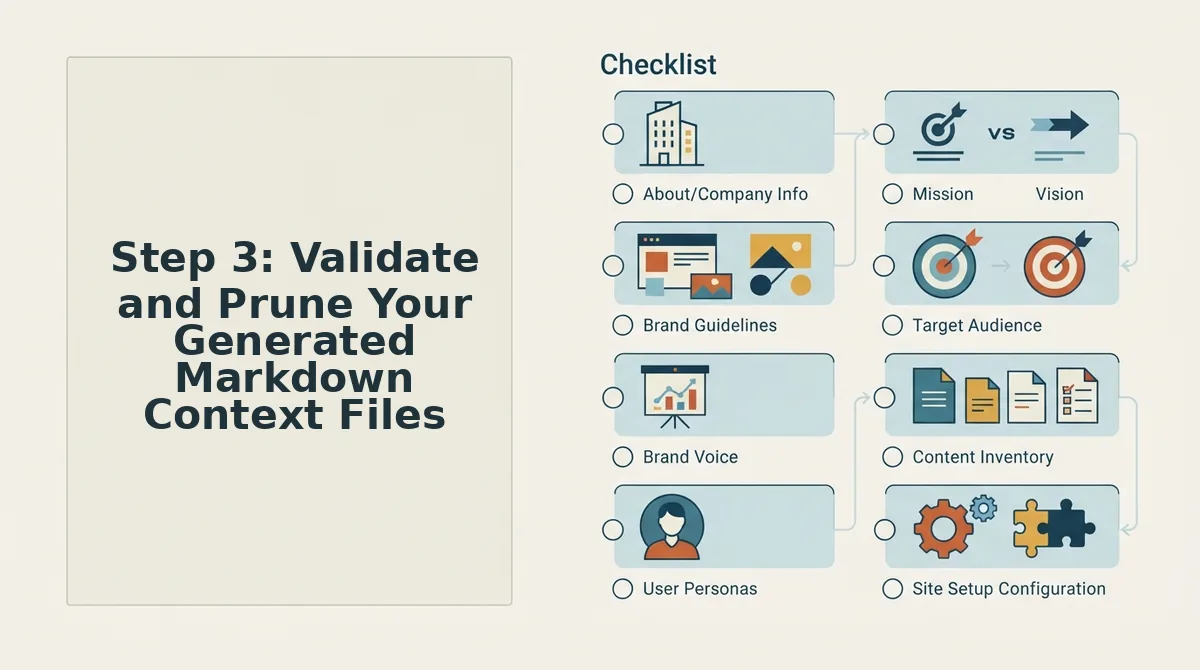
Validating and pruning generated Markdown context files requires running a structured audit across your output files to eliminate conflicting instructions, strip cannibalizing search terms, and enforce regulatory boundaries before drafting begins. Context pruning is the systematic curation of AI reference files to eliminate factual hallucinations, duplicate search intents, and conflicting editorial parameters. Reviewing your files prevents automated systems from amplifying outdated sitemap data or generating unsupported product claims during production cycles.
Prerequisites: Access to the generated Markdown files in your BloGoose dashboard and your active editorial compliance guidelines (Estimated time: 10 to 15 minutes).
Can automated scrapers misinterpret your legacy content? Crawlers often pull deprecated disclaimers and obsolete page slugs, making manual verification critical to avoid common brand context extraction mistakes.
- Open the
seo-context.mdfile in the editor to inspect the constraints section. Type your explicit legal restrictions, required disclosures, and prohibited claims into the text area so the generator cannot invent unverified statistics. You should see updated constraint rules saved in your workspace panel without syntax errors. - Select
target-keywords.mdto apply de-duplication rules across all proposed target terms. Delete overlapping search queries sharing identical search intent to stop keyword cannibalization before drafting begins. You should see a clean list where every primary keyword maps to exactly one target URL. - Click
internal-links-map.mdto check all parsed anchor text matches against live HTTP 200 URLs. Remove 404 endpoints, redirect chains, and staging URLs extracted during the sitemap crawl. You should see a pruned linking table displaying only canonical site destinations. - Review
seo-guidelines.mdagainst your standard SEO guidelines checklist to ensure title tag formulas, meta description lengths, and header structures match your current search goals. Save your changes to confirm the full set of files is validated for drafting.
Context accuracy dictates output quality: an automated content engine only generates compliant, citation-ready drafts when its grounding documents contain zero conflicting rules.
Understanding how these verified modular documents function reveals why they outperform single, complex instructions.
Monolithic Prompts vs Modular Eight-File Architecture
Modular eight-file architecture isolates distinct operational constraints into dedicated Markdown files to prevent instruction drift, whereas monolithic prompts cram voice rules, link registries, and formatting commands into a single, high-overhead context window. Splitting parameters across discrete files ensures language models reference only the rules necessary for a specific sub-task without degrading output quality.
Context window degradation is the systematic breakdown of instruction adherence that occurs when an LLM attempts to process conflicting guidance across dense, multi-thousand-token prompts. In long generation runs, monolithic prompts suffer severe adherence degradation because internal linking tables and negative tone constraints compete directly against drafting tasks for attention weights.
| Architecture Dimension | Monolithic Prompt Strings | Modular 8-File Architecture |
|---|---|---|
| Token Overhead per Query | High: forces full re-ingestion of rules, link indices, and examples on every execution pass. | Low: passes only targeted subsets (such as internal link maps) to specific generation steps. |
| Instruction Adherence | Degrades across multi-turn generation as background context dilutes the prompt priority. | Sustained: discrete scopes isolate style enforcement from factual extraction. |
| Multi-Agent Reuse | Poor: prompts must be copied, modified, or concatenated manually across separate tools. | Native: persistent files function like a repository system guide across autonomous pipelines. |
| Best for Specific Persona | Solo marketers running ad hoc, one-off drafts inside standalone consumer chat interfaces. | Publishers and growth teams running automated, programmatic publishing pipelines. |
Monolithic prompts hold a distinct advantage for rapid, single-turn tasks. If a founder needs one quick email variant or a standalone social snippet, crafting a one-off prompt avoids the upfront investment of crawling a sitemap and structuring brand documentation.
When orchestrating high-volume search content, the dynamic shifts completely. Evaluating an AI content engine vs chat window workflows reveals that persistent files, much like a repository guide, prevent multi-agent drift by maintaining strict, immutable boundaries between internal link registries and stylistic rules. Instead of paying prompt-engineering overhead on every generation run, agents retrieve static context systematically.
Our recommendation: Choose monolithic prompts if you produce irregular content assets requiring manual human steering at every step. Choose modular eight-file architecture if you operate an autopilot SEO engine where SERP research, content drafting, and internal linking execute as distinct agent workflows without context rot.
Understanding how these structured context files behave across production environments clarifies their implementation nuances.
Frequently Asked Questions About Markdown Context Generation
Generating modular Markdown context files establishes a structured foundation that prevents AI hallucinations, preserves token budgets, and keeps automated publishing aligned with live site architecture.
Why use Markdown instead of JSON for LLM site context?
Large language models parse Markdown headers and tables natively, allowing teams to feed more domain guidelines, target keywords, and internal links into prompt contexts without hitting token limits.
Why can't standard chat interfaces maintain synchronized site context?
Standard chat interfaces operate on sequential message histories rather than a synchronized file system. They inevitably suffer from context drift across multi-turn sessions, dropping earlier instructions about tone, internal links, and keywords. Modular files ensure every drafting run pulls identical, up-to-date site parameters simultaneously.
How does an XML sitemap inform context file generation?
A sitemap crawl reveals URL taxonomy, core content pillars, and publishing frequency directly from production data. Inspecting these live URLs catalogs critical ranking entities:
- Extracts existing entity hierarchies
- Identifies target keyword patterns
- Maps cross-linking targets
This process automates rule creation without manual documentation.
How do I update markdown context files when site taxonomy changes?
Re-crawl your XML sitemap or directly edit the Markdown files whenever your product catalog or topical focus shifts. Updating files like target-keywords.md or seo-guidelines.md immediately aligns subsequent generation runs with newly published pages, preventing broken internal links and obsolete brand claims.
Maintaining these individual context files manually still consumes editorial hours that could be directed toward organic growth.
Automate Your Site Context and Stop Prompt Engineering
Automating your site context replaces brittle prompt engineering with dynamic, crawl-backed markdown files that keep generative models aligned with your published site structure. Maintaining static prompts by hand guarantees context rot the moment you update an internal link, add a product category, or refresh editorial tone.
Why patch complex instructions manually when your live architecture already contains every rule your engine needs?
The solution is shifting from manual prompting to continuous context synchronization derived directly from live XML sitemaps. When your drafting environment reads directly from files like style-guide.md and internal-links-map.md, articles publish with verified anchor targets, accurate entity relationships, and consistent brand framing.
Put your architecture to work with two clear steps:
- Inspect your live sitemap to ensure indexable URLs reflect your active topical clusters.
- Submit your domain to the autopilot SEO content engine setup wizard to generate all eight editable Markdown brand context files directly from your existing pages.
Search engines and AI answer engines do not reward clever prompts; they reward persistent, structurally grounded context synchronized straight from the source.