
How to Replace a 12 Tab SEO Stack With One Dashboard
You know the drill: keyword research in one tab, SERP analysis in another, a third for drafting, a fourth for image generation, and somewhere in the chaos, your brand voice quietly dies. The average content manager juggles a dozen disconnected tools just to publish one post, and that's before the manual copy-paste into WordPress. If you're ready to replace a 12 tab SEO stack with one dashboard, you're not alone: Julian Goldie's video "I Replaced 12 Tabs With ONE AI Operating System" proves the demand is real, even if his solution offers no text passages an AI answer engine can cite.
Here's the truth: you're not bad at SEO. You're bad at context-switching, because no human is good at it. By the end of this article, you'll know exactly what tab sprawl costs you in dollars and ranking drift, which tabs to kill first using a decision matrix no competitor publishes, and what a single dashboard must actually do to replace all twelve without sacrificing quality. Along the way, you'll meet the Tab Kill List, a framework that turns your browser chaos into a ranked consolidation plan. And the surprising part? Most consolidation attempts fail for one reason that has nothing to do with the tools themselves.
BloGoose was built for this exact problem: it crawls your site, learns your voice, and publishes rank-ready articles without the tab relay race. Keep reading to see how the math works.
What a 12-Tab SEO Stack Actually Costs You
A 12-tab SEO stack is a fragmented workflow where keyword research, SERP analysis, drafting, editing, image creation, and CMS publishing each live in a separate tool, forcing you to manually transfer context between them. The direct answer: it costs you roughly $180 - $400 per month in subscriptions, 2-4 hours per article in context-switching, and a measurable drop in content quality from tone drift.
Start with the simple math. A typical keyword tool runs $30 - $100 monthly. SERP analysis adds another $30 - $80. AI drafting subscriptions cost $20 - $50, image generation $10 - $30, and a CMS automation plugin another $20 - $50. Stack them up and you're paying for a part-time employee who never shows up.
Here's where it gets worse. Every time you switch tabs, your brain pays a "switching tax", the 10-20 seconds it takes to reorient, multiplied across dozens of micro-transitions per article. Think of it like cooking dinner in a kitchen where every ingredient is stored in a different room. The meal gets made, but you've walked a mile and burned the sauce twice.
Now the advanced cost: tone drift. When your keyword tool doesn't know your brand voice, your AI drafter guesses it, and your editor applies a third interpretation, the final article reads like it was written by committee. Misha Manko's custom dashboard tour proves consolidation is a live user need, but his solution only covers analytics, not content creation or publishing. The tools that matter most for ranking remain scattered.
If you're already feeling the strain of juggling editorial calendars across tools, the fix starts with avoiding calendar sprawl through automated blog planning, because a consolidated calendar is the foundation every other tab depends on.
The hidden cost of tab sprawl is not the subscription fees, it's the compounding loss of context. Each tool in a 12-tab stack holds a fragment of your article: keywords in one, SERP intent in another, brand voice in a third, image specs in a fourth. When no tool shares context with the others, you become the integration layer, manually copying data between tabs. This manual relay introduces errors, slows publishing velocity, and produces articles that read as if no single author wrote them. A unified dashboard eliminates this loss by keeping keyword data, SERP insights, voice rules, and publishing actions in one connected workflow.
The Tab Kill List: What to Consolidate First
The Tab Kill List is a ranked decision matrix that tells you which of your 12 tabs to eliminate first, based on consolidation impact and replacement readiness. Here's the direct answer: kill keyword research and drafting tabs first, because they cause the most context loss and have the most mature replacements.
Here's where most consolidation attempts go wrong: people try to replace everything at once, get overwhelmed, and retreat to their old stack within a week. The Tab Kill List prevents that by sequencing kills in order of impact.
- Keyword research tab, kill when you're copying keyword lists into a separate drafting tool. This is the highest-context-loss tab because intent data dies in transit. A unified engine keeps keyword clusters attached to the brief, so the drafter knows exactly which terms to target without a manual handoff.
- SERP analysis tab, kill when you're toggling between results pages and your draft. Without live SERP research baked into the drafting flow, you're writing blind. Consolidation means the engine reads competitor structure and injects those insights directly into your outline.
- AI drafting tab, kill when you're pasting prompts into a chat window and copying output back. This tab is the biggest time sink because it forces you to be the API. A dashboard that drafts from your site's actual brand voice eliminates prompt engineering entirely.
- Editing and tone-check tab, kill when you're manually enforcing style rules across documents. Tone drift happens here because the editor never saw the source material. When voice rules are extracted from your published site and applied automatically, this tab becomes redundant.
- Image creation tab, kill when you're generating visuals in a separate tool and uploading them manually. Image context (alt text, dimensions, placement) gets lost in the shuffle. A consolidated engine generates and places images with SEO metadata attached.
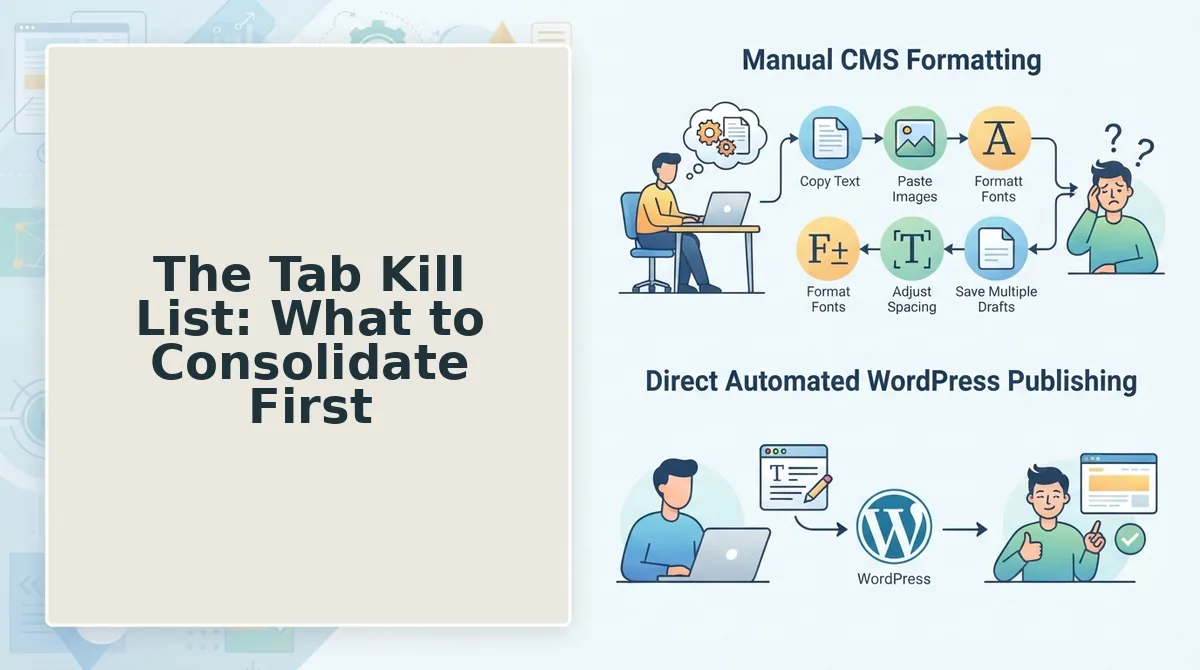
- CMS upload tab, kill when you're copying HTML from a doc into WordPress. This is the final mile where formatting breaks and publishing delays happen. Direct CMS publishing removes the manual relay entirely.
- Calendar and scheduling tab, kill when your content plan lives in a spreadsheet disconnected from production. A dashboard that plans, drafts, and publishes from one calendar closes the loop and prevents the sprawl from creeping back.
That's the kill order, now let's look at what the dashboard replacing all seven must actually do.
What One Dashboard Must Actually Do
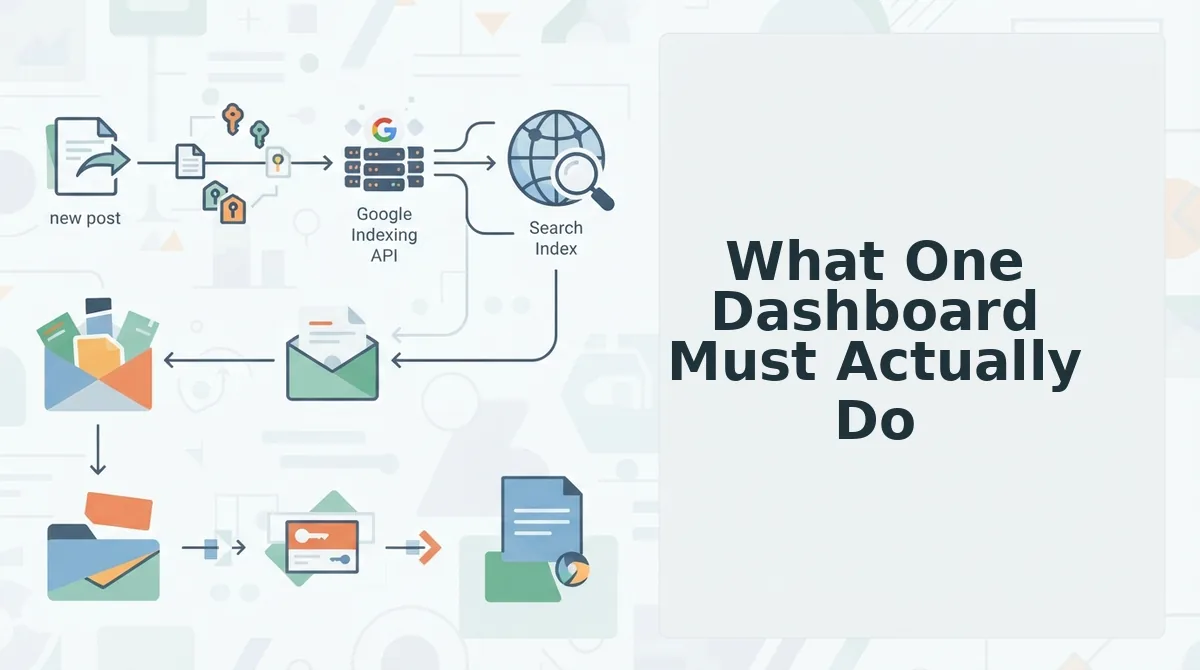
A true replacement for a 12-tab SEO stack must handle five jobs end-to-end: crawl your site for brand context, research live SERPs, draft voice-accurate articles, optimize for AI answer engines, and publish directly to your CMS, without exporting between tools.
Not every platform claiming "all-in-one" clears that bar. Daniel Agrici's viral "Claude Code skills just replaced your entire SEO stack" video demonstrates real capability for research and drafting, but it remains Claude-specific and stops short of a publishing workflow. You still need a separate step to get content live. That gap is exactly where a crawl-to-publish pipeline earns its place.
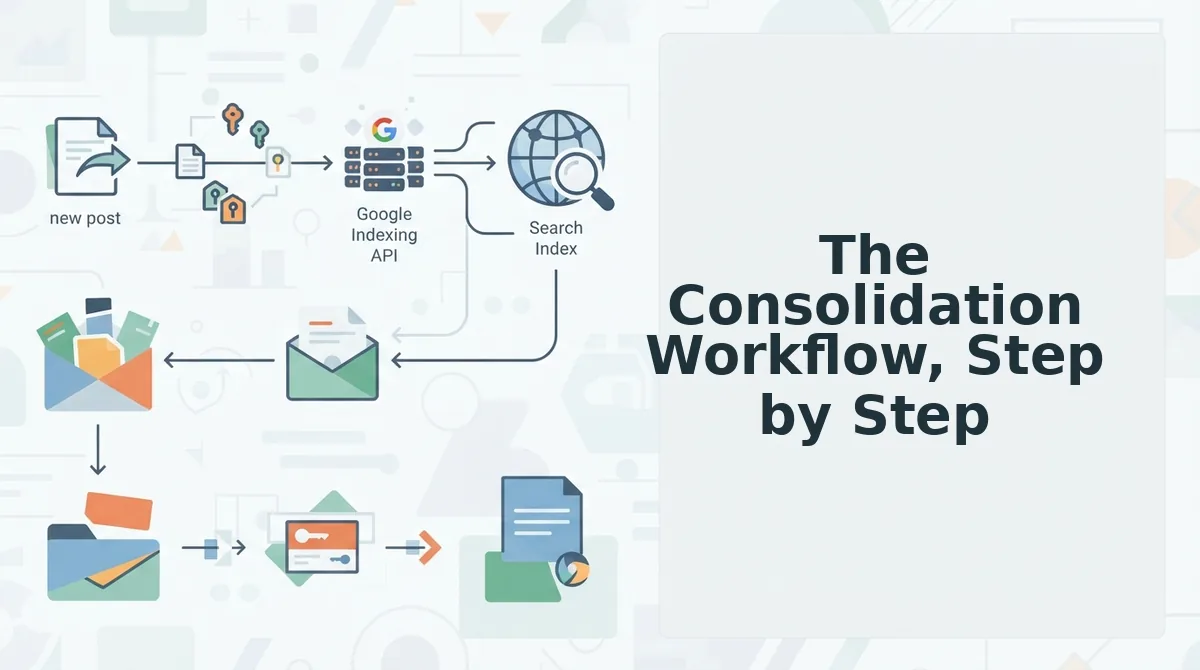
The BloGoose pipeline runs XML sitemap extraction, Markdown brand context files, live SERP queries, and WordPress API publishing as one connected sequence. The brand context file is the differentiator: it captures voice rules from your existing pages, so drafts don't sound like generic AI output.
| Option | What It Replaces | Publishing Included | Brand Voice Extraction | Best For |
|---|---|---|---|---|
| Claude Code skills (Agrici method) | Research, drafting, some optimization tabs | No, manual export required | No, prompt-dependent | Technical SEOs comfortable with CLI workflows |
| Surfer SEO + CMS plugin combo | On-page optimization, content scoring | Partial, via WordPress plugin | No, template-based | Writers who want scoring without full automation |
| BloGoose AI SEO content engine | All 12 tabs: crawl, research, draft, optimize, publish | Yes. WordPress or custom API | Yes. Markdown brand context files | Publishers and teams who want autopilot output without stack sprawl |
If you're evaluating a Surfer SEO alternative, weigh whether you need scoring alone or scoring plus publishing. The honest answer: Surfer remains strong for on-page optimization. What it doesn't do is crawl your site, learn your voice, and ship finished drafts, which is why teams still run it alongside four or five other tabs.
Choose based on your bottleneck. If drafting is the pain, a Claude Code setup works. If the pain is the entire loop from research to live post, only a dashboard with native publishing closes it.
The Consolidation Workflow, Step by Step
Consolidating 12 tabs into one dashboard is a phased migration, not a weekend switch. Follow this sequence to avoid publishing gaps while you retire tools.
Prerequisites: A BloGoose account, your domain's XML sitemap URL, WordPress admin credentials or API keys, and a list of your current 12 tabs with one sentence each describing what you actually use them for.
- Audit your current tabs. Open a spreadsheet and list every tool in your stack. Next to each, write the specific action you take in it, "check keyword difficulty," "score draft," "schedule post." You should see 10-14 distinct actions. This list becomes your consolidation map. Expected outcome: a clear inventory of what the dashboard must replace.
- Map each tab to a dashboard capability. In BloGoose, open the setup wizard and enter your domain. The crawler locates your XML sitemap and extracts brand context into Markdown files. Cross-reference your audit list against the dashboard's feature set. Expected outcome: every tab action has a matching dashboard function, or you've identified a genuine gap.
- Run a pilot post end-to-end. Select one low-stakes article from your calendar. Let the dashboard handle research, drafting, optimization, and publishing to WordPress via API. Do not edit in your old tools. Expected outcome: one live post produced without touching a single legacy tab.
- Check for voice drift. Read the pilot post against three of your best-performing existing articles. If the tone sounds off, open the Markdown brand context file and add specific examples of your phrasing, sentence length, and terminology. Re-run the draft. Expected outcome: the second draft reads like your team wrote it.
- Kill tabs as the pilot proves out. Once two or three posts ship cleanly, cancel the subscriptions you mapped in step two. Keep one backup tool for 30 days, then retire it. Expected outcome: your stack shrinks from 12 tabs to one dashboard plus, at most, one transitional tool.
For teams publishing to non-WordPress platforms, the same workflow applies, publish directly to WordPress or your API using the custom endpoint option, which accepts any CMS that exposes a REST interface.
FAQ: Replacing Your 12-Tab SEO Stack
Replacing a 12-tab SEO stack means consolidating keyword research, SERP analysis, drafting, optimization, image creation, and publishing into one dashboard that crawls your site, learns your brand voice, and ships finished articles to your CMS automatically.
How do I replace a 12 tab SEO stack with one dashboard?
Start by auditing every tab and listing the specific action you take in each. Map those actions to dashboard capabilities, then run one pilot post end-to-end, from crawl to publish, before canceling anything. A dashboard like BloGoose handles XML sitemap extraction, brand voice learning via Markdown context files, live SERP queries, and WordPress API publishing as one pipeline. Once two or three posts ship cleanly without touching legacy tools, retire the old subscriptions. Keep one backup tool for 30 days as a safety net, then cut it. The key is proving the full loop works on real content before you commit.
Can one tool really handle SERP research and publishing?
Yes, when the tool is built as a pipeline rather than a feature bundle. SERP research requires live query access; publishing requires CMS API integration. A single dashboard can do both when it connects those steps programmatically instead of asking you to export and re-upload between them.
Will I lose my brand voice with an AI content engine?
Only if the engine skips brand context extraction. Tools that crawl your existing site and store voice rules, sentence length, terminology, tone, produce drafts that match your published content. Tools that start from a blank prompt produce generic output. The difference is whether the dashboard reads your site first.
What's the difference between AEO optimization and regular SEO?
AEO, or answer engine optimization, formats content so AI chatbots and voice assistants can extract it as a direct answer. Regular SEO targets Google rankings. AEO content optimization adds structured, self-contained passages that answer specific questions in 40-60 words, making your content citable when an AI responds to a user query.
How long does it take to consolidate an SEO stack?
Most teams complete the migration in two to four weeks. The pilot post takes one to two days, voice refinement another day, and the 30-day backup window covers the transition. The bottleneck is usually mapping old workflows to new capabilities, not the technical setup.
Consolidation Is a Voice Decision, Not Just a Cost Decision
The Tab Kill List works because it treats tool sprawl as a brand problem, not a budget line item. Every tab you remove returns a small piece of editorial control that fragmented workflows quietly surrendered. The payoff isn't just hours saved. It's a publishing cadence that sounds like you on every page, every week, without a style guide spreadsheet open in another window.
Here's the synthesis most consolidation guides miss: your content stack shapes your content voice. Twelve tabs force twelve micro-decisions per article. One dashboard collapses those decisions into a single, repeatable system. That's why the strongest next step is to start with BloGoose and let the platform crawl your site, extract your brand rules, and generate a 30-day calendar before you manually retire a single tool.
- Audit first: Map your current tabs against the Tab Kill List and mark which ones only exist to patch gaps between other tools.
- Pilot one cluster: Run a single pillar topic through BloGoose end-to-end, from crawl to WordPress publish, before committing to full migration.
- Retire in waves: Cut the first three redundant tabs after your first published article, then repeat monthly as the calendar fills.
The open loop from the start resolves here: the 12-tab stack isn't a productivity problem you optimize around. It's a structural tax on every article you publish. Remove the structure, and the tax disappears with it.
One dashboard doesn't just replace twelve tabs. It replaces twelve chances to sound like someone else.