
How to Set Up Brand Context Files for a New Website
You already know the pain: five browser tabs open, a prompt-engineering doc that's 40 pages deep, a separate bill for every LLM, and articles that still read like a robot wrote them after a head injury. The problem isn't your writing, it's that you're trying to set up brand context files for a new website by hand, every single time, across a stack that was never designed to talk to itself.
Agree, that workflow is exhausting, and it's why so many content teams burn out before their site ever ranks. Here's the promise: by the end of this guide, you'll have a single setup flow that generates eight editable files, each one governing a specific content decision, so your articles sound like you and get cited by AI answer engines. We'll walk through what brand context files actually are, the exact step-by-step setup wizard, and why this beats prompt engineering every time.
But here's the part nobody tells you: the difference between content that ranks and content that gets ignored is eight files. Most teams stop at two or three. Stick around, and you'll see exactly which eight matter, and how an AI SEO content engine can generate all of them from a single domain drop, no prompt homework required.
What Are Brand Context Files?
Brand context files are structured Markdown documents that define how your website's content should sound, what it should target, and how it should be structured before a single article is drafted. Think of them like a restaurant's recipe book: the chef can change, but the dishes taste the same because every ingredient, measurement, and technique is written down.
At the simplest level, a brand context file is a text file with rules. At an intermediate level, those rules get split across multiple files so each one governs a narrow decision, voice, keywords, competitors, formatting. At the advanced level, those files feed directly into an AI content engine that reads them before generating every article, eliminating prompt repetition and output drift.
Here's the full anatomy, eight files, each mapped to the content decision it controls:
| File | Content Decision It Governs |
|---|---|
| brand-voice.md | Tone, sentence rhythm, vocabulary, and what your brand never says |
| style-guide.md | Formatting rules, heading conventions, capitalization, and punctuation preferences |
| target-keywords.md | Primary, secondary, and long-tail keywords mapped to specific URLs |
| competitor-analysis.md | What competitors rank for, where they're weak, and what you'll do differently |
| writing-examples.md | Annotated samples of your best-performing content, with notes on why each works |
| internal-links-map.md | Which pages link to which, anchor text rules, and pillar-cluster relationships |
| seo-guidelines.md | Meta description formulas, title tag patterns, and on-page optimization rules |
| content-calendar.md | Publishing cadence, topic priorities, and content cluster sequencing |
Brand context files are the complete set of instructions an AI content engine needs to produce articles that match your voice, target your keywords, and follow your SEO rules without manual prompting. The eight files, brand-voice.md, style-guide.md, target-keywords.md, competitor-analysis.md, writing-examples.md, internal-links-map.md, seo-guidelines.md, and content-calendar.md, work together as a single operating manual for content generation. Each file governs one decision layer: voice, formatting, keyword targeting, competitive positioning, style reference, link structure, on-page SEO, and publishing rhythm. When stored as markdown brand context files, they can be read by both humans and AI systems, making them portable across tools and platforms. The result is content that stays consistent whether it's written by a freelancer, an in-house editor, or an automated engine.
How the Setup Wizard Works Step by Step
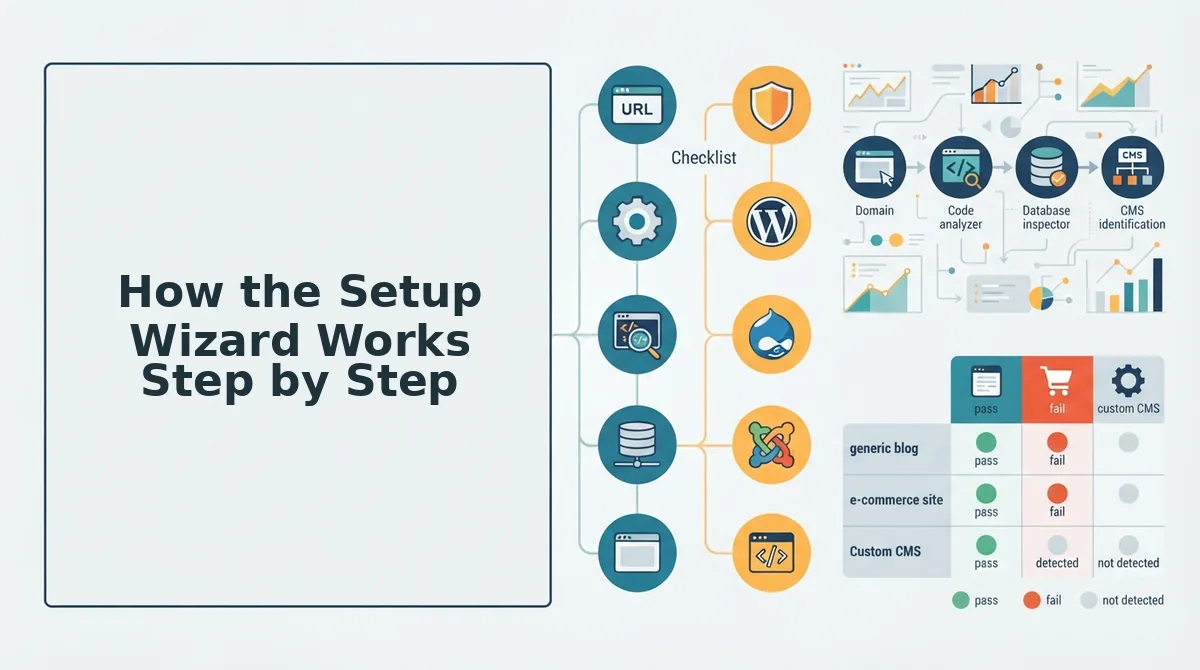
The setup wizard turns a raw domain into eight editable brand context files in four stages: drop your domain, let the engine detect your sitemap and CMS, review the generated Markdown files, then edit before publishing. You'll need a live website with an accessible XML sitemap and roughly 10-15 minutes for the full flow.
- Drop your domain into the setup wizard. Type your website URL into the domain field and click Start. The engine immediately begins crawling your site, inspecting published pages, reading your XML sitemap, and extracting the underlying technical structure. You should see a crawl progress indicator within seconds.
- Wait for sitemap and CMS detection. The engine automatically locates your XML sitemap and identifies your CMS stack, whether that's WordPress, Webflow, Shopify, or a custom build. This sitemap context extraction step also maps your existing URL structure and detects which pages are already indexed. A green checkmark appears next to each detected element.
- Review the eight generated Markdown files. Once the crawl completes, the engine produces all eight brand context files, brand-voice.md, style-guide.md, target-keywords.md, competitor-analysis.md, writing-examples.md, internal-links-map.md, seo-guidelines.md, and content-calendar.md. Each file is pre-populated with rules inferred from your site, not blank templates. Open each one to confirm the voice rules match how you actually write.
- Edit and save before publishing. These files are starting points, not final rules. Adjust tone descriptions, add keyword priorities, refine competitor notes, and correct any CMS stack detection details that need tweaking. Once saved, the files become the permanent context layer for every article the engine generates, and they ship directly to WordPress or your custom API with AI included.
The setup wizard works in four sequential stages. First, you drop your domain and the engine starts a crawl of your published pages. Second, it detects your XML sitemap and CMS stack to understand your technical structure. Third, it generates eight editable Markdown files covering voice, style, keywords, competitors, writing examples, internal links, SEO guidelines, and content calendar. Fourth, you review and edit those files before they become the permanent rules for all future content generation. Each stage produces visible confirmation, a progress bar, green checkmarks, or generated file previews, so you always know what the engine found and what it inferred from your site.
That's the setup flow, now here's why these eight files outperform a folder full of saved prompts.
Why Context Files Beat Prompt Engineering
Persistent brand context files outperform per-prompt instructions because they ground every article in the same voice, keywords, and SEO rules without repeated setup. Prompt engineering requires re-explaining brand rules every session; context files persist across all content generation.
Prompt engineering has real strengths: it is flexible, requires no infrastructure, and lets you experiment with tone on the fly. For one-off tasks or exploratory drafts, a well-crafted prompt in a chat window is often the fastest route. But for a content pipeline that must publish weekly, the re-explanation cost compounds quickly.
| Approach | Setup Frequency | Consistency Across Articles | SEO Rule Persistence | Best for |
|---|---|---|---|---|
| Prompt engineering | Every session | Varies by prompt quality | Must be restated each time | Freelancers running one-off experiments |
| Brand context files | Once per site | High, file-driven | Baked into every draft | Publishers and agencies scaling content clusters |
| Hybrid (files + prompt tweaks) | Once, with per-article adjustments | High with controlled variation | Persistent with optional overrides | Growth leads who want consistency plus campaign flexibility |
Brand context files win on repeatability: a single Markdown file containing voice rules, target keywords, competitor references, and internal link patterns gets applied to every article automatically. Prompt engineering, by contrast, depends on the writer remembering to include all constraints each time, and human memory is the weakest link in any workflow.
For a deeper breakdown of how this plays out in production, see our comparison of AI content engines vs chat window workflows. BloGoose automates the context-file approach: it crawls your site, extracts brand rules into persistent files, and applies them to every article it drafts and publishes.
Troubleshooting Common Setup Issues
Most setup failures trace back to three root causes: a missing or blocked sitemap, too little published content to extract a distinctive voice from, or a CMS the crawler cannot identify automatically. Each has a specific fix you can apply in minutes.
- Sitemap not found. The crawler cannot locate your XML sitemap, usually because it is missing, blocked by robots.txt, or hosted at a non-standard URL. Verify the sitemap URL in your robots.txt file and confirm it returns a 200 status code before re-running the setup.
- Brand voice feels generic. The extracted voice rules read like boilerplate because the site has too few published pages or the existing content is thin. Add more representative pages, especially long-form articles and product descriptions, or manually edit the generated writing-examples.md file to sharpen the tone.
- CMS stack misdetected. The platform identifies your CMS incorrectly, typically because you run a custom build or a less common system. Manually specify your CMS in the settings panel, then re-run the crawl so publishing targets map correctly.
- Internal link rules missing. The generated context file lacks internal linking patterns because the crawler found too few internal links to infer a structure. Publish a few interlinked pillar pages first, then regenerate the context files to capture the link graph.
- Keyword extraction returns irrelevant terms. The crawler pulled keywords from boilerplate, navigation, or footer text rather than body content. Exclude non-content page templates in the crawl settings and re-run extraction to focus on editorial copy.
- Generated files overwrite manual edits. Re-running the setup wizard replaces your hand-tuned Markdown files with fresh crawler output. Back up edited files before re-crawling, or use the merge mode if available to preserve manual changes.
- Publishing fails after successful setup. The context files are correct but articles do not reach your CMS because API credentials or endpoint URLs are stale. Re-authenticate the CMS connection and test-publish a draft before scheduling the full calendar.
For a deeper look at where extraction goes wrong, see our guide to brand context extraction mistakes.
FAQ
Brand context files are persistent Markdown documents that store a website's voice rules, target keywords, competitor references, and SEO constraints. They replace per-session prompt instructions with a reusable configuration applied to every generated article.
How do I set up brand context files for a new website?
Run a four-stage pipeline: crawl the site to extract existing content and structure, generate voice and keyword rules from that crawl, review and edit the Markdown files, then connect your CMS for automated publishing. Each stage builds on the previous one, so do not skip the review step.
What is the difference between brand context files and a style guide?
A style guide covers voice, tone, and formatting. Brand context files go further: they include target keywords, competitor references, internal link patterns, and SEO rules that a style guide typically omits. Context files are machine-readable instructions, while style guides are human-facing documents.
Can I edit the generated Markdown files?
Yes. The generated Markdown files are editable starting points, not locked configurations. You can adjust voice rules, add keywords, or refine competitor references at any time, and subsequent articles will reflect those changes. For more on this workflow, see our guide to generating a Markdown style guide from your website.
Why does my extracted brand voice sound generic?
Generic output usually means the source site has too few published pages or thin content for the crawler to detect a distinctive voice. Add more representative long-form pages, then regenerate the context files to capture richer tone and vocabulary patterns.
Your Brand Context System Is Only as Strong as Its First Crawl
Eight files. Four stages. One crawl. That's the entire setup, and the payoff compounds with every article you publish afterward.
The open loop from the start of this guide resolves simply: brand context files don't require linguistic expertise or prompt engineering skill, they require a structured crawl of your existing site. The wizard extracts what's already there: your voice, your topic clusters, your publishing cadence, your citation patterns. You're not creating a brand voice from scratch. You're documenting the one you already have.
Here's the synthesis that matters: context files turn your website from a passive asset into an active training set. Every page you've published becomes reference material for every article you'll ship. That's the difference between an AI that guesses your tone and an AI that inherits it.
Two next steps, in order:
- Run the setup wizard on your domain. It takes one URL and returns the eight-file structure mapped to your actual site architecture, no manual configuration required.
- Start a free crawl to generate your eight brand context files. You'll see exactly what the engine extracts before committing to a publishing workflow.
Once those files exist, every article you publish through an autopilot SEO content platform carries the same voice, the same topical depth, and the same citation-ready structure, without you touching a prompt.
A brand context file is not documentation; it's the operating system your content engine runs on.