
How to Coordinate Regular Article Generation Without Spreadsheets

Your content calendar has 47 rows, six color-coded tabs, and a "status" column nobody has updated in three weeks. Sound familiar? If you're still trying to coordinate regular article generation without spreadsheets, you already know the pain: version drift where two writers use different outlines, tone inconsistency that makes your brand sound like five different companies, missed publish windows, zero feedback from search results, and manual status updates that eat your Friday afternoons. You're not disorganized, you're using a tool that was never designed for content operations.
Here's what this guide will do: show you exactly how to replace spreadsheet coordination with an automated queue that handles priority, brand voice, and publishing handoff without a single status cell. You'll learn the five failure modes that break spreadsheet workflows, how a queue model fixes each one, and a step-by-step setup you can implement this week. Along the way, you'll see why the most surprising fix isn't a better template, it's removing the spreadsheet entirely. A platform like BloGoose, an AI SEO content engine, already bakes this queue logic into its publishing pipeline.
Why Spreadsheets Break at Content Scale
A content spreadsheet is a manual coordination layer that stores article ideas, assignments, and statuses in rows and columns, and it fails predictably once you publish more than a handful of articles per month. Think of it like using a paper map to run a delivery fleet: it works for three drivers, but collapses when you have thirty routes, live traffic, and same-day deadlines.
At small scale, a spreadsheet feels fine. You add a topic, assign a writer, mark it "drafting," then "review," then "published." The problem is that every one of those transitions requires a human to remember to update a cell. At intermediate scale, say, 10-20 articles per month, you start losing track of which version of an outline a writer used, whether the tone matches the last post, and whether anything actually shipped on time.
At advanced scale, the spreadsheet actively works against you. There is no feedback loop from search rankings back into your planning sheet, so you keep producing content that underperforms without knowing why. The five failure modes are consistent across teams:
| Failure Mode | What Happens | Automated Alternative |
|---|---|---|
| Version drift | Writers use outdated outlines or conflicting briefs | Queue-based priority with a single source of truth |
| Tone inconsistency | Each article sounds like a different brand | Brand context extraction from your existing site |
| Missed publish windows | Deadlines slip because nobody updates the sheet | Direct publishing to WordPress or your API |
| No SERP feedback loop | You can't see what's ranking or why | Live SERP research baked into drafting |
| Manual status updates | Hours lost to cell-editing instead of writing | Auto-advancing status states |
A content queue is a prioritized, auto-advancing list of articles that moves each piece from topic generation to publish without requiring anyone to manually change a status field. When a draft is ready, the system advances it to the next stage automatically. When a post goes live, the queue pulls the next priority item forward. This is the core mechanic behind a content calendar automation tool, and it eliminates the coordination tax that spreadsheets impose. BloGoose applies this model by crawling your site, extracting brand voice rules, and publishing finished articles directly, no status column required.
The Queue Model: How Automated Content Coordination Actually Works
A content queue is a prioritized, auto-advancing list of articles that moves from topic generation to publish without manual status updates. Think of it like a restaurant kitchen's ticket rail: orders enter in priority sequence, each station handles its step, and the ticket moves forward automatically, nobody has to walk around asking "what's the status on table six?"
Calendar thinking is built on dates, cells, and manual updates. You assign an article to "next Tuesday," and if the writer finishes early or late, you have to reshuffle everything by hand. Queue thinking is built on priority order, auto-advance, and status states. The system knows what's next, what's in progress, and what's ready to publish because each item carries its own state and advances when its conditions are met.
Here's the workflow in practice. A topic enters the queue at position one. The system extracts brand voice rules from your existing site so every draft matches your tone without a style guide spreadsheet. When the draft is complete, it auto-advances to the publishing stage and ships directly to WordPress or your custom API. The next item moves up automatically. No one updates a cell, sends a Slack message, or opens a shared doc to check progress.
A content queue replaces spreadsheet coordination by automating three things spreadsheets cannot: priority order, brand voice extraction, and publish handoff. Priority order means the system always works on the highest-value article next. Brand voice extraction means tone consistency is enforced by the engine, not by a writer's memory of a style guide. Publish handoff means the finished article lands in your CMS without a copy-paste step. BloGoose implements all three as a single pipeline, which is why teams using it stop treating content operations as a data-entry job.
Ready to build this yourself? Start with the foundation: extracting brand voice and site structure automatically.
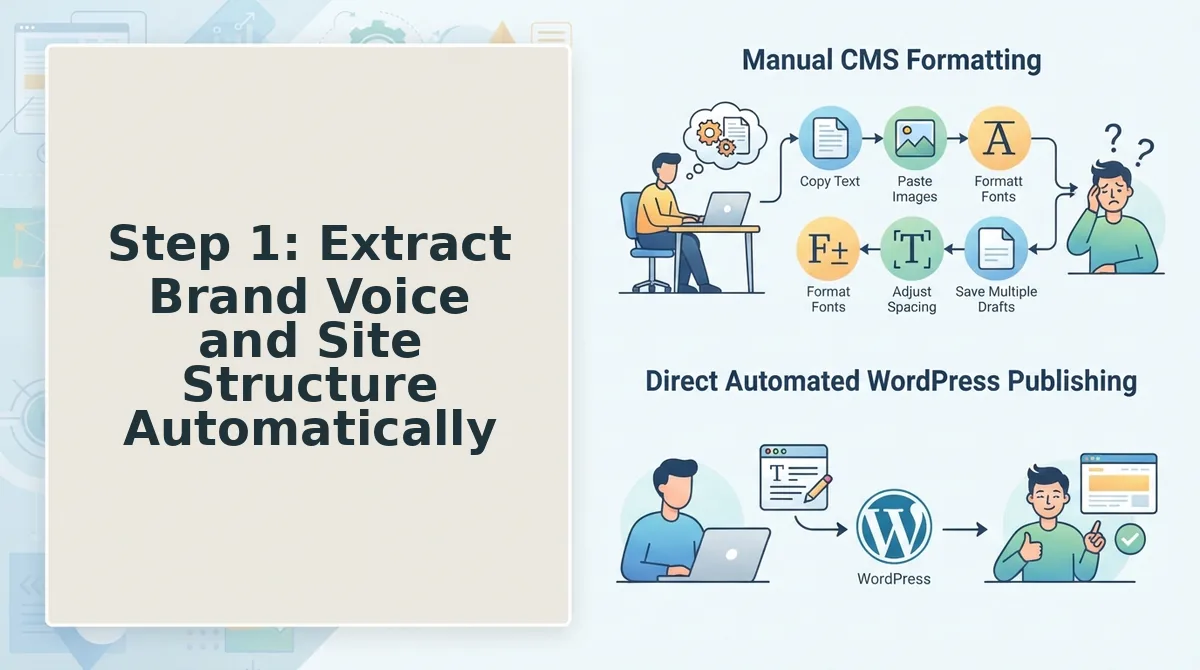
Step 1: Extract Brand Voice and Site Structure Automatically
Brand voice extraction replaces the manual style guide with an automated crawl: BloGoose reads your sitemap and generates eight editable Markdown context files that lock tone, structure, and terminology before any drafting begins.
Prerequisites: A live domain with an XML sitemap, plus a BloGoose account with setup wizard access.
- Open the setup wizard and type your domain into the Website URL field. BloGoose locates the XML sitemap and begins crawling published pages automatically. Expected outcome: a crawl progress bar appears within 10 seconds.
- Wait for the crawl to complete (typically 2-5 minutes depending on site size). BloGoose inspects page structure, headings, internal links, and recurring phrasing patterns. Expected outcome: you should see a green checkmark next to "Site structure mapped."
- Review the eight generated context files in the Brand Context panel, these cover voice, tone, terminology, formatting, and structural conventions. Expected outcome: each file is editable Markdown you can refine without starting from scratch.
- Click Save Context to lock the extracted rules for all future drafts. Expected outcome: a confirmation banner reads "Brand context applied to queue."
This is the same sitemap context extraction that direct CMS publishing engines skip, a content manager drops in a domain and gets voice rules without manual configuration.
Step 2: Generate Topics From Live SERP and Social Research
Live SERP and social research replaces the static keyword spreadsheet by surfacing what currently ranks, where gaps exist, and which audience questions competitors have not answered.
Prerequisites: Completed brand context extraction from Step 1, plus a seed topic or pillar page URL.
- Open the Topic Research tab and enter a seed keyword or pillar page URL into the Seed Input field. Expected outcome: BloGoose begins a live SERP scan for the query in under 30 seconds.
- Review the ranking gap report in the SERP Opportunities panel. BloGoose lists current top-ranking pages, their content depth, and questions they fail to answer. Expected outcome: you should see a ranked list of gap topics with difficulty and intent labels.
- Select the Social Research toggle to pull audience questions from public discussions and Q&A threads. Expected outcome: a second list appears with real user phrasing competitors have not targeted.
- Click Approve Topics on any entries you want queued. Expected outcome: approved topics move to the calendar with a green "Queued" badge, no spreadsheet column to update.
This is live SERP research as a workflow, not a report you export and forget. If your current process involves pasting keyword lists between tools, this step removes that loop entirely.
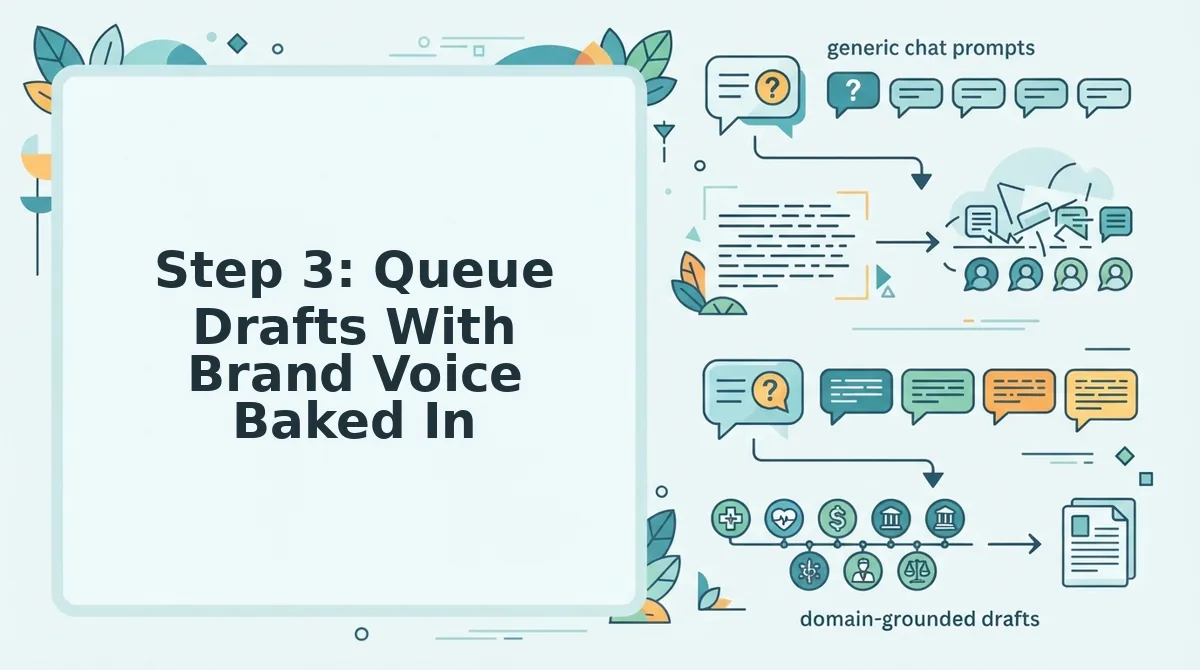
Step 3: Queue Drafts With Brand Voice Baked In
Queue-based draft generation enforces voice consistency automatically: each article is drafted in sequence using the eight brand context files from Step 1, so tone never drifts between writers or sessions.
Prerequisites: Approved topics from Step 2 and saved brand context files from Step 1.
- Open the Draft Queue panel and confirm your approved topics appear in order. Expected outcome: each topic shows a status of "Queued" with the assigned brand context file listed.
- Click Generate Next Draft to start the first article. BloGoose writes section by section, applying the extracted voice rules to every heading and paragraph. Expected outcome: a progress indicator advances through sections, typically completing a full draft in 3-5 minutes.
- Review the draft in the editor and make any edits directly in the CMS-ready view. Expected outcome: your changes are saved without breaking the queue sequence.
- Click Approve Draft to auto-advance the queue to the next topic. Expected outcome: the next draft begins generating automatically, no manual status update, no "in progress" column to maintain.
Because drafts are generated in sequence using the same context files, every article matches the established voice without a human re-reading a style guide each time. The queue auto-advances, which is the coordination layer spreadsheets never had.
With drafts approved and the queue moving on its own, the final step is sending finished articles where they belong: Step 4 covers publishing directly to WordPress or your API.
Step 4: Publish Directly to WordPress or Your API
Publishing is the handoff where most content stacks collapse into manual uploads and calendar checking. BloGoose removes that step entirely by shipping finished articles straight to WordPress or a custom API endpoint.
Prerequisites: A connected WordPress site with REST API access enabled, or a custom API endpoint that accepts POST requests. You'll need your site URL and an application password or API key ready.
- Open Settings, then Publishing. Select WordPress or Custom API from the destination dropdown. You should see a connection form appear with fields for your site URL and credentials.
- Type your site URL and API credentials. For WordPress, paste the application password generated under Users to Profile in your WP admin. Click Test Connection. A green checkmark confirms BloGoose can reach your site, this takes under 30 seconds.
- Select a publishing mode. Choose Draft for editorial review or Publish Immediately for hands-off posting. You should see the mode reflected in the queue status column for every queued article.
- Click Schedule on any queued draft. Pick a date and time, or leave it on Auto to follow your 30-day calendar cadence. The article status changes to Scheduled with the publish timestamp visible.
- Confirm the handoff. When the scheduled time arrives, BloGoose pushes the article, featured image, and meta tags to your endpoint. You should see the post live on your site without opening a single upload dialog.
A solo operator can schedule a week of posts in one sitting and have them publish while offline. For a deeper walkthrough of the API route, see the WordPress auto-publish workflow.
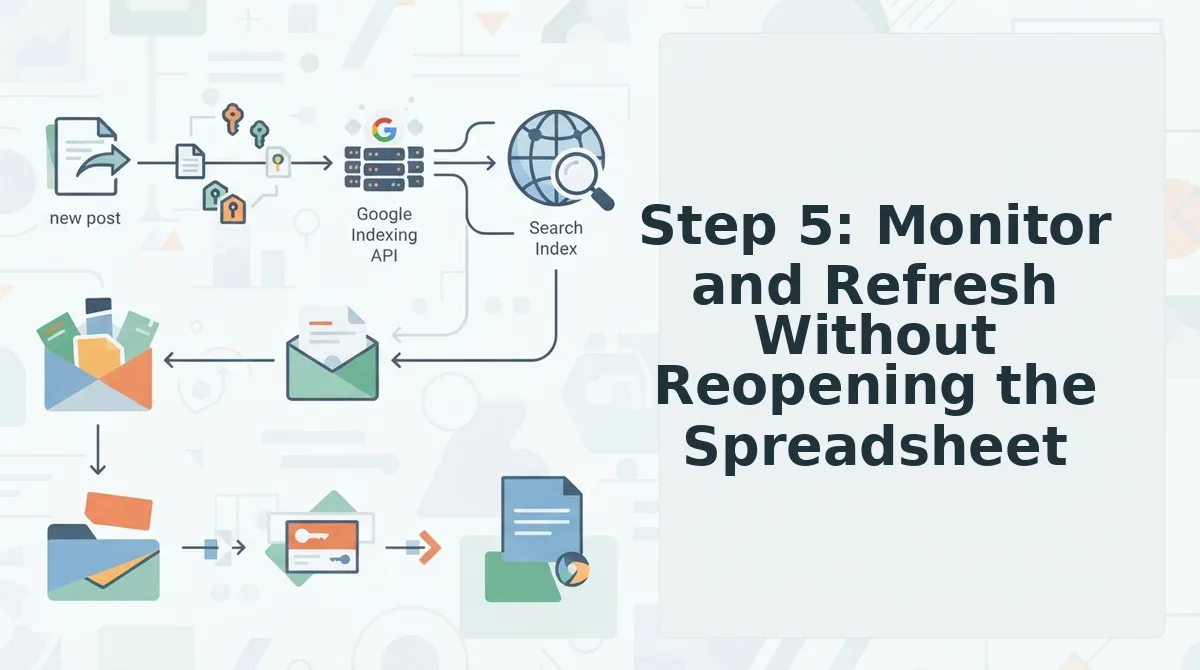
Step 5: Monitor and Refresh Without Reopening the Spreadsheet
Content refresh stops being a separate manual project when your queue watches live SERP movement for you. BloGoose flags underperforming articles and re-queues them automatically, so no status columns or tracking tabs are needed.
Prerequisites: Articles already published through BloGoose, with search console or SERP tracking connected in Settings to Monitoring.
- Open the Queue dashboard. Look for the Needs Refresh filter in the left sidebar. You should see a list of articles that dropped in rankings or lost SERP features within the last 7 days.
- Click any flagged article. Review the detected changes, new competitor titles, updated featured snippet content, or shifted search intent. This review takes about 2 minutes per article.
- Select Re-queue for Refresh. BloGoose re-drafts the article against the current SERP, preserving your brand voice rules. The status changes to Refreshing with an estimated completion time.
- Approve the refreshed draft. Open the diff view to see what changed, then click Publish Update. The revised article goes live to your connected endpoint without manual upload.
The queue handles the entire refresh loop, detection, re-drafting, and republishing, as one automated action. Learn more about the content refresh cycle.
FAQ: Coordinating Article Generation Without Spreadsheets
A content queue replaces a calendar spreadsheet by auto-advancing priority order, status states, and publish timing based on live SERP data, no manual columns to update.
What replaces a content calendar spreadsheet?
A content queue replaces the calendar spreadsheet. It auto-advances priority order, tracks status states like Draft, Scheduled, and Published, and re-queues underperforming articles based on live SERP changes. You review and approve; the queue handles sequencing and timing.
Can AI content tools publish directly to WordPress?
Yes. AI content tools like BloGoose publish directly to WordPress via the REST API, removing manual upload, copy-paste, and image insertion. You connect your site once with an application password, then scheduled articles go live automatically at the chosen time.
How do I keep brand voice consistent across AI-generated articles?
Brand voice consistency comes from automated extraction of your sitemap context into editable Markdown files. The engine reads your existing pages, identifies tone, terminology, and formatting patterns, then applies those rules to every draft, no prompt rewriting per article.
Why does my spreadsheet workflow keep breaking at 20+ articles per month?
Spreadsheets track tasks but cannot execute them. At scale, status columns drift from reality, dependencies get missed, and manual uploads create bottlenecks. A queue model executes the workflow itself, drafting, scheduling, publishing, and refreshing, so tracking and doing stay in sync.
How does automated refresh work without manual tracking?
The queue monitors live SERP changes for every published article. When rankings drop or a competitor captures a featured snippet, the article is flagged and re-queued for refresh automatically. You approve the updated draft, and it republishes, no manual status updates or spreadsheet columns needed.
For articles built to win both rankings and AI citations, see how AEO-optimized article generation fits into the same queue workflow.
From Spreadsheet Debt to a Self-Running Queue
The spreadsheet was never the problem. It was the coordination tax: status columns, owner tags, version numbers, and the constant "is this live yet?" Slack ping. The queue model removes that tax entirely by making priority, voice extraction, and publishing one continuous flow instead of five manual handoffs.
Here's the payoff the intro promised: regular article generation doesn't require more discipline. It requires a system that doesn't depend on yours. When brand voice is extracted automatically, topics come from live SERP research, and drafts publish straight to WordPress, the calendar fills itself.
Your next step:
- Start a BloGoose queue and move one article from idea to live post without touching a status cell.
- Explore automated content workflows that replace manual optimization checklists.
- Watch how sitemap context extraction turns your existing site into the brief for every future article.
The teams publishing weekly without spreadsheets aren't more organized than you. They just stopped coordinating and started queueing.